MAN00000772_SI-G200BB_SVCPDFA.pdf - 第196页
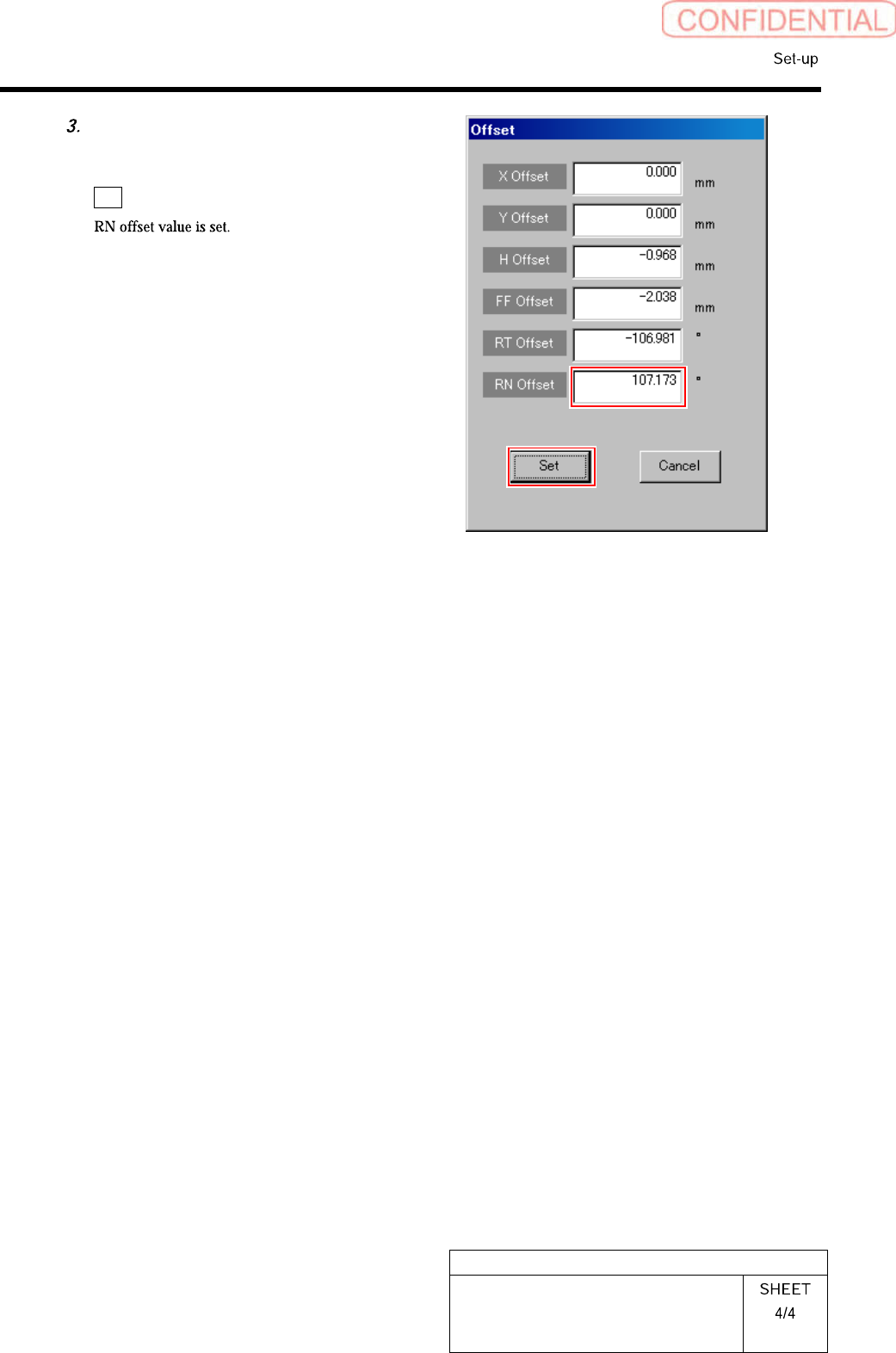
HLGB-10207-01 RN A xis Origin Offset Setup Input the value ( examp le: 1 10.1) obtained in the previous p rocedure into the RN Offset box, and click t he Set button.
HLGB-10207-01
RN Axis Origin Offset Setup
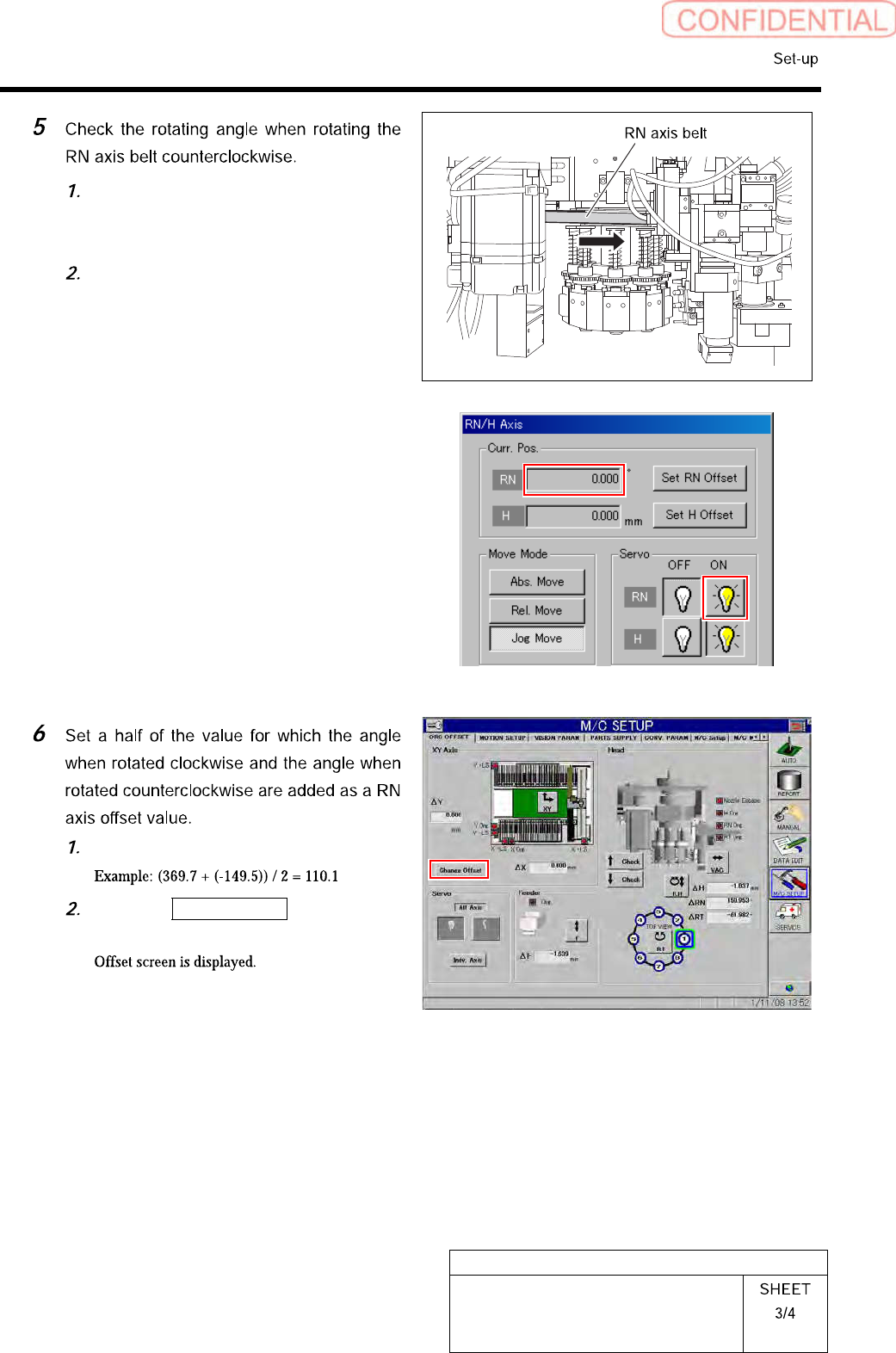
Turn on the servo for the RN axis at a
position where the RN axis is rotated
counterclockwise and stops.
Take note of angle of the RN axis
displayed on the RN/H Axis screen.
(Example: -149.5˚)
Calculate the offset value of the RN axis.
Click the Change Offset button on the
ORG OFFSET screen.
HLGB-10207-01
RN Axis Origin Offset Setup
Input the value (example: 110.1)
obtained in the previous procedure
into the RN Offset box, and click the
Set button.
HLGB-10208-01
Pickup Check Camera Setup
Perform this working on both heads on the front side and rear side.
[Necessary jigs]
• Length reference nozzle jig
• Scale (about 150 mm)
[Position adjustment for rise end stopper]
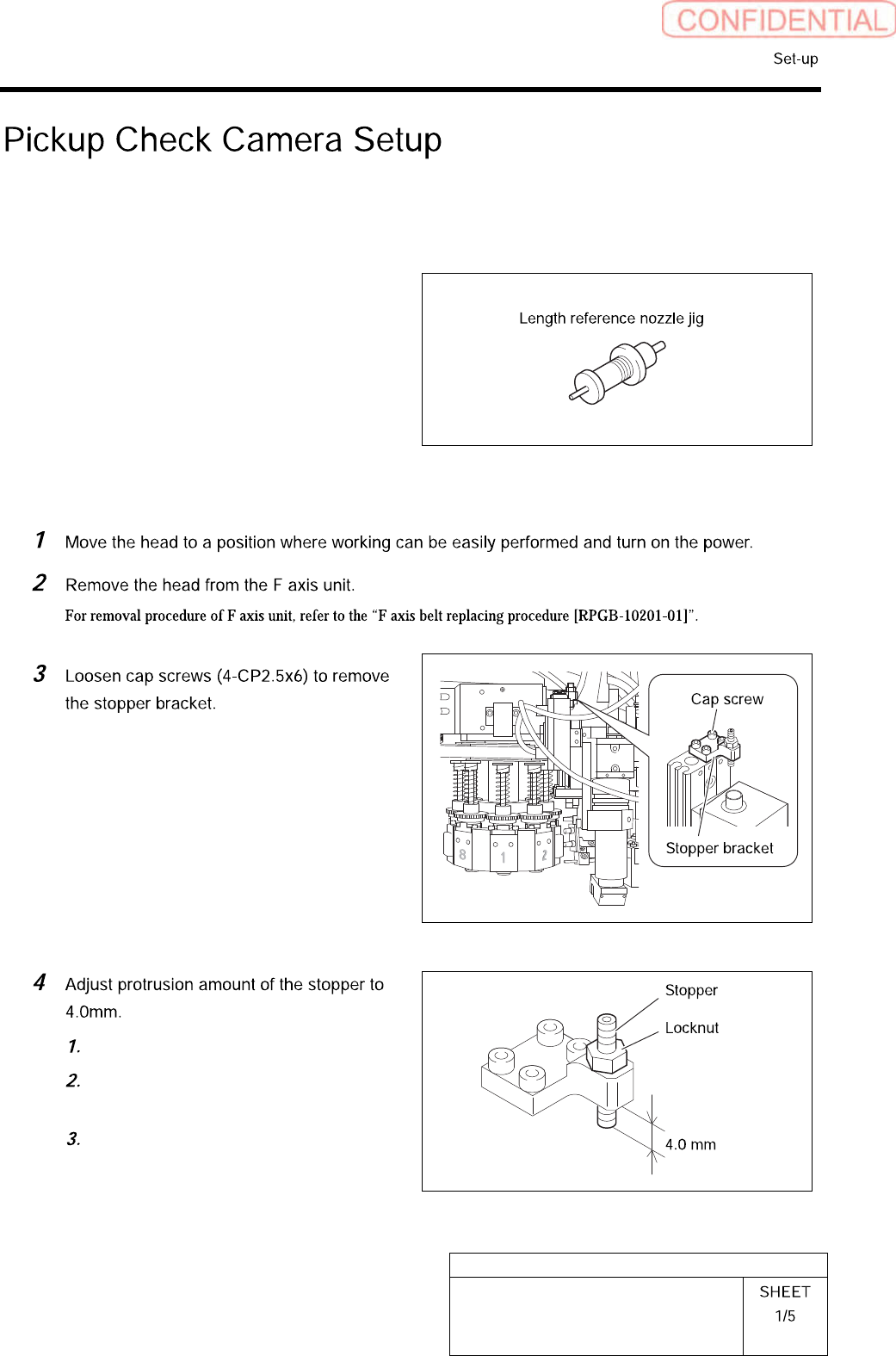
Loosen the locknut.
Adjust protrusion amount of the
stopper to 4.0mm.
Tighten the locknut.