MAN00000772_SI-G200BB_SVCPDFA.pdf - 第200页
HLGB-10208-01 Pickup Check Camera Setup Loosen the locknut for the absorber . 8 7 6 Click the ↓ Che ck button on the origin offset screen to lower the Pickup check camera. T urn the absorber to adjust the protrusion amou…
HLGB-10208-01
Pickup Check Camera Setup
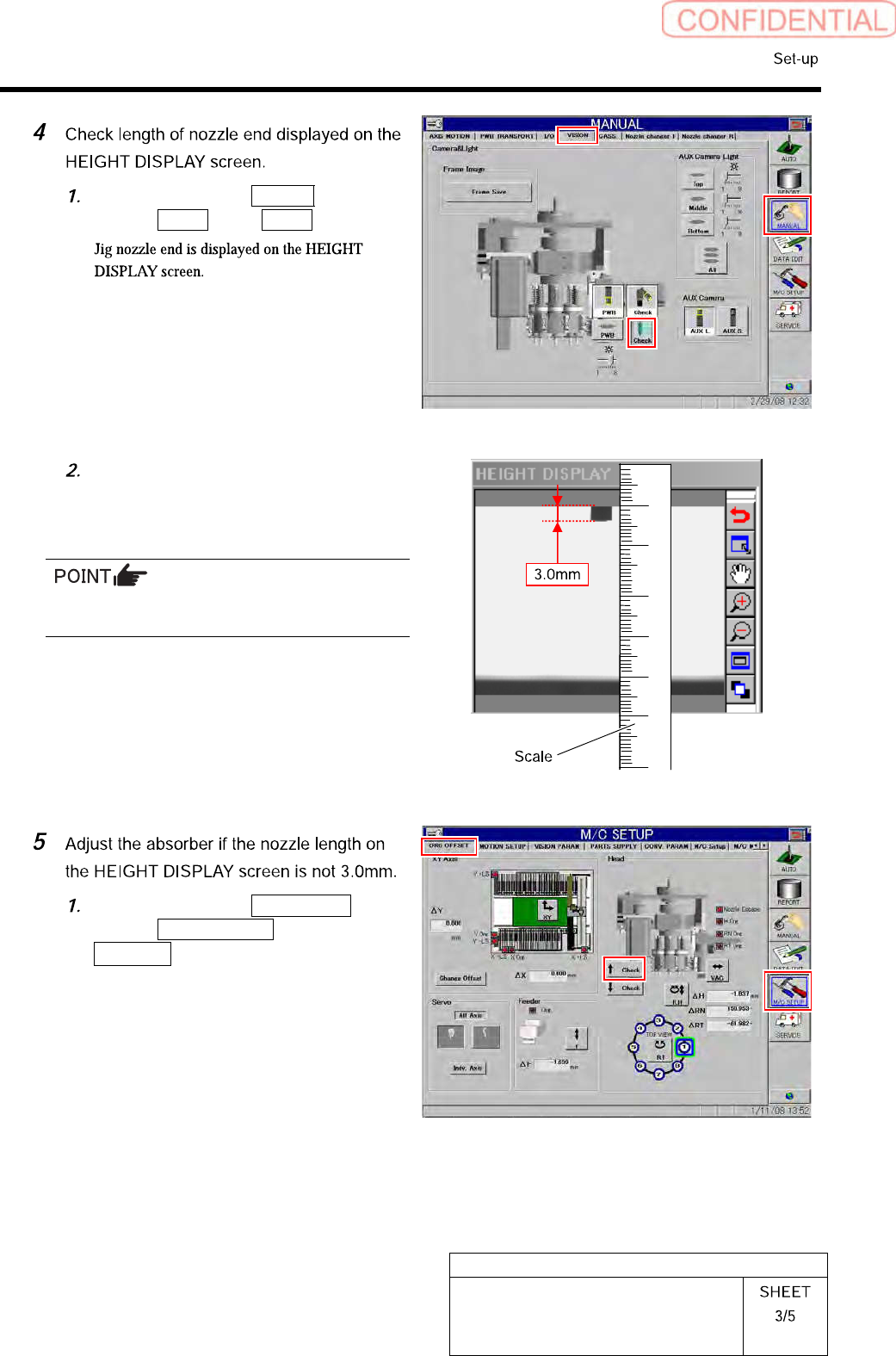
Click in an order of Manual
menuVision tab Check button.
Apply a scale on the screen to check
that length of the displayed jig nozzle
end is 3.0mm.
For actual dimension of the nozzle, end of 1mm
is displayed on the screen.
Click in an order of M/C SETUP
menuORG OFFSET tab
↑ Check button to raise the Pickup
check camera.
HLGB-10208-01
Pickup Check Camera Setup
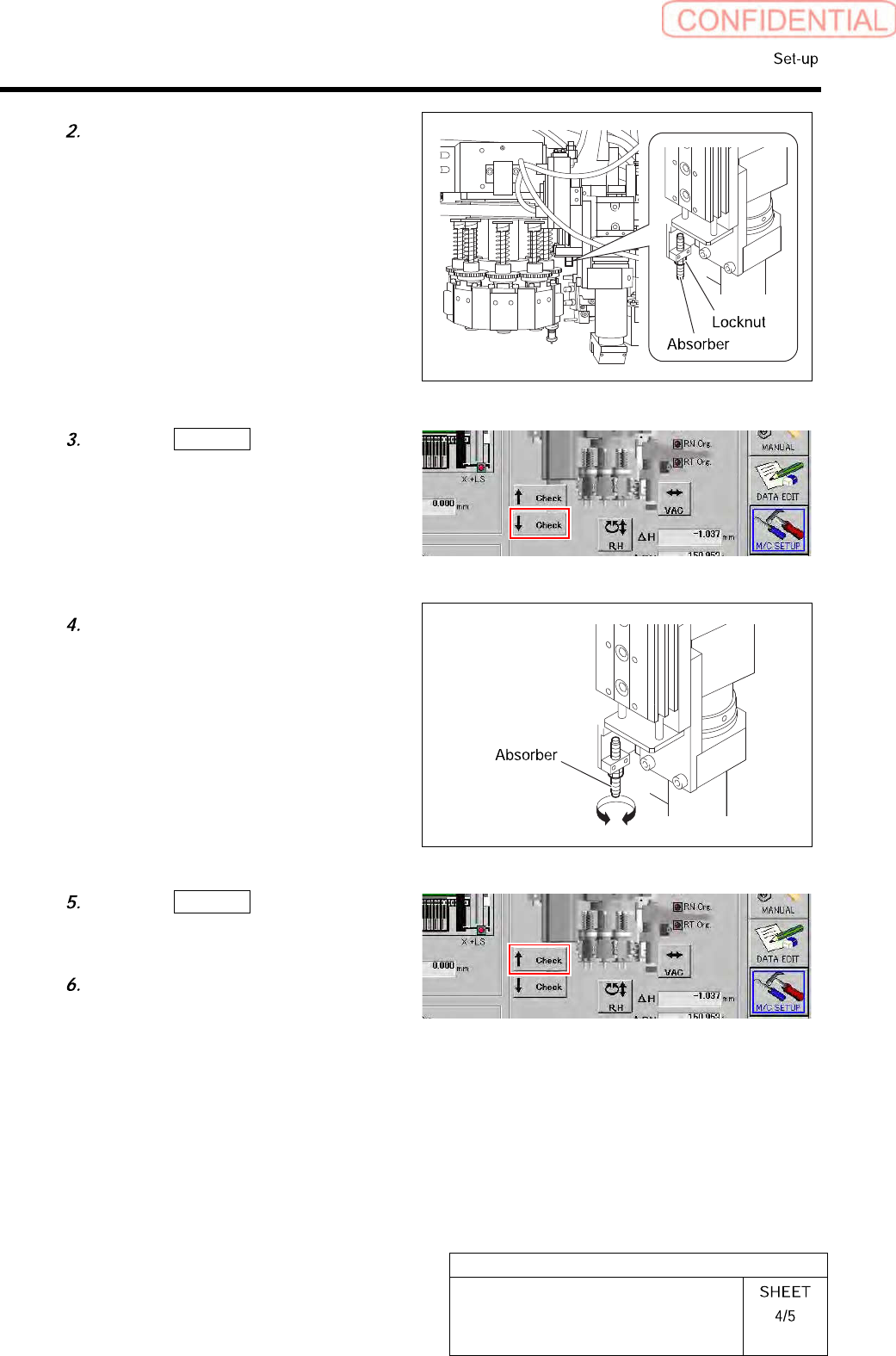
Loosen the locknut for the absorber.
8
7
6
Click the ↓ Check button on the
origin offset screen to lower the Pickup
check camera.
Turn the absorber to adjust the
protrusion amount.
Click the ↑ Check button on the
origin offset screen to raise the Pickup
check camera again.
Tighten the locknut for the absorber.
HLGB-10208-01
Pickup Check Camera Setup
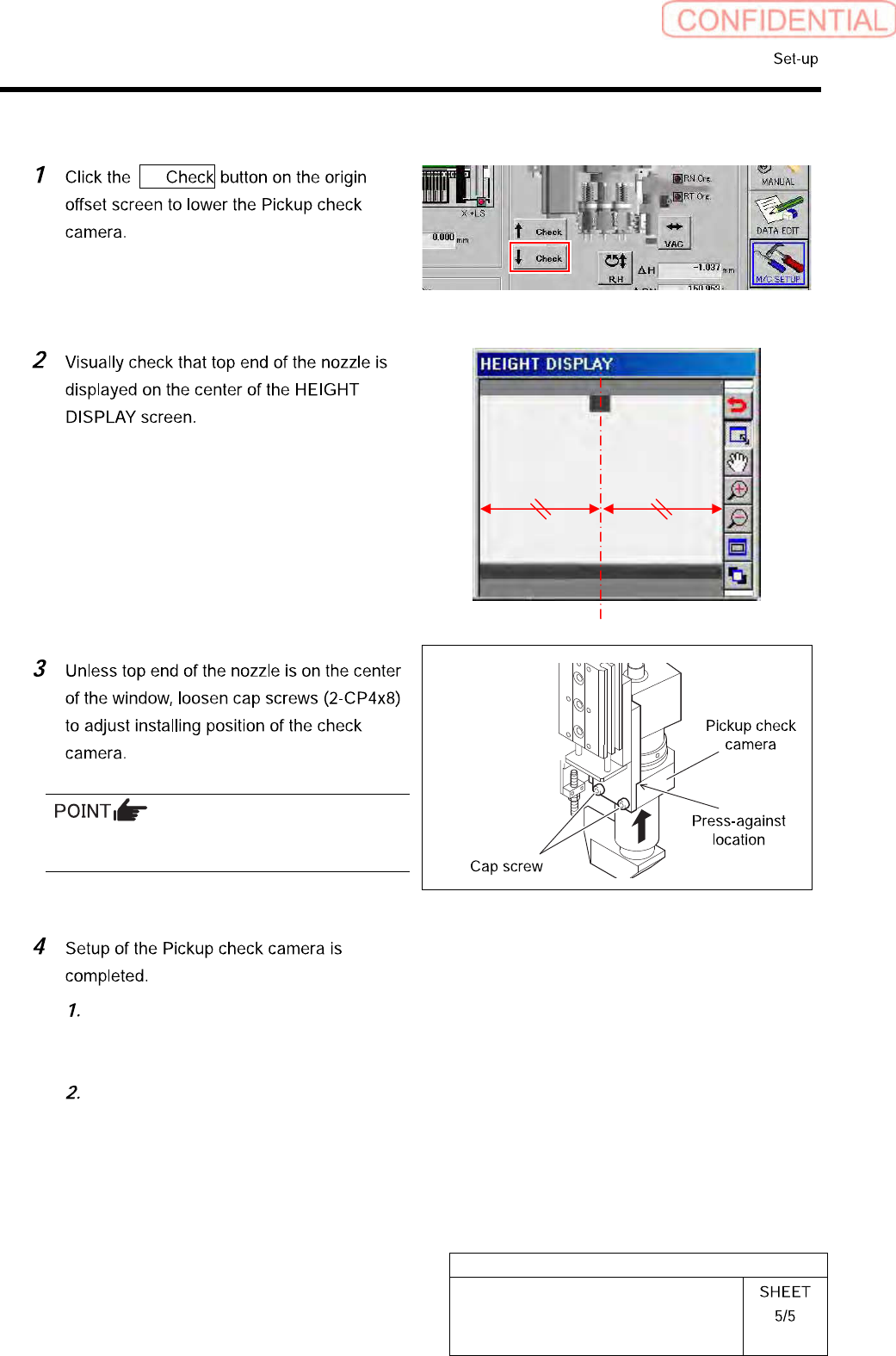
[Lateral alignment]
↓
Fix the Pickup check camera with pressing it
against upward.
Press the [ORG] button on the
operation panel to perform origin
position return.
Remove the length reference nozzle jig
from the turret No.1.