MAN00000772_SI-G200BB_SVCPDFA.pdf - 第204页
HLGB-10301-01 PWB Camera Light Calibration Place it so that center of the PWB camera light is on the center of light calibration jig.
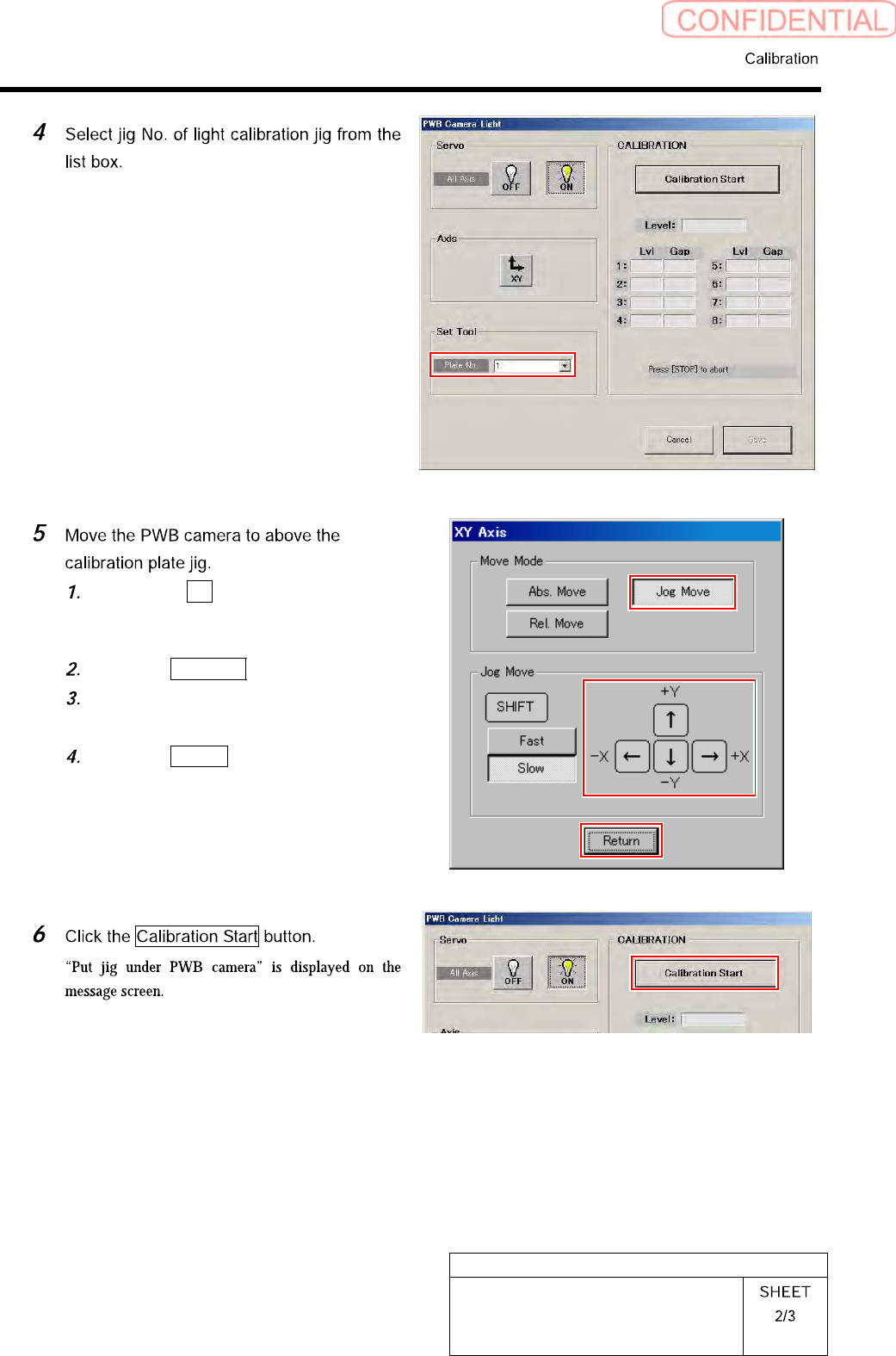
HLGB-10301-01
PWB Camera Light Calibration
Click the XY button on the PWB
Camera Light screen.
XY Axis screen is displayed.
Click the Jog Move button.
Jog move the PWB camera to above
the calibration plate jig.
Click the Return button to return to
the PWB Camera Light screen.
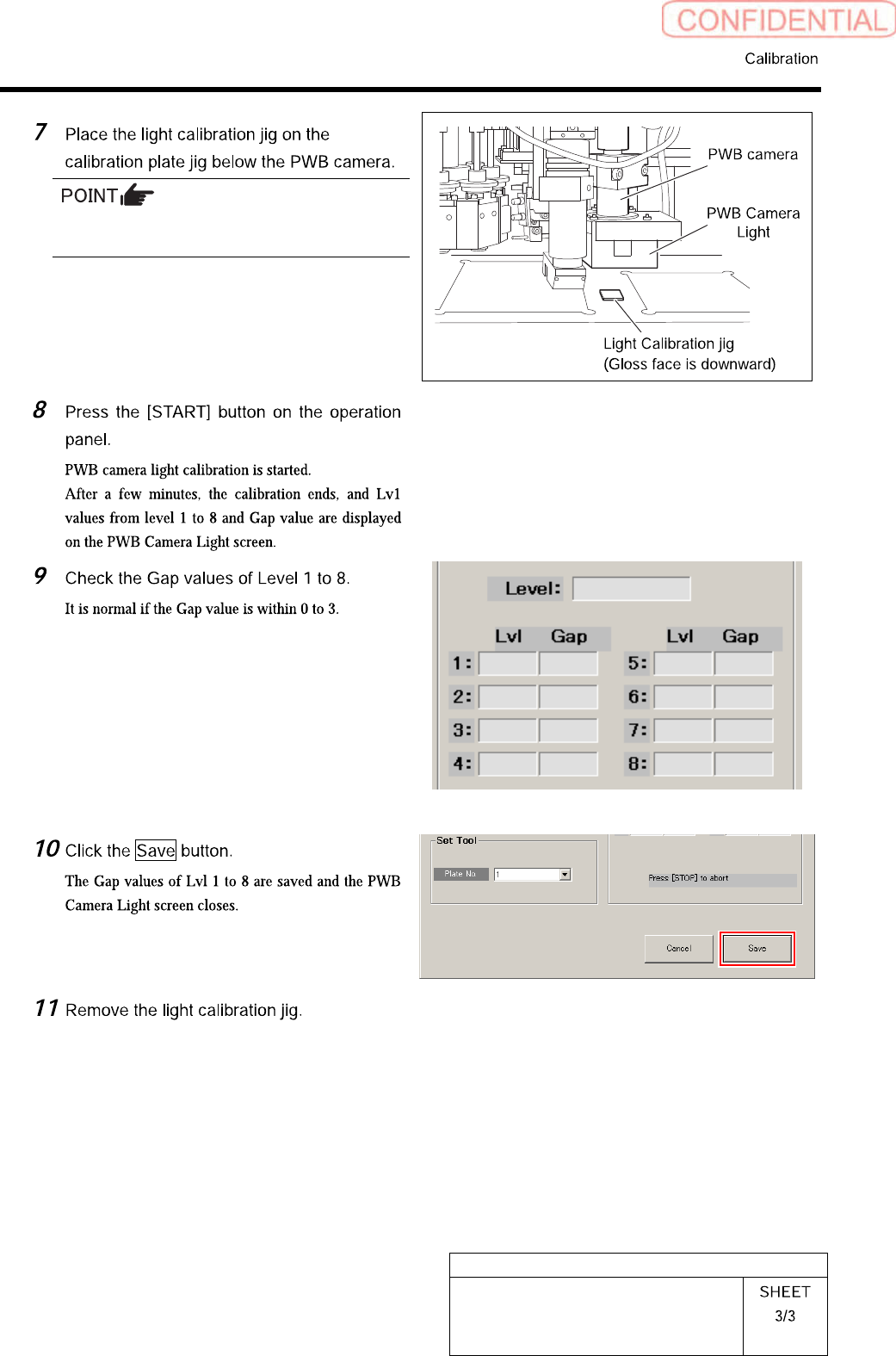
HLGB-10301-01
PWB Camera Light Calibration
Place it so that center of the PWB camera light
is on the center of light calibration jig.
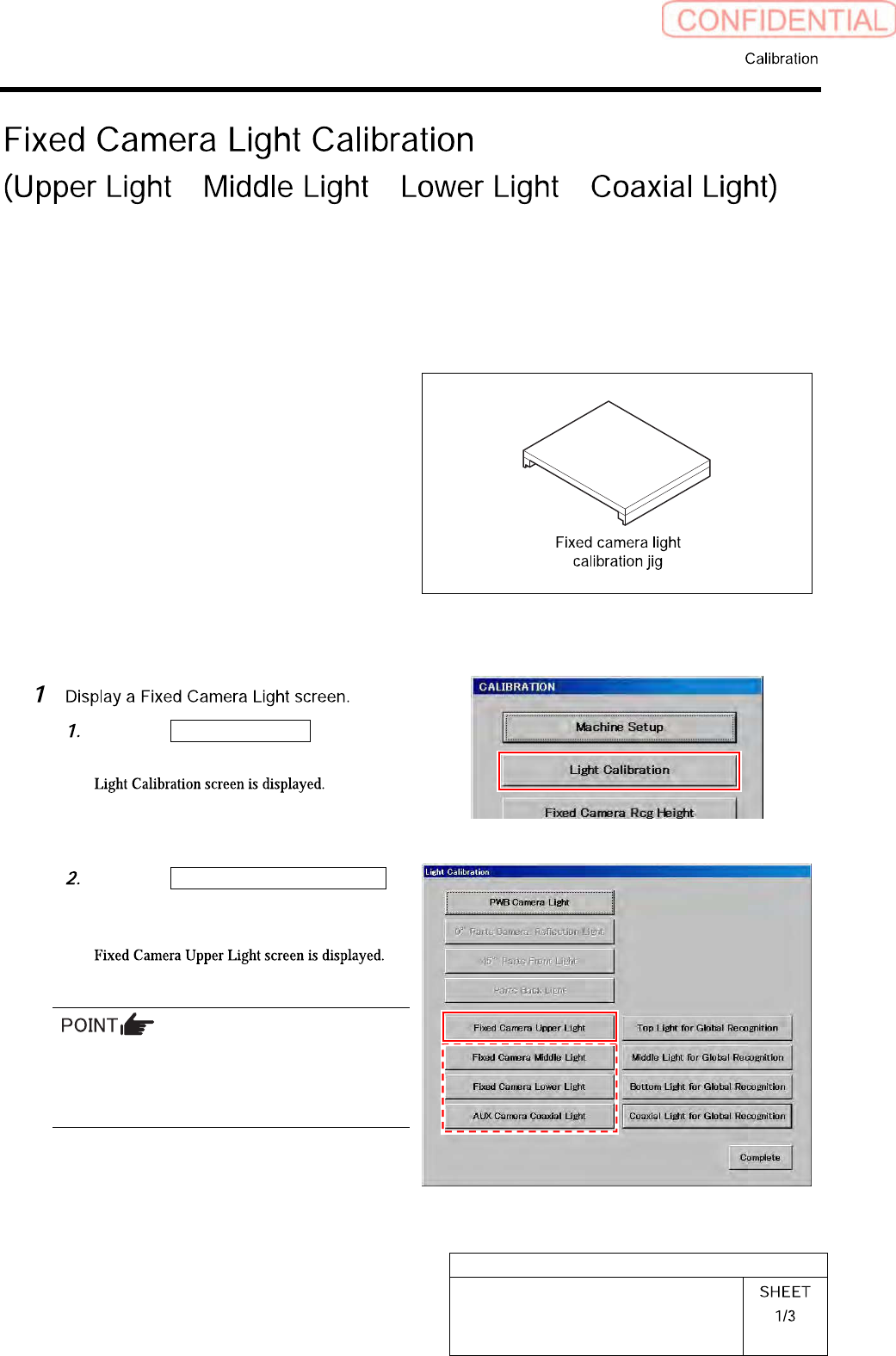
HLGB-10302-01
Fixed Camera Light Calibration
/ / /
Calibration procedure of fixed camera upper light will be described here as an example.
Also perform calibrations of fixed camera middle light/fixed camera lower light/fixed camera coaxial
light by the same procedure.
[Necessary jigs]
• Fixed camera light calibration jig
[Procedure]
Click the Light Calibration button on
the CALIBRATION screen.
Click the Fixed Camera Upper Light
button on the Light Calibration
screen.
When performing calibrations of fixed camera
middle light/fixed camera lower light/fixed
camera coaxial light, click the associated
button to open each calibration screen.