MAN00000772_SI-G200BB_SVCPDFA.pdf - 第210页
HLGB-10303-01 Light calibration for Global Recognition Remove the fixed came ra light calibration jig and the reflection intensity spacer and click the OK button. ・ When subsequently performing calibrations of Middle Lig…
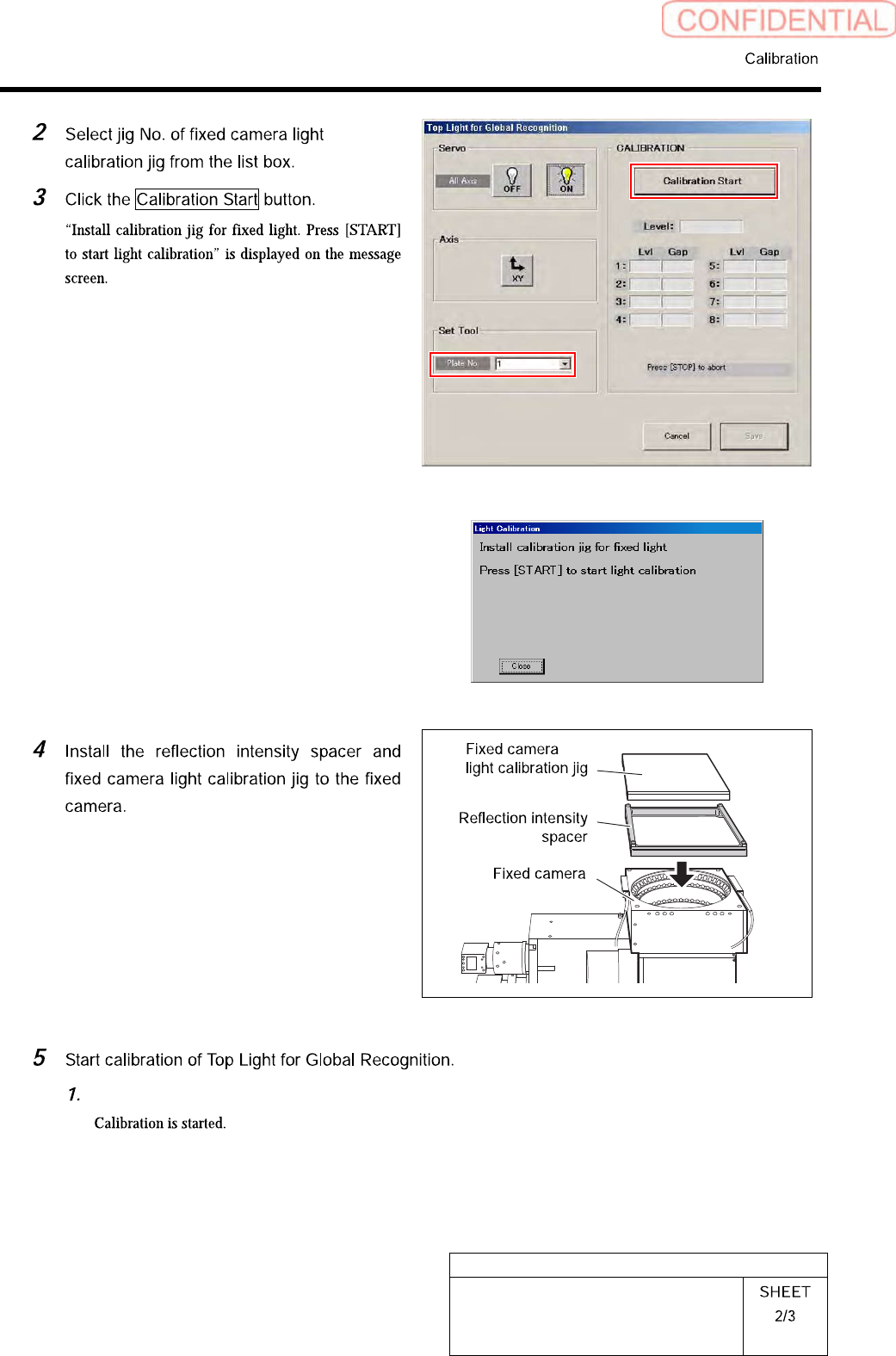
HLGB-10303-01
Light calibration for Global
Recognition
Press the [START] button on the operation panel.
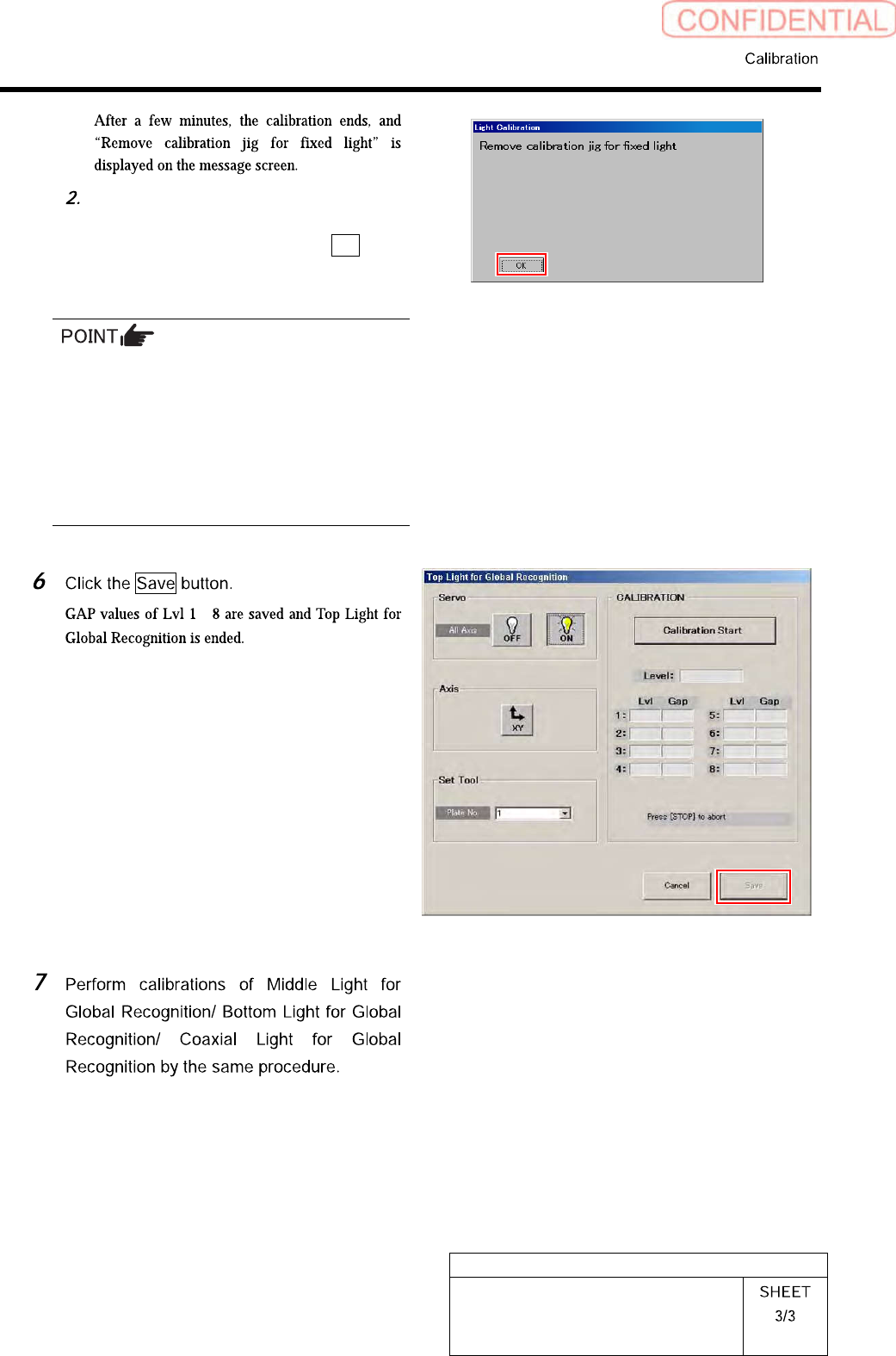
HLGB-10303-01
Light calibration for Global
Recognition
Remove the fixed camera light
calibration jig and the reflection
intensity spacer and click the OK
button.
・ When subsequently performing calibrations
of Middle Light for Global Recognition/
Bottom Light for Global Recognition/ Coaxial
Light for Global Recognition, it is
unnecessary to remove the jig.
・ When ending calibration, be careful of
forgetting to leave the reflection intensity
spacer.
~
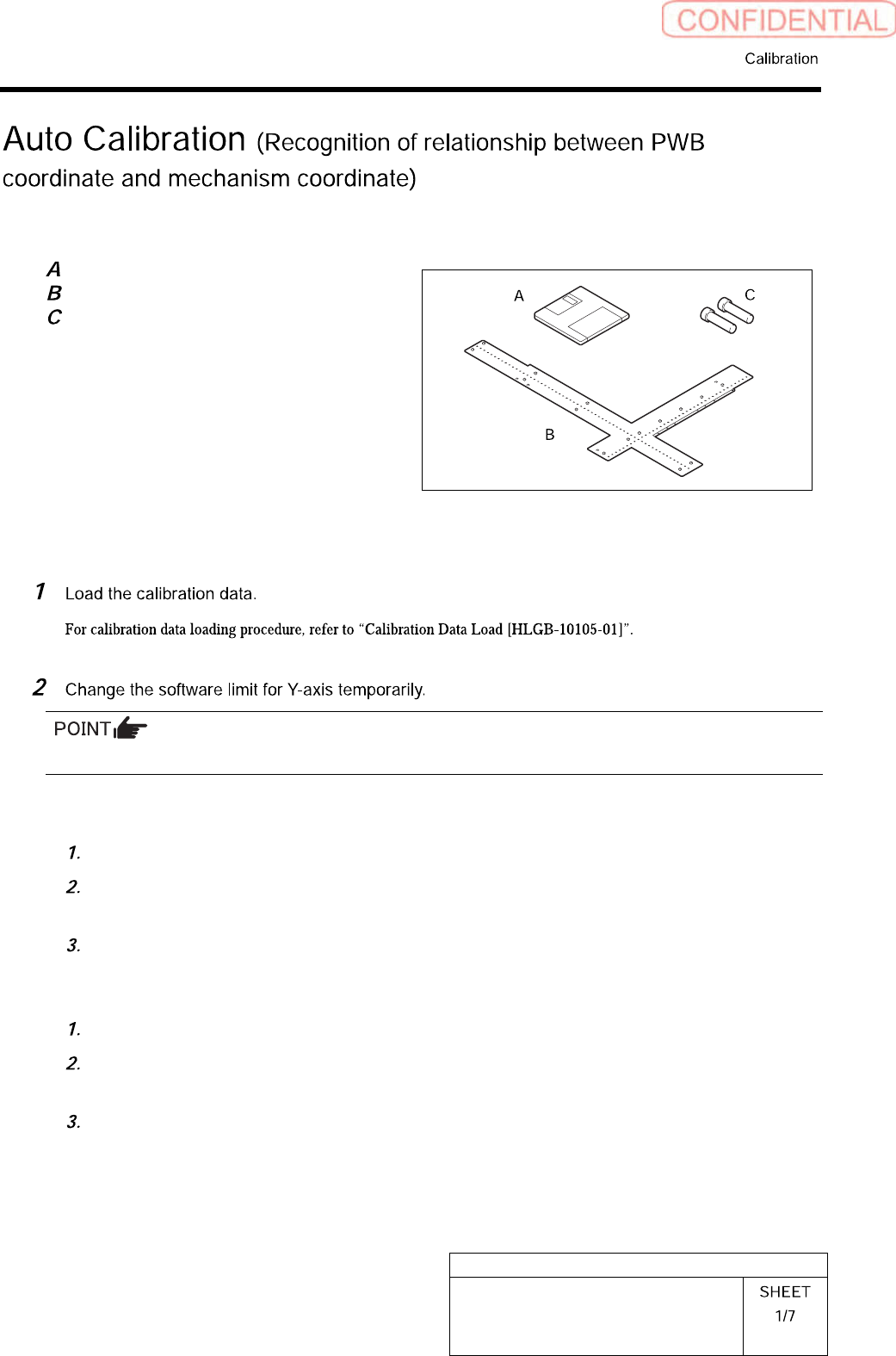
HLGB-10304-01
Auto Calibration
(Recognition of
relationship between PWB coordinate and
mechanism coordinate)
[Necessary jigs]
Calibration data FD
Ball point jig
Positioning pins for ball point jig
[Procedure]
Make sure to take a note of the original value before changing it.
<To execute calibration with the front head>
Open “c:¥asm¥mcdata1¥ac_param.ini” with WordPad.
Add the absolute value 100 to “SOFT_LIMIT_PLUS” and “SOFT_LIMIT_MINUS” of
[AC_Y] respectively.
Save (overwrite) the file, and then restart the system.
<To execute calibration with the rear head>
Open “c:¥asm¥mcdata2¥ac_param.ini” with WordPad.
Add the absolute value 100 to “SOFT_LIMIT_PLUS” and “SOFT_LIMIT_MINUS” of
[AC_Y] respectively.
Save (overwrite) the file, and then restart the system.