MAN00000772_SI-G200BB_SVCPDFA.pdf - 第214页
HLGB-10304-01 Auto Calibration (Recognition of relationship betw een PW B coordinate and mechanism coordinate) Press the [ORG] button on the operation pane l with t h e Conv . Adj. screen be i ng d i splayed. Click the R…
HLGB-10304-01
Auto Calibration
(Recognition of
relationship between PWB coordinate and
mechanism coordinate)
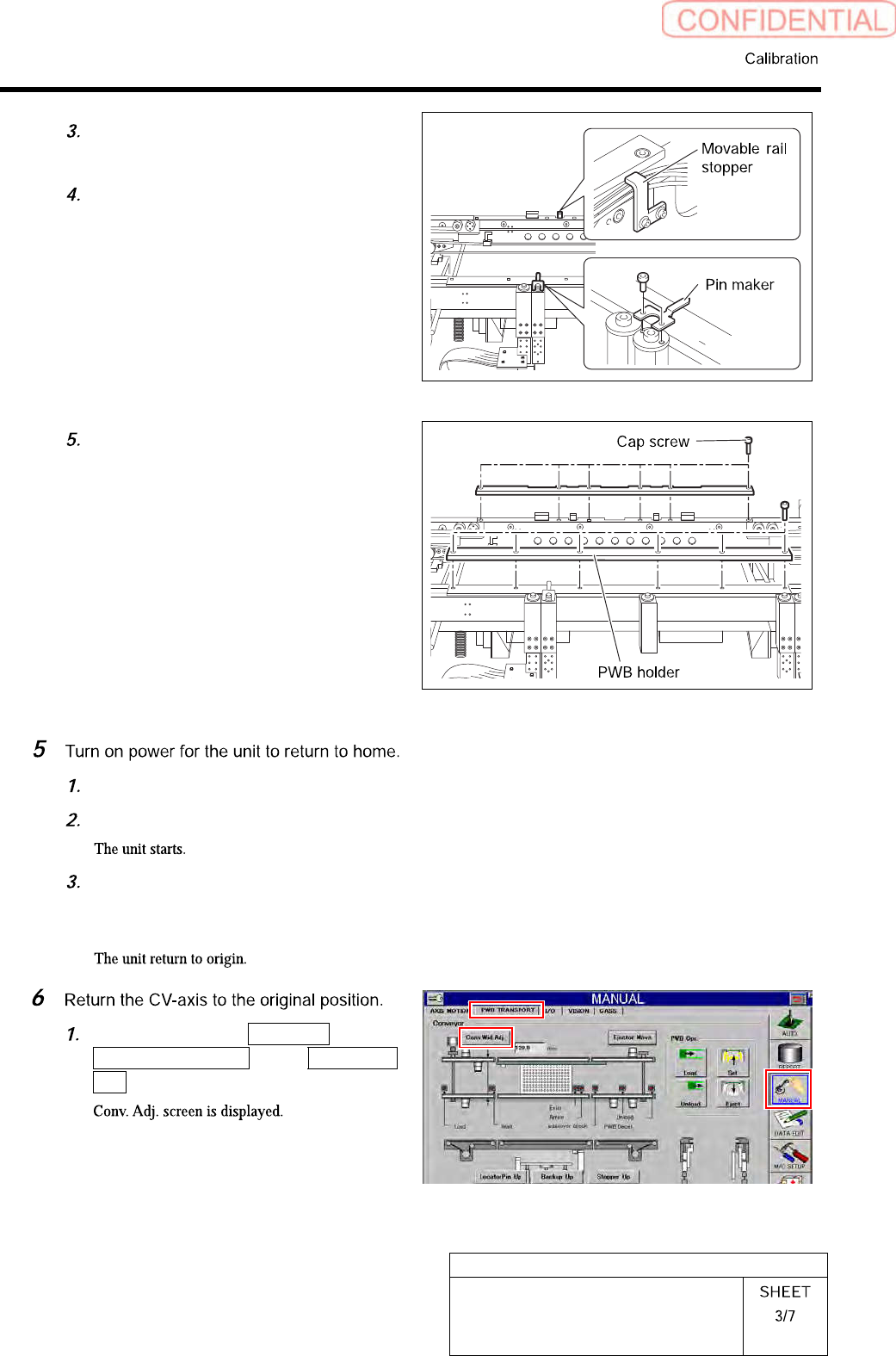
Loosen cap screws (CP4x6) to remove
the pin marker.
Loosen cap screws (2-CP4x10) to
remove the movable rail stopper.
Unscrew the cap screw (12-CP4x10) to
remove the PWB holder installed on
the conveyer.
Turn OFF the main breaker.
Press the power on switch.
Press the [ORG] button on the
operation panel with the HI screen
being displayed.
Click in an order of MANUAL menu
PWB TRANSPORT tab Conv. Wid.
Adj. button.
HLGB-10304-01
Auto Calibration
(Recognition of
relationship between PWB coordinate and
mechanism coordinate)
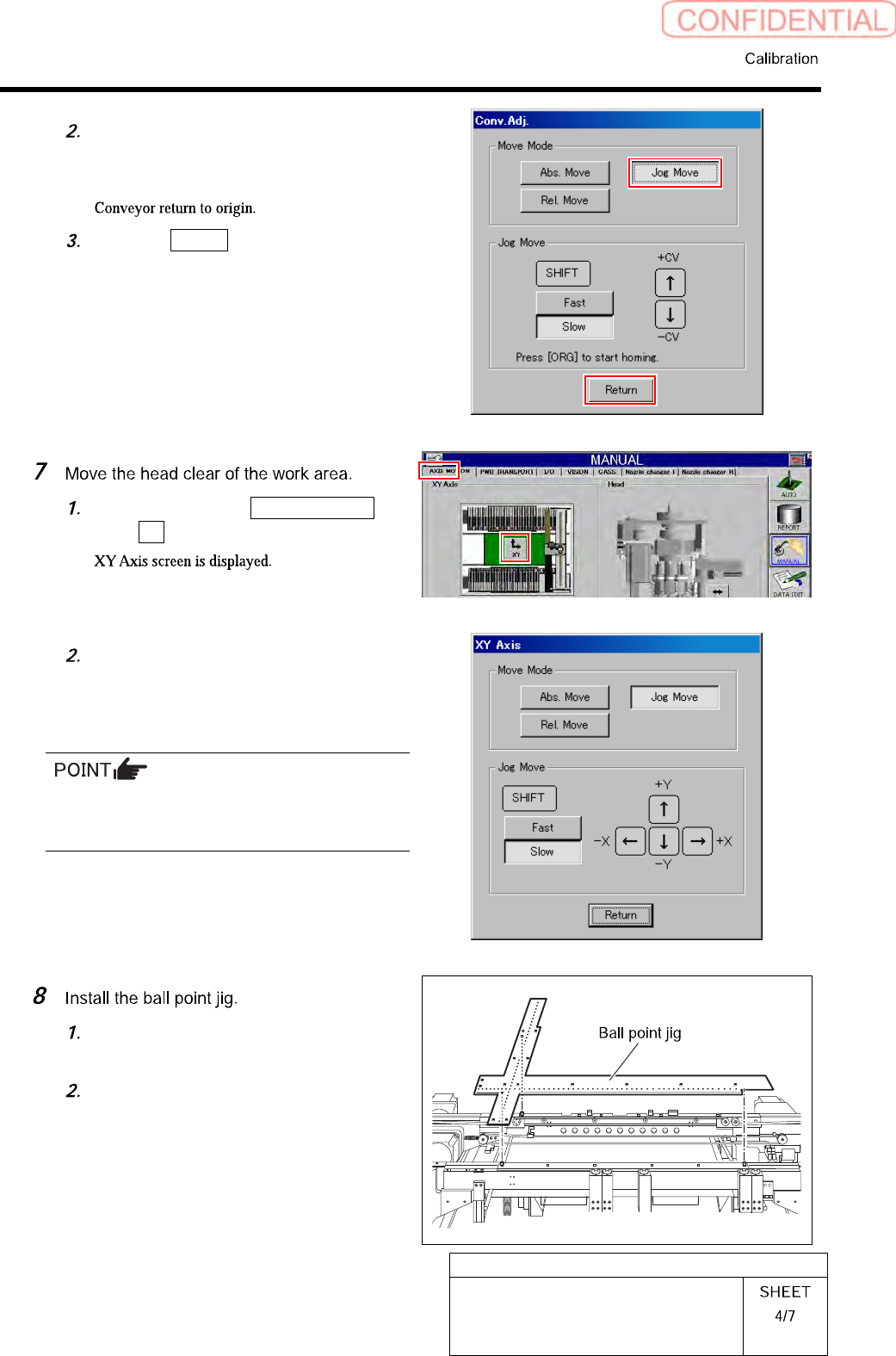
Press the [ORG] button on the
operation panel with the Conv. Adj.
screen being displayed.
Click the Return button to close the
Conv. Adj. screen.
Click in an order of AXIS MOTION
tabXY button.
Operate the XY axis screen to move
the head to a position where working
can be easily performed.
Absolutely move the head to a position of X=100,
Y=300, then the subsequent working easily
becomes performed.
Clean surface of the ball point jig and
all of holes with waste cloth.
Position the ball point jig on the
conveyor rail referring to the pin
positions.
HLGB-10304-01
Auto Calibration
(Recognition of
relationship between PWB coordinate and
mechanism coordinate)
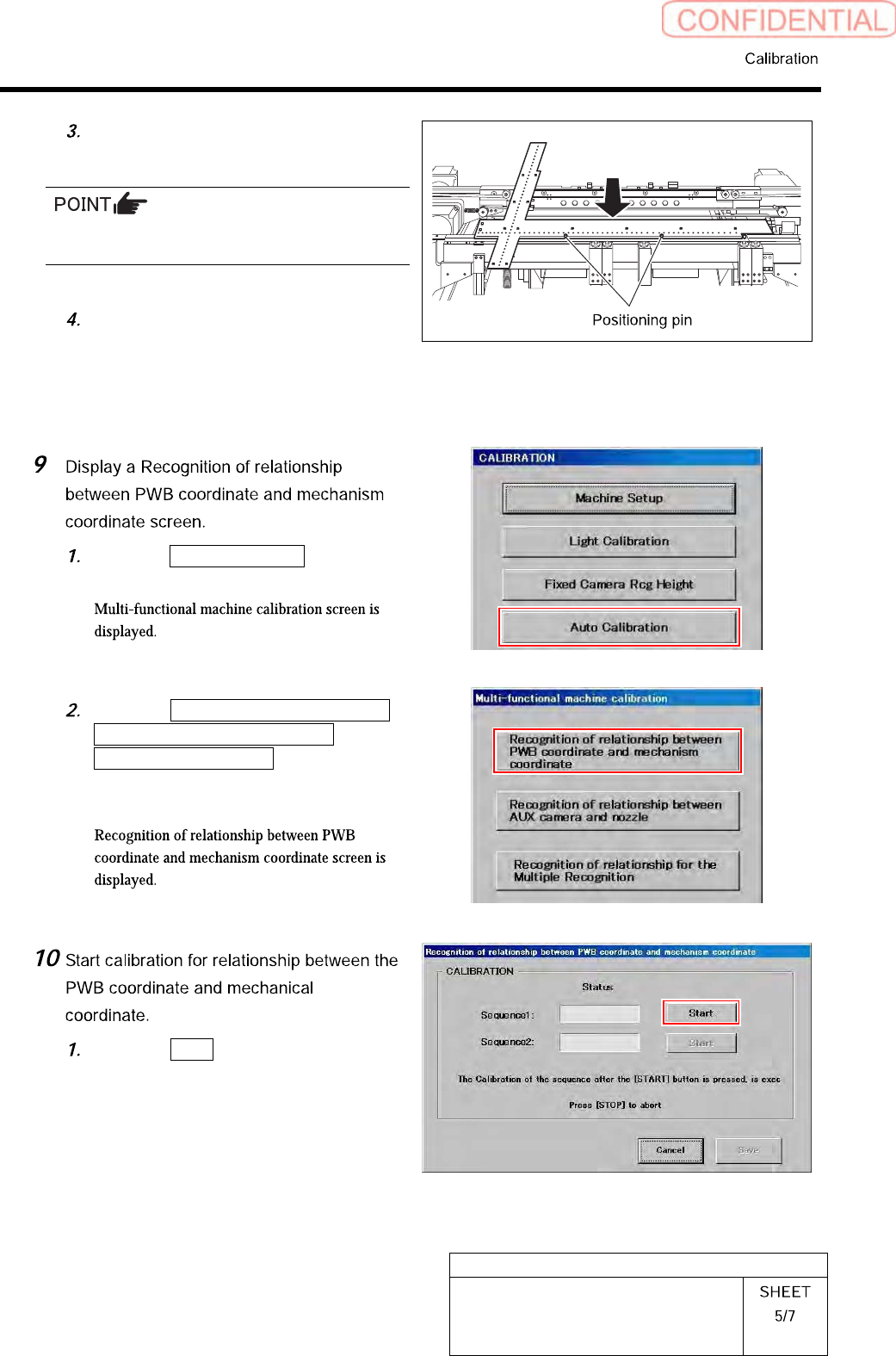
Attach the positioning pins to lock the
jig.
Before attaching the positioning pins, make sure
the base point jig is seated securely.
After attaching the positioning pins,
pull the jig slightly toward you so that
the jig comes parallel with the transfer
rail of the fixed side.
Click the Auto Calibration button on
the CALIBRATION screen.
Click the Recognition of relationship
between PWB coordinate and
mechanism coordinate button on the
Multi-functional machine calibration
screen.
Click the Start button of Sequence 1.