MAN00000772_SI-G200BB_SVCPDFA.pdf - 第235页
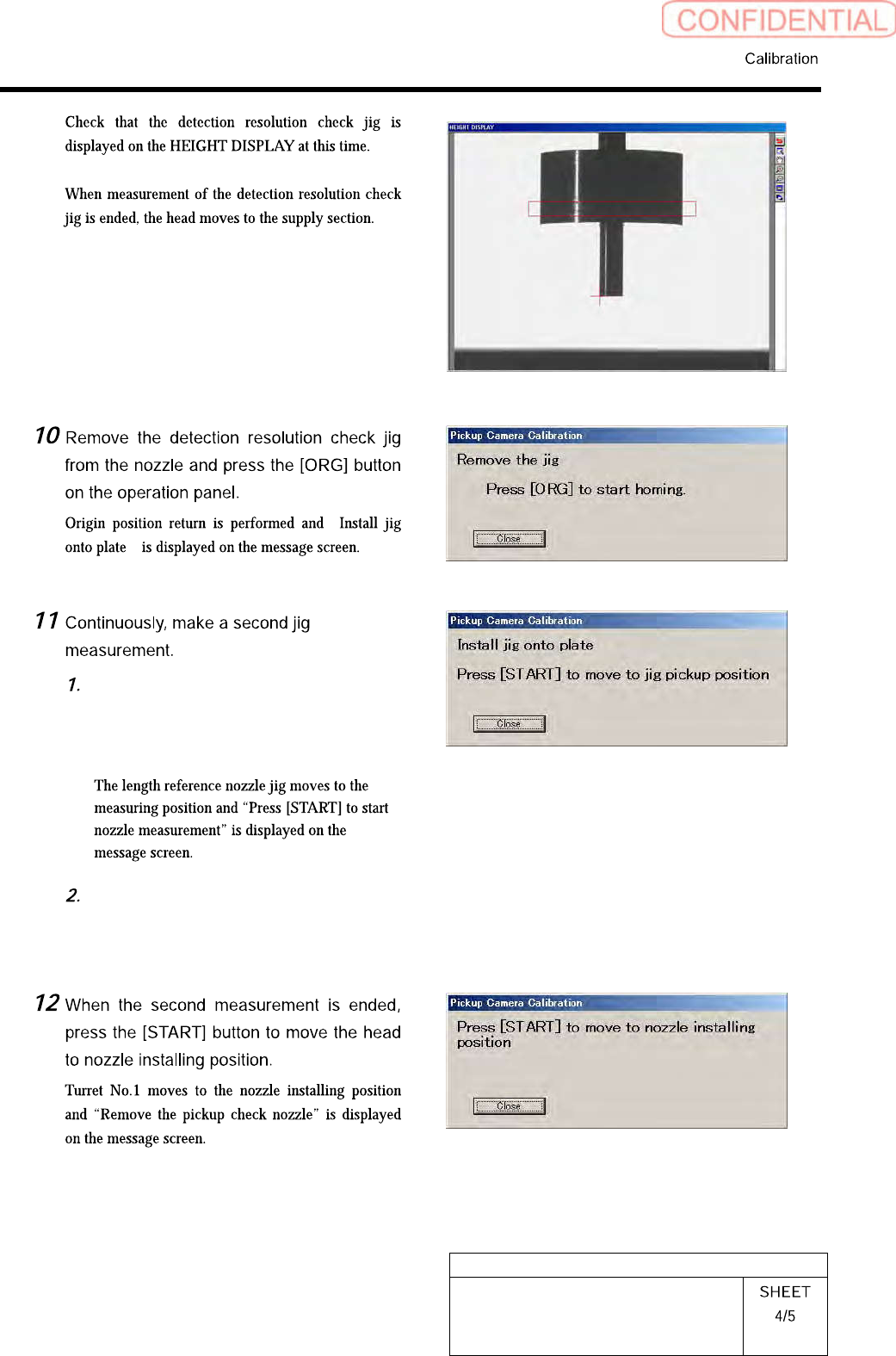
HLGB-10308-01 Pickup Check Camera Calibration In order to store the calibration result in the unit, be sure to re-start the unit before operating the unit. Close the Calibr at ion sc r een. Press the power off switch. Pr…
HLGB-10308-01
Pickup Check Camera Calibration
“
”
Again set the pickup check resolution
inspection jig onto the calibration
plate jig and press the [START] button
on the operation panel.
Perform operations from nozzle
recognition to jig measurement
similarly to the procedure 8 to 9.
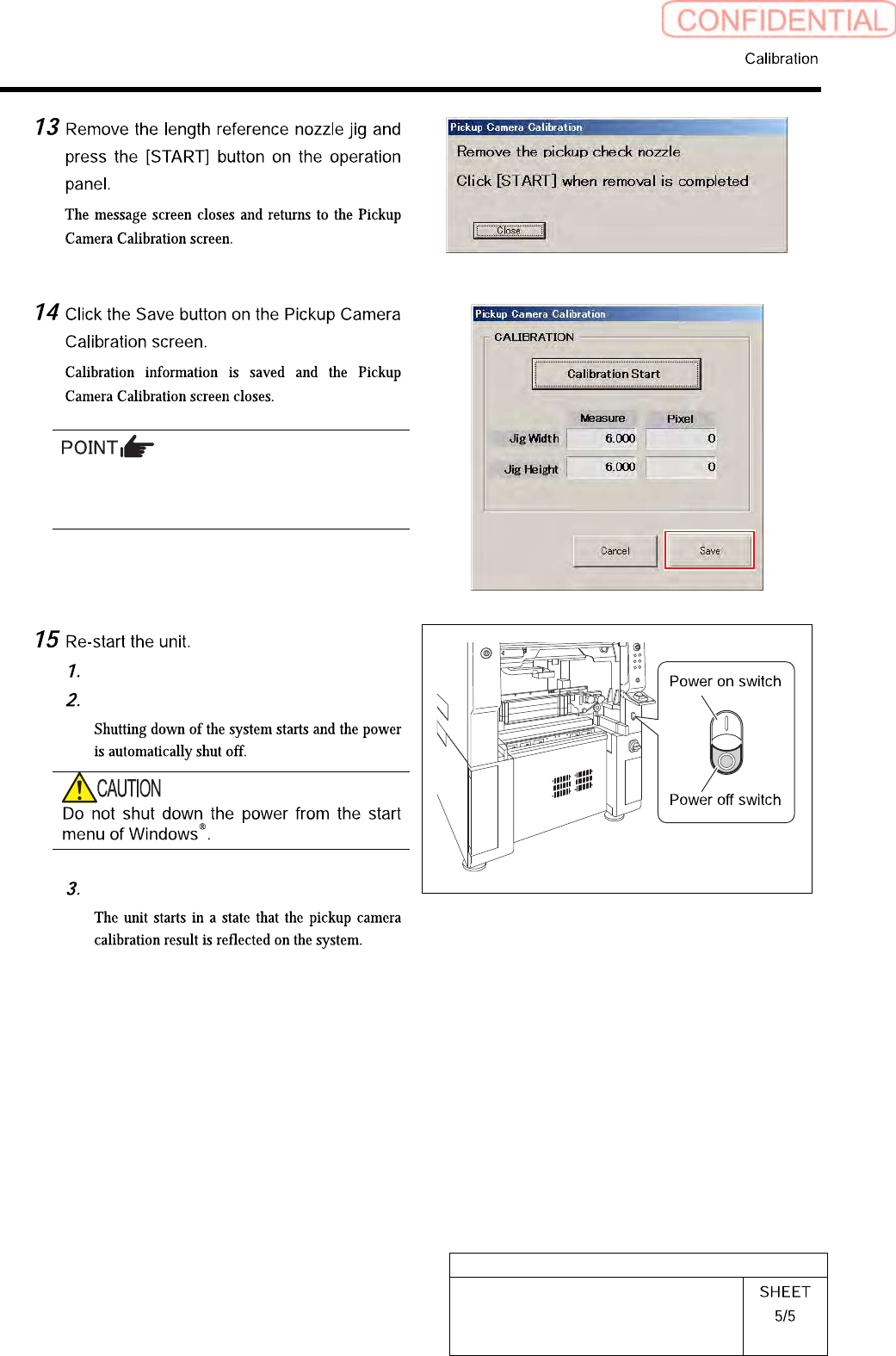
HLGB-10308-01
Pickup Check Camera Calibration
In order to store the calibration result in the
unit, be sure to re-start the unit before
operating the unit.
Close the Calibration screen.
Press the power off switch.
Press the power on switch.
HLGB-10309-01
Calibration Data Edit
When revising the parts fitting position without performing calibration, edit the calibration data
according to the following procedure.
[Procedure]
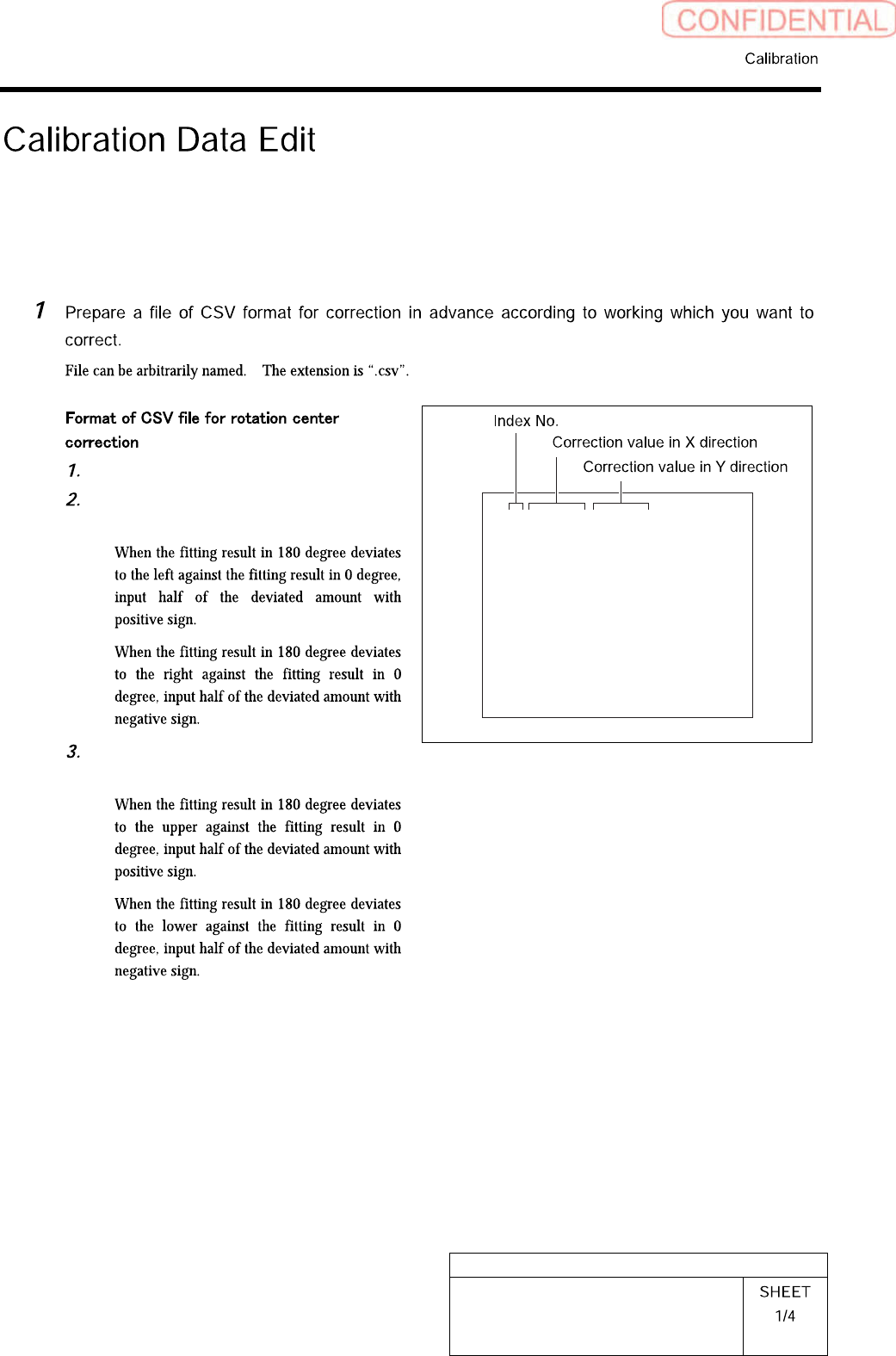
“1 to 8” on the left row are Index No.
Input correction amount in X direction
into the middle row.
・
・
Input correction amount in Y direction
into the right row.
・
・
1,0.000,0.000
2,0.000,0.000
3,0.000,0.000
4,0.000,0.000
5,0.000,0.000
6,0.000,0.000
7,0.000,0.000
8,0.000,0.000