MAN00000772_SI-G200BB_SVCPDFA.pdf - 第239页
HLGB-10309-01 Calibration Data Edit Click the Calibration Data Edit button on the CALIBR ATIO N screen. Press t he Undo button, then you can return to previous one calibration data.
HLGB-10309-01
Calibration Data Edit
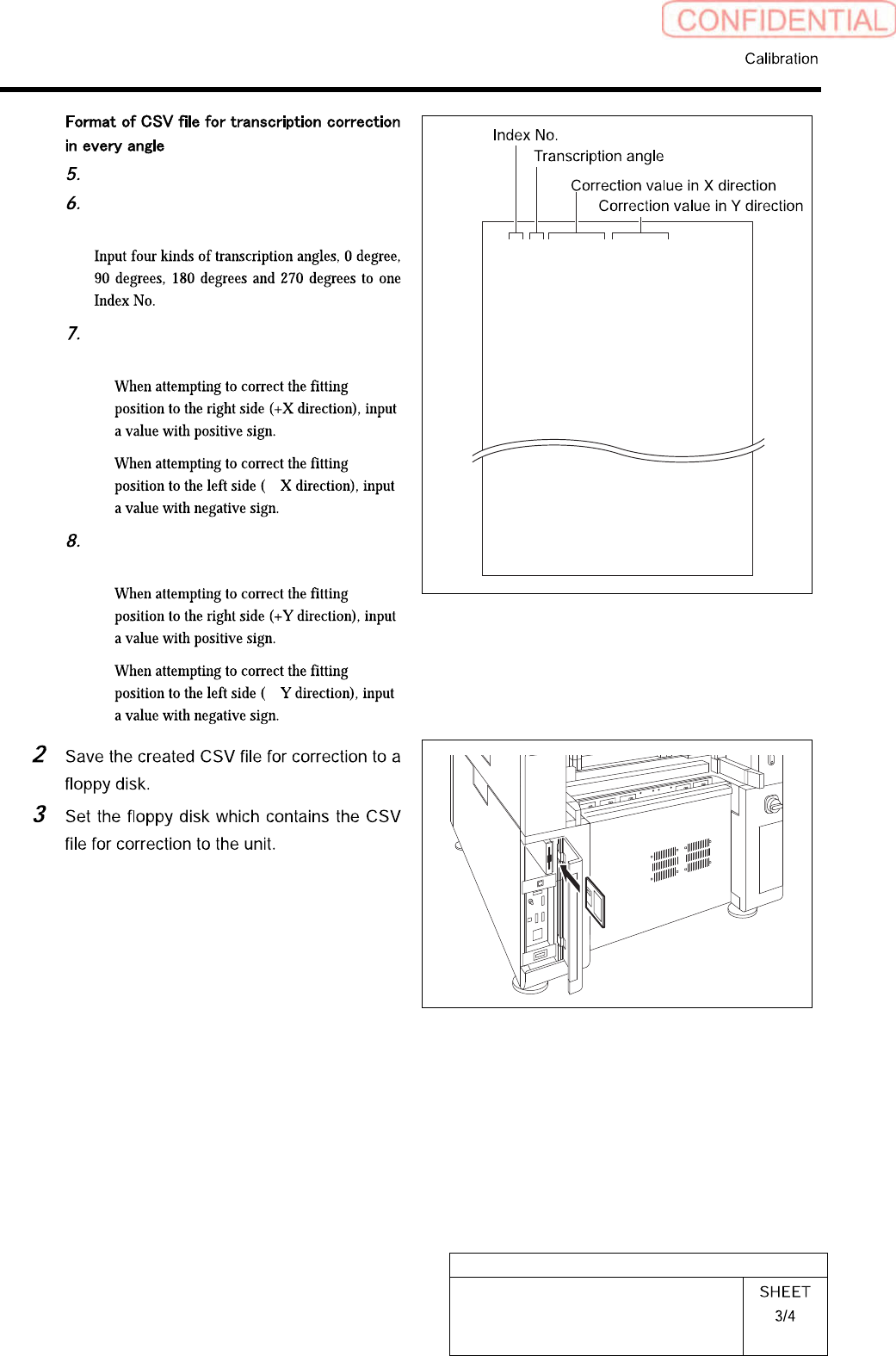
“1 to 8” on the left row are Index No.
Input transcription angle into the
second row from the left.
Input correction amount in X direction
in the third row from the left.
・
・
-
Input correction amount in Y direction
in the third row from the left.
・
・
-
1,0,0.000,0.000
1,90,0.000,0.000
1,180,0.000,0.000
1,270,0.000,0.000
2,0,0.000,0.000
2,90,0.000,0.000
2,180,0.000,0.000
2,270,0.000,0.000
8,0,0.000,0.000
8,90,0.000,0.000
8,180,0.000,0.000
8,270,0.000,0.000
HLGB-10309-01
Calibration Data Edit
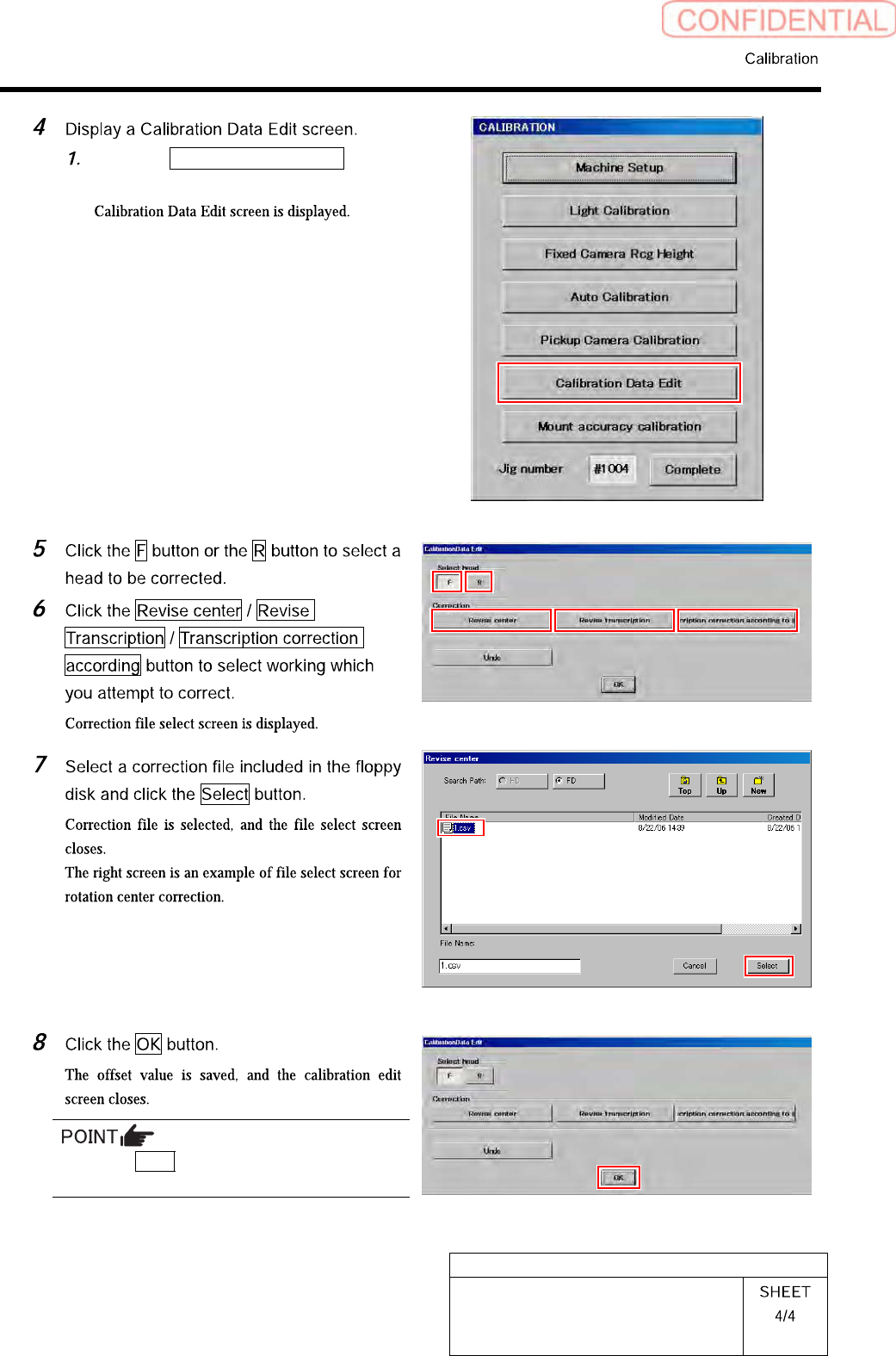
Click the Calibration Data Edit button
on the CALIBRATION screen.
Press the Undo button, then you can return to
previous one calibration data.
HLGB-10310-01
Fixed Camera Rcg Height Calibration
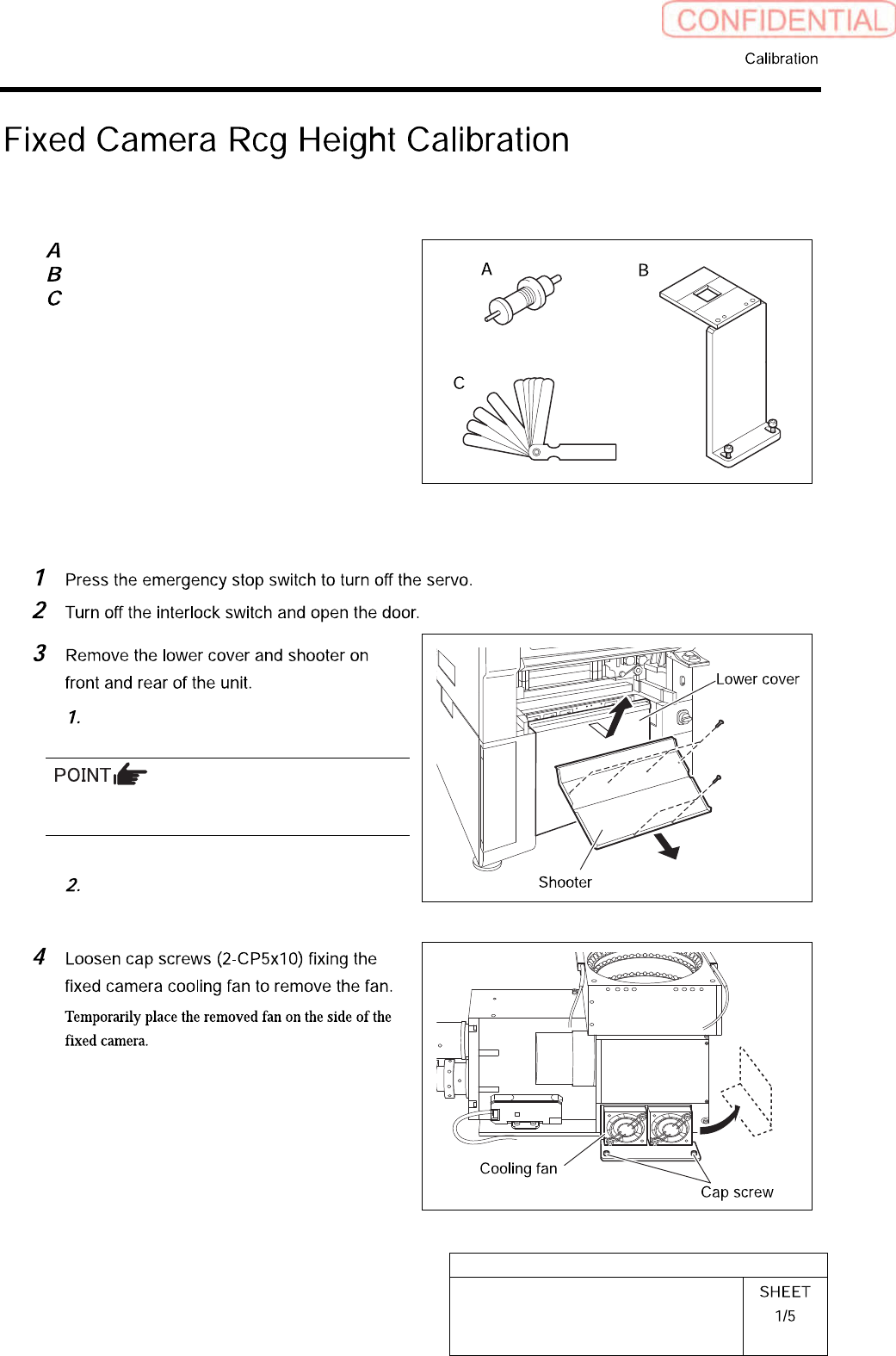
[Necessary jigs]
Length reference nozzle jig
Fixed camera jig base
Thickness gauge (t=0.03 mm)
[Procedure]
Loosen screw (2-+T4x8) to remove the
lower cover.
Tile the lower cover slightly toward you and pull
the fan cable to remove the lower panel.
Loosen screw (2-+T4x8) to remove the
shooter.