MAN00000772_SI-G200BB_SVCPDFA.pdf - 第249页
HLGB-1031 1- 01 Pickup Position Setup Click the XY button on the Front/All Cass. Pos. T eaching by T oo ls screen. Press the cursor key to jog move the head until the h ole i n th e e nd o f the pickup point jig is posit…
HLGB-10311-01
Pickup Position Setup
[XY Position Data Teaching]
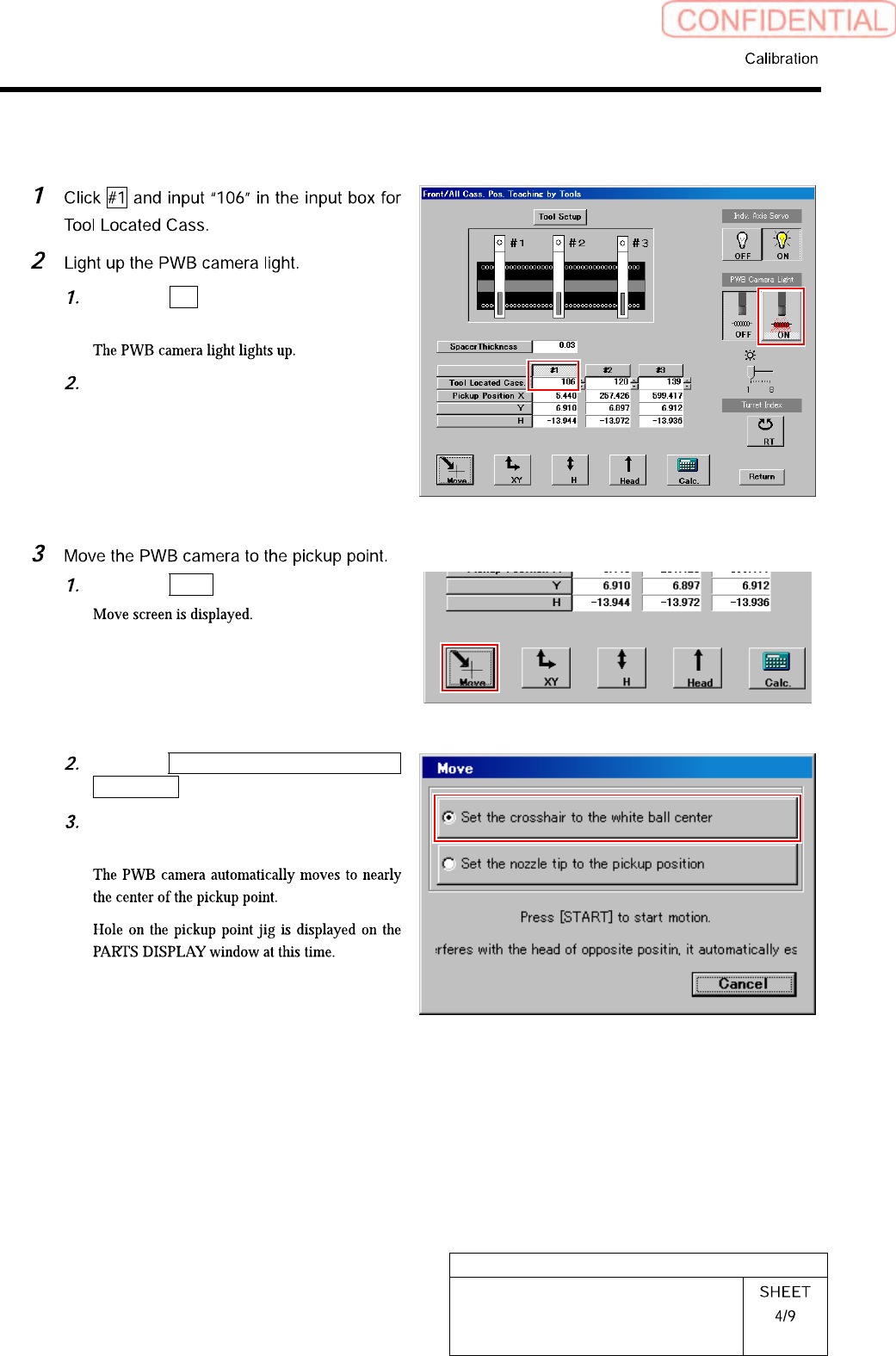
Click the ON button on the PWB
camera light.
Set brightness of the PWB camera
light to “6” or “7”.
Click the Move button.
Click the Set the crosshair to the white
ball center button.
Press the [START] button on the
operation panel.
HLGB-10311-01
Pickup Position Setup
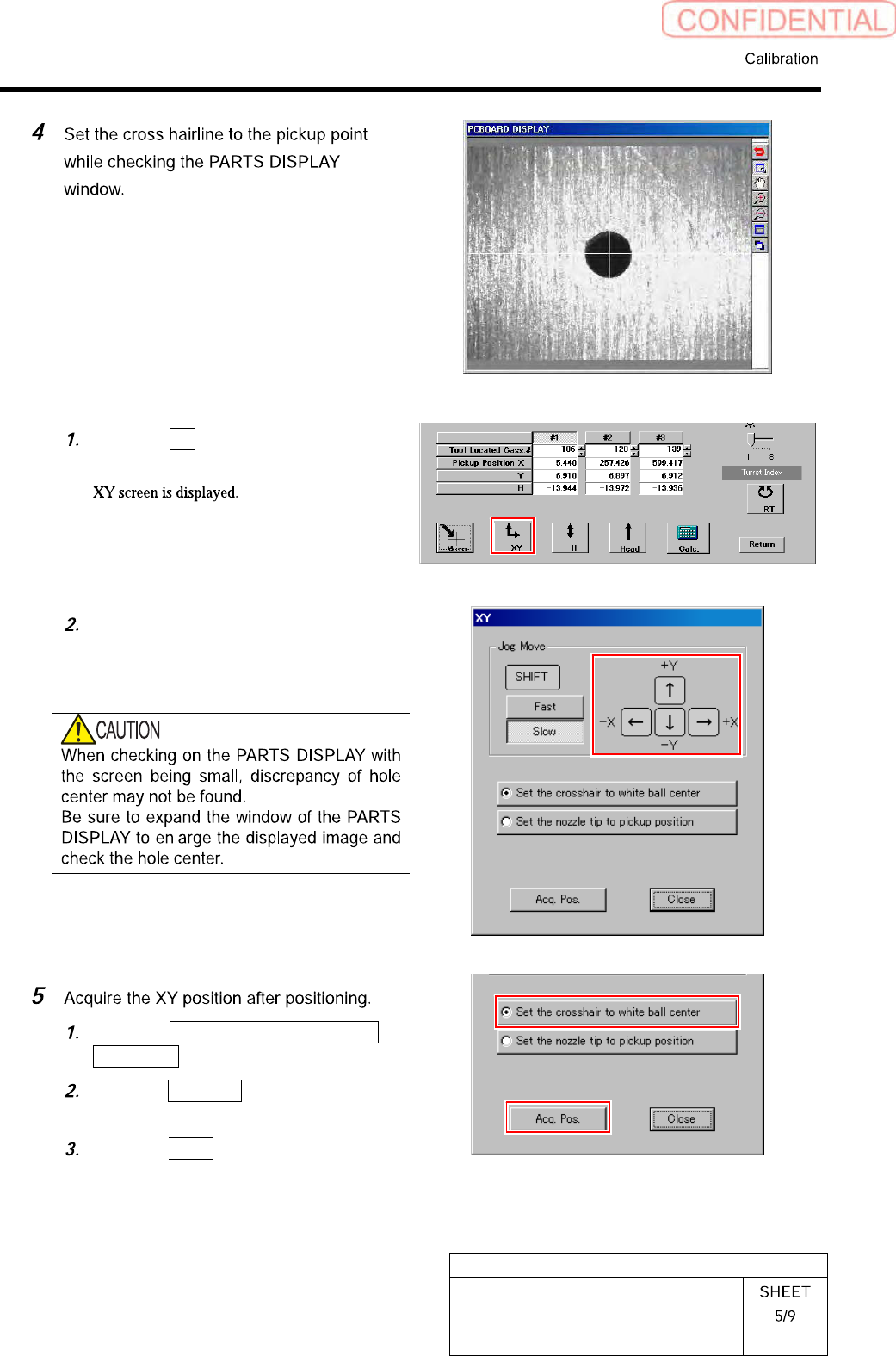
Click the XY button on the Front/All
Cass. Pos. Teaching by Tools screen.
Press the cursor key to jog move the
head until the hole in the end of the
pickup point jig is positioned on the
crosshair on the PARTS DISPLAY.
Click the Set the crosshair to white
ball center button.
Click the Acq. Pos. button on the XY
screen to acquire XY position.
Click the Close button to close the XY
screen.
HLGB-10311-01
Pickup Position Setup