MAN00000772_SI-G200BB_SVCPDFA.pdf - 第269页
HLGB-10314-01 XY Axis Soft w are Limit Setup [Setup procedure] FrontsideX-Axis FrontsideY-Axis RearsideX-Axis RearsideY-Axis For the front side, open Properties window for ac_param. ini file in C:¥asm¥mcdat…
HLGB-10313-01
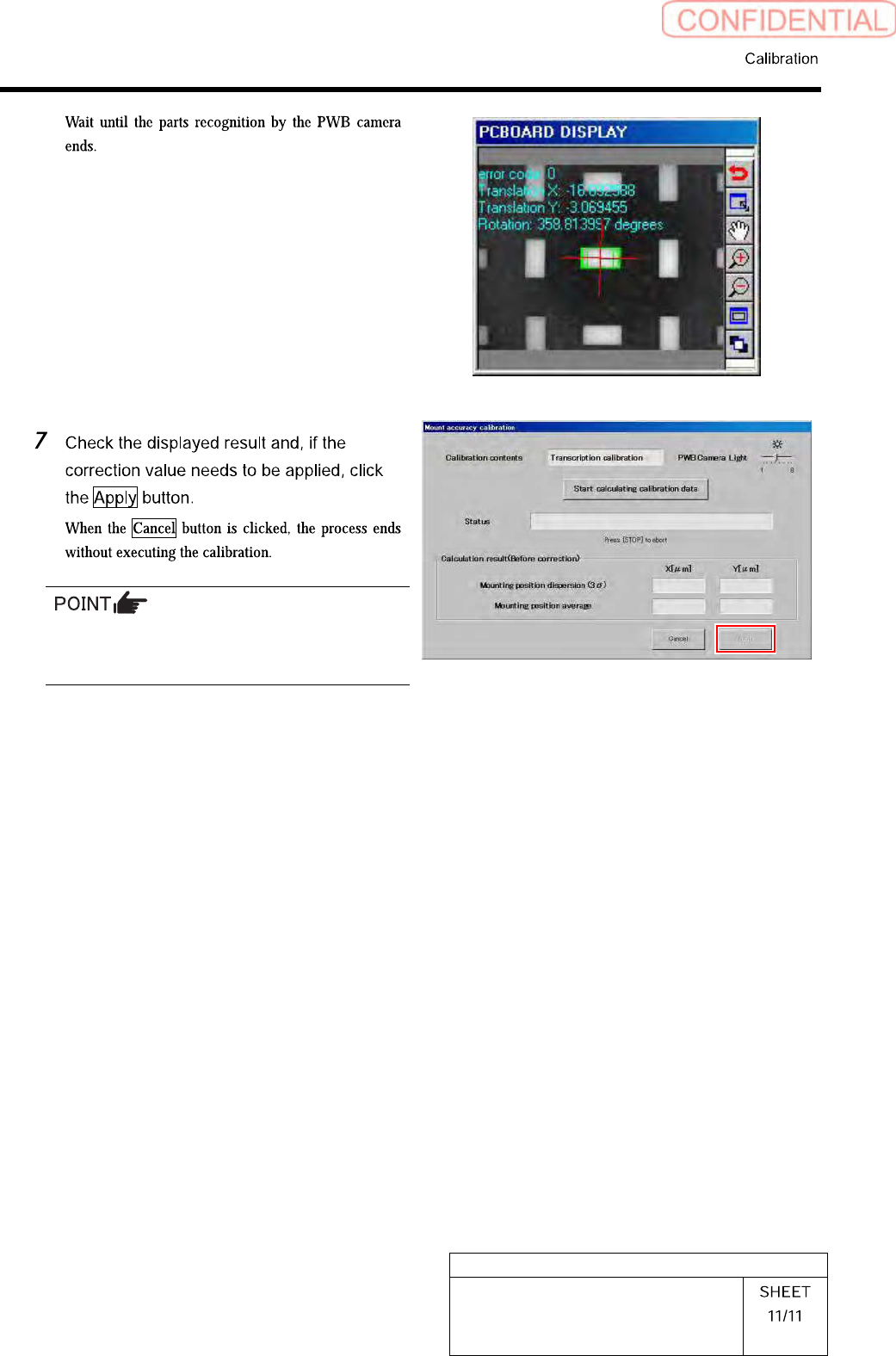
Mount Accuracy Calibration
When the calculation result is 3Sigma <
±40[µm] and Avg < 10[µm], the catalog SPEC
(±60[µm] CPK > 1.0) is satisfied.
HLGB-10314-01
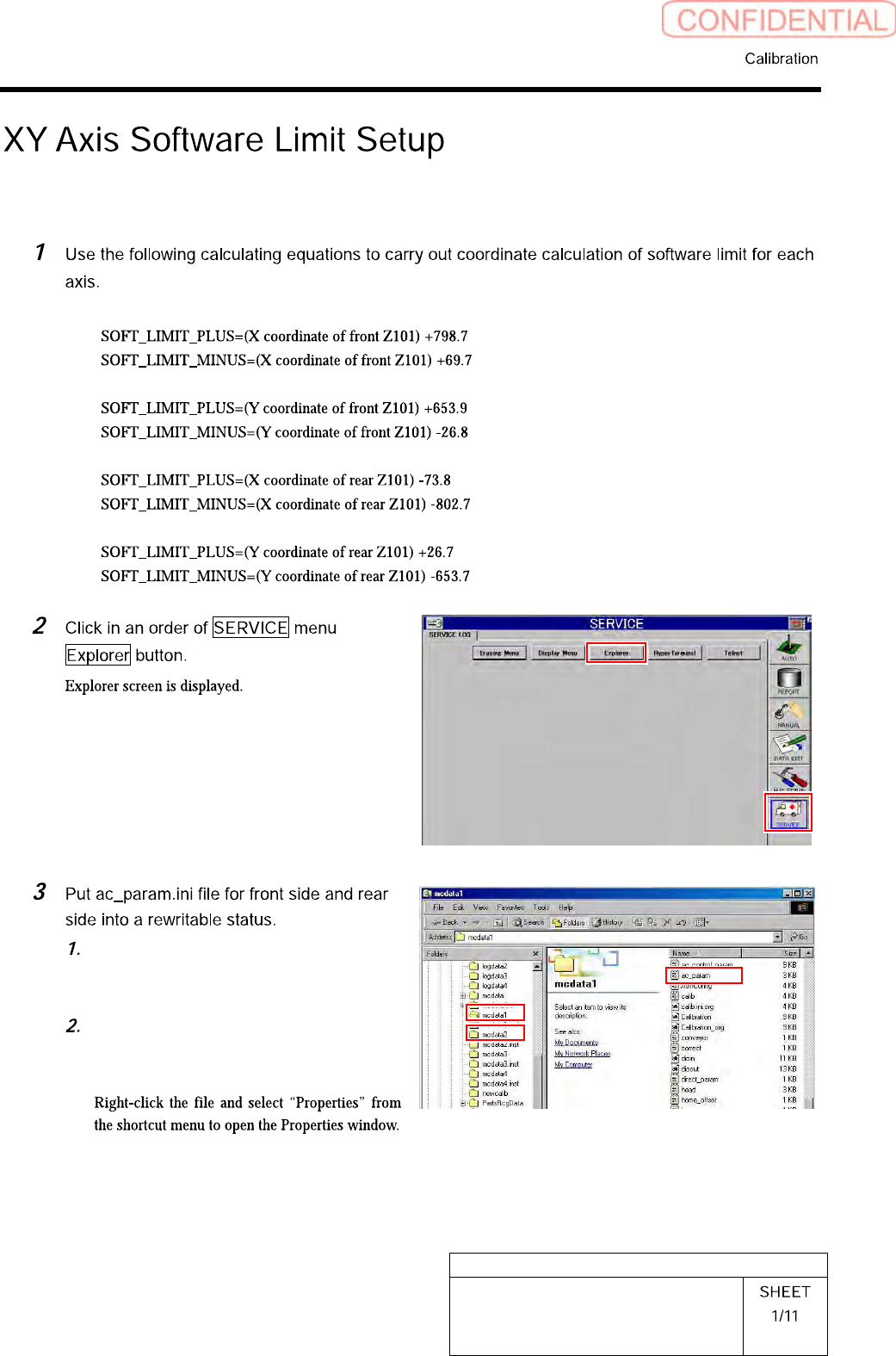
XY Axis Software Limit Setup
[Setup procedure]
FrontsideX-Axis
FrontsideY-Axis
RearsideX-Axis
RearsideY-Axis
For the front side, open Properties
window for ac_param.ini file in
C:¥asm¥mcdata1.
For the rear side, open Properties
window for ac_param.ini file in
C:¥asm¥mcdata2.
HLGB-10314-01
XY Axis Software Limit Setup
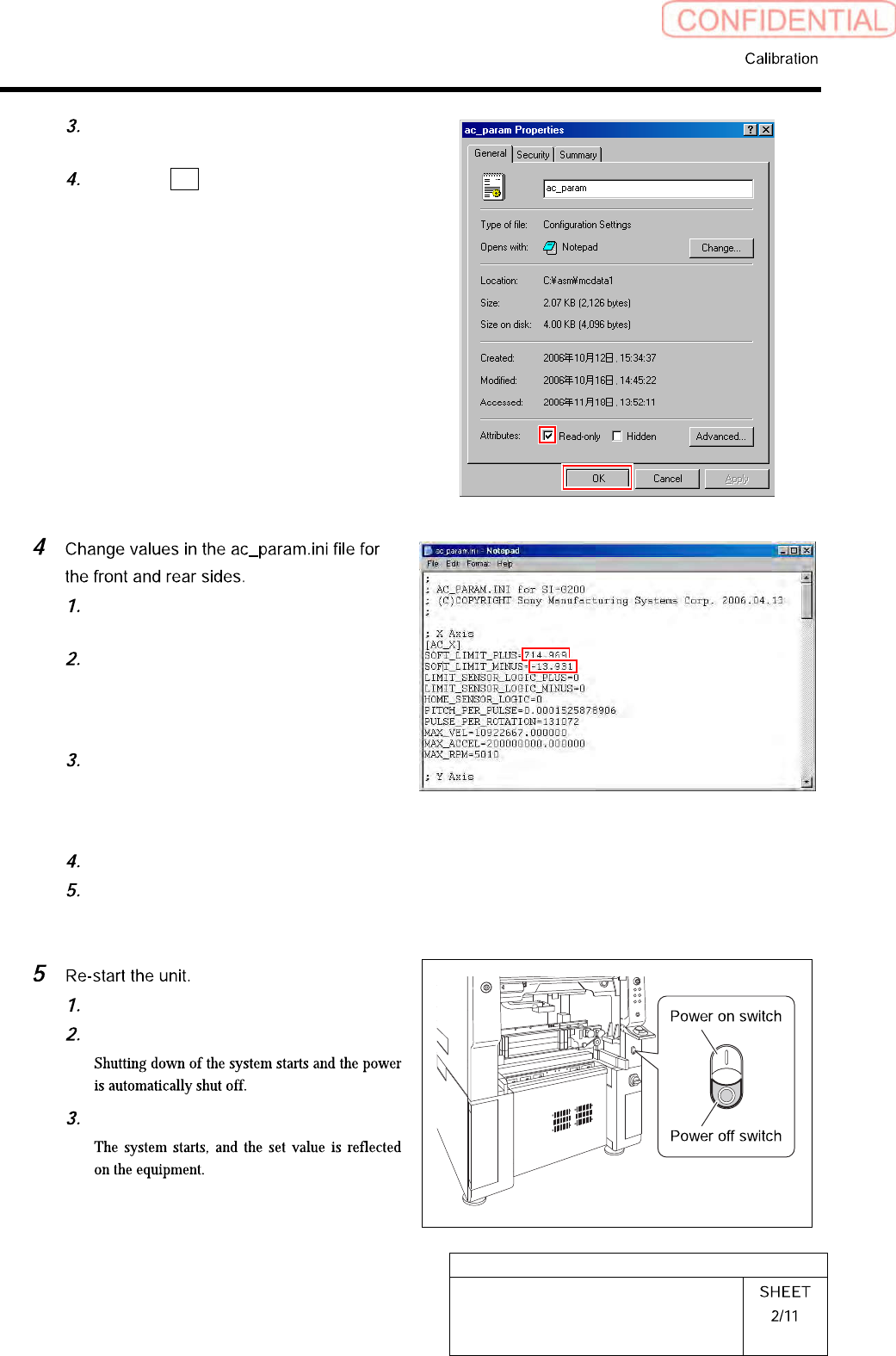
Uncheck “Read-only” on the Properties
window of the ac_param.ini file.
Click the OK button.
Open Notepad by the ac_param.ini
file.
Input the values calculated in the
procedure 1 into spaces of
“SOFT_LIMIT_PLUS” and
“SOFT_LIMIT_MINUS” of [AC_X].
Similarly, input the values calculated
in the procedure 1 into spaces of
“SOFT_LIMIT_PLUS” and
“SOFT_LIMIT_MINUS” of [AC_Y].
Save the ac_param.ini file and end.
Open the Properties window of the
ac_param.ini file, and check the
“Read-only”.
Close the explorer window.
Press the power off switch.
Press the power on switch.