MAN00000772_SI-G200BB_SVCPDFA.pdf - 第281页
HLGB-10315-01 Conveyor Wid th A djustment Click in an order of M/C SETUP menu CONV . P ARAM tab. Enter a difference val ue between the value of narrowest conveyor width measured in the procedure 3 and the standard valu…
HLGB-10315-01
Conveyor Width Adjustment
[Procedure]
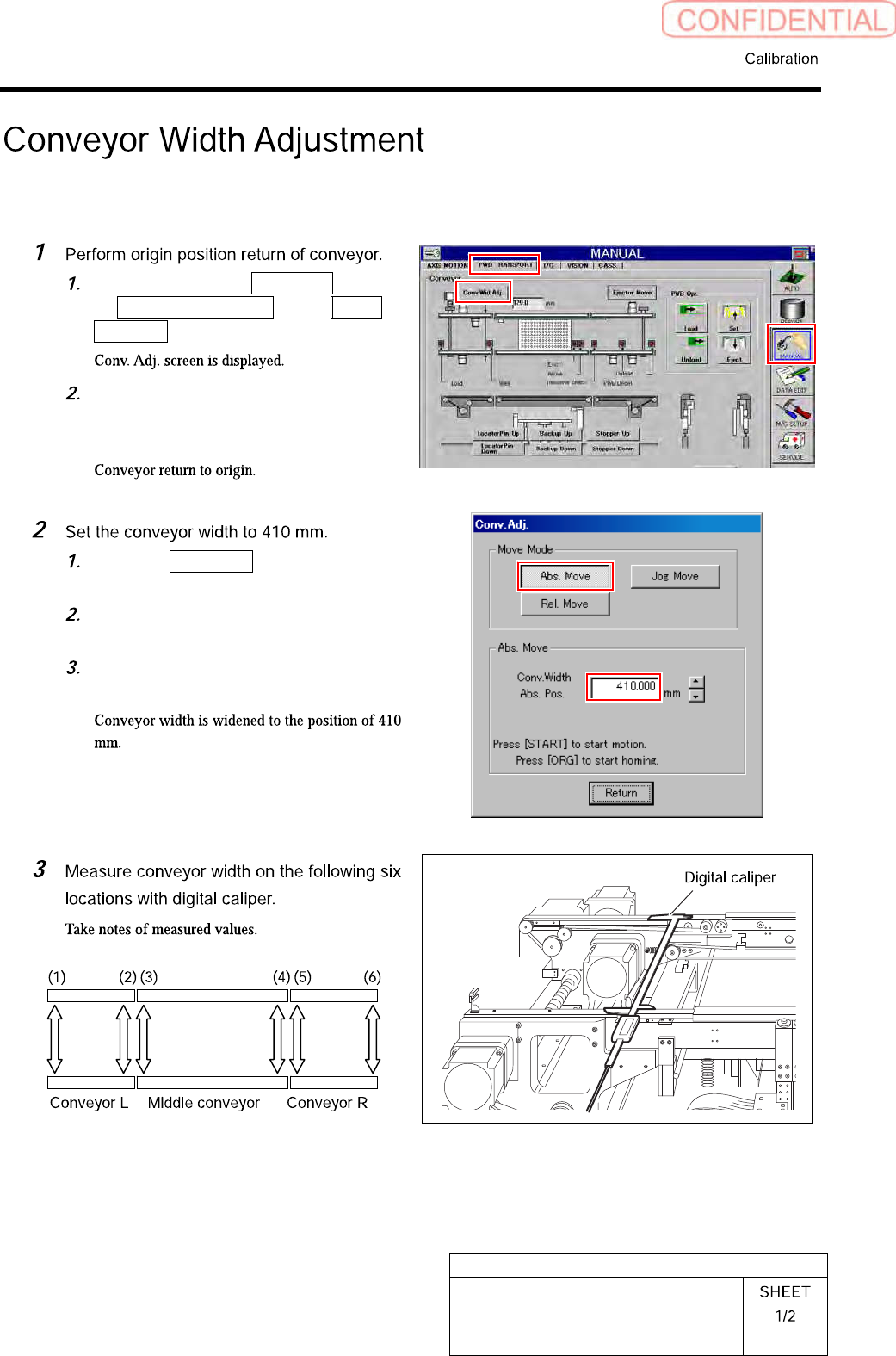
Click in an order of MANUAL menu
PWB TRANSPORT tab Conv.
Wid. Adj. button.
Press the [ORG] button on the
operation panel with the Conv. Adj.
screen being displayed.
Click the Abs. Move button on the
Conv. Adj. screen.
Input “410” into the input box of the
Conv. Width Abs. Pos.
Press the [START] button on the
operation panel.
HLGB-10315-01
Conveyor Width Adjustment
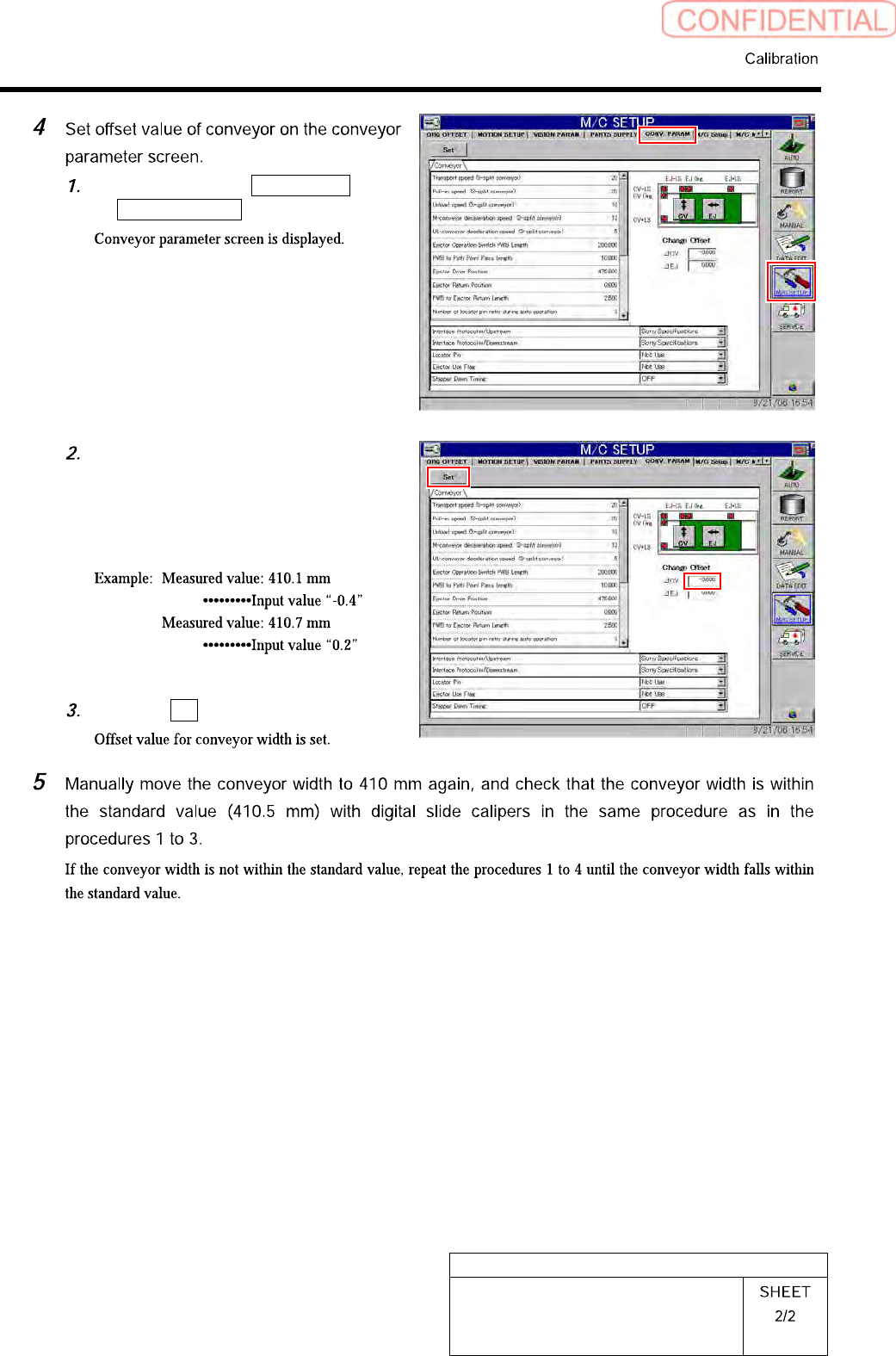
Click in an order of M/C SETUP menu
CONV. PARAM tab.
Enter a difference value between the
value of narrowest conveyor width
measured in the procedure 3 and the
standard value “410.5 mm” into the
CV offset box.
Click the Set button.
HLGB-10316-01
Measuring Parallelism of Reference
Pin and Dependent Pin
[Procedure]
Press the [ORG] button on the operation panel with the HI screen being displayed.
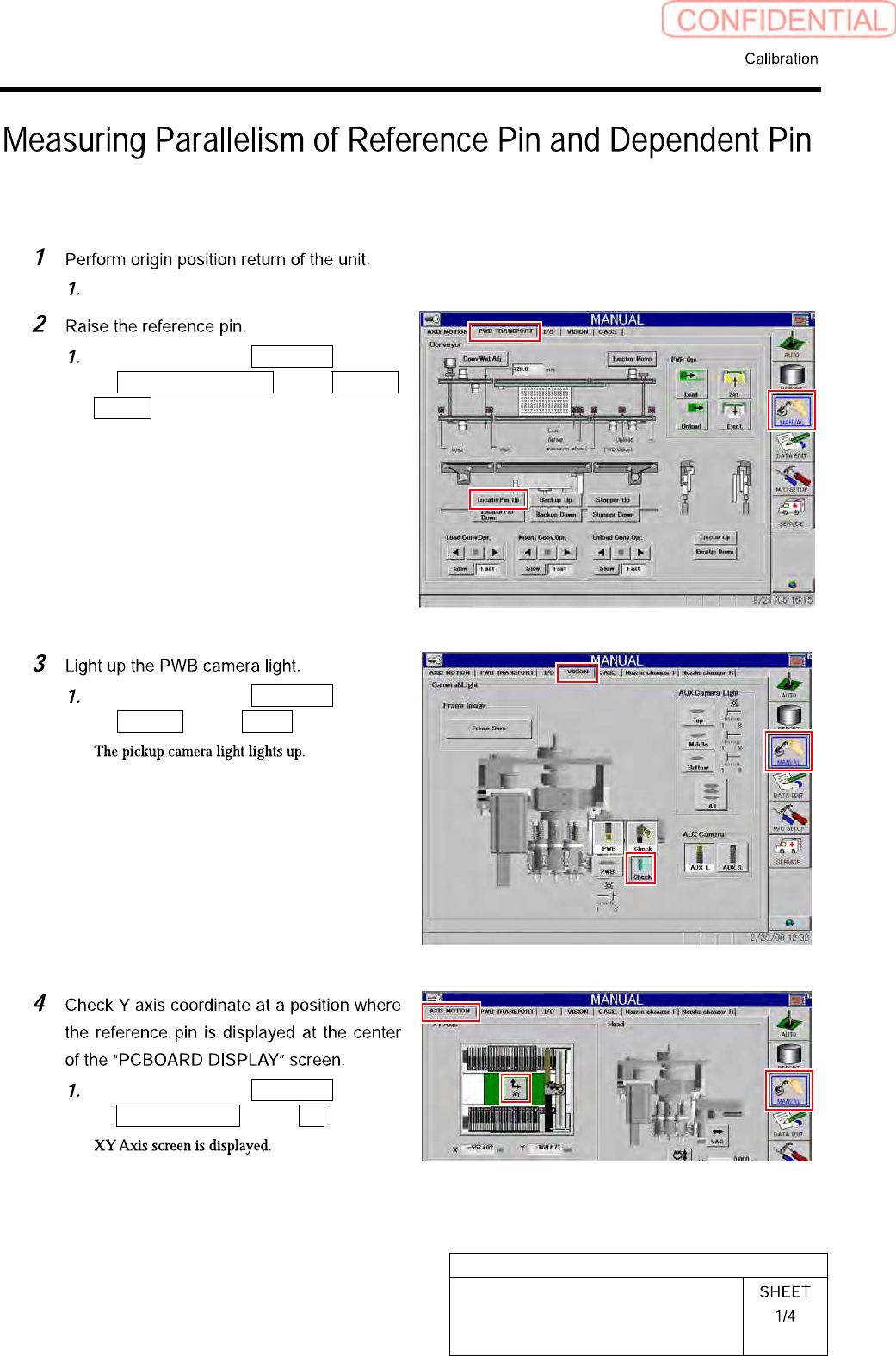
Click in an order of MANUAL menu
PWB TRANSPORT tab Locator
Pin Up button.
Click in an order of MANUAL menu
VISION tab Check button.
Click in an order of MANUAL menu
AXIS MOTION tab XY button.