MAN00000772_SI-G200BB_SVCPDFA.pdf - 第284页
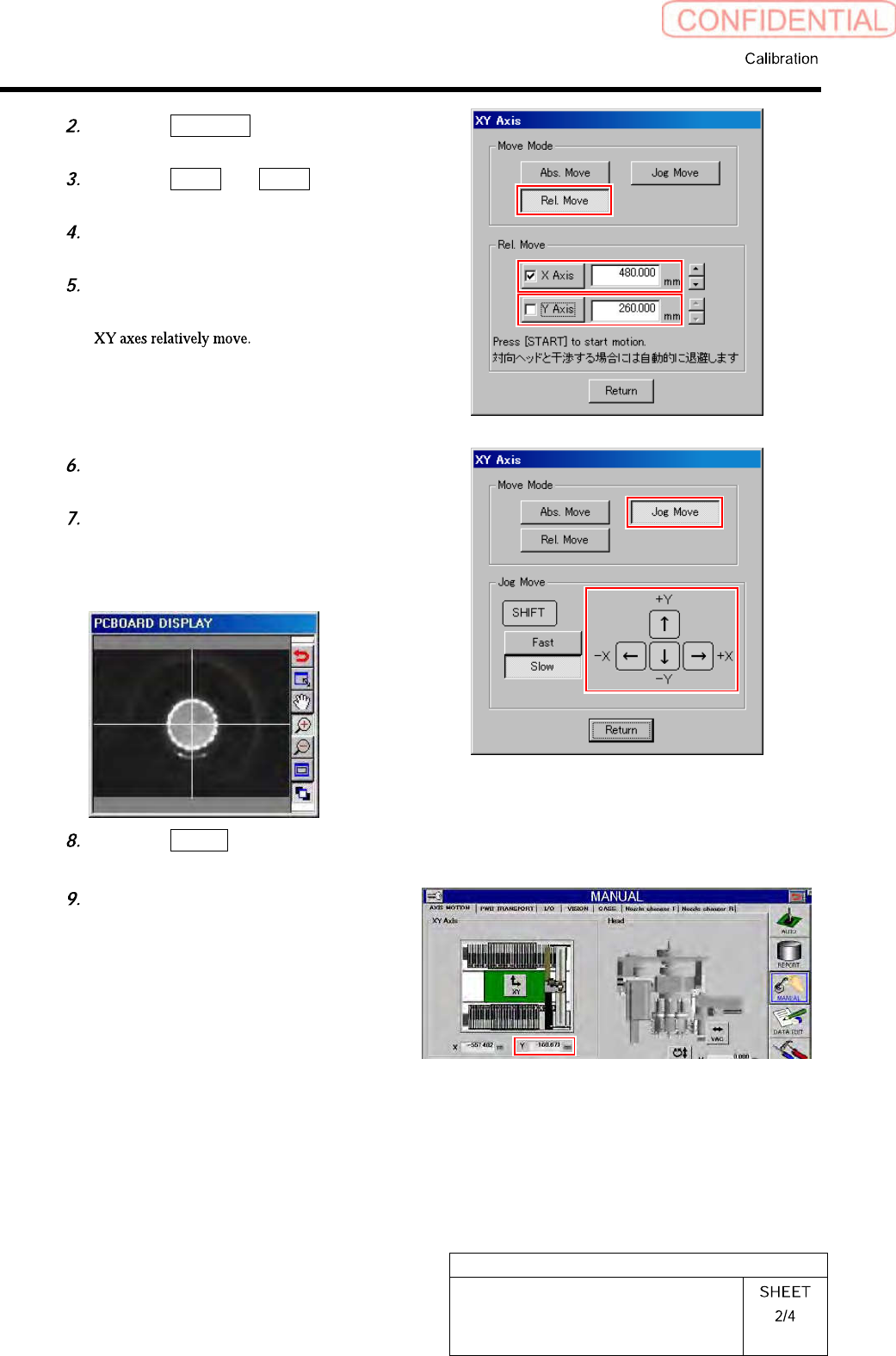
HLGB-10316-01 Measuring Parallelism of Reference Pin and Dependent Pin Click the XY button. Click the Rel. Move button in the move mode. Click the X axis and put checkmark. Input “-100” into X axi s b o x. Press the [ST …
HLGB-10316-01
Measuring Parallelism of Reference
Pin and Dependent Pin
Click the Rel. Move button in the
move mode.
Click the X axis and Y axis and put
check mark.
Enter “480” into the box of X axis, and
“260” into the box of Y axis.
Press the [START] button on the
operation panel.
Click the Jog Move button in the move
mode.
Press the cursor key to move XY axes
so that the reference pin is displayed
on the center of the “PCBOARD
DISPLAY” screen.
Click the Return button to close XY
axes screen.
In a state that the reference pin is on
the center of the “PCBOARD
DISPLAY” screen, check the
coordinate value of Y axis on the axis
operation screen, and record the value.
HLGB-10316-01
Measuring Parallelism of Reference
Pin and Dependent Pin
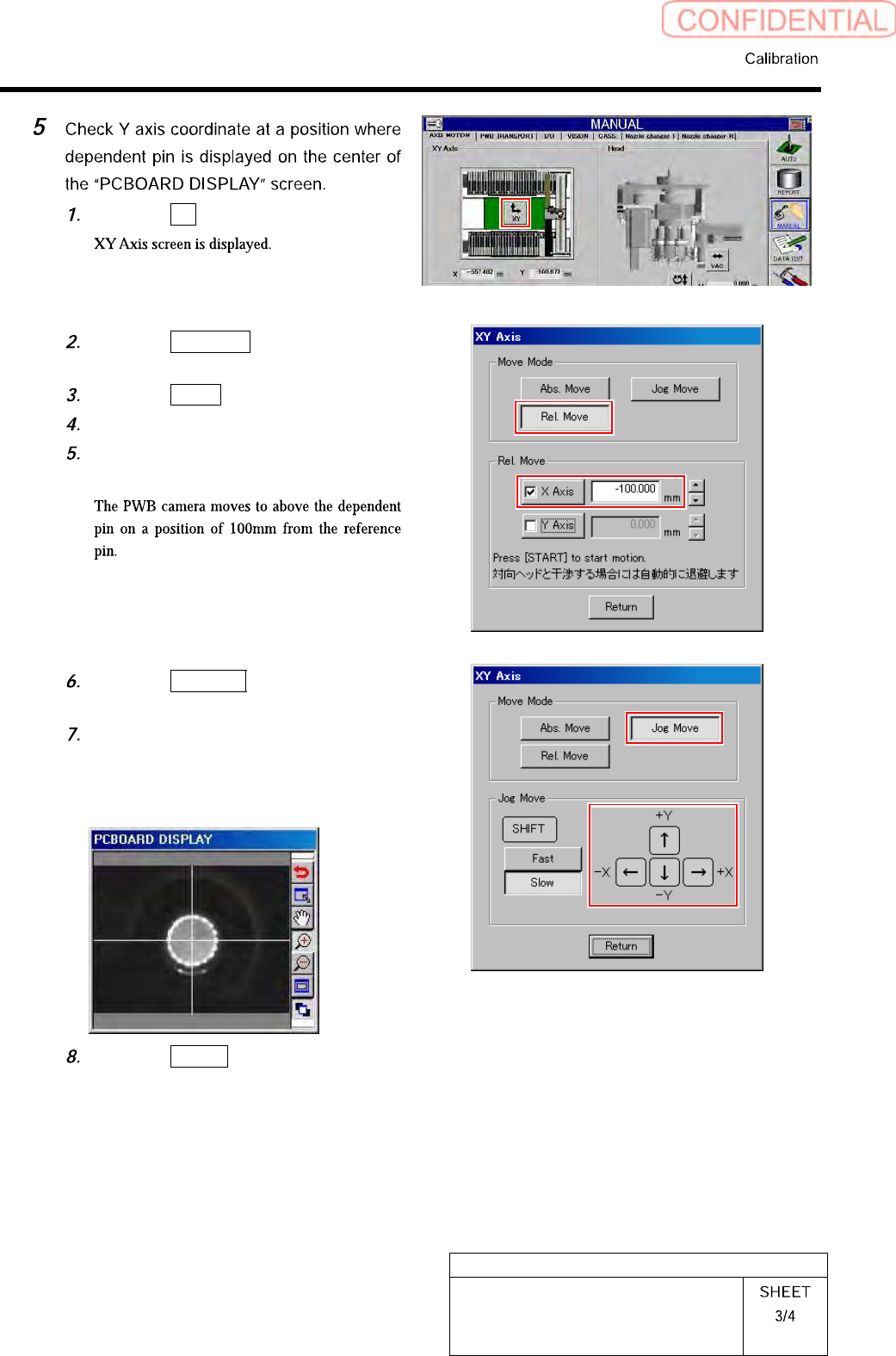
Click the XY button.
Click the Rel. Move button in the
move mode.
Click the X axis and put checkmark.
Input “-100” into X axis box.
Press the [START] button on the
operation panel.
Click the Jog Move button in the move
mode.
Press the cursor key to move XY axes
so that the dependent pin is displayed
on the center of the “PCBOARD
DISPLAY” screen.
Click the Return button to close XY
axes screen.
HLGB-10316-01
Measuring Parallelism of Reference
Pin and Dependent Pin
In a state that the dependent pin is on
the center of the “PCBOARD
DISPLAY” screen, check the
coordinate value of Y axis on the axis
operation screen, and record the value.
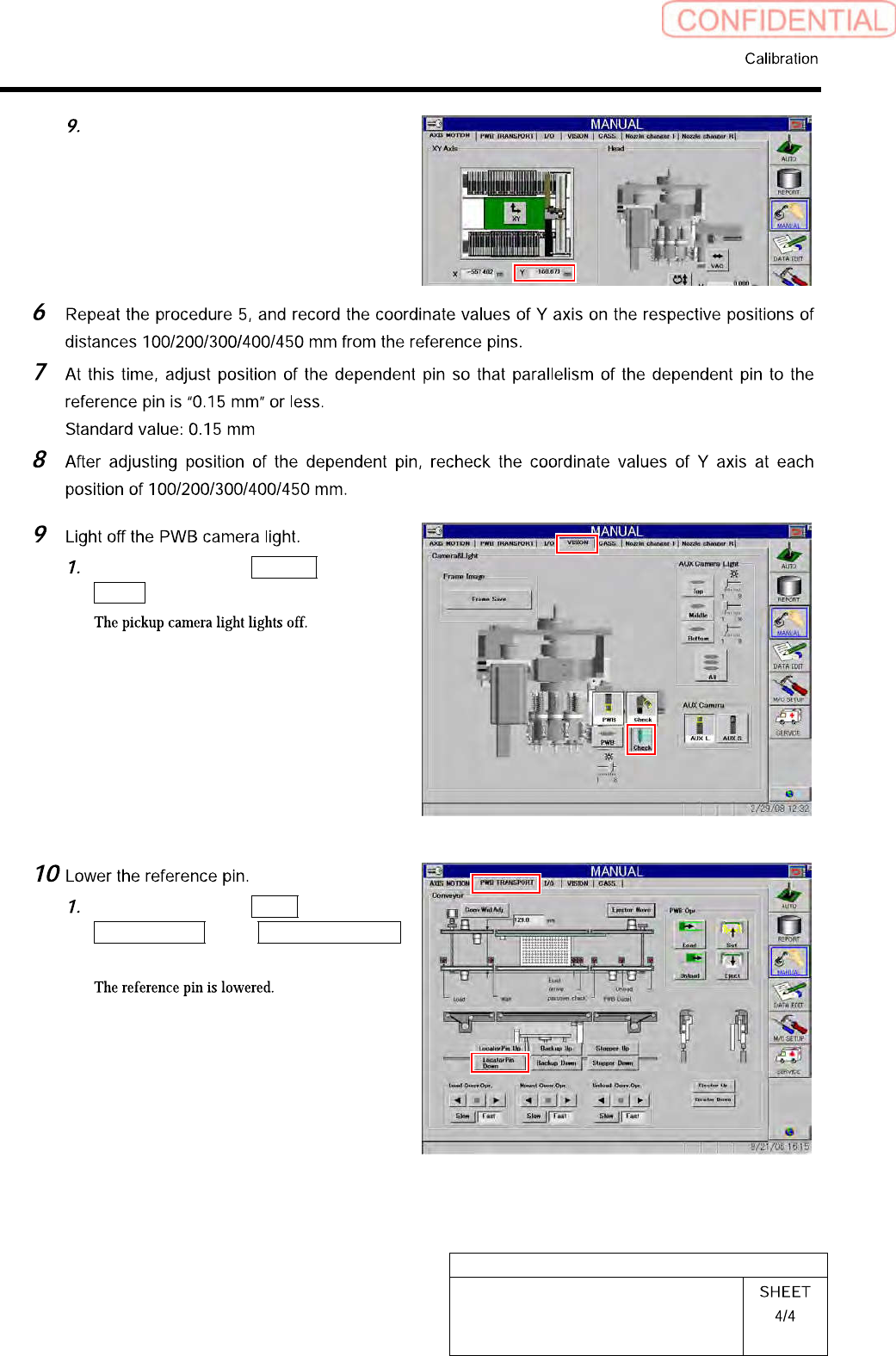
Click in an order of VISION tab
Check button.
Click in an order of PWB
TRANSPORT tab Locator Pin Down
button.