MAN00000772_SI-G200BB_SVCPDFA.pdf - 第286页
HLGB-10317-01 Part s D is card Position Adjustment Perform this working on b o th he ads on t he front side and rear side. [Procedure] Click in an order of M/C SETUP menu MOTION SETUP tab Head Pos. tab. Input the fol…
HLGB-10316-01
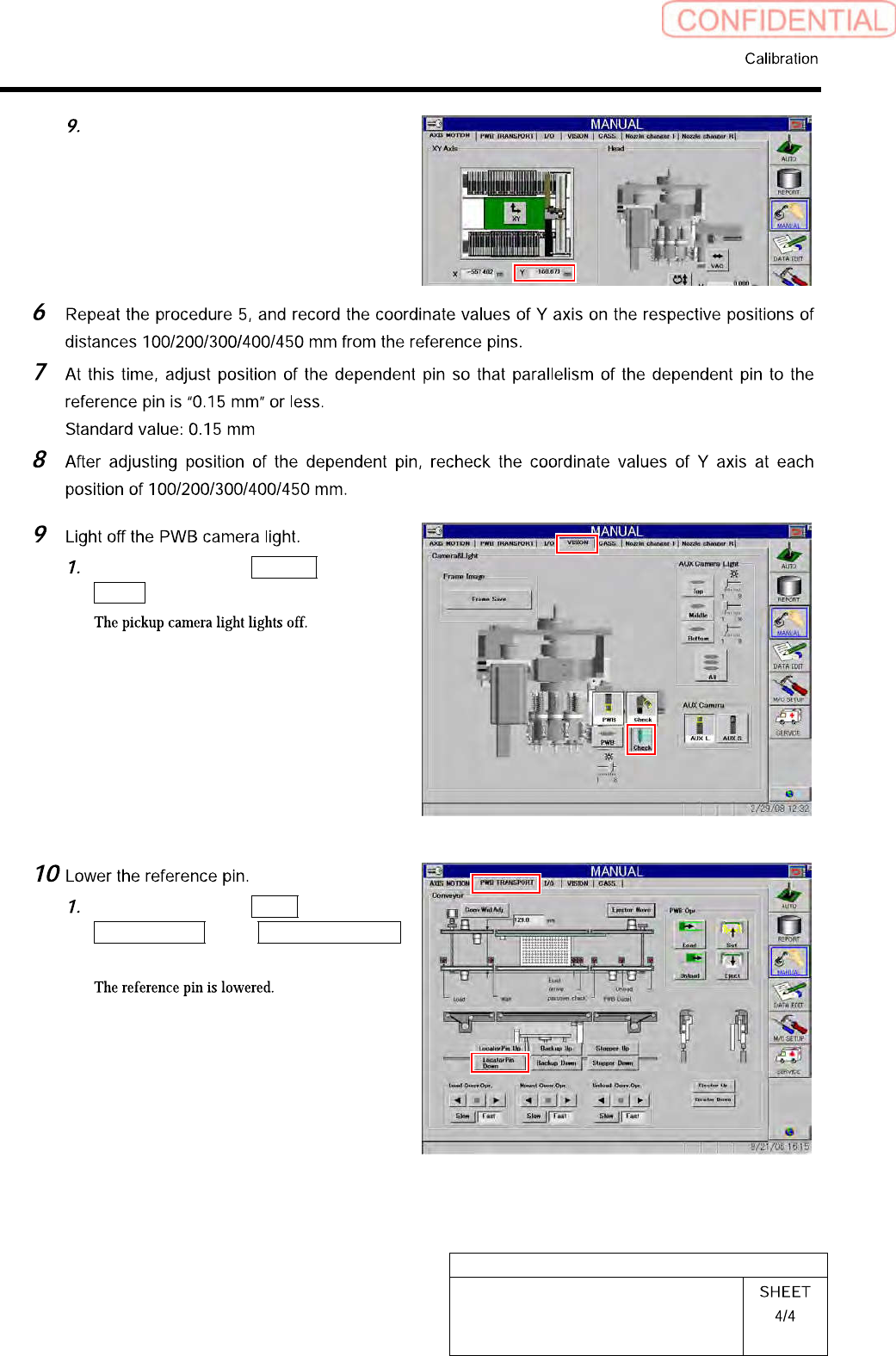
Measuring Parallelism of Reference
Pin and Dependent Pin
In a state that the dependent pin is on
the center of the “PCBOARD
DISPLAY” screen, check the
coordinate value of Y axis on the axis
operation screen, and record the value.
Click in an order of VISION tab
Check button.
Click in an order of PWB
TRANSPORT tab Locator Pin Down
button.
HLGB-10317-01
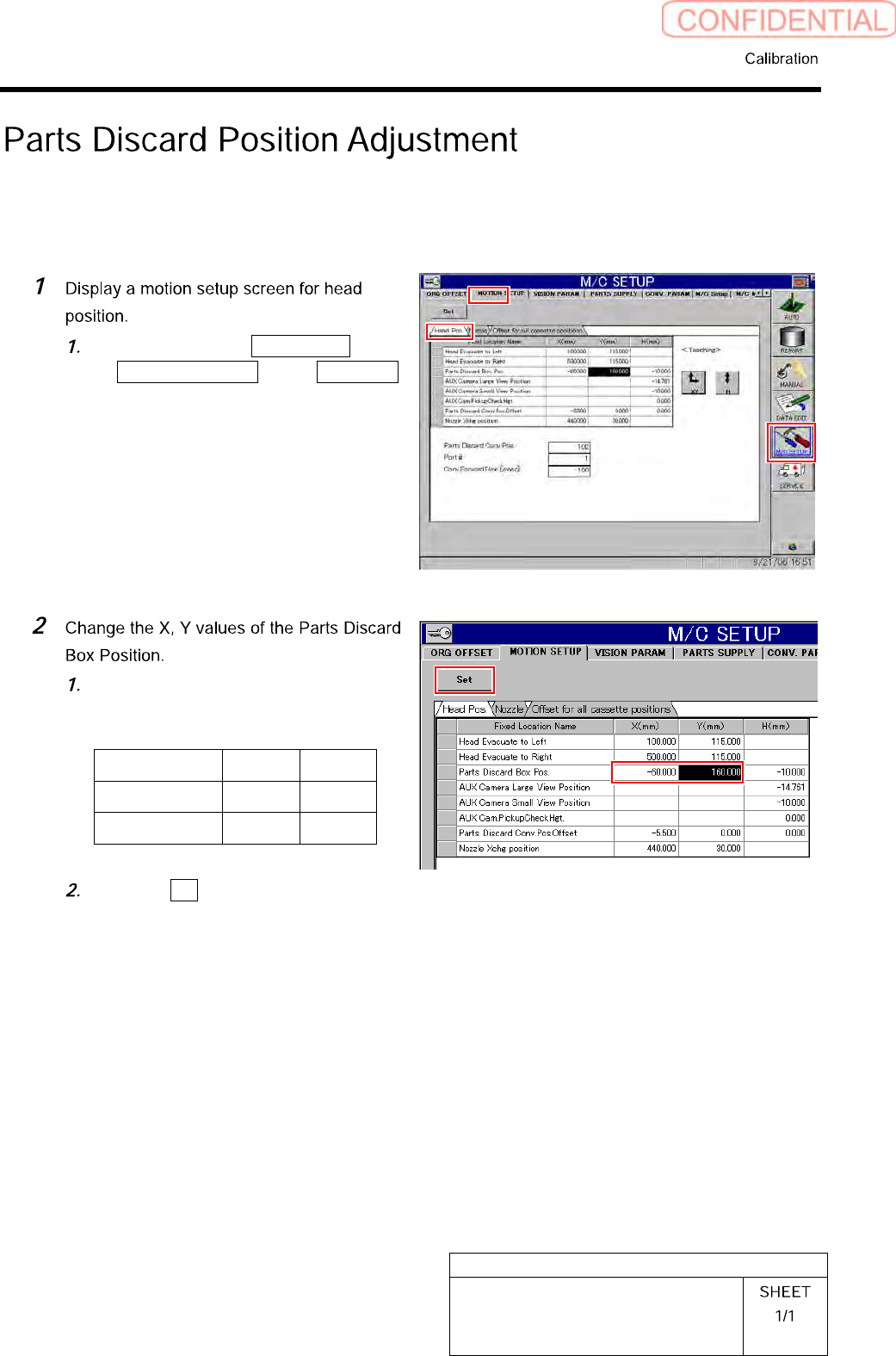
Parts Discard Position Adjustment
Perform this working on both heads on the front side and rear side.
[Procedure]
Click in an order of M/C SETUP menu
MOTION SETUP tab Head Pos.
tab.
Input the following values into the
setting space of the Parts Discard Box
Position.
X Y
FrontsidePC -60.0 160.0
RearsidePC 60.0 -180.0
Click the Set button.
HLGB-10401-01
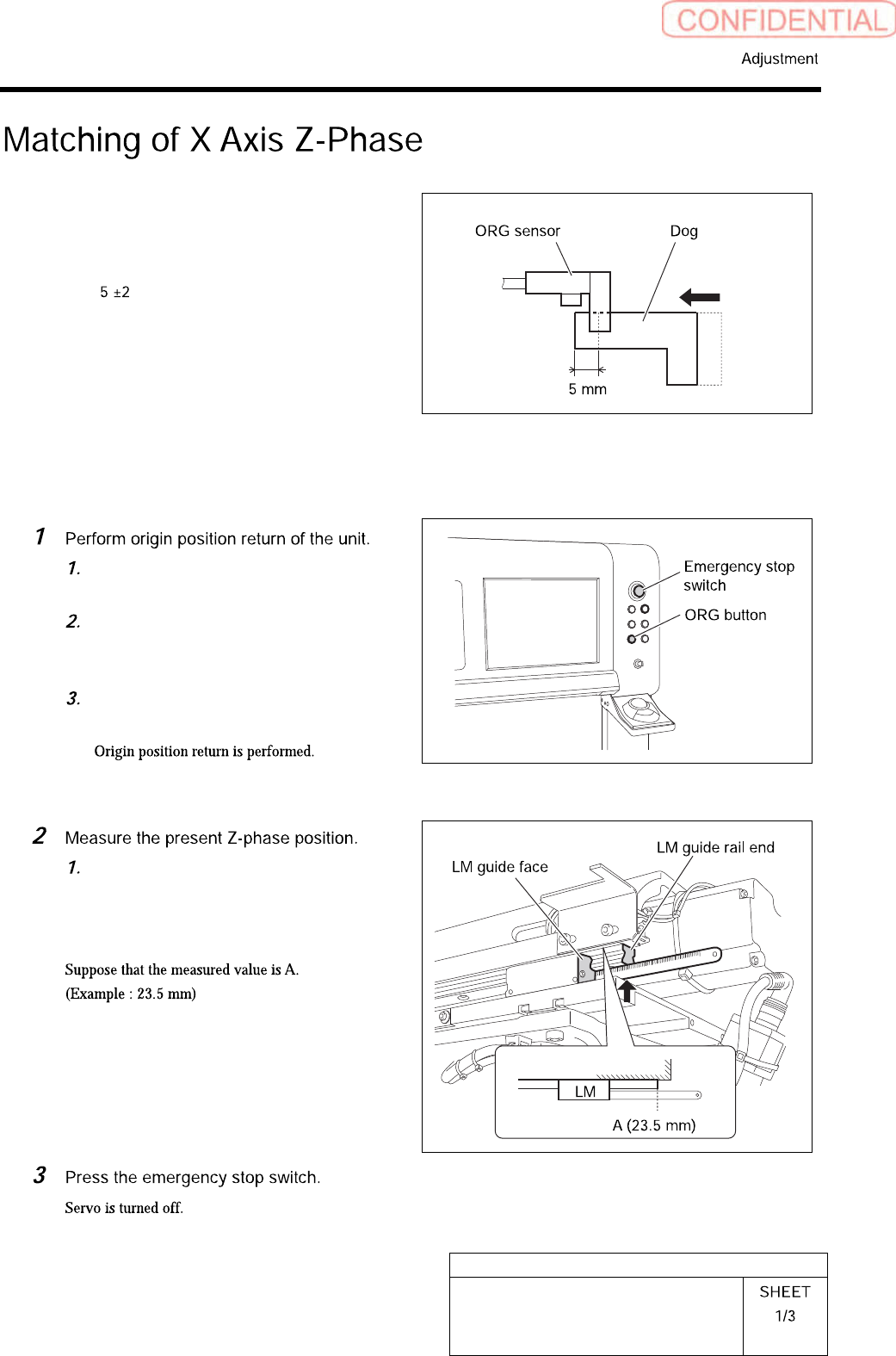
Matching of X Axis Z-Phase
This section describes a procedure to adjust a position
of the Z-Phase so that the motor stops at a position
(Z-Phase setting position) where the ORG sensor
detects the dog, then moves to the X-CCW sensor side
(left side) by mm when origin return is performed,
by taking X axis on the front head side as an example.
Also match the Z-Phase for the X axis of the rear head
side by the same procedure.
[Procedure]
Close the front and rear doors in order
to prevent danger.
Prepare to press the emergency stop
switch so as to immediately stop the
unit.
Press the [ORG] button on the
operation panel.
Measure the distance from the LM
guide rail end to the LM guide face on
the left side of the unit with a scale.