MAN00000772_SI-G200BB_SVCPDFA.pdf - 第294页
HLGB-10403-01 H A xis Gear Z-phase Matching For the front side, open Properties window for ac_co ntr ol_param.ini fil e in C:¥asm¥mcdata1. For the rear side, open Properties window for ac_co ntr ol_param.ini fil e in C:¥…
HLGB-10403-01
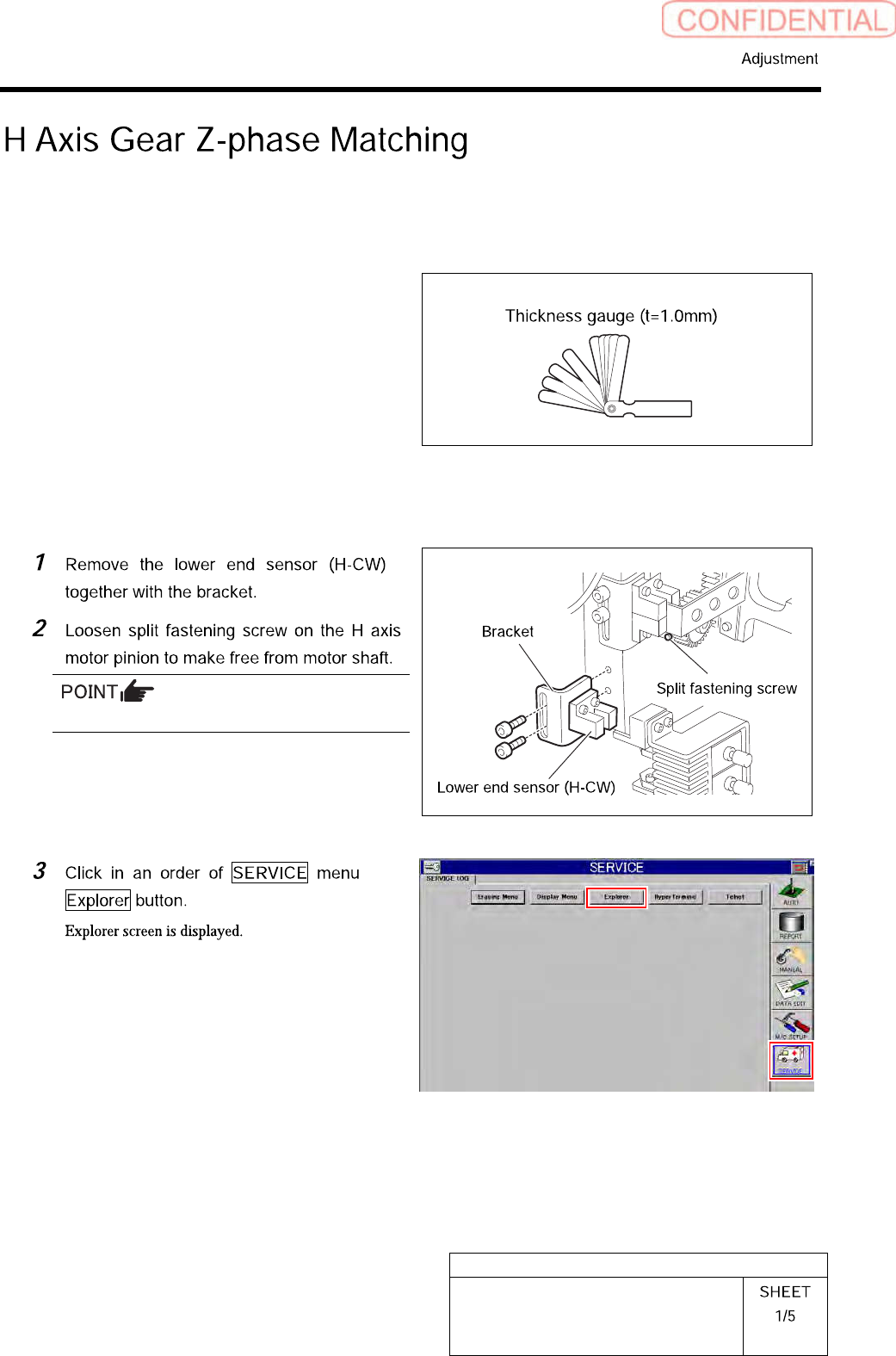
H Axis Gear Z-phase Matching
Perform this working on both heads on the front side and rear side.
[Necessary jigs]
• Thickness gauge (t=1.0 mm)
[Procedure]
Rotate pinion for easy access of alain key.
HLGB-10403-01
H Axis Gear Z-phase Matching
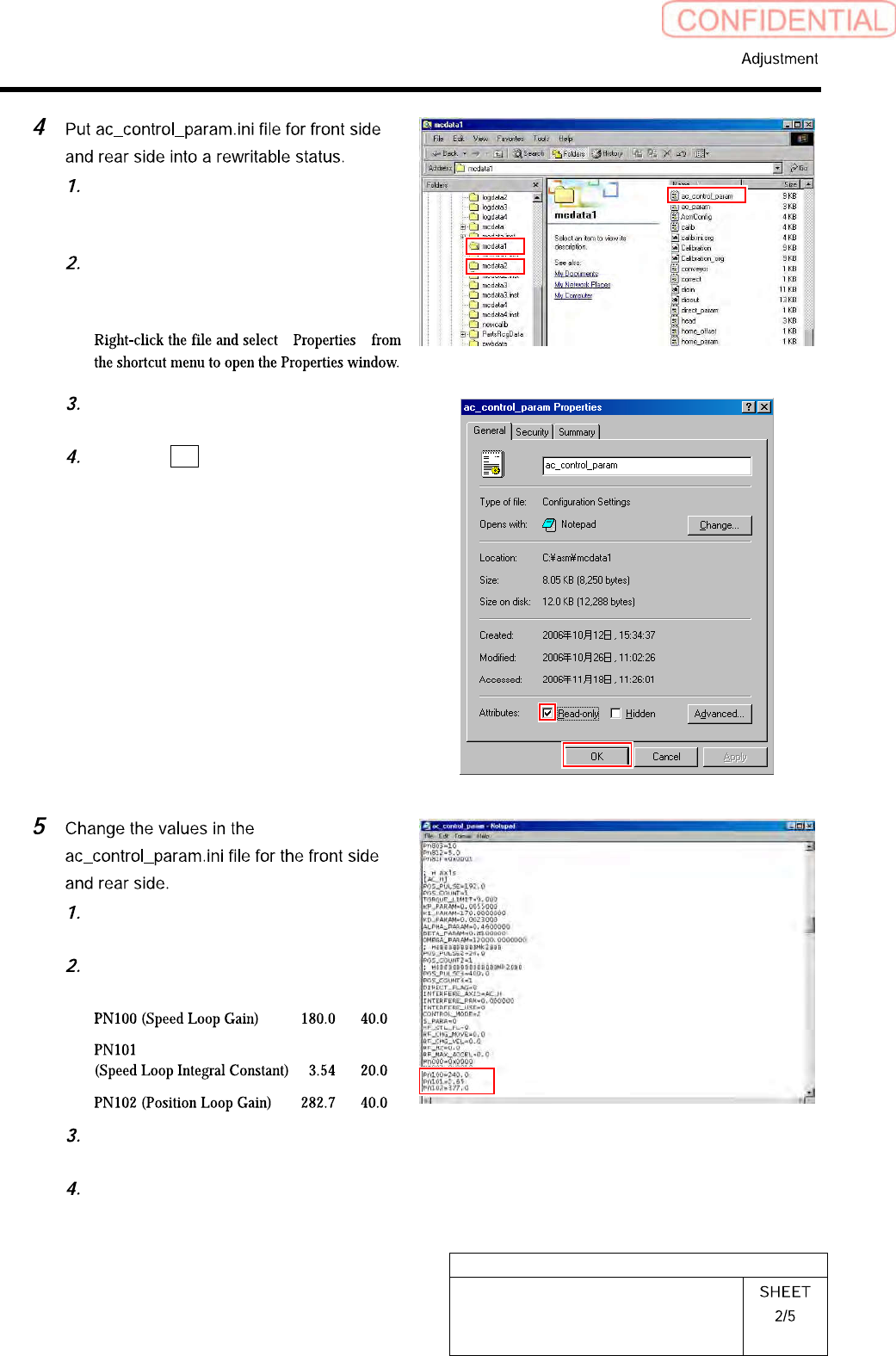
For the front side, open Properties
window for ac_control_param.ini file
in C:¥asm¥mcdata1.
For the rear side, open Properties
window for ac_control_param.ini file
in C:¥asm¥mcdata2.
“ ”
Uncheck “Read-only” on the Properties
window of the ac_param.ini file.
Click the OK button.
Open the ac_control_param.ini file by
Notepad.
Change the value of
PN100-PN101-PN102 of [AC_H].
Save the ac_control_param.ini file and
end.
Open the Properties window of the
ac_control_param.ini file and check
the “Read-only”.
HLGB-10403-01
H Axis Gear Z-phase Matching
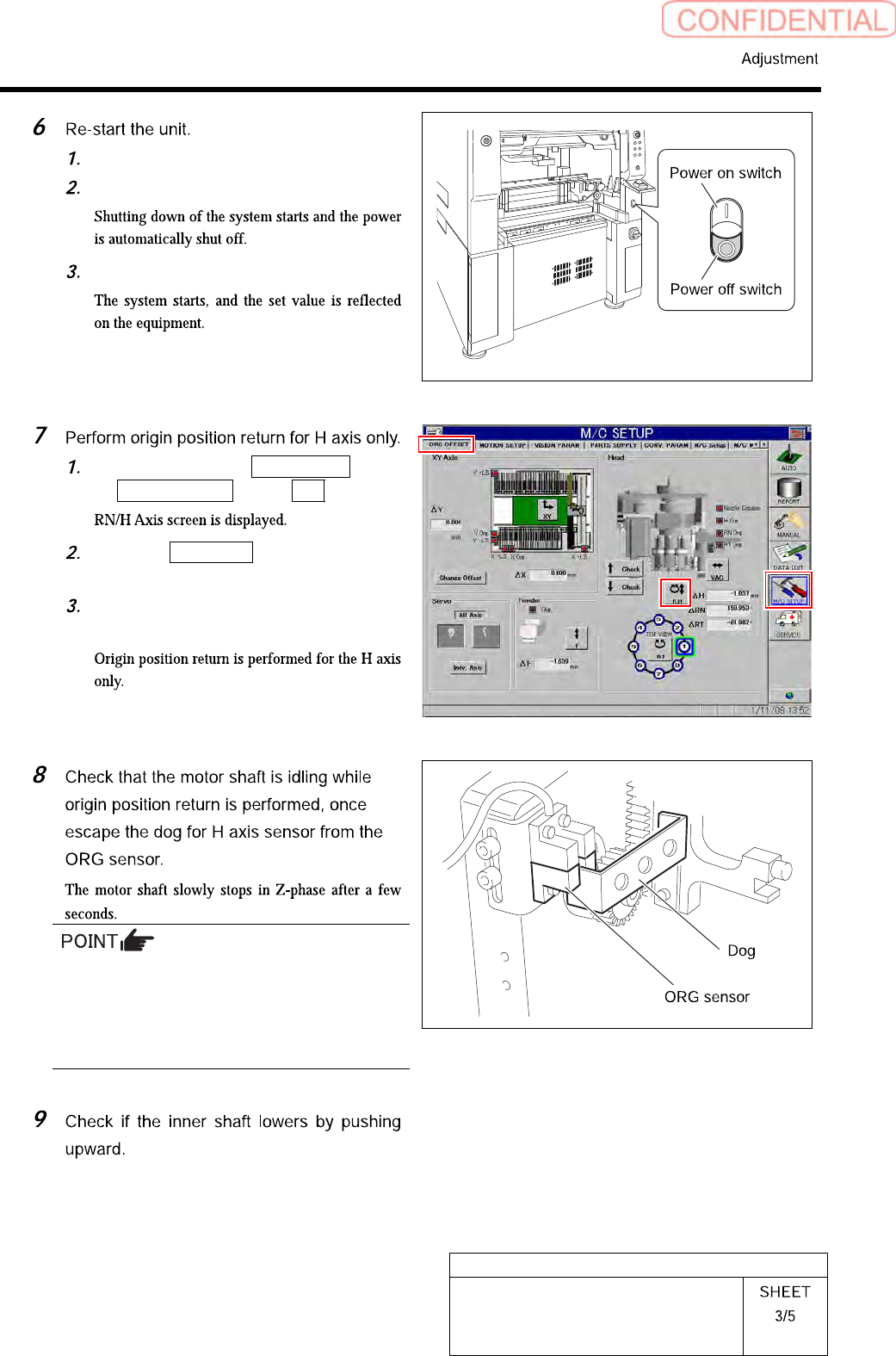
Close the explorer window.
Press the power off switch.
Press the power on switch.
Click in an order of M/C SETUP menu
ORG OFFSET tab R.H button.
Click the Abs. Move button for move
mode and put checkmark on H axis.
Press the [ORG] button on the
operation panel.
Unless the gear is free against the motor shaft
of the H axis, the dog obstructs the CCW sensor
and the servo is turned off.
Check that the gear is completely free against
the motor shaft of the H axis.