MAN00000772_SI-G200BB_SVCPDFA.pdf - 第300页
HLGB-10404-01 Adjustment of H A xis Upper End OT Sensor (H-CCW) Click the ON button for the H axis servo on the R N/H Axis screen. Click the Ab s. M ove button for move mode and put checkmark on H axi s. Press the [ORG] …
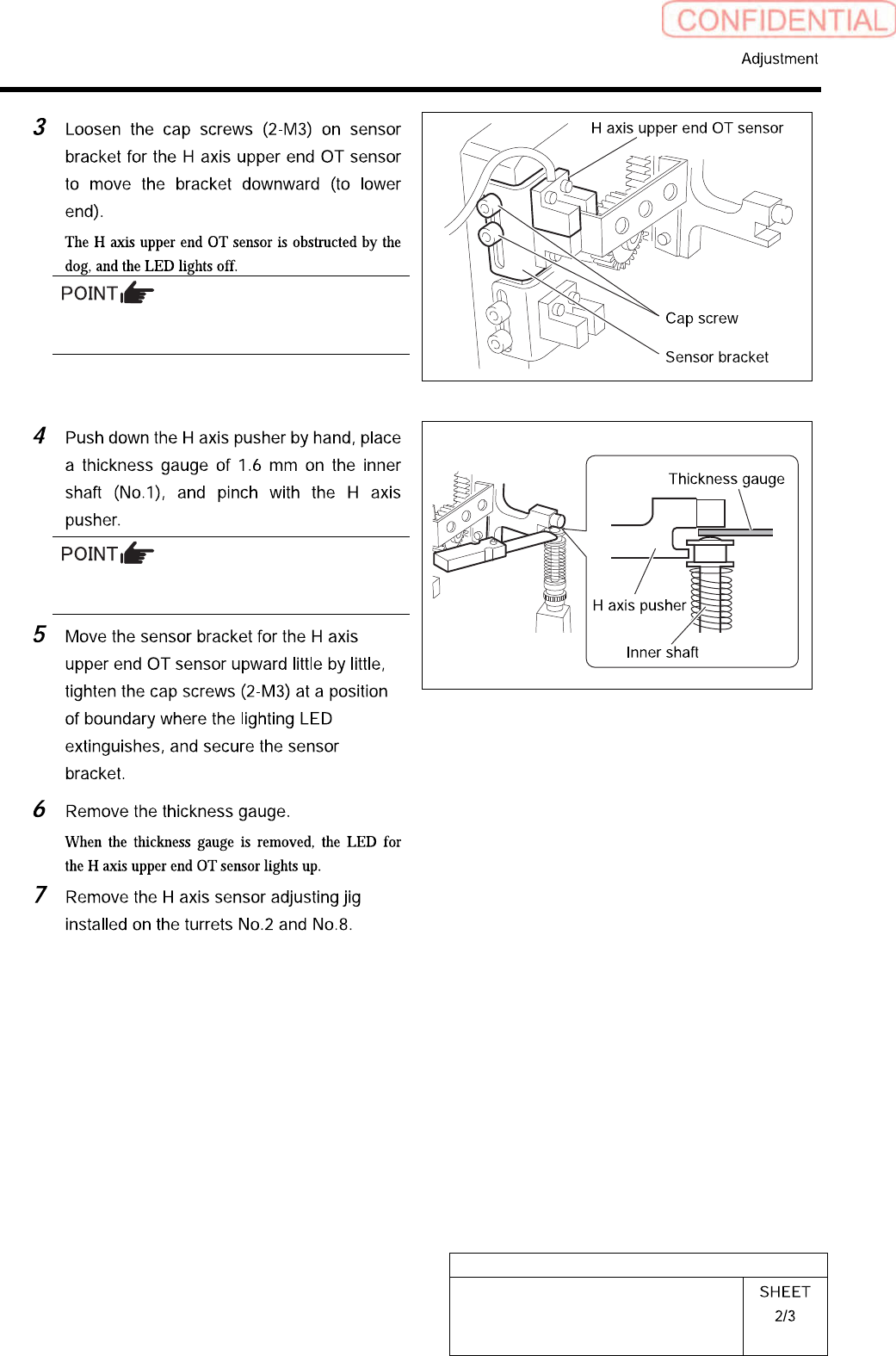
HLGB-10404-01
Adjustment of H Axis Upper End OT
Sensor (H-CCW)
Keep the cap screws (2-M3) in temporarily
tightened state.
When pinching the thickness gauge, slightly
bring up the inner shaft from the lower.
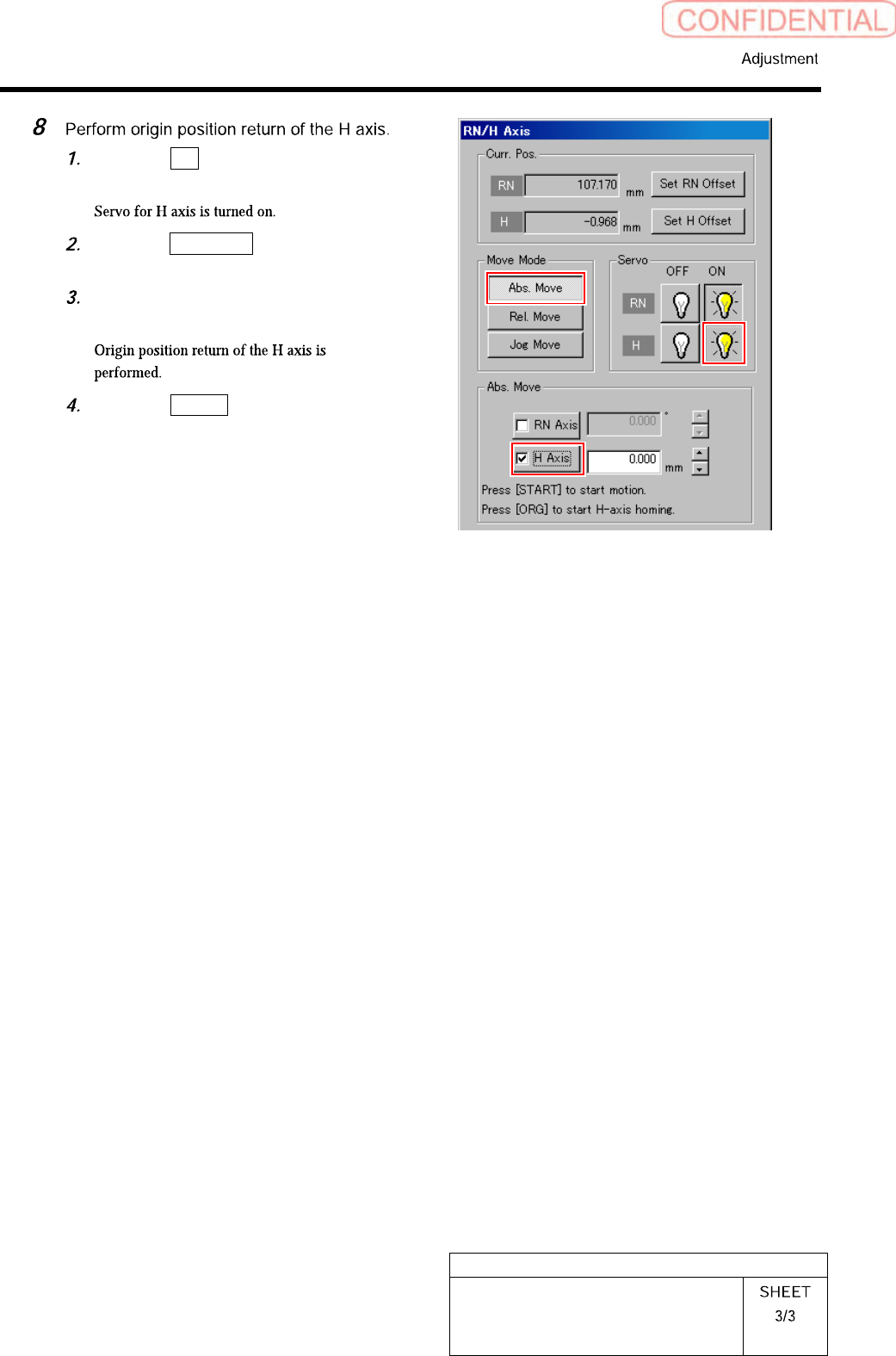
HLGB-10404-01
Adjustment of H Axis Upper End OT
Sensor (H-CCW)
Click the ON button for the H axis
servo on the RN/H Axis screen.
Click the Abs. Move button for move
mode and put checkmark on H axis.
Press the [ORG] button on the
operation panel.
Click the Return button to close the
RN/H Axis screen.
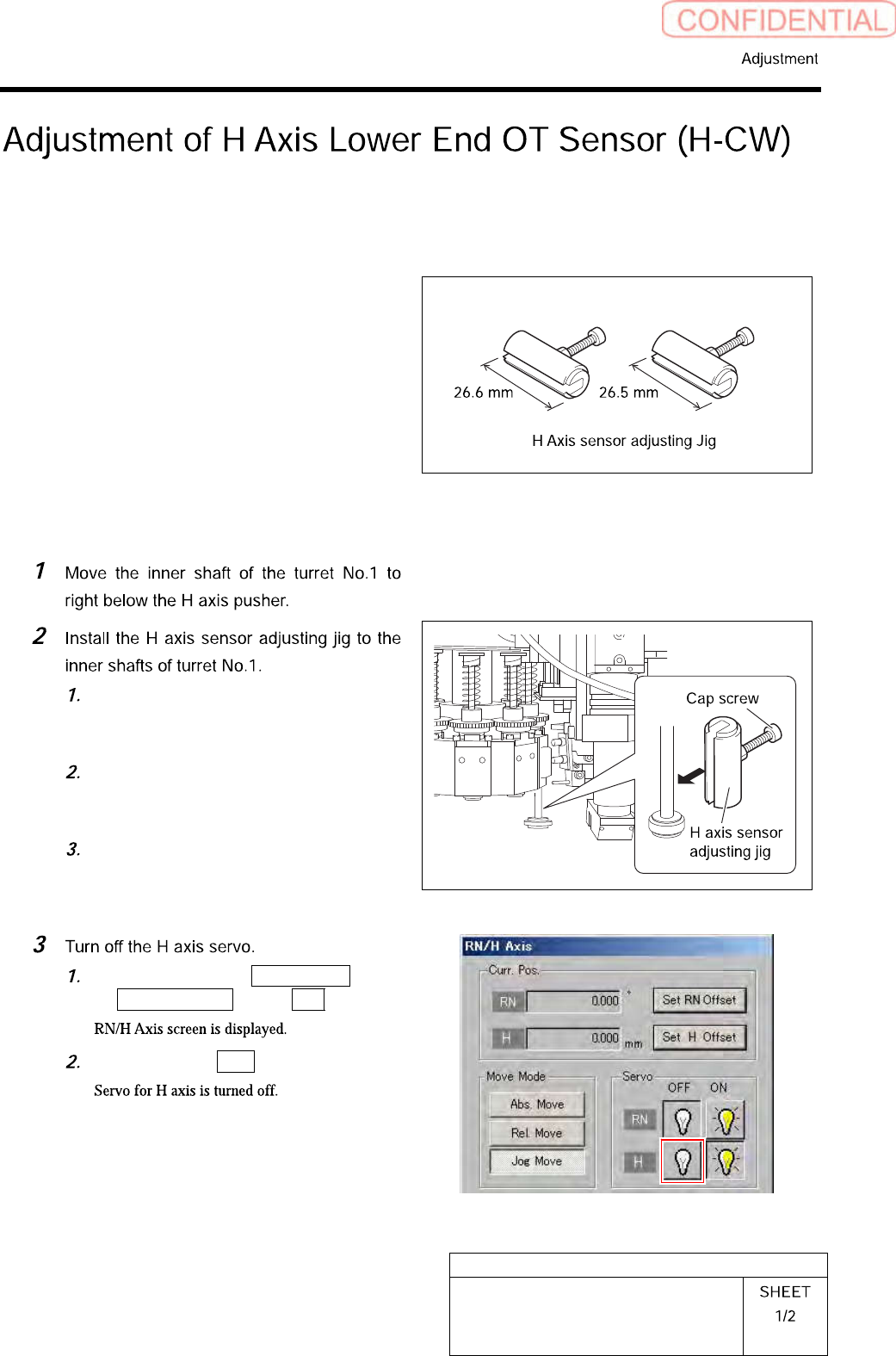
HLGB-10405-01
Adjustment of H Axis Lower End OT
Sensor (H-CW)
Perform this working on both heads on the front side and rear side.
[Necessary jigs]
• H Axis sensor adjusting Jig
(L=26.6 mm, 26.5 mm)
[Procedure]
Push the H axis pusher from the upper
by hand, and push down the inner
shaft.
Pinch the H axis sensor adjusting jig
(L=26.6 mm) between the turret and
inner shaft.
Remove the cap screw for H axis
sensor adjusting jig.
Click in an order of M/C SETUP menu
ORG OFFSET tab R.H button.
Click the servo OFF button for H axis.