MAN00000772_SI-G200BB_SVCPDFA.pdf - 第305页
HLGB-10406-01 FF/FR Axis Z-Phase Matching Press the MODE / SET key on the digital operator three times. Press the ∧ key on the digital operator three time s. T urn the F axi s mot o r pulley b y one or more turns to adju…
HLGB-10406-01
FF/FR Axis Z-Phase Matching
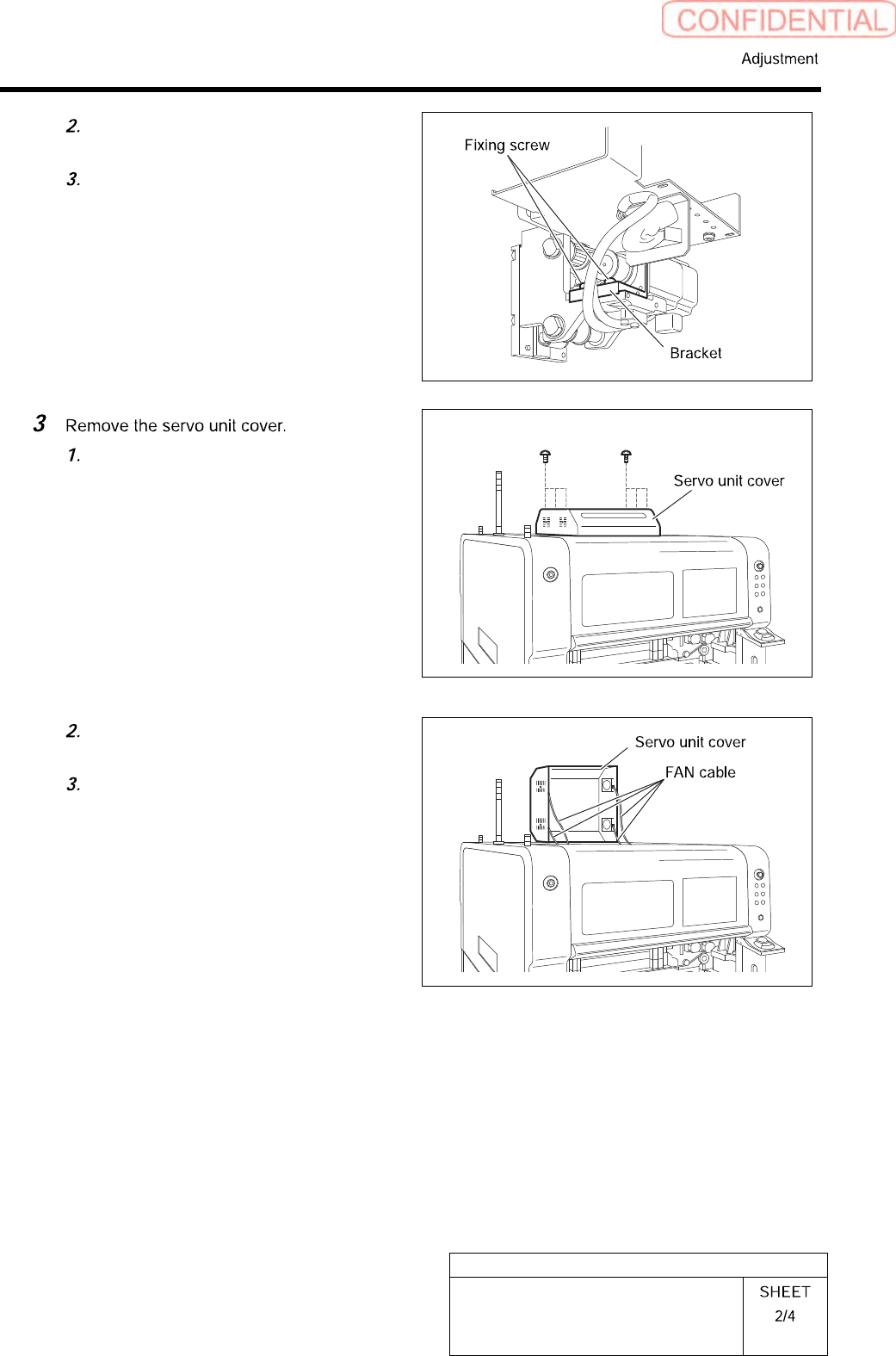
Loosen the two fixing screws for the
motor bracket.
Push the motor bracket to the back,
then the F axis belt is freed.
Loosen the six screws to raise the
servo unit cover.
Disconnect the FAN cable connected to
the servo unit cover.
Remove the servo unit cover.
HLGB-10406-01
FF/FR Axis Z-Phase Matching
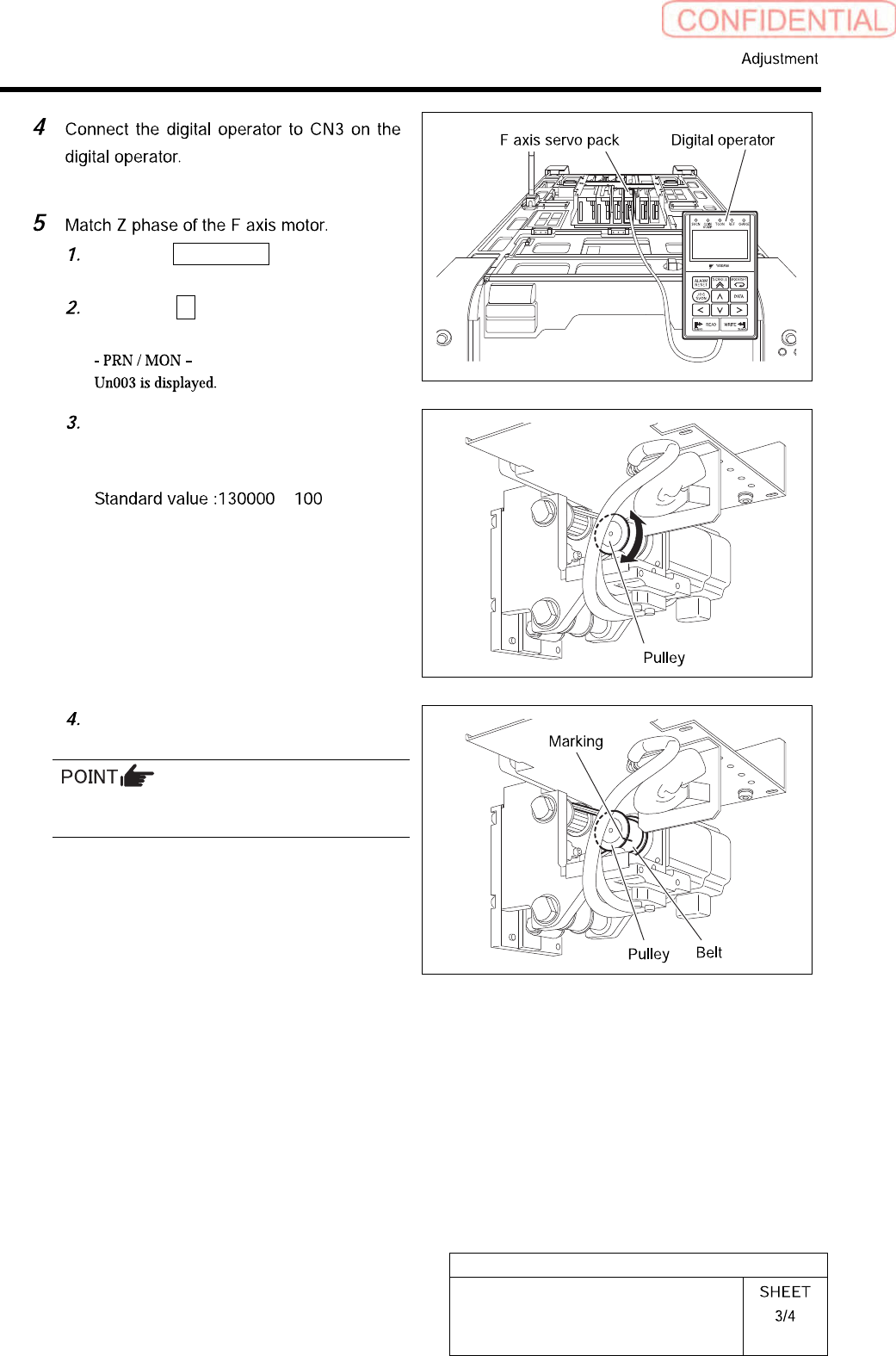
Press the MODE/SET key on the
digital operator three times.
Press the ∧ key on the digital
operator three times.
Turn the F axis motor pulley by one or
more turns to adjust the indication
(Un003=) on the digital operator to “0”.
±
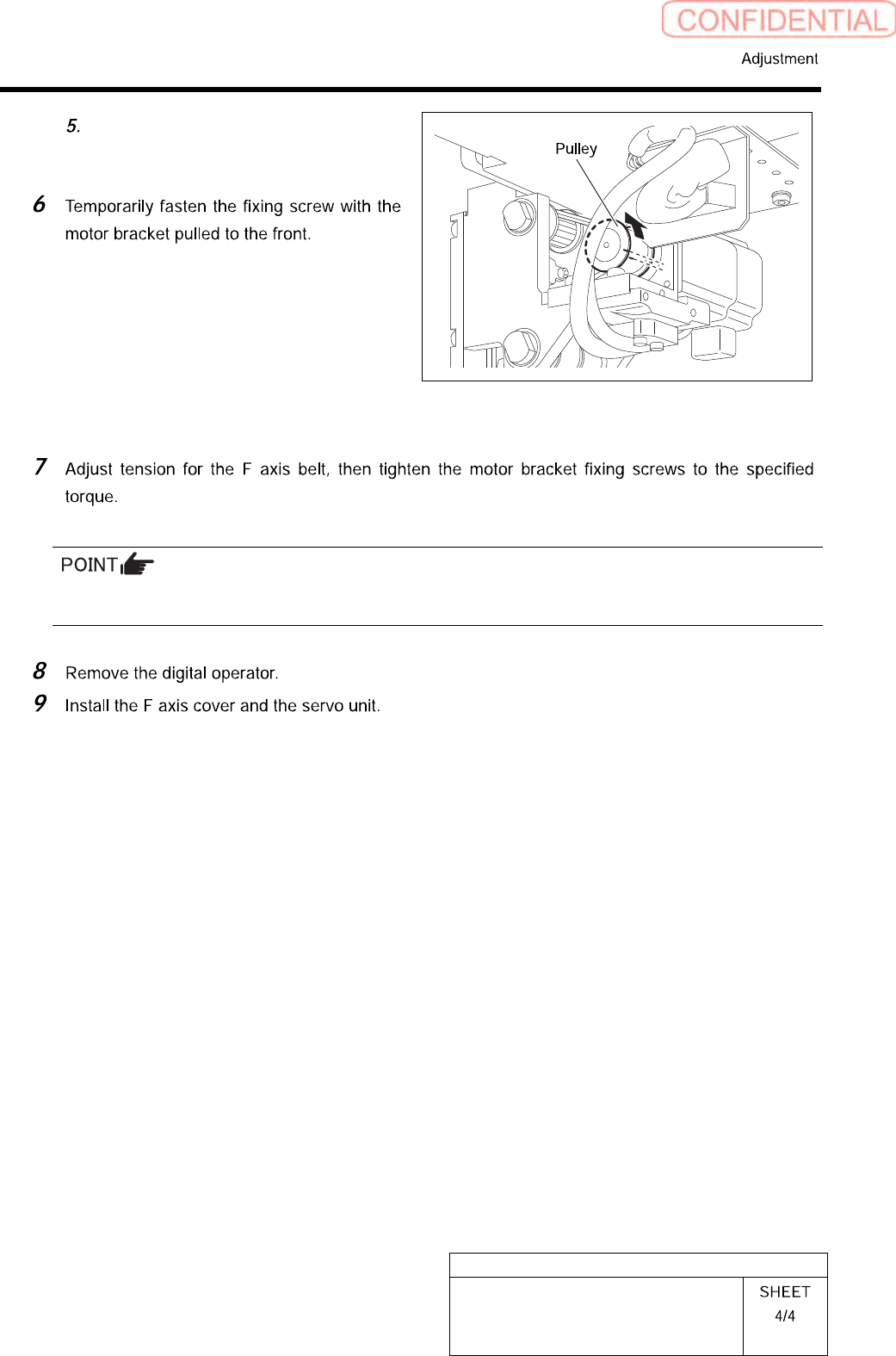
Put marking on the F axis belt and
pulley with white paint.
When marking, make sure that the pulley does
not rotate.
HLGB-10406-01
FF/FR Axis Z-Phase Matching
Rotate the pulley to shift the F axis
belt by one crest with the F axis belt
freed from the pulley.
Specifiedtighteningtorque:196cNm
For procedure of F axis belt tension adjustment, refer to the “FF/FR axis belt tension adjustment” on the
next page.