MAN00000772_SI-G200BB_SVCPDFA.pdf - 第318页
HLGB-10412-01 Nozzle Height Adjustment Perform this working on b o th he ads on t he front side and rear side. [Necessary jigs] Calibration plate jig Jig positio ni ng p in Length refer ence noz z l e jig Nozzle height a…
HLGB-10411-01
Adjustment of Plunger Upper/Lower
Backward Detect Sensor
Press in the mechanical valve.
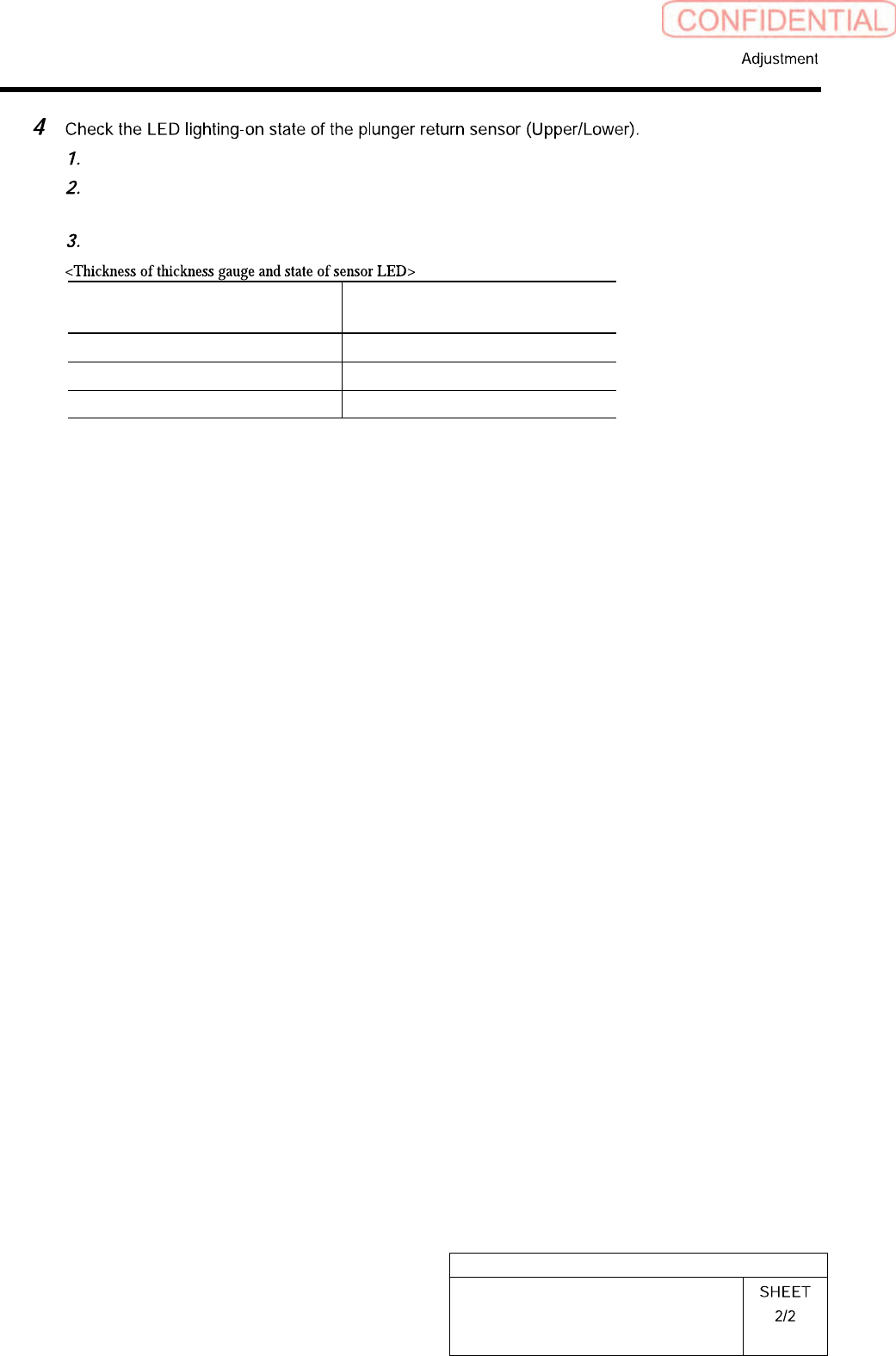
Pull out the plunger by hand, and pinch a thickness gauge of t=1.2 mm between the
plunger and the mechanical valve.
Check that the LED for the plunger return sensor lights up in this state.
Thickness of thickness gauge State of LED for plunger return
sensor
1.0 mm Extinguish
1.2 mm Lights-up
Non (Origin position) Lights-up
HLGB-10412-01
Nozzle Height Adjustment
Perform this working on both heads on the front side and rear side.
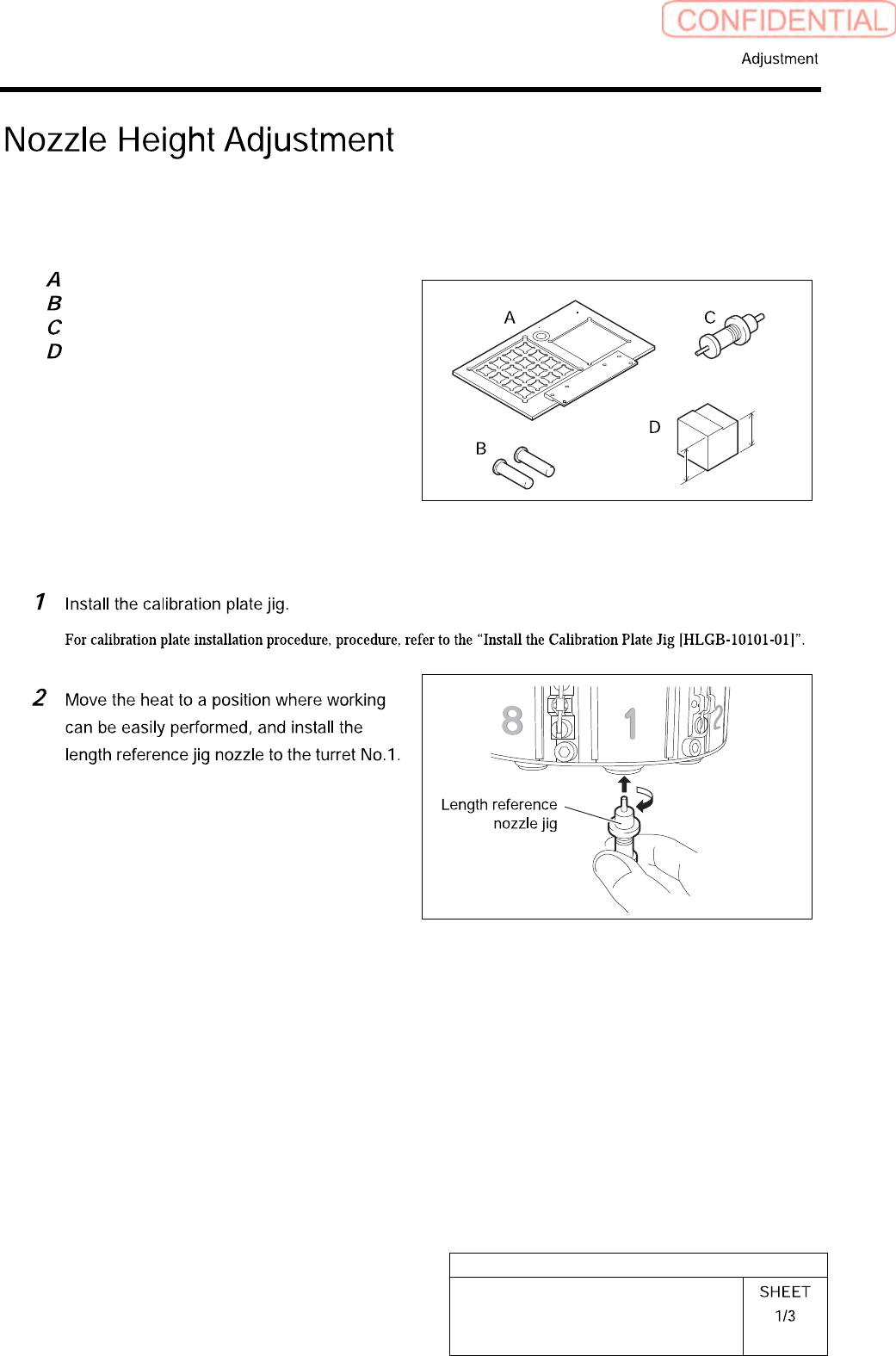
[Necessary jigs]
Calibration plate jig
Jig positioning pin
Length reference nozzle jig
Nozzle height adjusting block
23.1mm
22.9mm
[Procedure]
HLGB-10412-01
Nozzle Height Adjustment
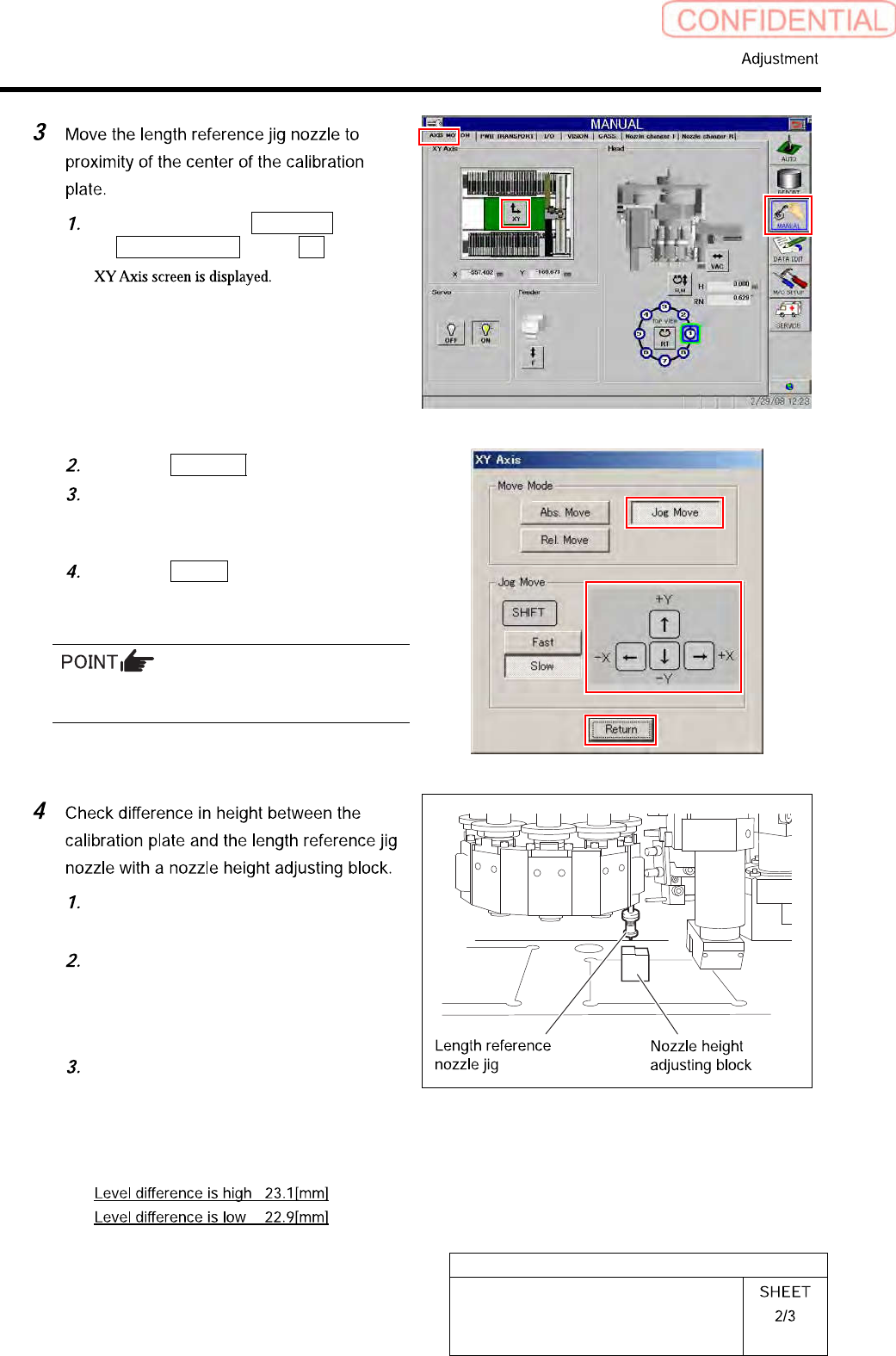
Click in an order of MANUAL menu
AXIS MOTION tab XY button.
Click the Jog Move button.
Press the cursor key to jog-move the
reference jig nozzle to vicinity of center
of the calibration plate.
Click the Return button to close XY
axes screen.
If the Shift key on the keyboard is pressed,
Fast/Slow for Jog Move can be switched.
Place a head height adjusting block
under the reference jig nozzle.
Check that lower face of the head
height adjusting block is inserted
between the calibration plate and
reference jig nozzle.
Check that higher face of the head
height adjusting block is not inserted
between the calibration plate and
reference jig nozzle.