MAN00000772_SI-G200BB_SVCPDFA.pdf - 第326页
HLGB-10414-01 Phase A djustment for Nozzle Perform this working on b o th he ads on t he front side and rear side. [Necessary jigs] Phase adjusting jig (1) Phase adjusting jig (2) Pull-out jig T or que dr iver (15[cN ・ m…
HLGB-10413-01
Nozzle Escape Detect Sensor
Position Adjustment
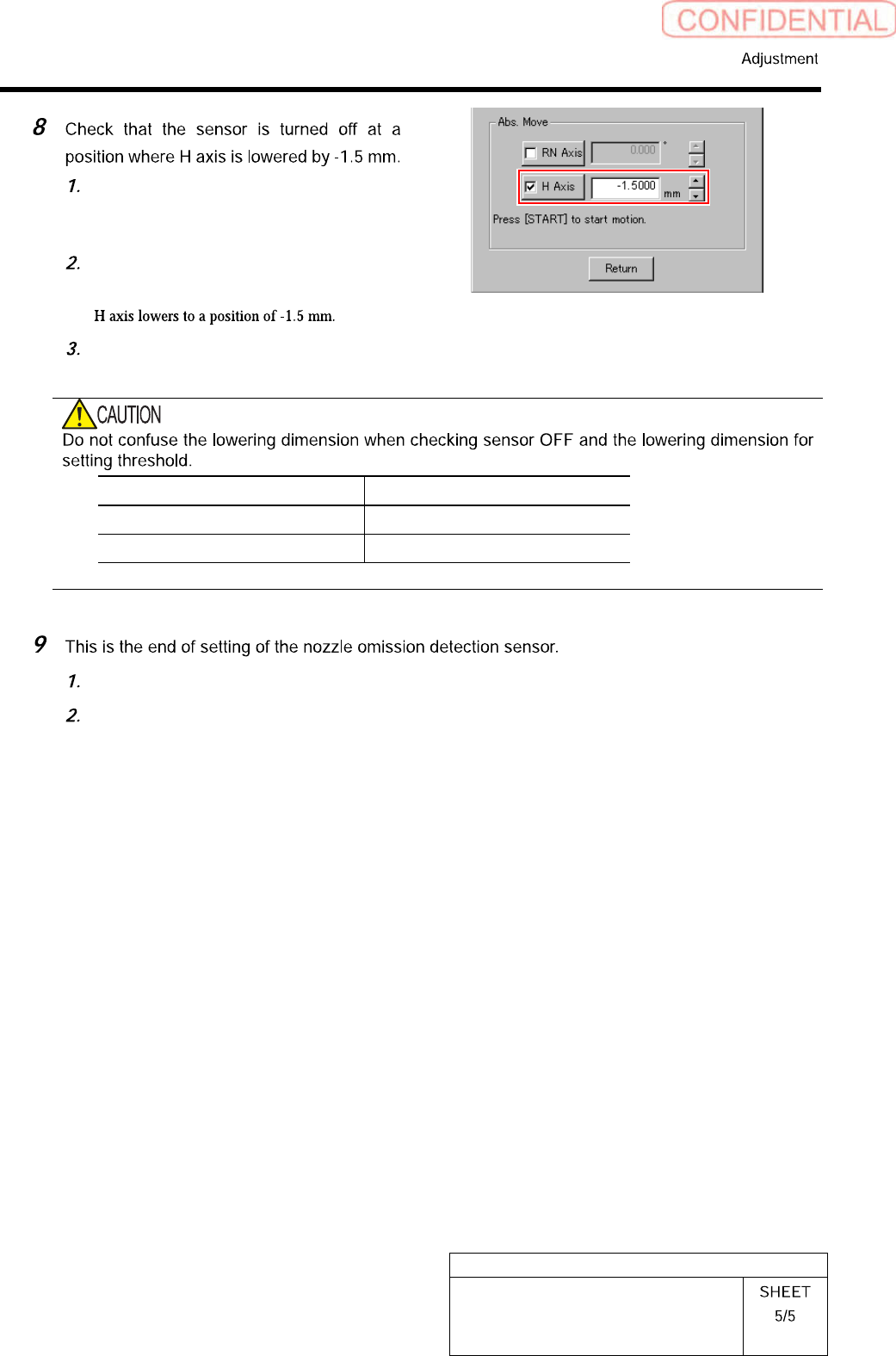
On the RN/H Axis screen, click check
box for H axis and put check in it to
input “-1.5”.
Press the [START] button on the
operation panel.
Check that the sensor is turned off.
Item H Axis lowering dimension
Threshold setting -1.3 mm
Sensor OFF check -1.5 mm
Close the cover for the nozzle omission detection sensor amplifier.
Remove the nozzle for production installed on the head.
HLGB-10414-01
Phase Adjustment for Nozzle
Perform this working on both heads on the front side and rear side.
[Necessary jigs]
Phase adjusting jig (1)
Phase adjusting jig (2)
Pull-out jig
Torque driver (15[cN・m]~40[cN・m])
[Procedure]
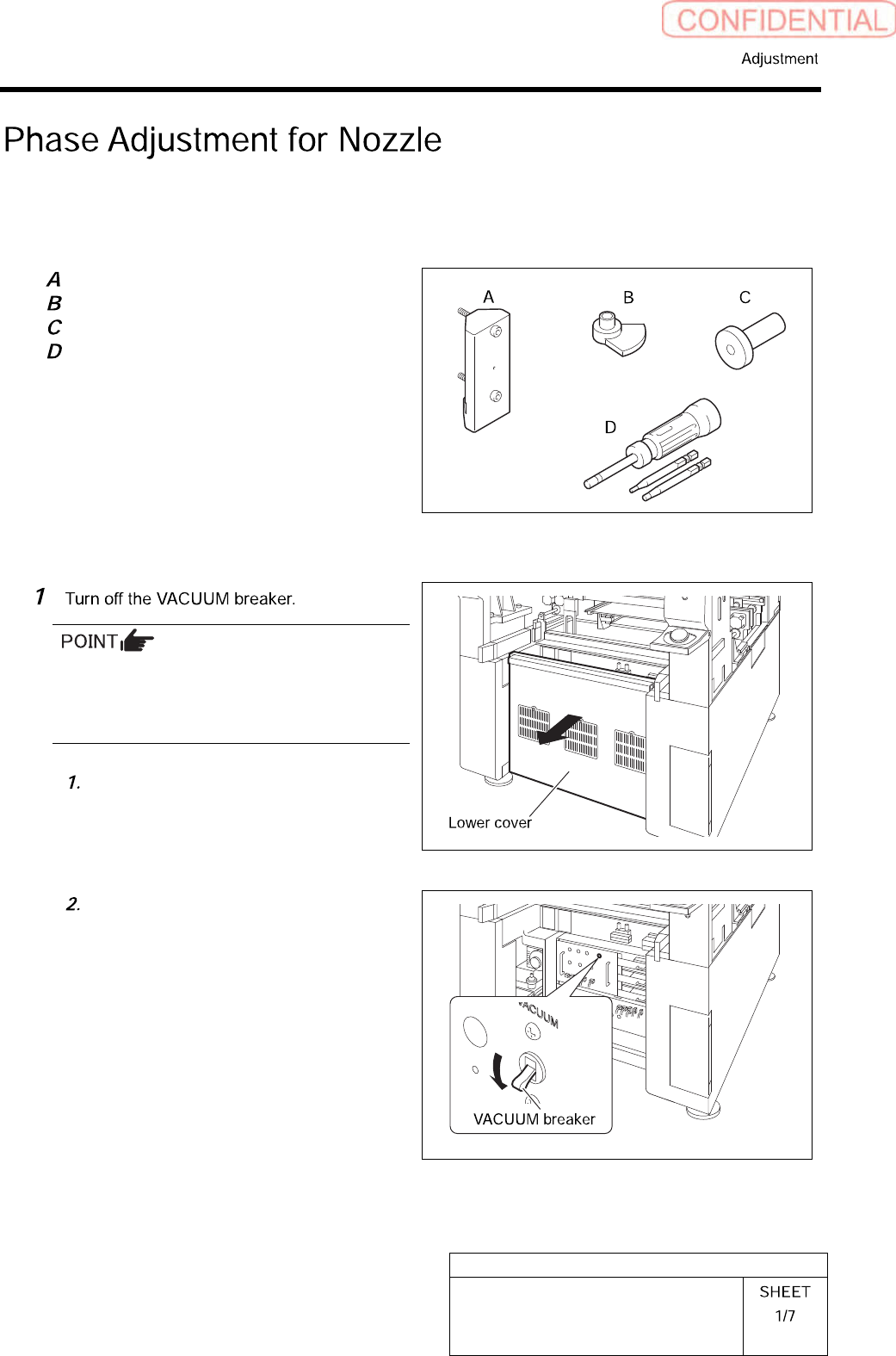
Turn OFF the VACUUM breaker before
removing the mechanical valve in order to
prevent suction of contaminant and dust from
the mechanical valve.
Loosen the screws (2-+T4×8) to
remove the lower cover on the back of
the unit.
Turn off the VACUUM breaker on the
power unit part.
HLGB-10414-01
Phase Adjustment for Nozzle
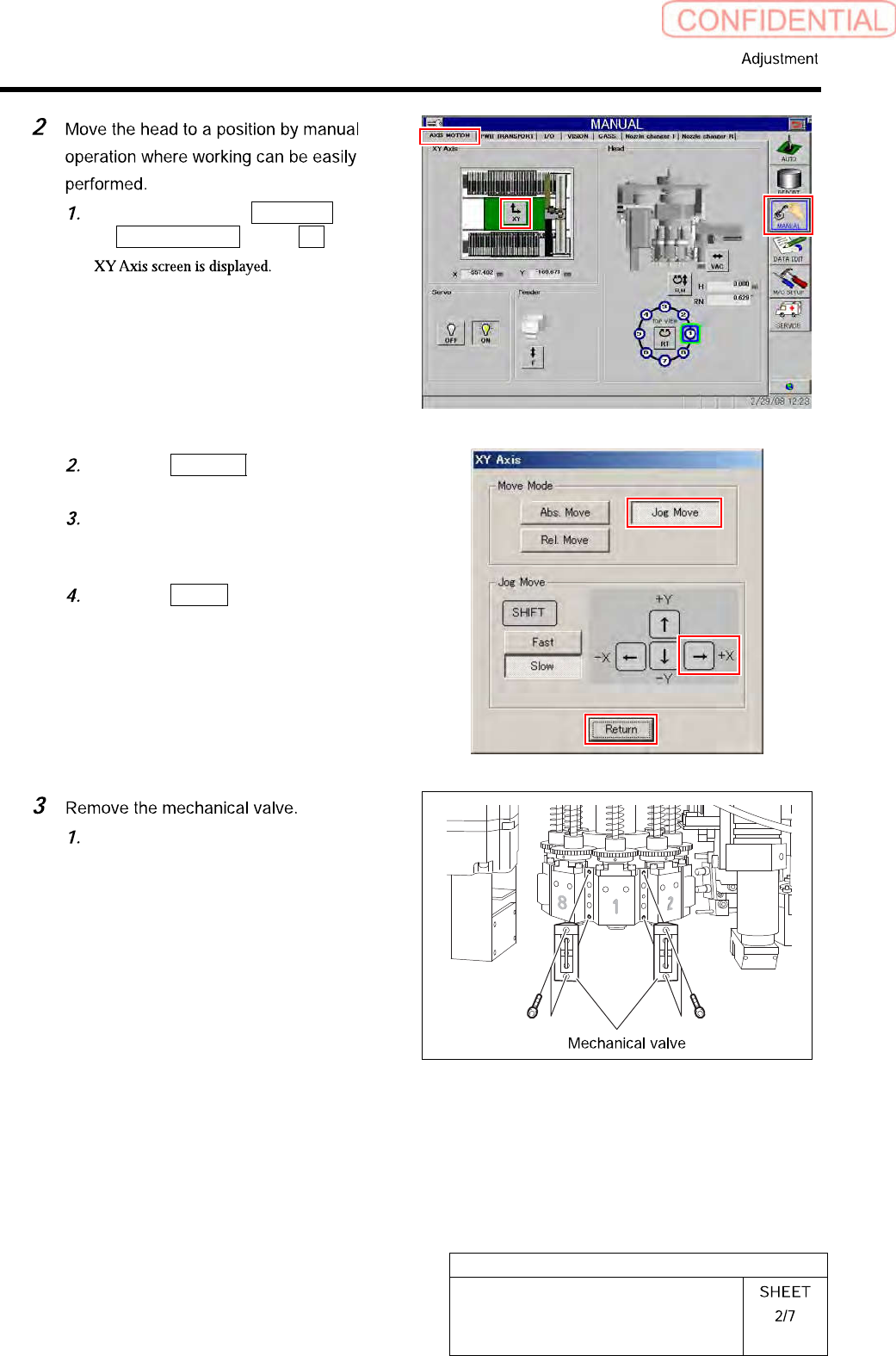
Click in an order of MANUAL menu
AXIS MOTION tab XY button.
Click the Jog Move button in the move
mode.
Press the right cursor to jog-move the
head to vicinity of No.120 of head
supply part.
Click the Return button to close the
XY Axis screen.
Loosen CP-3x10 to remove the
mechanical valves for Index 1 and
Index 2.