MAN00000772_SI-G200BB_SVCPDFA.pdf - 第346页
HLGB-10419-01 Fixed Ca mera Pickup Check Sensor Adjustment Perform this operation for fix ed camera pickup check sensors on both of fr ont and rear sides. [Necessary jigs] Fixed camera Jig base (G200) Nozzle Jig for fixe…
HLGB-10418-01
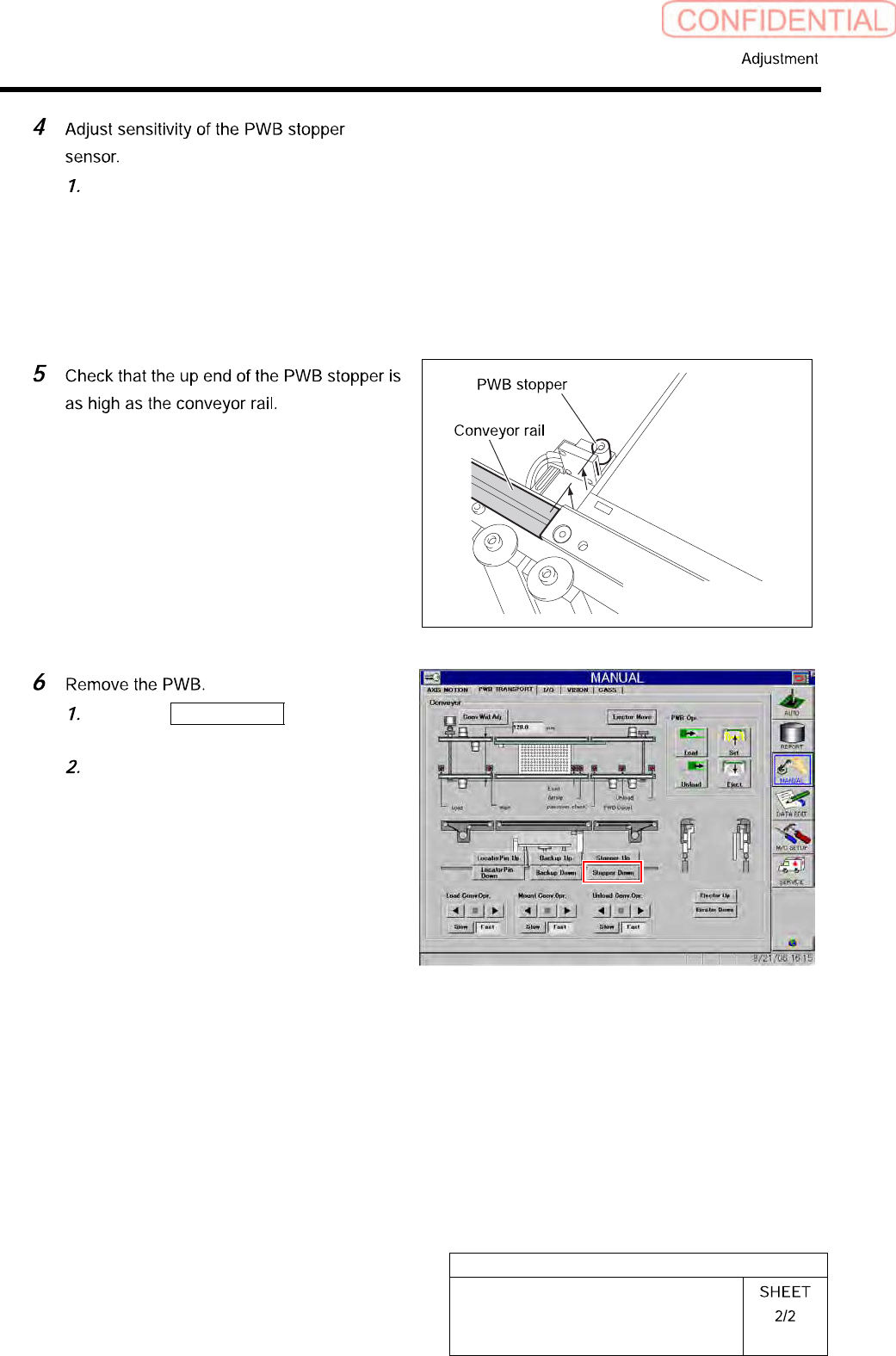
Adjustment of PWB Stopper Sensor
Make adjustment by turning the
sensitivity adjustment volume of the
sensor amplifier so that the PWB
stopper sensor is turned on (both of the
green LED and orange LED light up)
at this position.
Click the Stopper Down button to
lower the reference pin.
Remove the PWB on the conveyor.
HLGB-10419-01
Fixed Camera Pickup Check Sensor
Adjustment
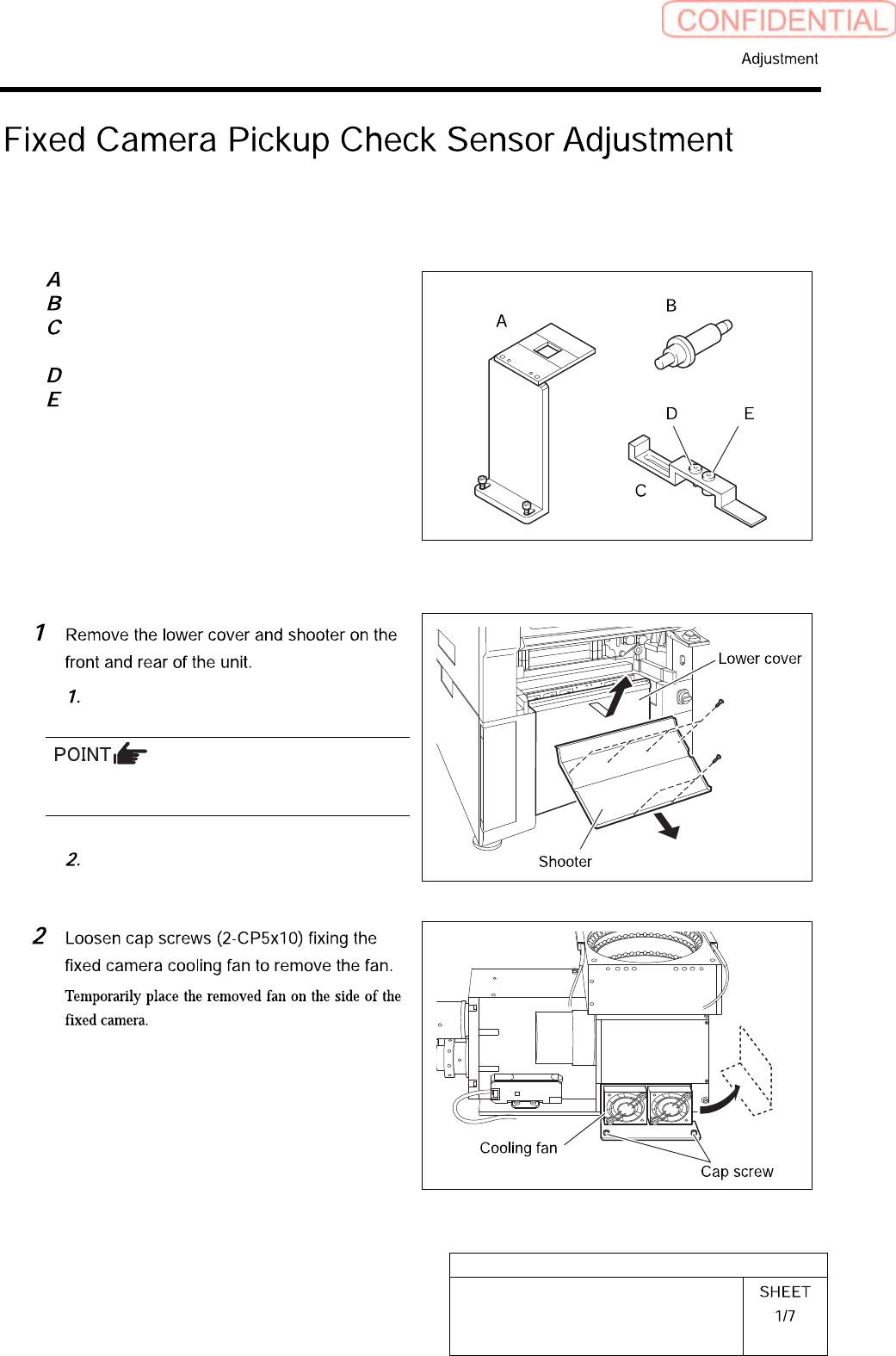
Perform this operation for fixed camera pickup check sensors on both of front and rear sides.
[Necessary jigs]
Fixed camera Jig base (G200)
Nozzle Jig for fixed camera
Fixed camera parts presence/absence
sensor adjustment Jig
Sensor adjusting nozzle (1)/long thin
Sensor adjusting nozzle (2)/short thick
[Procedure]
Loosen screw (2-+T4x8) to remove the
lower cover.
Tile the lower cover slightly toward you and pull
the fan cable to remove the lower panel.
Loosen screw (2-+T4x8) to remove the
shooter.
HLGB-10419-01
Fixed Camera Pickup Check Sensor
Adjustment
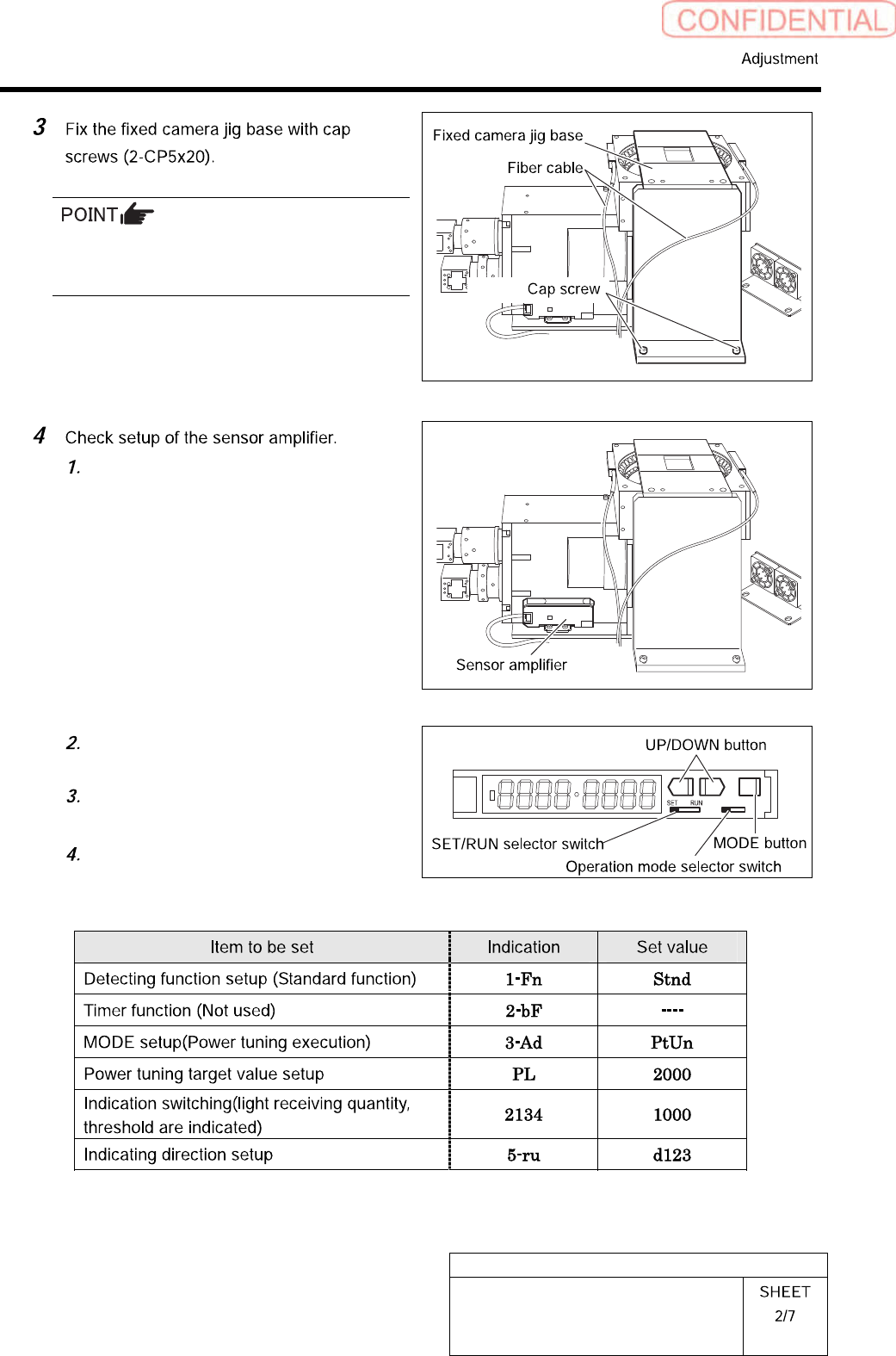
Carry out working with care not to damage the
fiber cable for parts presence/absence detecting
sensor.
Open the cover for the sensor
amplifier.
Turn the SET/RUN selector switch to
SET.
Press the MODE button to select item
to be set.
Press the UP/DOWN button to change
the set button.
L D