MAN00000772_SI-G200BB_SVCPDFA.pdf - 第351页
HLGB-10419-01 Fixed Ca mera Pickup Check Sensor Adjustment T urn the SET/RUN selector switch to SET side. Check that the sens or adjusting nozzle (1) is just below the fix ed camera jig nozzle. Press either one of DOWN o…
HLGB-10419-01
Fixed Camera Pickup Check Sensor
Adjustment
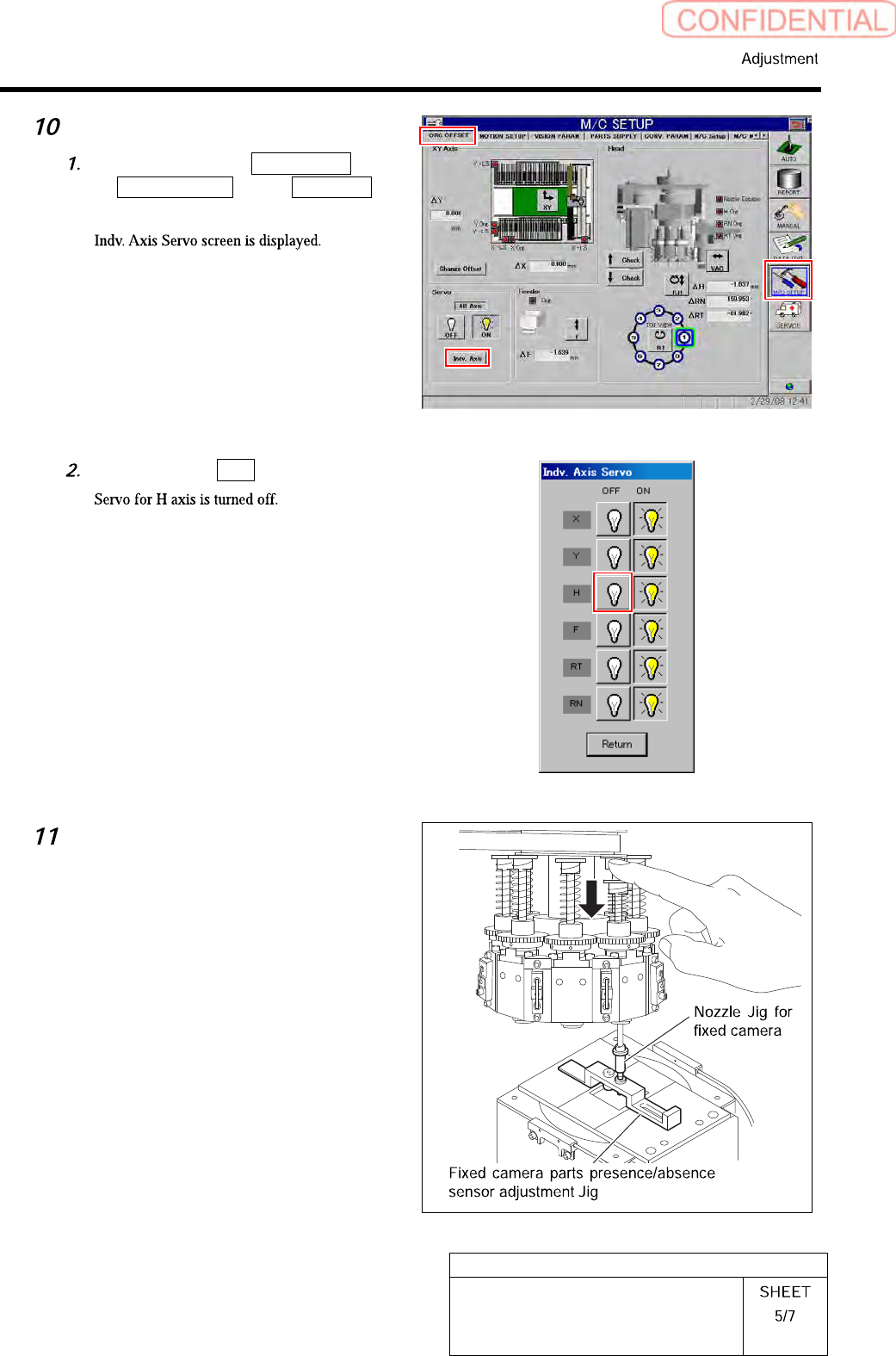
Servo off only H-axis.
Click in an order of M/C SETUP menu
ORG OFFSET tab Indv. Axis
button.
Click the servo OFF button for H axis.
Check whether “Sensor adjusting nozzle
(1) “ is under the “Jig nozzle for fixed
camera“. Fix “Fixed camera parts
presence/absence sensor adjustment
jig“ After check the position of “Sensor
adjusting nozzle (1) “.
HLGB-10419-01
Fixed Camera Pickup Check Sensor
Adjustment
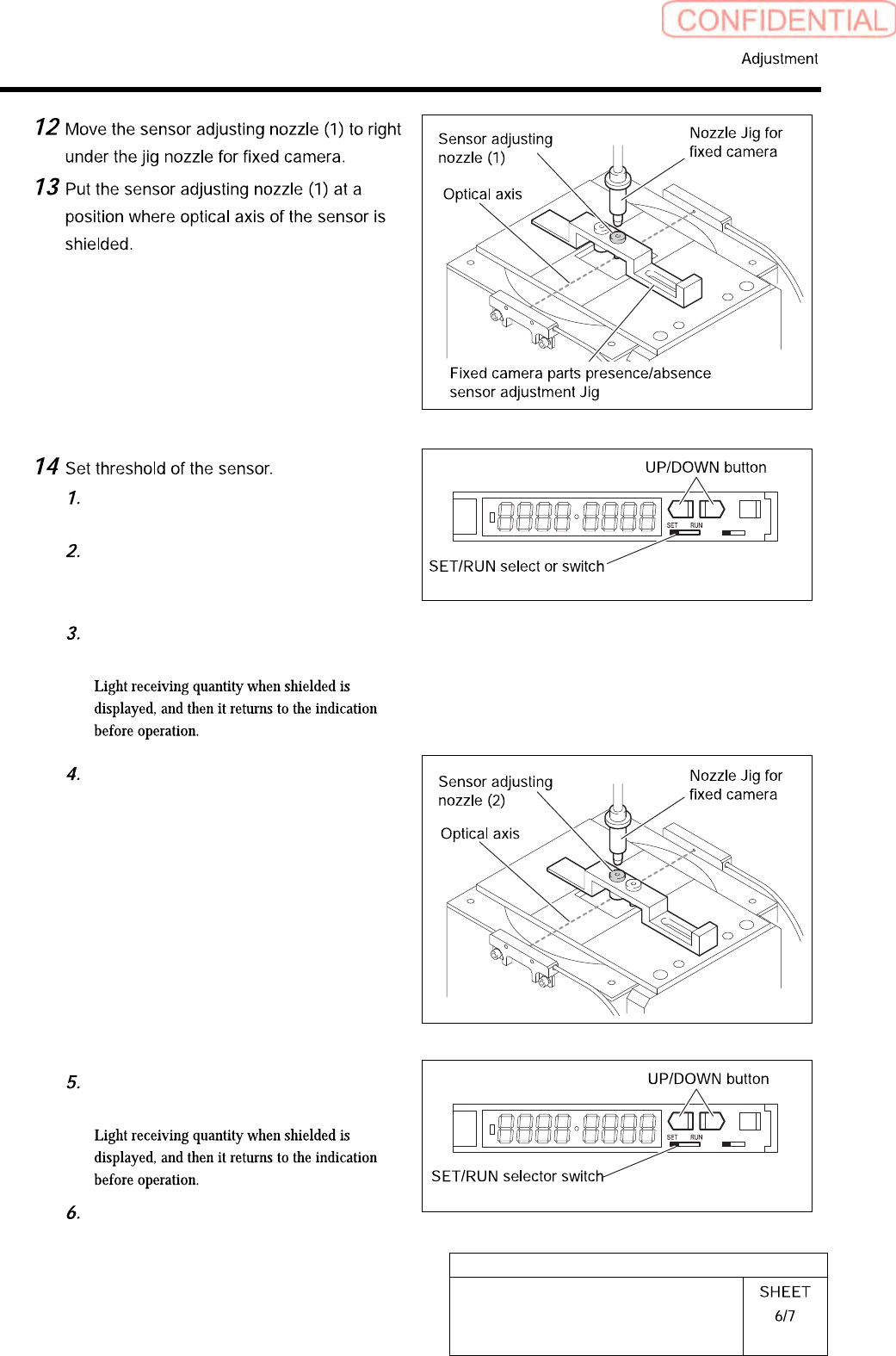
Turn the SET/RUN selector switch to
SET side.
Check that the sensor adjusting nozzle
(1) is just below the fixed camera jig
nozzle.
Press either one of DOWN or UP
button.
L D
Move the sensor adjusting nozzle (2)
just down to the fixed camera jig
nozzle.
Press either one of DOWN or UP
button.
Turn the SET/RUN selector switch to
RUN side.
L D
HLGB-10419-01
Fixed Camera Pickup Check Sensor
Adjustment
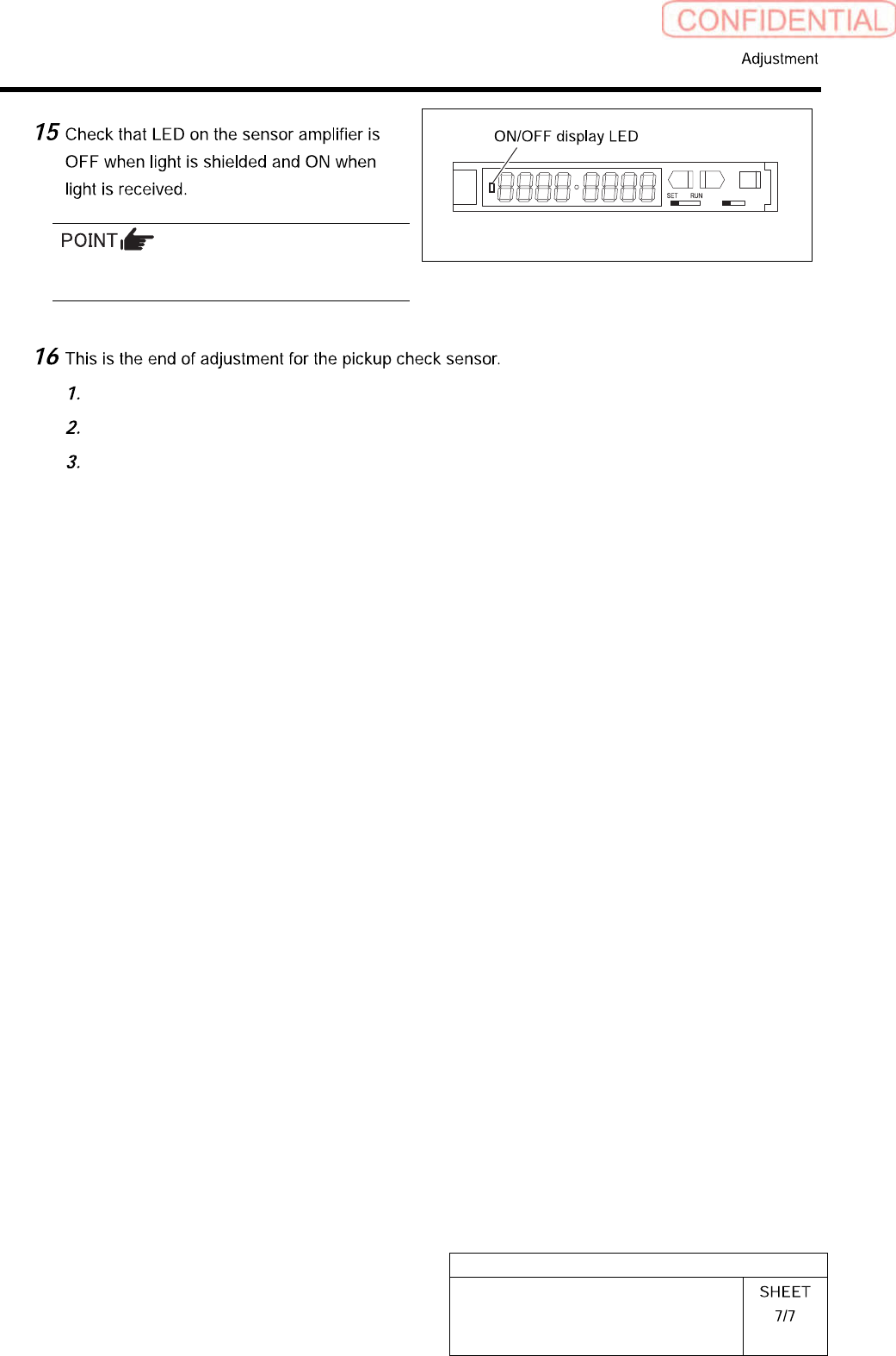
Status of the sensor can be checked even by the
I/O monitor.
L D
Remove all jigs.
Install the cooling fan for fixed camera to the previous position.
Install the shooter and the lower cover.