MAN00000772_SI-G200BB_SVCPDFA.pdf - 第356页
HLGB-10421-01 Ejector Setup [Procedure] Set four hole s on the lef t side pull ey horizontally/vertical ly . Move the pusher by hand so that the pusher left face is at the ORG position. Loosen the screws on the mounting …
HLGB-10420-01
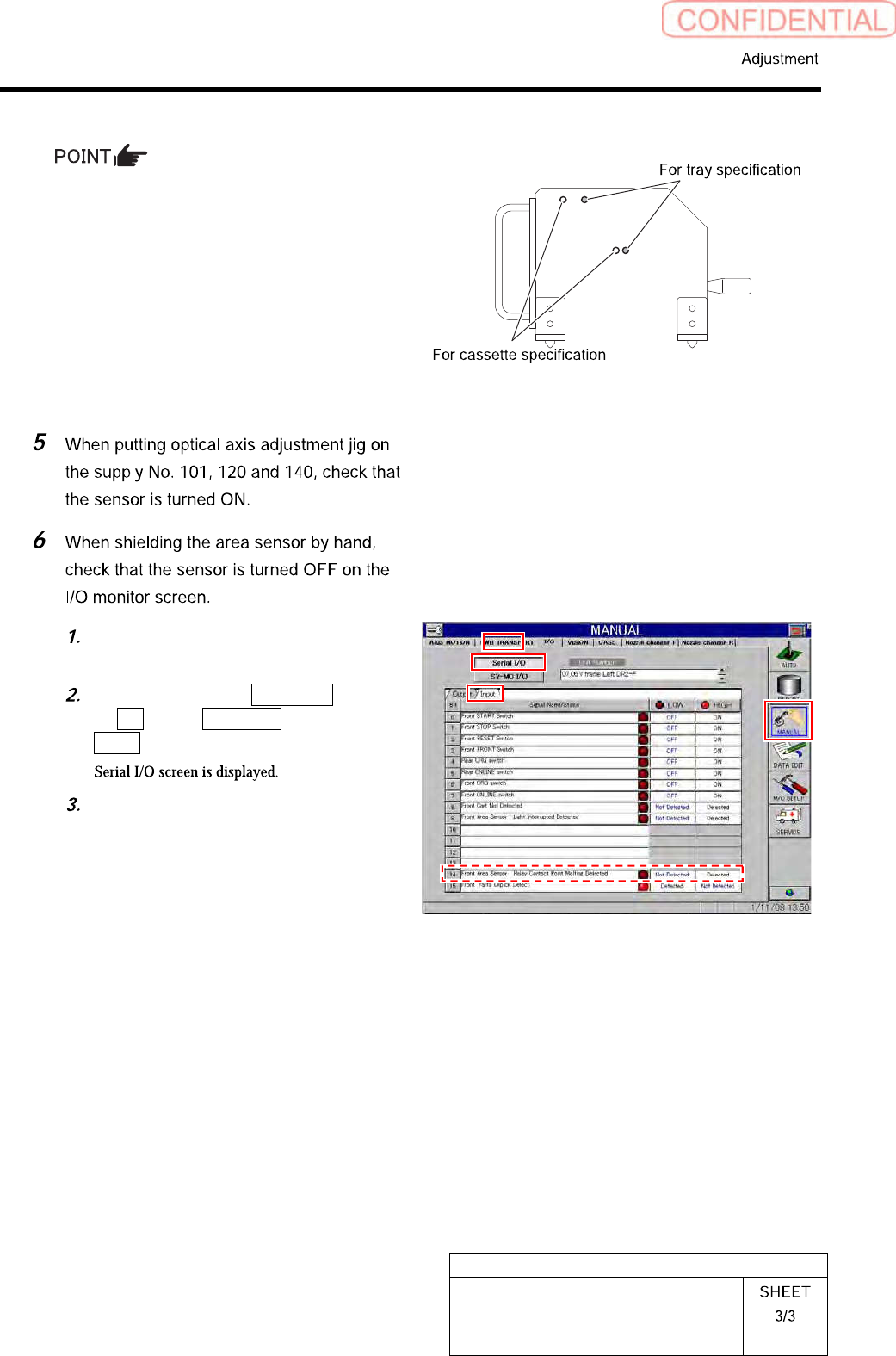
Area Sensor Optical Axis Adjustment
Cassette specification is different from tray
specification in jig hole to be used.
Holes on the front are for cassette specification
and holes on the back are for tray specification
with the optical axis adjustment jig being placed
on the cassette table.
Remove the optical axis adjustment
jig.
Click in an order of MANUAL menu
I/O tab Serial I/O button
Input tab.
When shielding the area sensor by
hand, check that the sensor is turned
OFF.
HLGB-10421-01
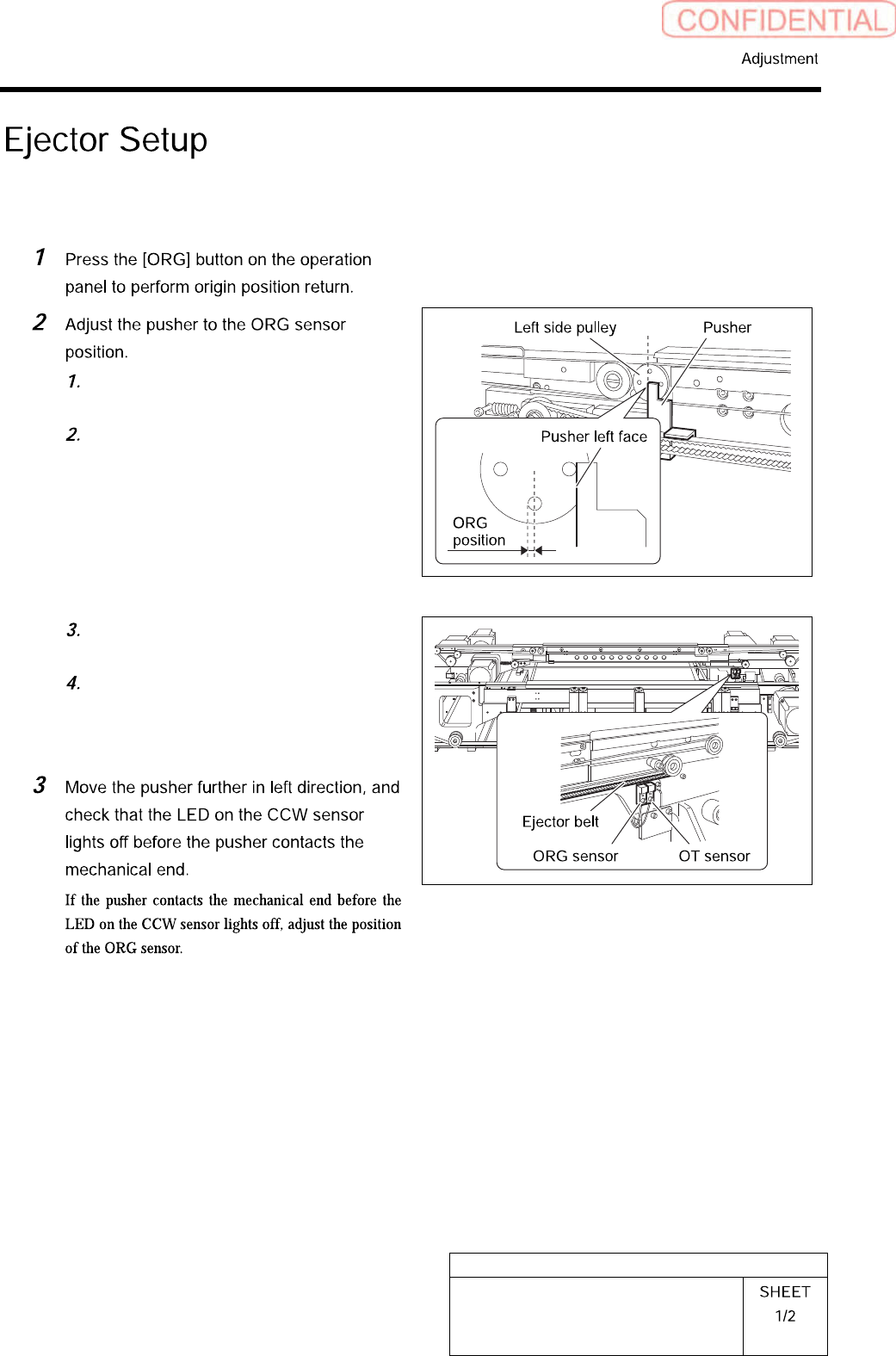
Ejector Setup
[Procedure]
Set four holes on the left side pulley
horizontally/vertically.
Move the pusher by hand so that the
pusher left face is at the ORG position.
Loosen the screws on the mounting
bracket for the ORG sensor.
Tighten the screws on the mounting
bracket to fix on a boundary where the
LED on the ORG sensor changes to
lighting off to lighting up.
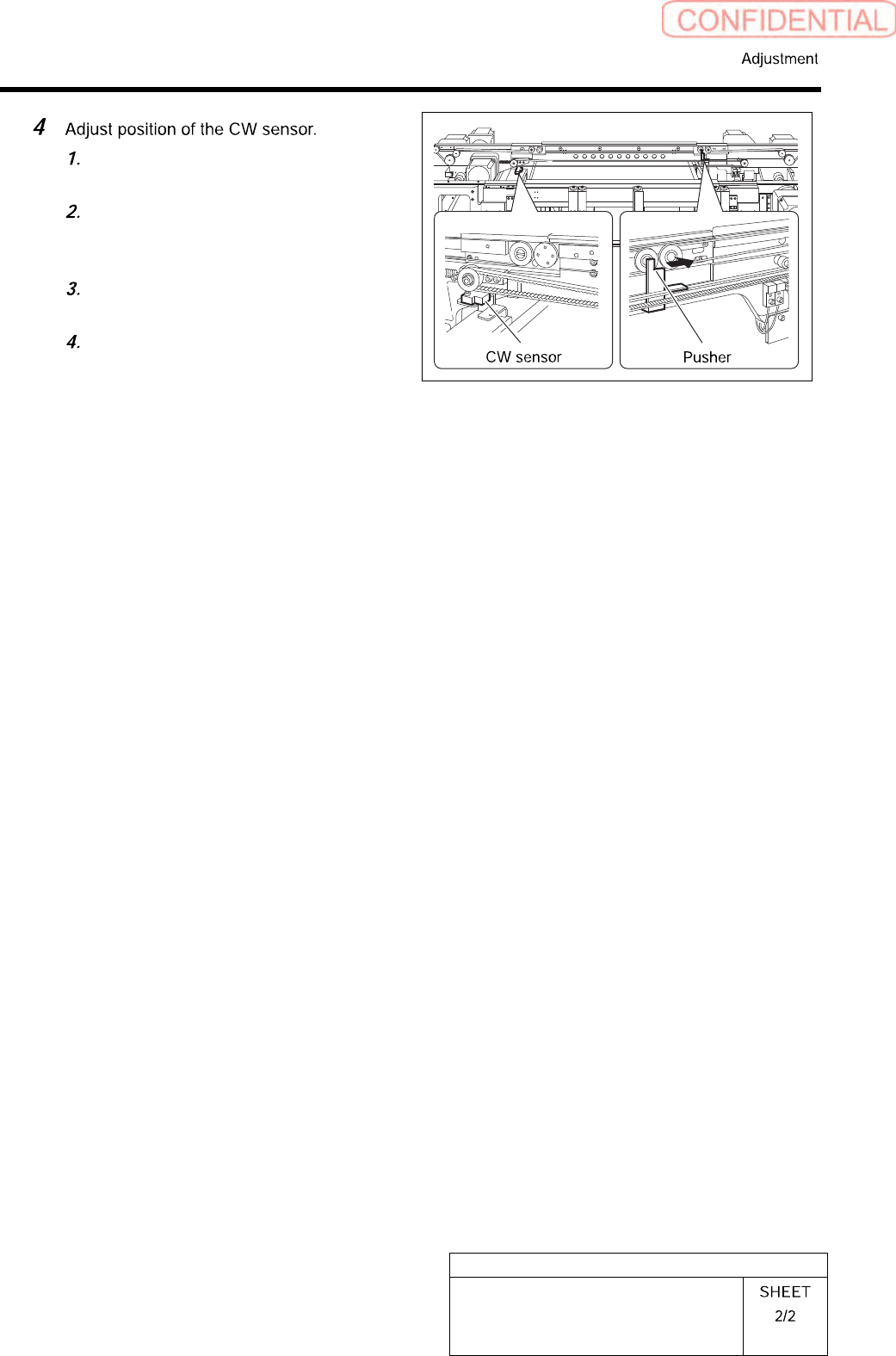
HLGB-10421-01
Ejector Setup
Move the pusher to the right side
mechanical end by hand.
Shift the pusher by approximately
1mm in left direction from the
mechanical end.
Loosen the screws on the mounting
bracket for the CE-CW sensor.
Fix the sensor mounting bracket on a
boundary where the LED on the
CE-CW sensor changes from lighting
off to lighting up.