MAN00000772_SI-G200BB_SVCPDFA.pdf - 第37页
SettingUPSwhenexchangingh arddisk WKGB-10103-02 Setting UPS when exchanging hard disk 12/14 4 . C o n f i r m i f t h e “ ” f i e l d i s “ ” t o c l i c k N e x t b u t t o n . 5 . U P S I n t e r f a c e…
SettingUPSwhenexchangingharddisk
WKGB-10103-02
Setting UPS when exchanging
hard disk
11/14
[UPSre-setting]
This work should be done on the machine
front and rear separately.
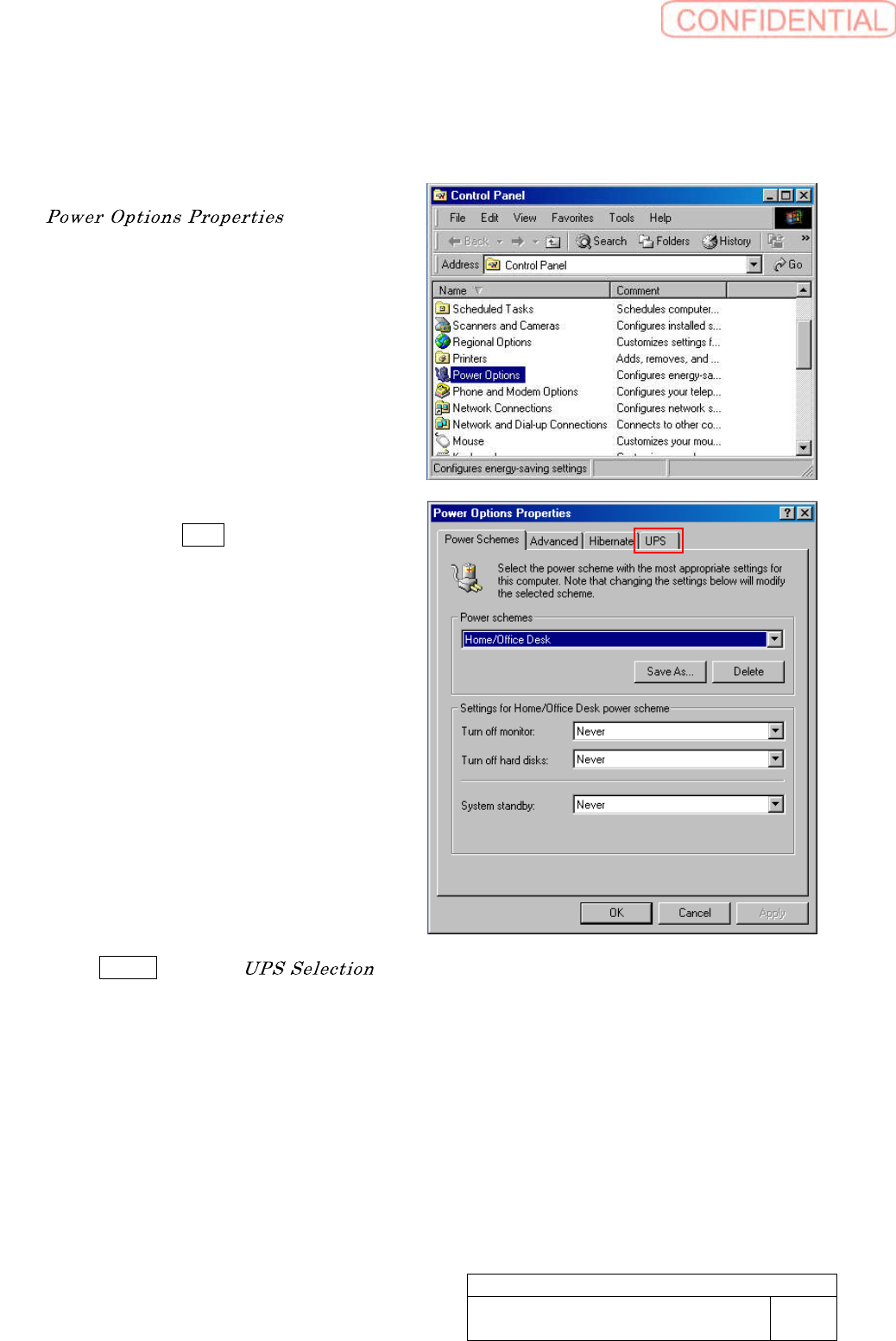
1. Make a double click “Power Options”.
window
appears.
2. Click UPS tab. The indication has
been switched UPS tab indication.
3. Click Select button.
window appears.
SettingUPSwhenexchangingharddisk
WKGB-10103-02
Setting UPS when exchanging
hard disk
12/14
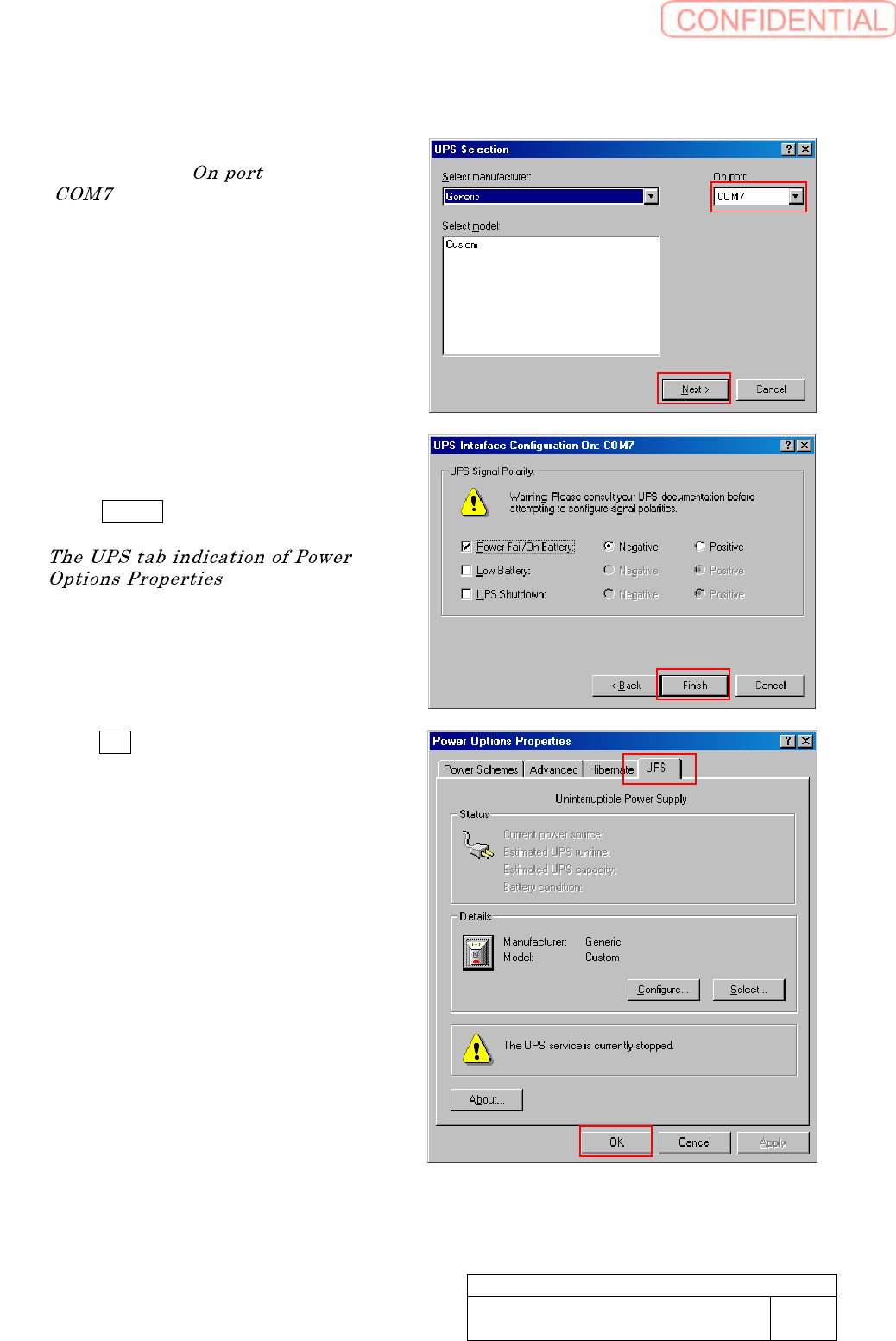
4. Confirm if the “ ” field is
“ ” to click Next button.
5. UPS Interface Configuration On
window appears.
Click Finish button.
appears again.
6. Click OK button.
UPS recognition has been started to
switch the UPS function to be ON.
SettingUPSwhenexchangingharddisk
WKGB-10103-02
Setting UPS when exchanging
hard disk
13/14
[ShutdownWindows]
This work should be done on the machine
front and rear separately.
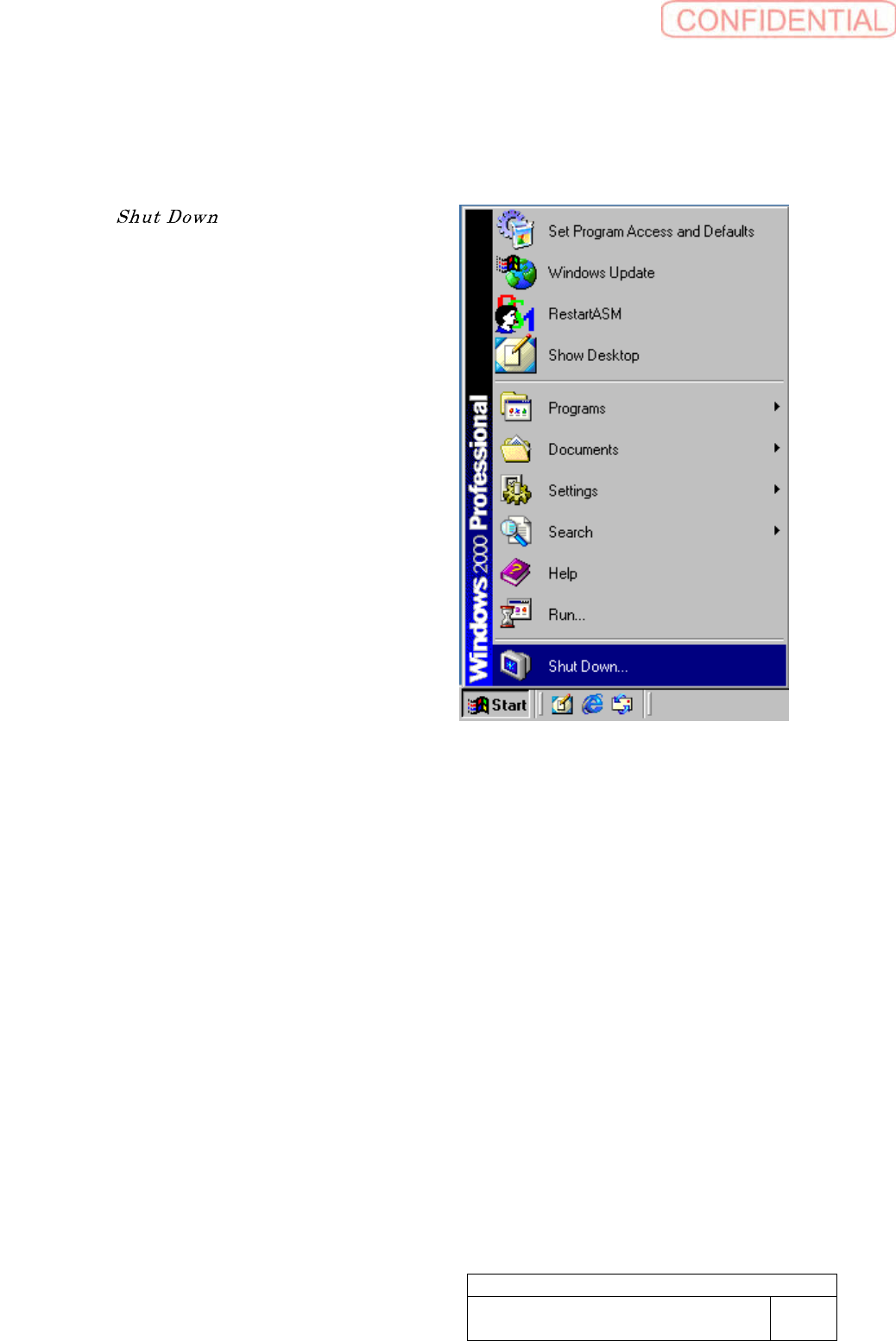
1. Select “ ” of Windows Start
Menu.