MAN00000772_SI-G200BB_SVCPDFA.pdf - 第39页
SettingUPSwhenexchangingh arddisk WKGB-10103-02 [ P o w e r o f f m a c h i n e ] 1 . P r e s s p o w e r o f f b u t t o n o n m a c h i n e f r o n t s i d e . 2 . Tu r n o f f t h e b r e a k e r. Pow…
SettingUPSwhenexchangingharddisk
WKGB-10103-02
Setting UPS when exchanging
hard disk
13/14
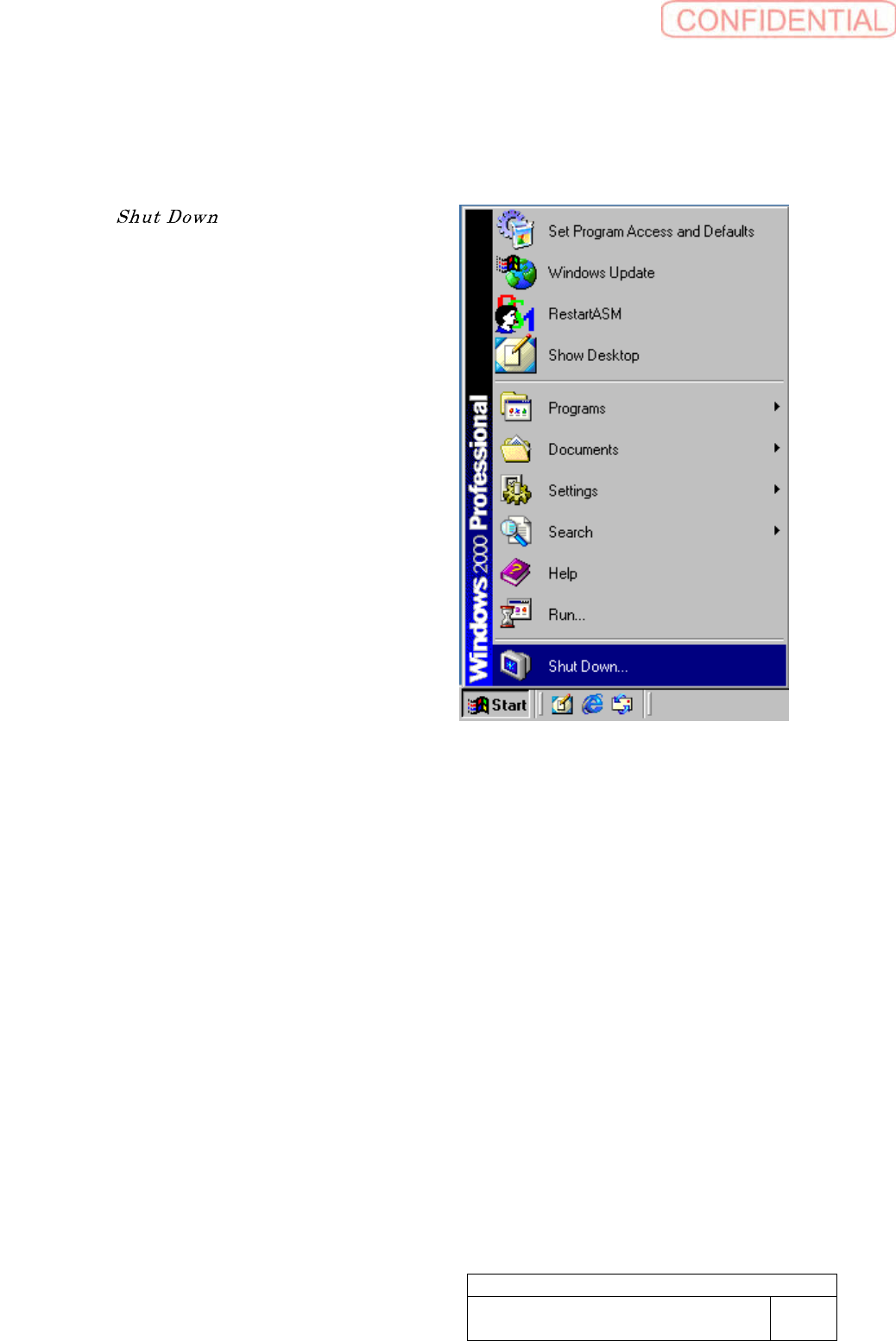
[ShutdownWindows]
This work should be done on the machine
front and rear separately.
1. Select “ ” of Windows Start
Menu.
SettingUPSwhenexchangingharddisk
WKGB-10103-02
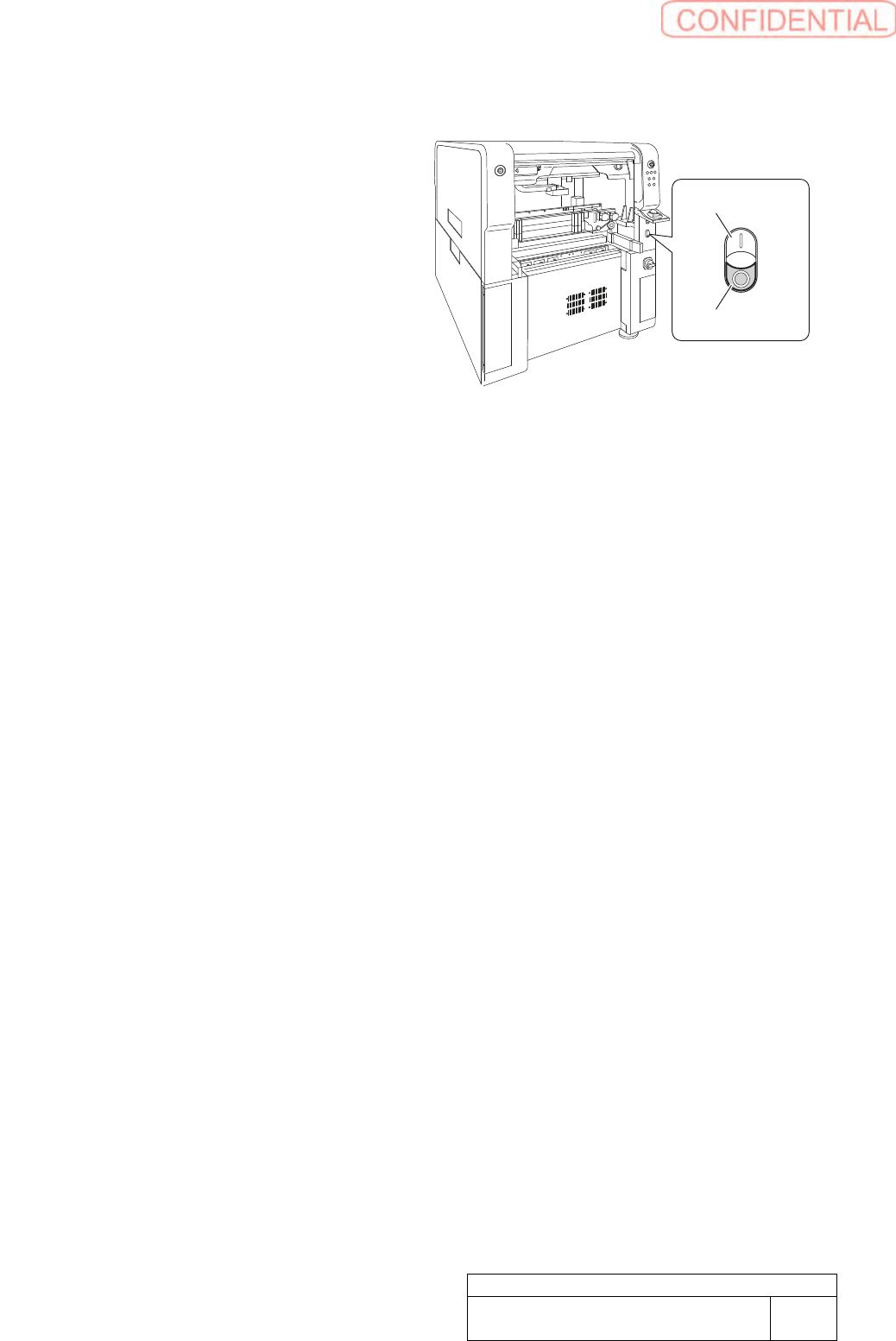
[Poweroffmachine]
1. Press power off button on machine
front side.
2. Turn off the breaker.
Power On Switch
Power Off Switch
Setting UPS when exchanging
hard disk
14/14
Install Tray Unit (Including machine modification)
SHEET
1/73
WKGB-10104-03
Installing Tray Unit
(Including machine modification)
Install Tray Unit (Including machine modification)
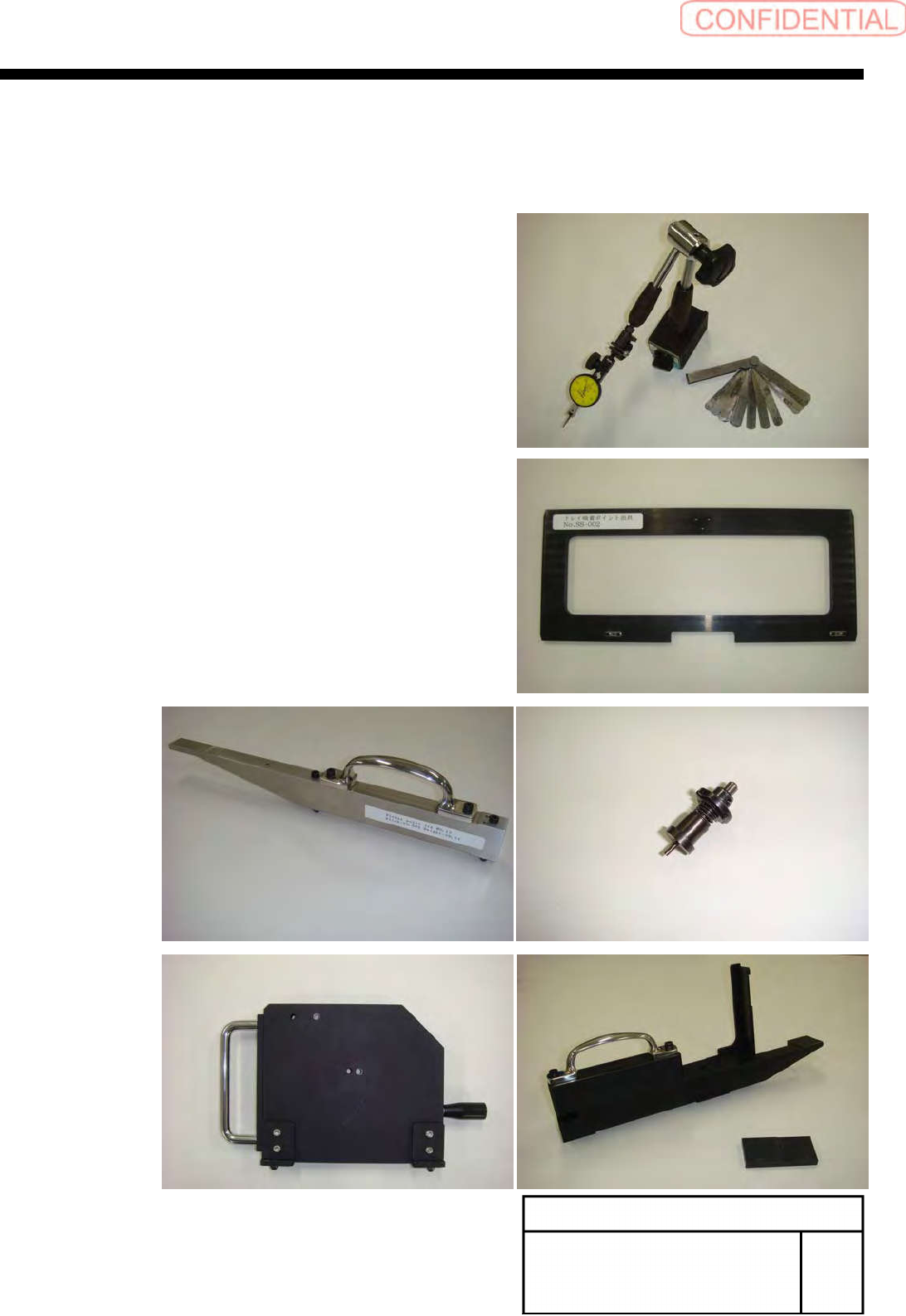
[Necessary jig/tool]
・Magnet Stand
・Dial Gauge(Resolution=0.1[mm]Max>1.2[mm])
・Thickness Gauge
・Tray Pick Up Point Jig
・Reference Jig Nozzle
・Area sensor adjustment Jig
・Feed Adjusting Jig
・Shutter sensor adjustment jig
・Pick Up Point Jig(For Cassette)
・Spanner(17[mm],24[mm],30[mm])
・Hex-Wrench(10[mm])
・Scale(300[mm])
・ThicknessGauge(0.3[mm],0.5[mm],1.0[mm])