MAN00000772_SI-G200BB_SVCPDFA.pdf - 第83页
Install Tray Unit (Including machine modification) SHEET 44/73 WKGB-10104-03 Installing Tray Unit (Including machine modificat ion) [Input of tray p art s pickup Y coordinate] 1 Open “c:¥asm¥mcdat a2¥supply_pos.ini” by…
Install Tray Unit (Including machine modification)
SHEET
43/73
WKGB-10104-03
Installing Tray Unit
(Including machine modification)
[Setup of software limit (+YR)]
1
Temporarily expand the software limit
only for the rear head.
1. Open
“c:¥asm¥mcdata2¥ac_param.ini” by
word pad and add 100 to
“SOFT_LIMIT_PLUS” for [AC_Y].
2. Overwrite and save
“c:¥asm¥mcdata2¥ac_param.ini.”
2
Power off and Re-boot machine.
3
Perform pickup position teaching for the
rear supply section.
4
Move the rear head to the Z101 and
press the XY button for the M/C
SETUP/ORG OFFSET.
5
Assign the indicated Y axis position into
the following equation.
Equation:
Software limit(+YR) = Y axis position of Z101(R) 1.2
Example:
Software limit (+YR) = 40.476 + 1.2 = 41.676
6
Open “c:¥asm¥mcdata2¥ac_param.ini”
by word pad and change a value of
“SOFT_LIMIT_PLUS” for [AC_Y].
7
Overwrite and save
“c:¥asm¥mcdata2¥ac_param.ini”, and
re-boot machine.
Install Tray Unit (Including machine modification)
SHEET
44/73
WKGB-10104-03
Installing Tray Unit
(Including machine modification)
[Input of tray parts pickup Y coordinate]
1
Open “c:¥asm¥mcdata2¥supply_pos.ini”
by word pad.
2
Rewrite the pickup Y coordinate value on
the [Cass118] to the same value of the
pickup Y coordinate on the [Cass101].
3
Overwrite and save the file and restart the
mounted machine.
Install Tray Unit (Including machine modification)
SHEET
45/73
WKGB-10104-03
Installing Tray Unit
(Including machine modification)
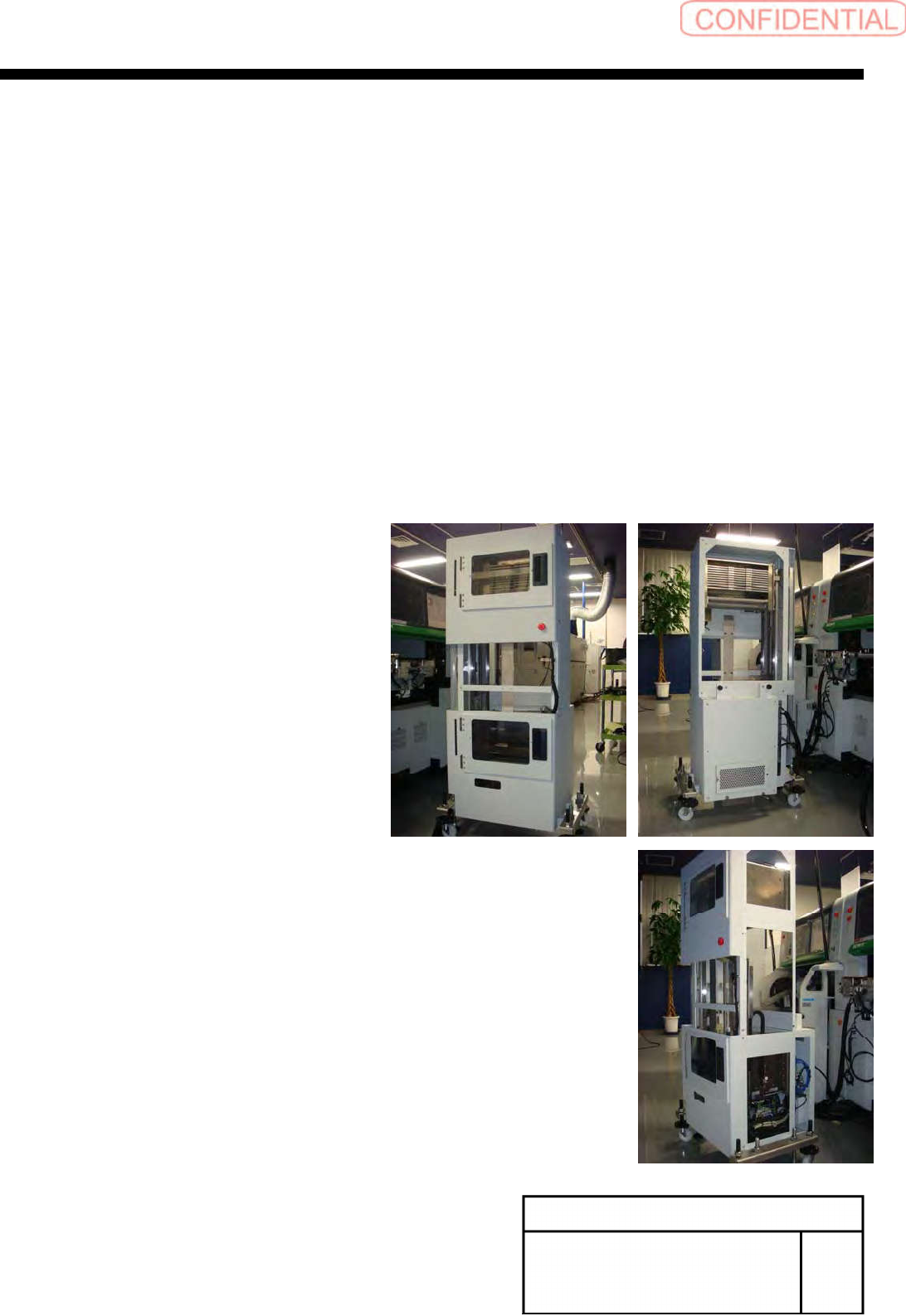
[Docking with mounter main body]
[Necessary jig and Tools]
・Spanner(17[mm])
・Spanner(24[mm])
・Spanner(30[mm])
・Hex-Wrench(10[mm])
・Scale(300[mm])
1
Remove front middle cover and rear
upper cover and side upper cover, side
lower cover.