Anleitung X2 SP 1 und 3.pdf - 第23页
Special Design 2 Assembly instructions Special des ign for manual tray on X2 at location 1 or 3 04/2007 Edition 23 2.8 Sof tware settings in SITEST : Deactivate all the removed nozzle changers in SITEST . 2.9 Programming…
2 Assembly instructions Special design for manual tray on X2 at location 1 or 3 Special Design
04/2007 Edition
22
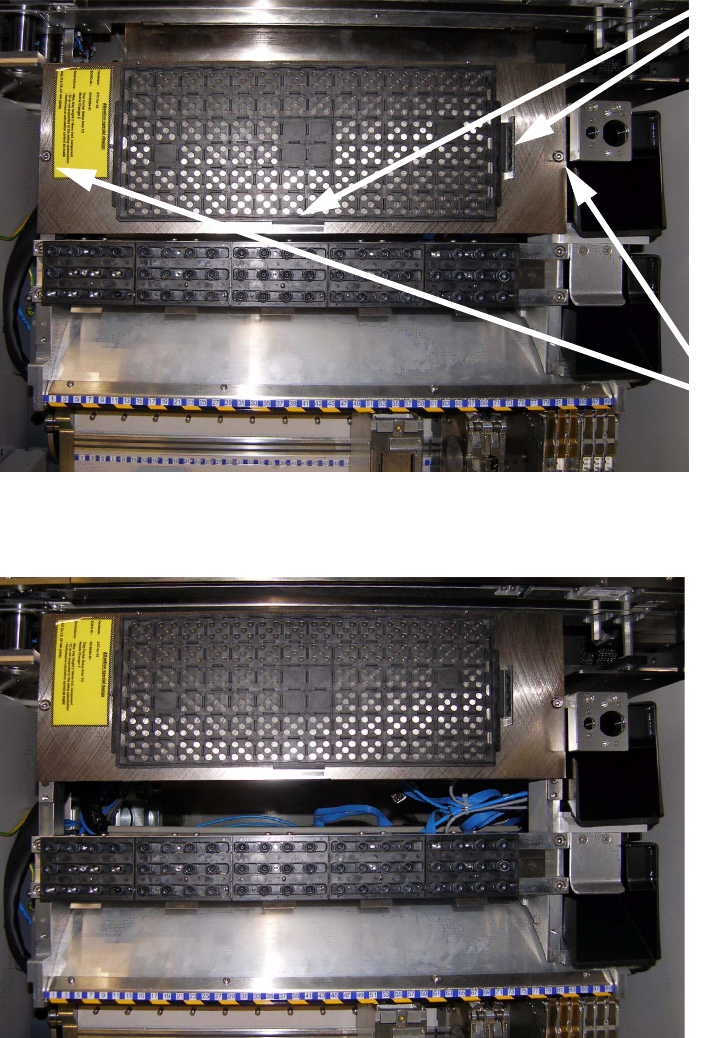
: The arbitrary tray carrier can be installed in two positions. Apply the tray holder on the holder
in one of the two possible positions and fix it with two of the hexagon screws.
: Attach the JEDEC tray to the carrier and fix it with two of the magnets like shown on the pictures
below.
2
2
Two
magnets
Two
hexagon
screws
First possible position
Second possible position

Special Design 2 Assembly instructions Special design for manual tray on X2 at location 1 or 3
04/2007 Edition
23
2.8 Software settings in SITEST
: Deactivate all the removed nozzle changers in SITEST.
2.9 Programming under SIPLACE Pro
2
For programming under SIPLACE Pro, use the instructions
"Programming guide for arbitrary carrier under SIPLACE Pro" (item no.: 00194607-xx) 2
2
2.10 Possible causes of error
Pick-up problems 2
– The trays were not fixed using the magnets provided.
Solution: Fix the trays again.
– The trays are not described correctly in SIPLACE Pro.
Solution: Correct the tray description.
– Placement head picks up at the wrong place.
Solution: Determine offset values using the Arbitrary Carrier instructions and enter correct val-
ues.
– The trays have no or the wrong offset values.
Solution: Determine the right offset values (see instructions).
– Tray holder was not fitted correctly.
Solution: Tighten all the screws.
– The trays are not fixed without stress using the magnets provided.
Solution: Fix the trays again.
2
2
2
2
2 Assembly instructions Special design for manual tray on X2 at location 1 or 3 Special Design
04/2007 Edition
24