00195397-01_Installation Manual Setup Center 2.3.pdf - 第31页
Installation Optional: Docking Station Hardware Installation Installation Manual SIPLACE Setup Center 2.3 31 5-3: hardware wizard X Select Don’t search. I will choose .... X Click on Next to continue. 5-4: hardware wizar…
Installation
Hardware Installation Optional: Docking Station
30 Installation Manual SIPLACE Setup Center 2.3
5.2.4.2 Installing CAN Drivers
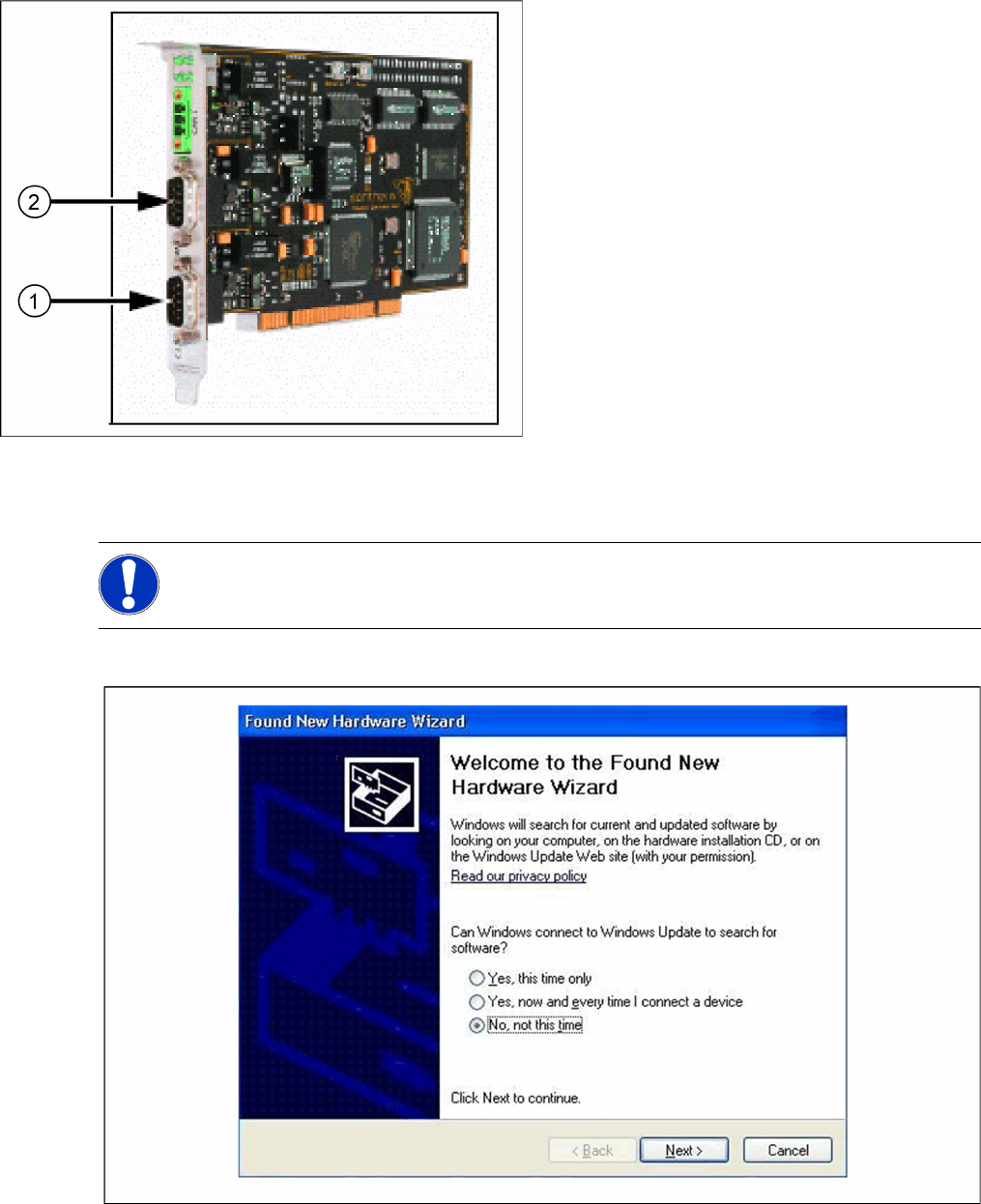
X Switch on the SC PC. The hardware wizard will open.
X Select No, not this time ....
X Click on Next to continue.
5-2: CAN card - power CAN PCI
Legend
1. Bus 1
2. Bus 2
NOTE:
You require administrator rights for the installation procedure!
Installation
Optional: Docking Station Hardware Installation
Installation Manual SIPLACE Setup Center 2.3
31
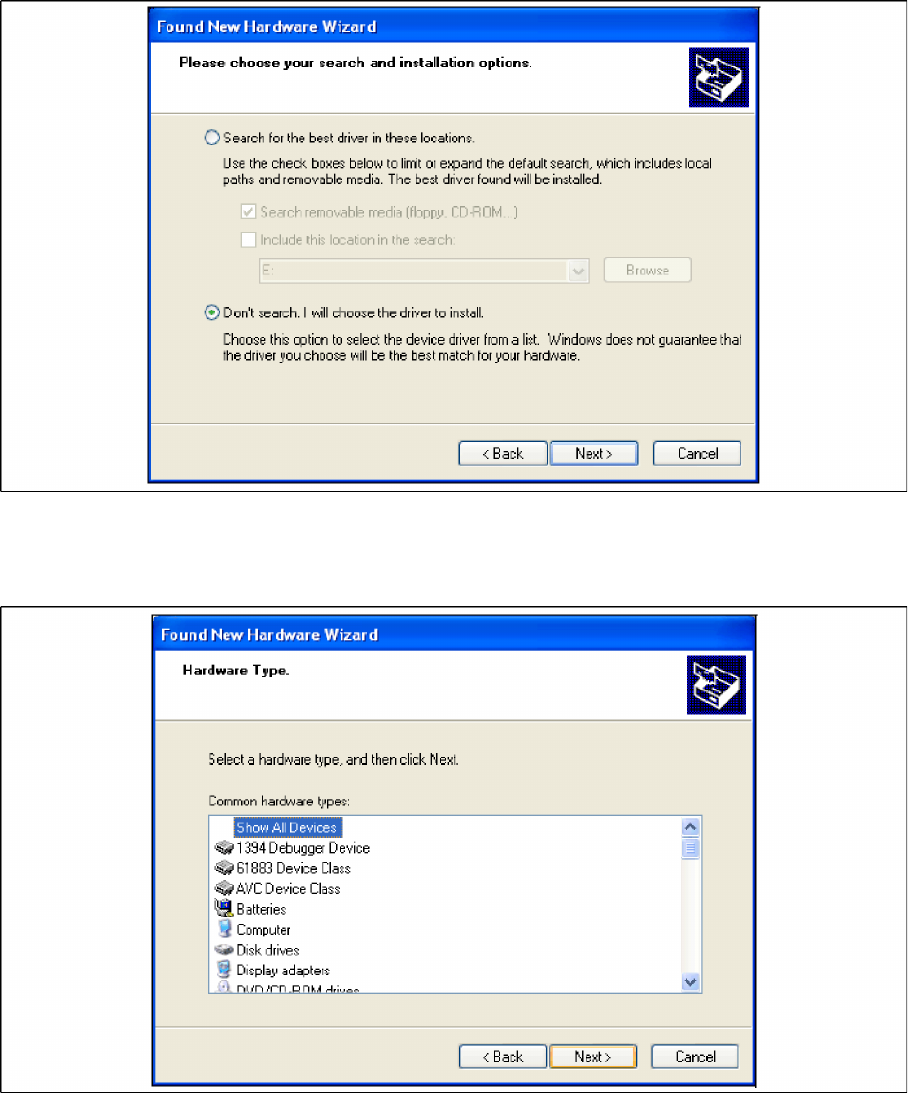
5-3: hardware wizard
X Select Don’t search. I will choose ....
X Click on Next to continue.
5-4: hardware wizard
X Select Show All Devices and then click on Next.
Installation
Hardware Installation Optional: Docking Station
32 Installation Manual SIPLACE Setup Center 2.3
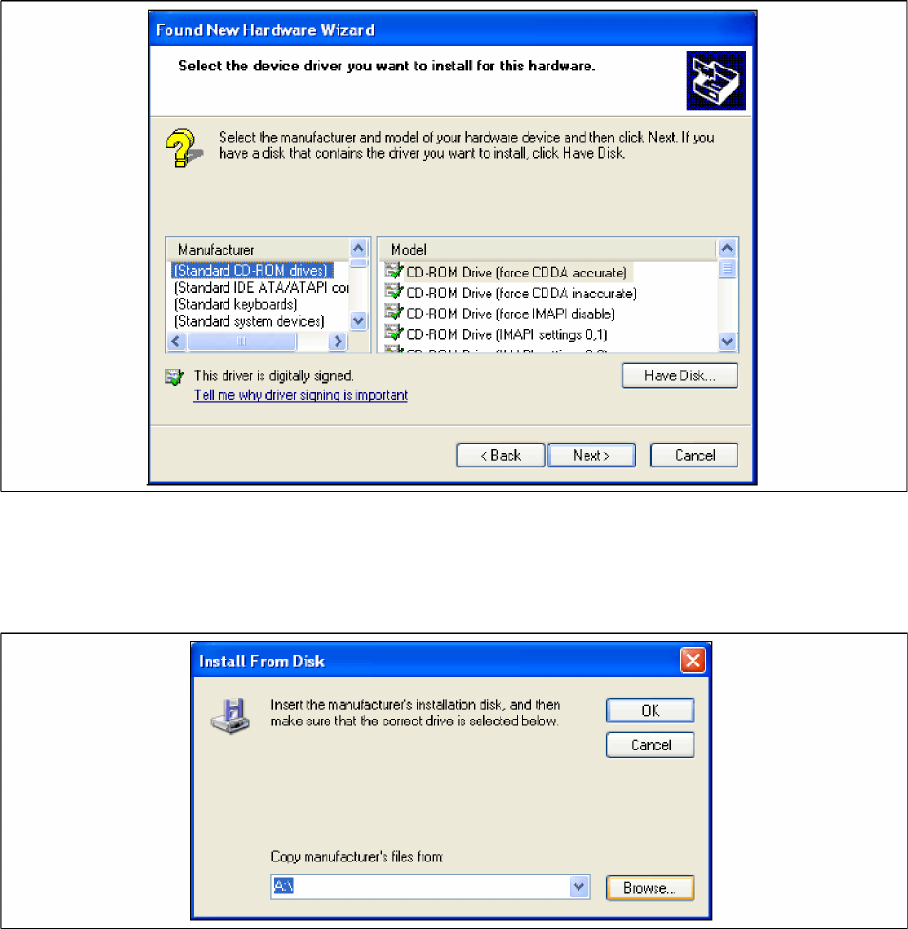
5-5: hardware wizard
X The software for the CAN card is contained on the SC ESS installation CD. This needs to be inserted
into the CD-ROM drive of your SC ESS PC.
X Click on the Have Disk ... button.
5-6: hardware wizard
X Click on the Browse ... button.