00195397-01_Installation Manual Setup Center 2.3.pdf - 第58页
Installation Software Installation Setup Center 58 Installation Manual SIPLACE Setup Center 2.3 Step 3 Configuration of the Splice detection X Select the checkbox Splice detection existing , if a splice detection is avai…
Installation
Setup Center Software Installation
Installation Manual SIPLACE Setup Center 2.3
57
The following settings can be configured during the installation:
Configuration of the Splice detection (If not X-machine)
Deactivation of Fill Level Control for “empty running tracks” and Activation for "Filling level correction"
Activation of locked tracks without scanning
Traceability data creation
Manual input of the PCB barcode
Installing Forced Setup Verification and CLI
You must log in as administrator at the station computer to install the forced setup verification option.
Insert the CD. The installation starts automatically.
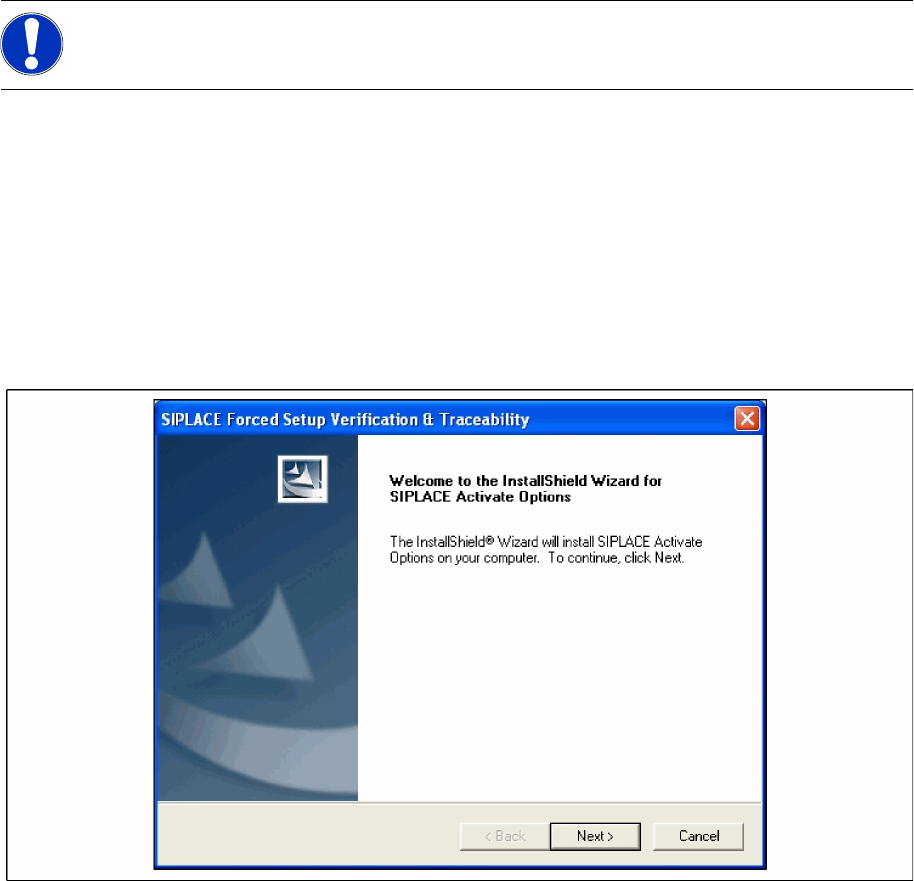
The dialog boxes shown below will be displayed during the installation procedure.
Step 1 Welcom dialog
X Log on as administrator to the station PC.
X Place the Activation CD in your CD-ROM drive.
X The Start screen appears.
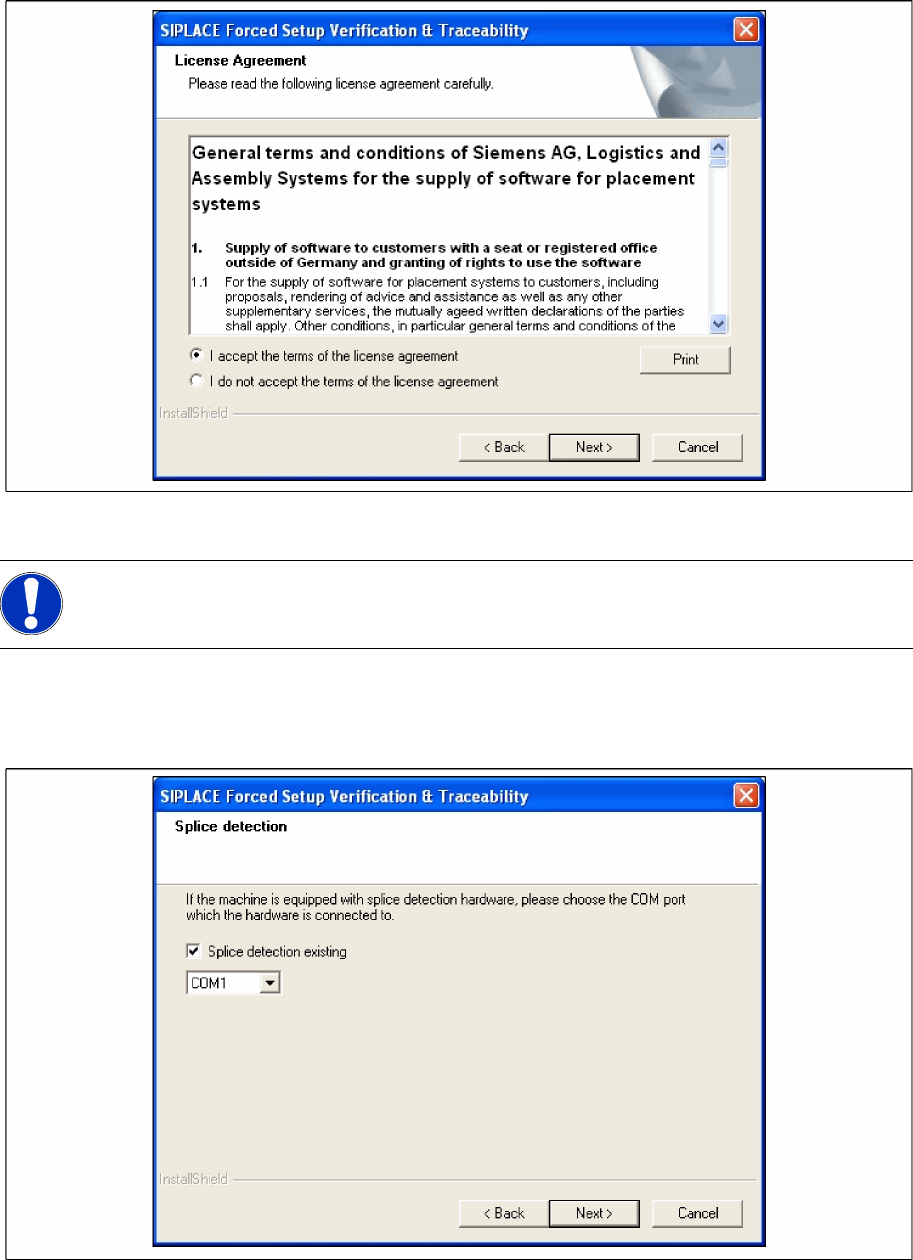
Step 2 Licence dialog
X Read the license agreement. If you agree with the conditions, click I accept ..., otherwise click on I
do not accept.... If you select I do not accept ..., the installation procedure will be terminated.
X Click on Next, to continue the installation procedure.
NOTE:
Traceability settings can only be changed, if the Tractability Option at the station is installed.
Installation
Software Installation Setup Center
58 Installation Manual SIPLACE Setup Center 2.3
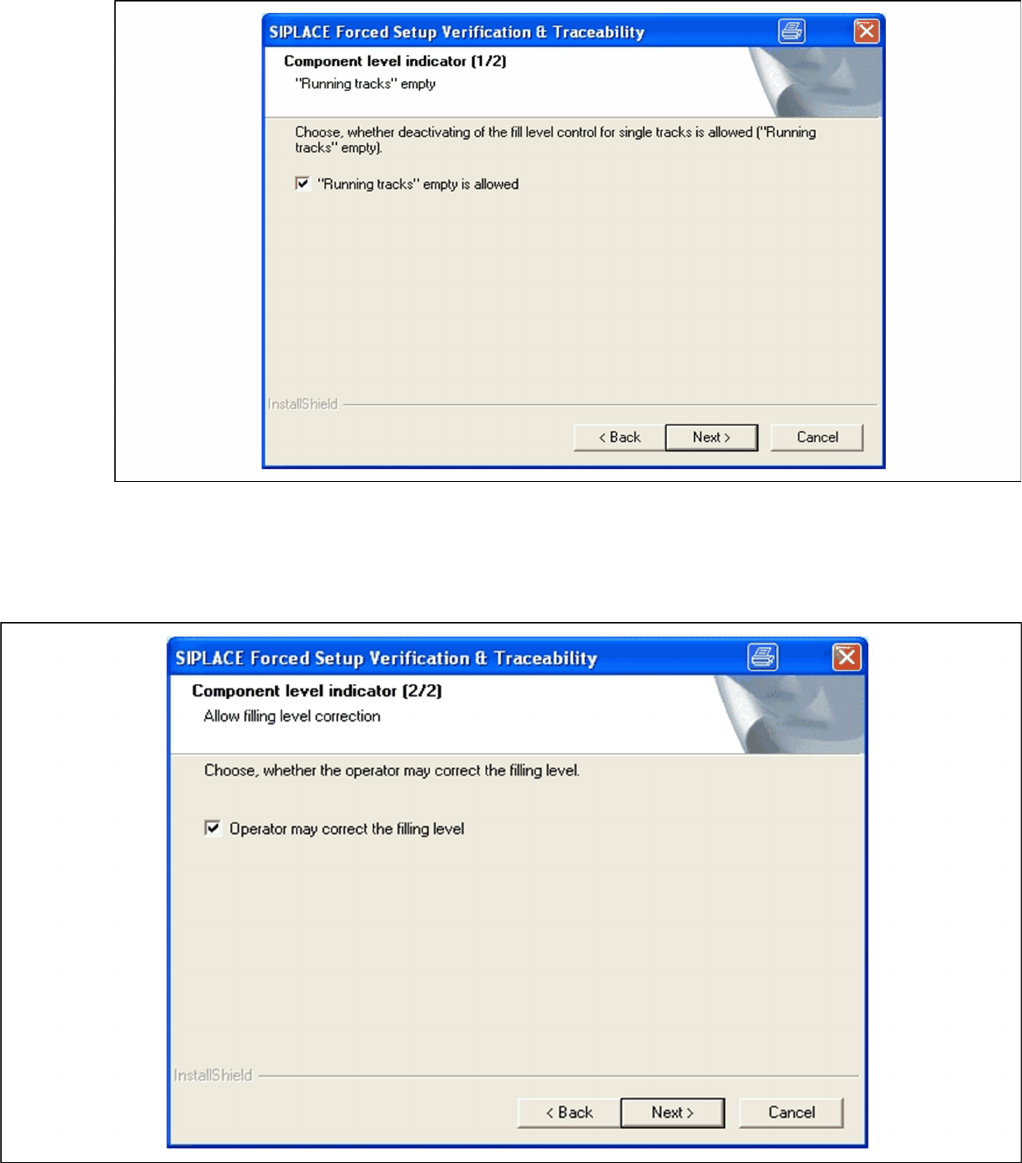
Step 3 Configuration of the Splice detection
X Select the checkbox Splice detection existing, if a splice detection is available.
X Enter the COM Port where Splice detection is plugged in or leave empty the entry field.
X Click Next to continue.
Step 4a Fill Level Control (1)
X If the fill level control should be deactivated for single tracks, activate the checkbox “Running
tracks” empty is permitted. After that you can let single tracks go empty consciously.
X Click Next to continue.
NOTE:
This dialog will not appear for the X2, X3 and X4 Machines!
Installation
Setup Center Software Installation
Installation Manual SIPLACE Setup Center 2.3
59
Setup 4b Fill Level Control (2)
X If the filling level correction should be allowed, activate the checkbox Operator may correct the
filling level. After that the operator may correct the filling level.
X Click Next to continue.
Step 5 Activation of locked tracks
X Choose Activation without barcode reading, you can activate the locked tracks on the machine
GUI, by clicking on the button chosen track in the overview of the empty feeders.
X If the checkbox is not selected, you can activate the locked tracks only by scanning the barcode of
packaging unit again.