00195397-01_Installation Manual Setup Center 2.3.pdf - 第59页
Installation Setup Center Software Installation Installation Manual SIPLACE Setup Center 2.3 59 Setup 4b Fill Level Control (2) X If the filling level correction should be allow ed, activate the checkbox Operator may cor…
Installation
Software Installation Setup Center
58 Installation Manual SIPLACE Setup Center 2.3
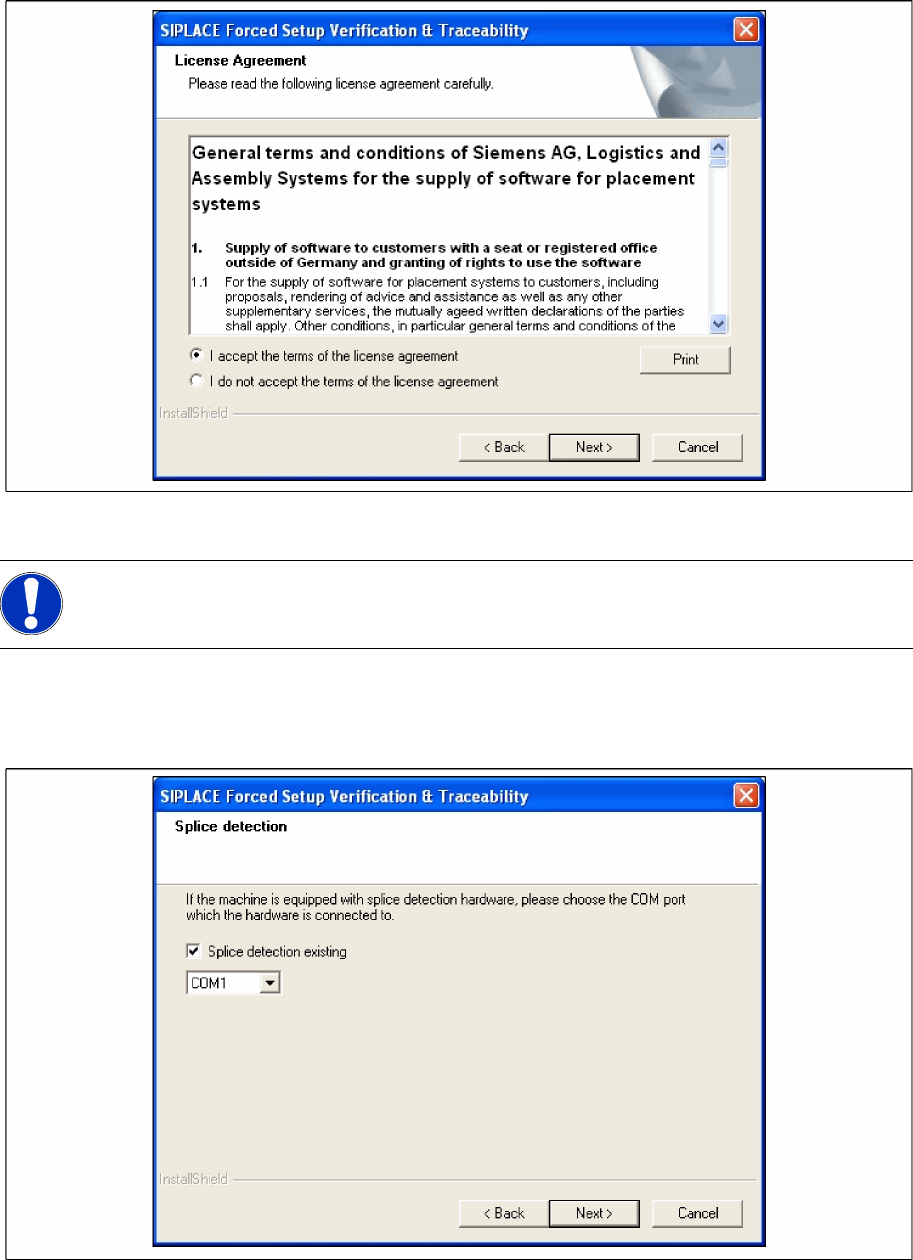
Step 3 Configuration of the Splice detection
X Select the checkbox Splice detection existing, if a splice detection is available.
X Enter the COM Port where Splice detection is plugged in or leave empty the entry field.
X Click Next to continue.
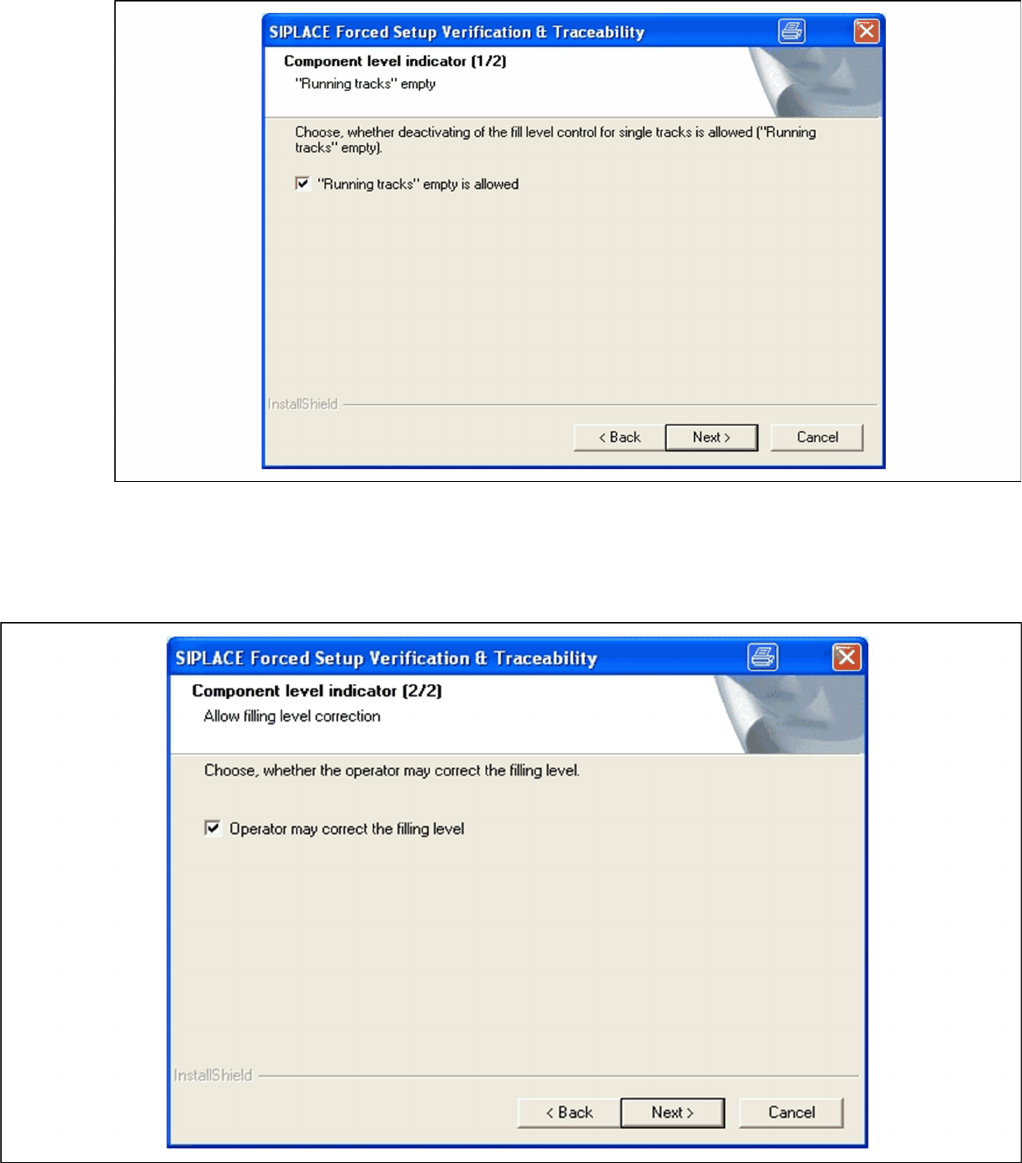
Step 4a Fill Level Control (1)
X If the fill level control should be deactivated for single tracks, activate the checkbox “Running
tracks” empty is permitted. After that you can let single tracks go empty consciously.
X Click Next to continue.
NOTE:
This dialog will not appear for the X2, X3 and X4 Machines!
Installation
Setup Center Software Installation
Installation Manual SIPLACE Setup Center 2.3
59
Setup 4b Fill Level Control (2)
X If the filling level correction should be allowed, activate the checkbox Operator may correct the
filling level. After that the operator may correct the filling level.
X Click Next to continue.
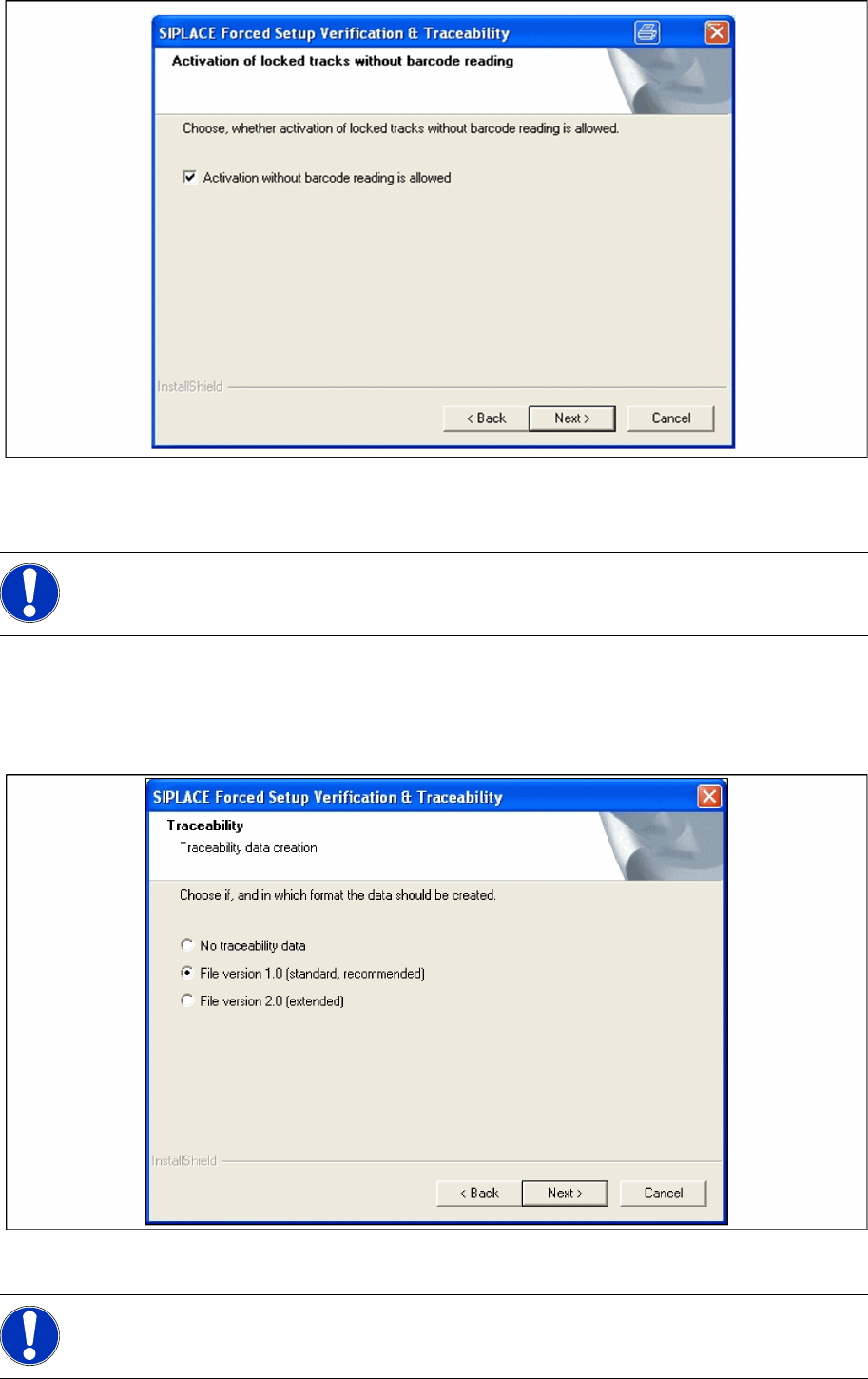
Step 5 Activation of locked tracks
X Choose Activation without barcode reading, you can activate the locked tracks on the machine
GUI, by clicking on the button chosen track in the overview of the empty feeders.
X If the checkbox is not selected, you can activate the locked tracks only by scanning the barcode of
packaging unit again.
Installation
Software Installation Setup Center
60 Installation Manual SIPLACE Setup Center 2.3
X Click Next to continue.
Step 6 Traceability
X Here you can choose whether the Traceability Data should be created.
X Furthermore you can select the File version 1.0 for standard TRC file or the File version 2.0 for
extended TRC file.
X Click Next to continue. Wait until the next dialog box appears. It can be take a few minutes.
Step 7 Manual input of the PCB barcode
NOTE:
Traceability settings can only be changed, if the Tractability Option is installed at the station.
NOTE:
Traceability settings can only be changed, if the Tractability Option at the station is installed.