00195397-01_Installation Manual Setup Center 2.3.pdf - 第68页
Installation Steps to perform after Installation Scanner Configuration 68 Installation Manual SIPLACE Setup Center 2.3 X Open the conf iguration dialog via File->Settings. X Type the IP-address/name of the PC where Se…
Installation
Scanner Configuration Steps to perform after Installation
Installation Manual SIPLACE Setup Center 2.3
67
5.4.3.2 Symbol MC70 Scanner
Configurate Setup Center
The communication between Setup Center and scanner is achieved by network connection (socket).
Setup Center takes the role of the server and the scanner that one of the client.
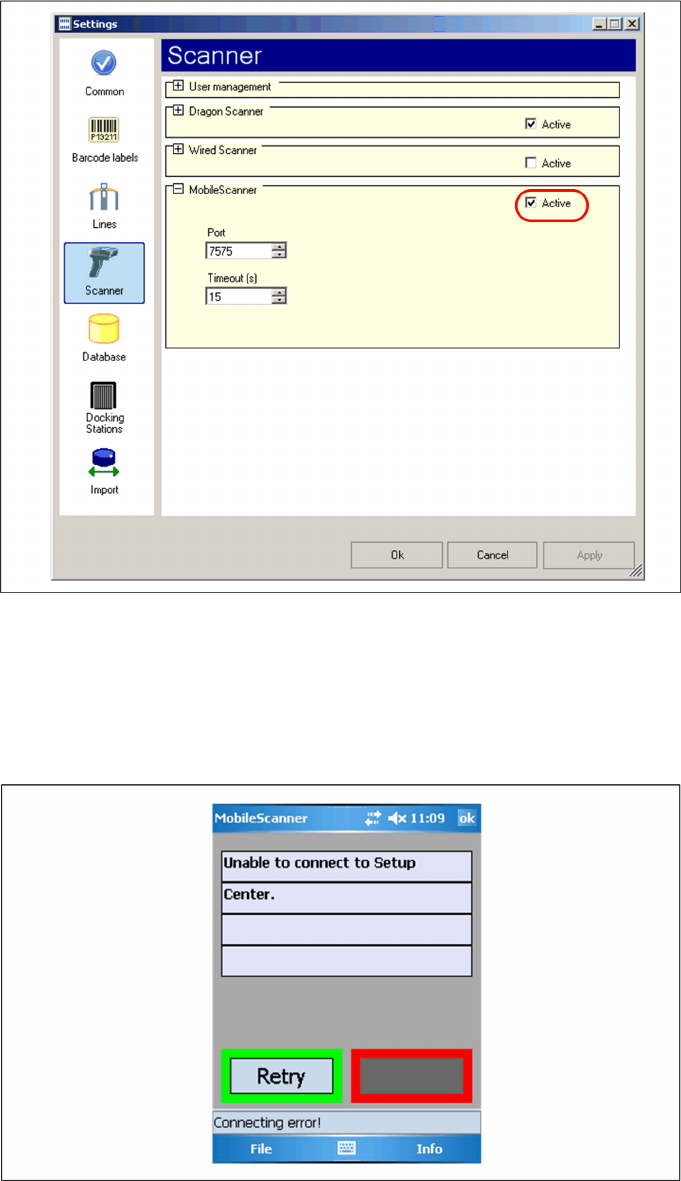
Start Setup Center and open the setting via Tools -> Settings. Within the group Scanner the following
entry is now visible:
Activate the interface by selecting "activated". Check the fire wall settings whether the port chosen by
Setup Center is enabled and correct it if necessary. To accept the settings close the configuration dialog
with "OK".
Configure Setup Center Client
After the installation routine has restarted the scanner the Setup Center Client is started automatically.
Installation
Steps to perform after Installation Scanner Configuration
68 Installation Manual SIPLACE Setup Center 2.3
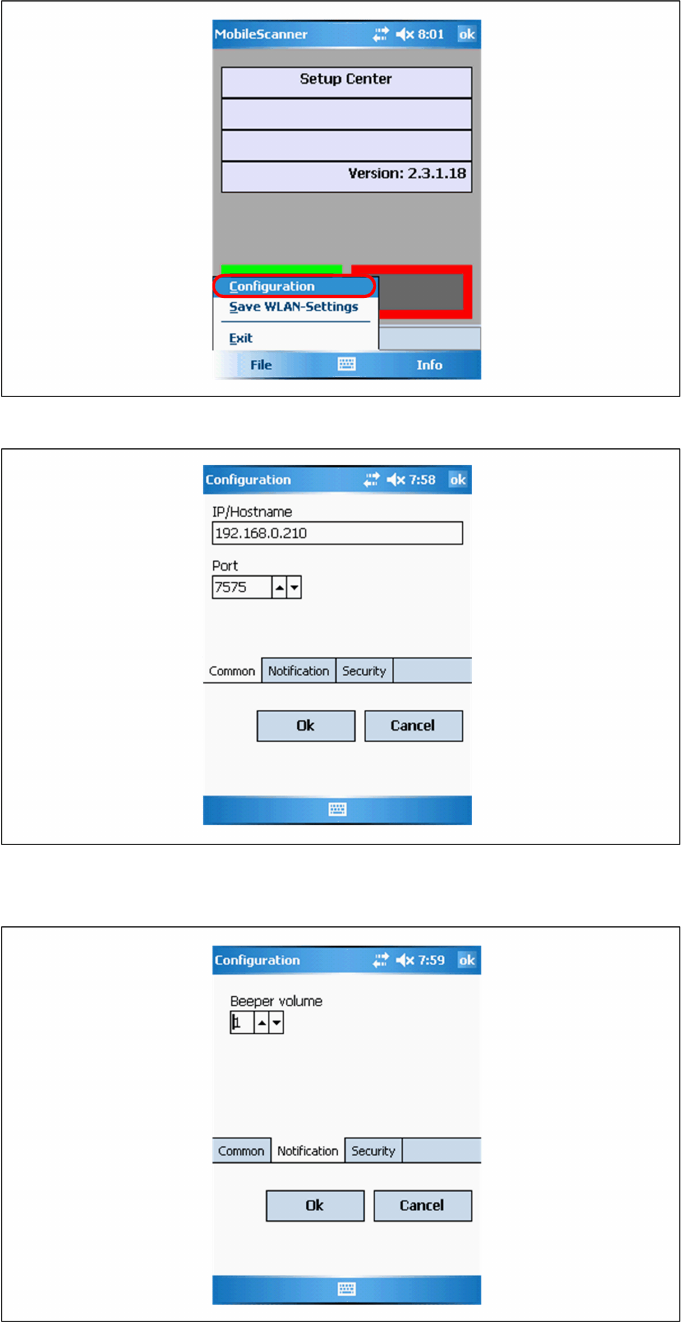
X Open the configuration dialog via File->Settings.
X Type the IP-address/name of the PC where Setup Center is installed.
X Enter the port for which the scanner interface is configurated (default:7575).
X Configurate the volume of the buzzer. The buzzer gives accustical feedback in operation mode of
Setup Center.
Installation
SIPLACE Setup Center Configuration Steps to perform after Installation
Installation Manual SIPLACE Setup Center 2.3
69
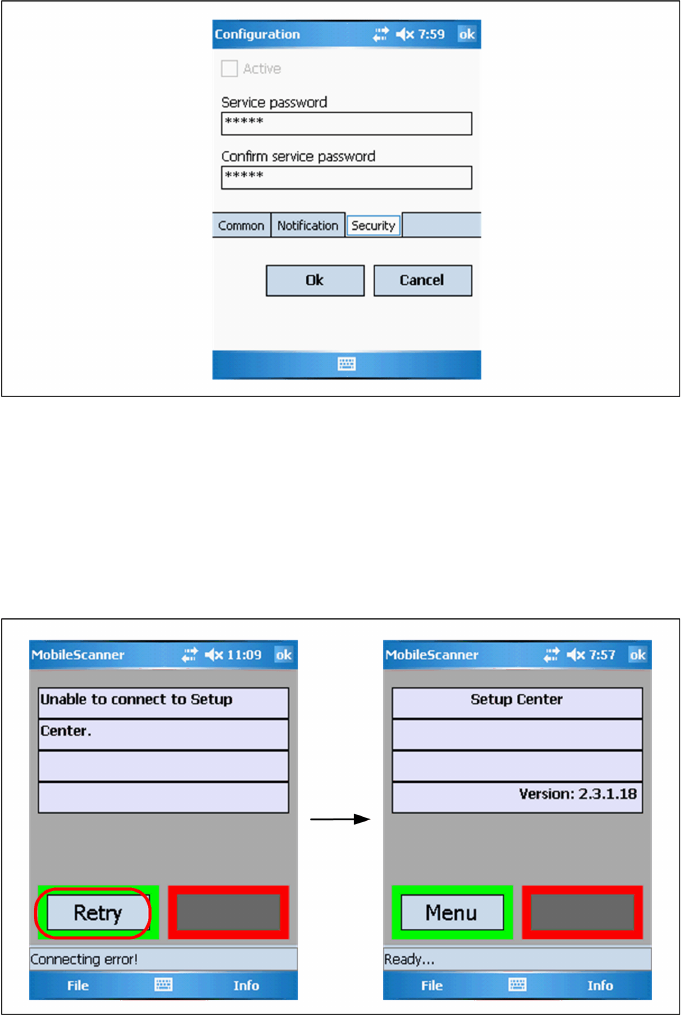
X Here you can set a password to prevent modification on the scanner configuration.
For the first editing of the configuration the password is empty. In this case safety is deactivated. You
can set a password now. By confirmation with "OK" all settings were saved.
Establishing Connection
X Start Setup Center.
X Click on "Connect" to establish a connection to Setup Center.
In case the connection fails check the network settings again.
The software is now successfully configured.
5.4.4 SIPLACE Setup Center Configuration
Setup Center GUI requires to be configured before it can be used. The configuration can be found via
the main menu Options Æ Settings. For detailed information, please refer to User Guide SIPLACE
Setup Center 2.3 (item no. 00195402-xx).
5.4.5 Settings on the SIPLACE Pro
In order to use Setup Center you should make settings on the programming system SIPLACE Pro. For
detailed information, please refer to User Guide SIPLACE Setup Center 2.3 (item no. 00195402-xx).