ysm20r_cabpara.pdf - 第76页
82 13. References and details YSM20R (SESMK18400-00) v2.001 Item Details IT option basic package * T o operate this package, IT -system is needed. Provided. (Option) / Without barcode re ader Function 1: Setup v erify Fu…
81
13. References and details
YSM20R (SESMK18400-00) v2.001
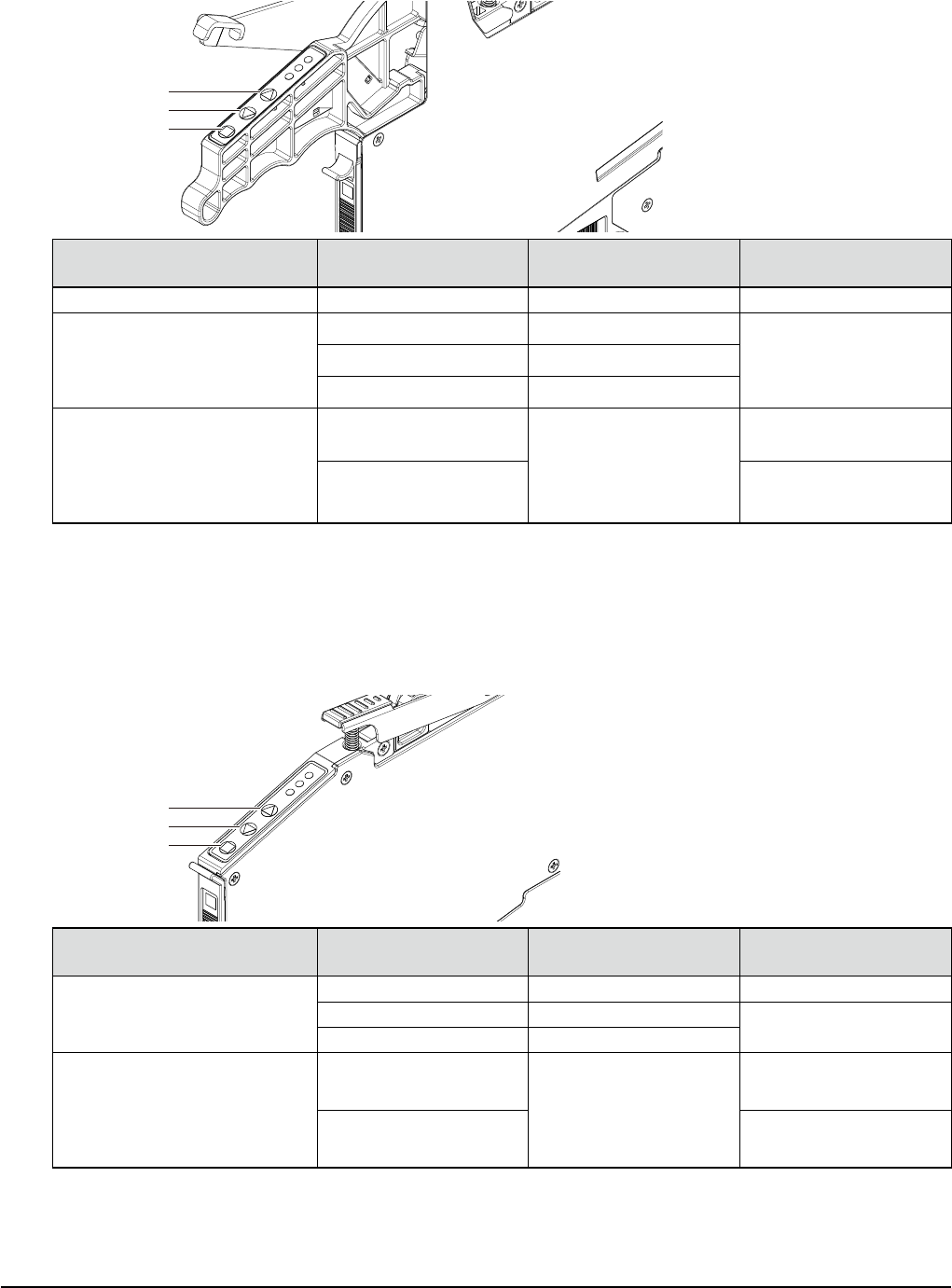
13.4.2 Feed pitch by feeder button operation
ZS feeder
[FUNC] button
[BACK] button
[FEED] button
Feeder type Set pitch
[FEED] or [BACK]
is pressed once.
[FUNC + FEED] or [FUNC +
BACK] are pressed once.
ZS feeder 4mm wide All pitches 1mm 1mm
ZS feeder 8mm wide
0 2mm
1mm1 1mm
2 or more 2mm
ZS feeder
12/16mm wide, 24mm wide,
32mm wide, 44mm wide,
56mm wide, 72mm wide,
88mm wide, 104mm wide
0
2mm
2mm
2 or more Set pitch
* Pressing the [FEED] or [BACK] button for a long time will enter the continuous feed mode.
* Even when pressing the [FUNC + FEED] or [FUNC + BACK] buttons for a long time, the operation does
not enter the continuous feed mode.
SS feeder
[FUNC] button
[BACK] button
[FEED] button
Feeder type Set pitch
[FEED] or [BACK]
is pressed once.
[FUNC + FEED] or [FUNC +
BACK] are pressed once
SS feeder 8mm wide
0 2mm 2mm
1 1mm
Set pitch
2 or more 2mm
SS feeder
12/16mm wide, 24mm wide,
32mm wide, 44mm wide,
56mm wide, 72mm wide,
88mm wide
0
2mm
2mm
4 or more Set pitch
* Pressing the [FEED] or [BACK] button for a long time will enter the continuous feed mode.
* Pressing the [FUNC] + [FEED] buttons will feed the tape by the set pitch feed width.
* 1mm-feed of the SS feeder 8mm-wide and 44mm-feed or longer of the SS feeder 32mm-wide or more
may vary depending on the feeder version. So, please contact your distributor for further information.
82
13. References and details
YSM20R (SESMK18400-00) v2.001
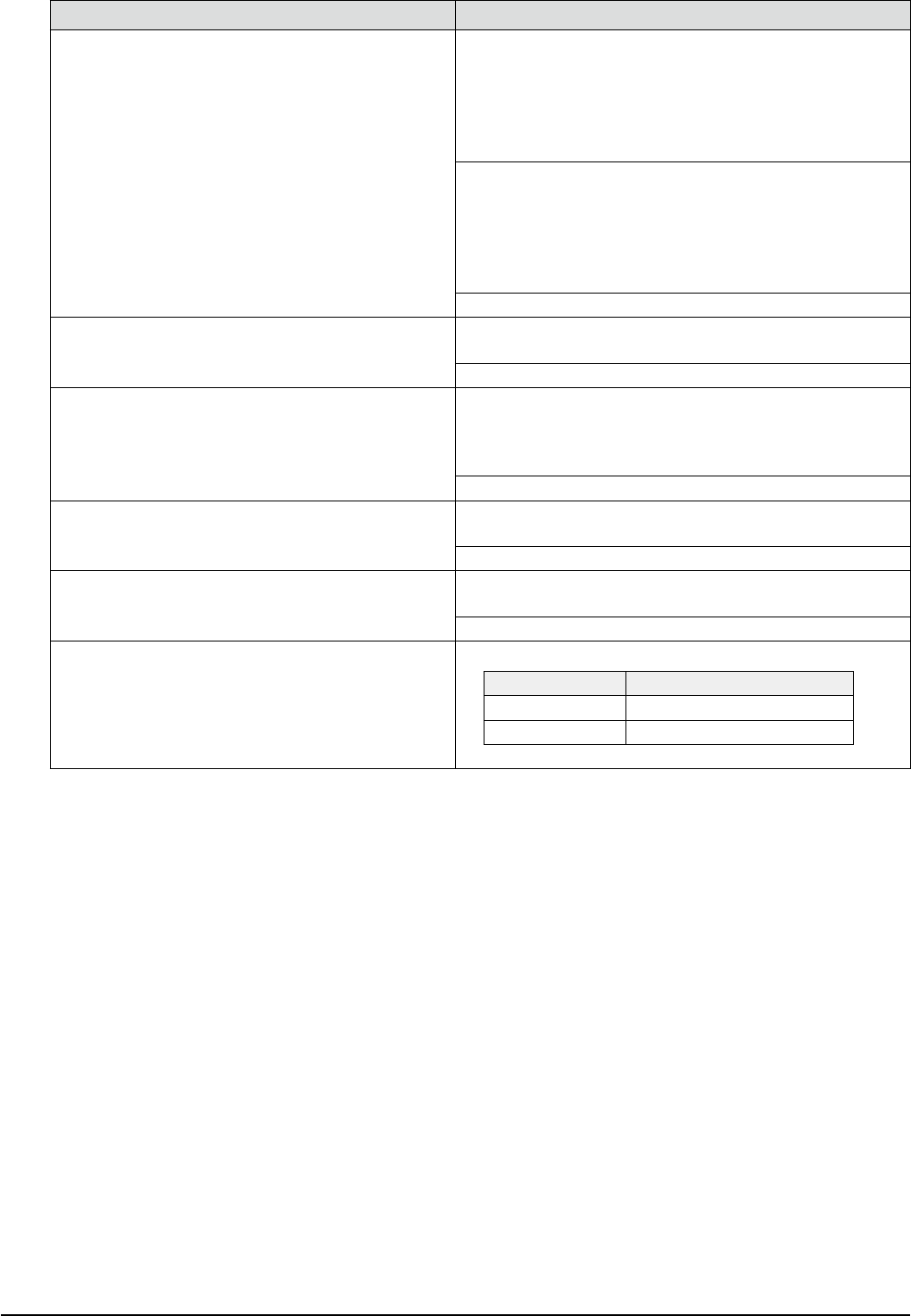
Item Details
IT option basic package
* To operate this package, IT-system is needed.
Provided. (Option) / Without barcode reader
Function 1: Setup verify
Function 2: Remaining quantity counter
* To operate the setup verify, wireless handy reader is needed.
Provided. (Option) / With barcode reader
Function 1: Setup verify
Function 2: Remaining quantity counter
* Barcode reader is assembled into portions before and after the
machine.
None (Standard)
Lot trace output
Provided. (Option)
* IT option basic package and T-Tool are needed.
None (Standard)
Automatic setup change-over
Provided. (Option)
* IT option basic package is needed.
* Carefully check the price of the fist machine and that or the
second or subsequent machine.
None (Standard)
Material time limit management
Provided. (Option)
* IT option basic package and wireless handy reader are needed.
None (Standard)
Bin Code Management Option
Provided. (Option)
* IT option basic package is needed.
None (Standard)
Load control
(FM head)
Provided. (Standard)
Load Load tolerance
5N - 13N Set load + / - 2N
14N - 30N Set load + / - 15%
83
13. References and details
YSM20R (SESMK18400-00) v2.001
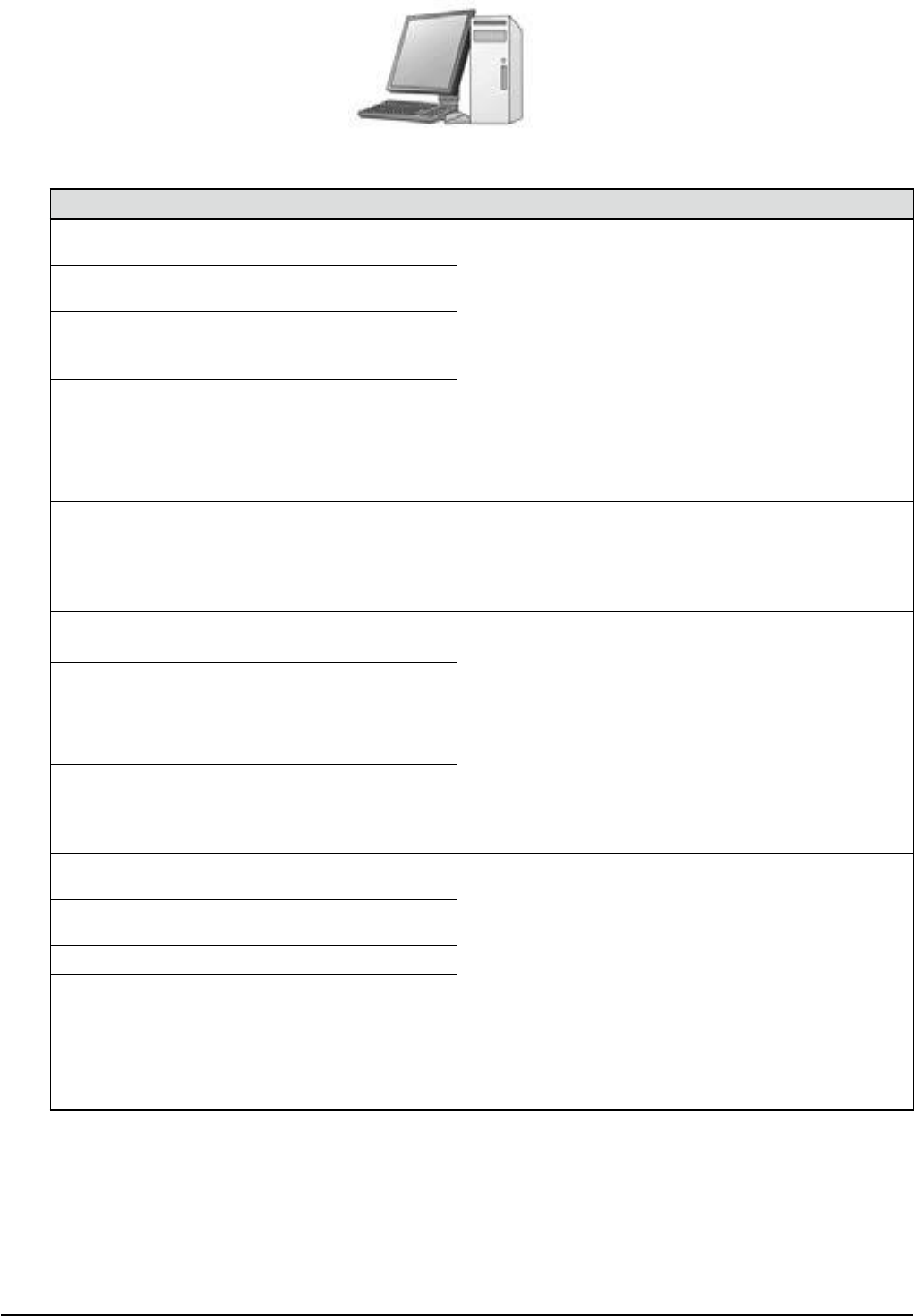
Yamaha SMT line support software
Y.FacT
*
Requires a separate personal computer,
hub, LAN wiring, etc.For details,
please contact your distributor.
Item Details
P-Tool / programming tool
(with USB hardware key)
[Configuration elements]
(1) Main unit functions
⇒
Board editor / board explorer /
data base editor / feeder viewer
(2) USB protection key
(also referred to as a "hard key" or "dongle")
(3) ASCII conversion function
⇒
CAD-BOM format (2 files)
Compatible BOM: Bill of Materials (parts list)
(4) Line data distribution function
(multiple machine optimization)
(5) Common setup optimizing function
(6) Visual editor
⇒
simple desktop test mounting
/ automatic measurement of component dimensions
⇒
Board data creation package & production startup
preparation (CAD / CAM support)
* Function package of the Y.FacT support software.
* "YVi-OS" is required for editing the checking device
data.
K88-M4920-B0X, Software Y.FacT P-Tool Assy
" K88-M4921-71X, FacT Tools instal l" *1
" K88-M4923-21X, Box for FD Assy " *1
" K88-M4926-40X, Registerd Hard-key P-Tool " *1
Manual teaching / P-Tool option
(Visual editor function extension)
[Function]
Shortens initial data creation time and improves quality.
Component image pasting (shape drawing) verify / angle
correction / coordinate correction
(* POT2 function import selection)
M-Tool View
(with USB hardware key)
[Configuration elements]
(1) USB protection key
(also referred to as a "hard key" or "dongle")
(2) Floor Monitoring
(3) Line Monitoring
==> Floor Monitoring & Line Monitoring
* Function package of the Y.FacT support software.
* "Tool Drive", "Machine Monitoring OP" are required.
K88-M4931-00X, Software Y.FacT M-Tool View Assy
" K88-M4921-71X, FacT Tools install " *1
" K88-M4923-21X, Box for FD Assy " *1
" K88-M4926-P0X, Registered Hard-key M-Tool View" *1
M-Tool / monitoring tool
(with USB hardware key)
[Configuration elements]
(1) Main unit functions
⇒
Board editor / board
explorer / data base editor / feeder viewer /
single machine optimizing
(2) USB protection key
(also referred to as a "hard key" or "dongle")
(3) Line control function
(4) Data communication (transmission / reception)
(5) "Remaining component quantity" centralized
management monitor (linked to IT option).
==> Line management package & Line remote monitoring
(general-purpose LAN support)
* Function package of the Y.FacT support software.
K88-M4920-C0X, Software Y.FacT M-Tool Assy
" K88-M4921-71X, FacT Tools install " *1
" K88-M4926-50X, Registered Hard-key M-Tool " *1