00195425-01.pdf - 第108页
Anne x Inst al la tion a n d Co nf ig ura tio n Gui de SIP LAC E Ex pl ore r Bu nd led We b S erv er In st all at ion Ed iti on 05 /2 00 7 EN 108 Bundled W eb Server In st allation NOTE Y ou must have Windows adm inistra…
Installation and Configuration Guide SIPLACE Explorer Annex
Edition 05/2007 EN Bundled Web Server Installation
107
Annex
Bundled Web Server Installation
NOTE
Only perform this installation if the Support Media DVD is not available. 5
The software components required for the web server are installed with this option. The system
will be checked for the required software components and their versions. You will see the result of
this check in a notifications window and can then install any missing components via this option.5
The following software components are included in the Bundled Web Server installation and will
be installed when required: 5
– Tomcat 5.5.9 (see page 110)
– J2SE Runtime Environment 5.0.07 (see page 119)
Install Java 2 SE 5.0 on the same computer as SIPLACE Explorer V.2.2. 5
– MS XML Core Services 6.0 (see page 116)
Install these components if you wish to generate factory reports and reports for certain pro-
duction lines. 5
Consider the following before beginning the installation:
NOTE
Before installing Tomcat 5.5.9, make sure that all versions of Tomcat < 5.5.9 have been unin-
stalled. Use the Apache Tomcat uninstallation program. This can be started via the
Start → Programs → Apache Tomcat 5.5 → Uninstall Tomcat menu in Windows. 5
NOTE
Before you install SIPLACE Explorer V2.2, make sure that Java 2 SE 5.0 update 7 has been in-
stalled on your computer. 5
Annex Installation and Configuration Guide SIPLACE Explorer
Bundled Web Server Installation Edition 05/2007 EN
108
Bundled Web Server Installation
NOTE
You must have Windows administrator privileges to perform installation. 5
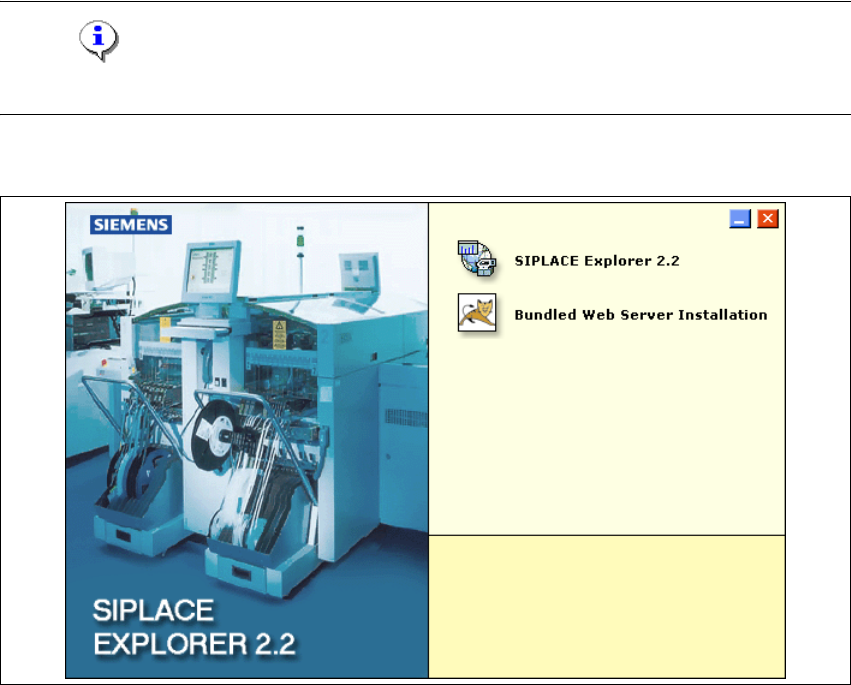
→ Place the SIPLACE Explorer CD in your CD-ROM drive. The Start screen will appear.
5
Fig. 5 - 13 SIPLACE Explorer setup - Start screen
→ Select Bundled Web Server Installation. The system will be checked for the following
software components and their versions.
– Tomcat 5.5.9
– Java runtime environment (J2SE RTE 5.0.07)
– MS XML Core services 6.0
– MS Excel 2000 or 2003
Installation and Configuration Guide SIPLACE Explorer Annex
Edition 05/2007 EN Bundled Web Server Installation
109
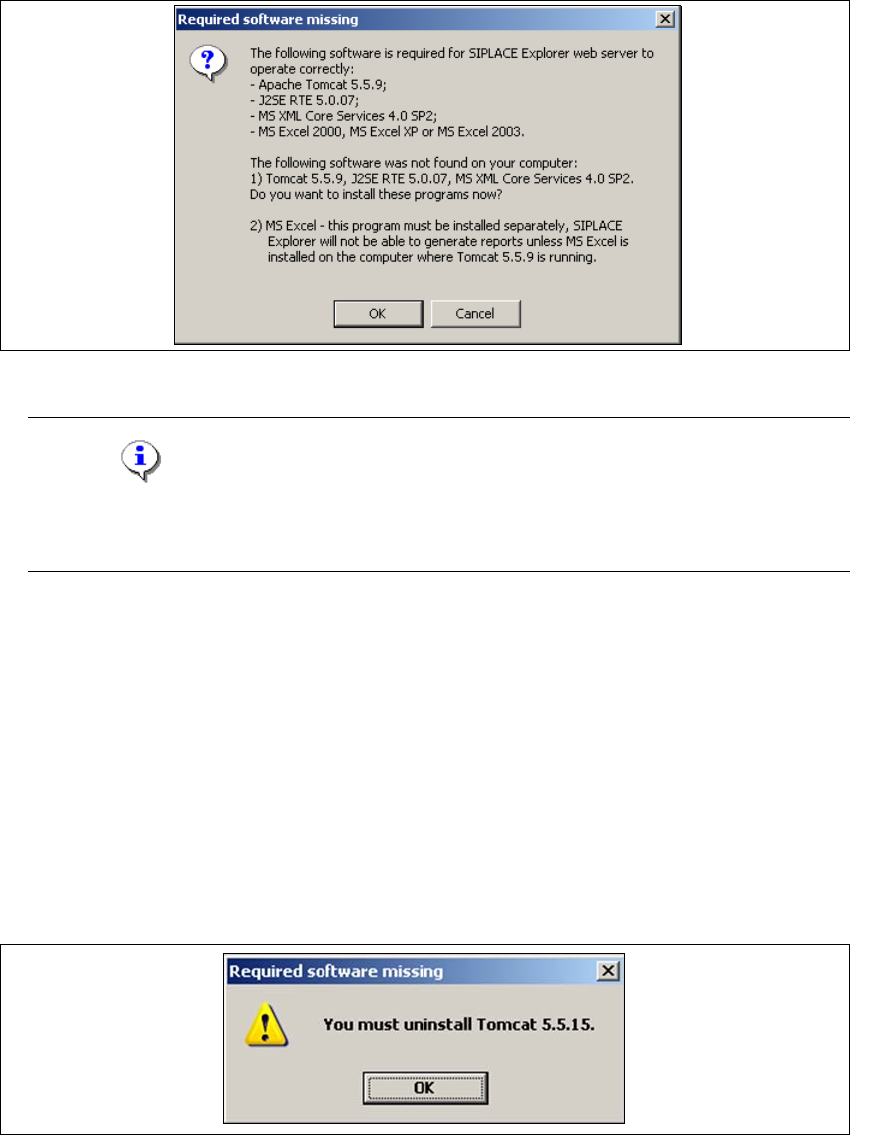
→ If none of the above mentioned software components are installed on your system, you will
receive the following message:
5
Fig. 5 - 14 Bundled Web Server - required software missing
NOTE
The message issued and the subsequent Bundled Web Server installation may vary,
depending on the software components available on your system. 5
→ The software components Tomcat 5.5.9, Java runtime environment (J2SE RTE 5.0.07) and MS
XML Core services 6.0 can be installed from the SIPLACE Explorer installation CD. Confirm
the message window with OK, to start installation of the specified software components. The
Bundled Web Server installation will automatically install these in the correct order.
→ MS Excel must be bought and installed separately. This program is required for the generation
of reports.
→ Before installing Tomcat 5.5.9, make sure that all versions of Tomcat < 5.5.9 have been
uninstalled. Use the Apache Tomcat uninstallation program. This can be started via the
Start → Programs → Apache Tomcat 5.5 → Uninstall Tomcat menu in Windows.
→ If a < 5.5.9 version of Tomcat exists on your system, the following message will appear:
5
Fig. 5 - 15 Bundled Web Server - required software missing