00195425-01.pdf - 第66页
4 Co nfi gurat ion Ins tall ation and Con figu rat ion Guid e SI PLA CE Exp lorer 4.1 S tan dard Moni tor ing Ap plic atio n ( SMA ) Editi on 05 /2 007 EN 66 – W hen to execute the maintenance s chedule. – The a rchiving…
Installation and Configuration Guide SIPLACE Explorer 4 Configuration
Edition 05/2007 EN 4.1 Standard Monitoring Application (SMA)
65
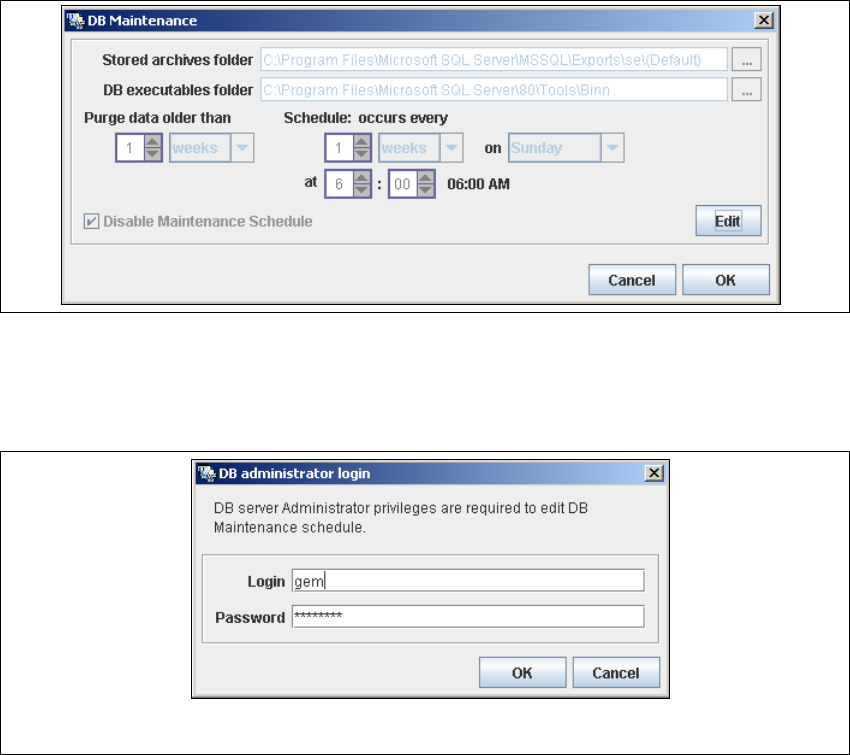
→ The DB Maintenance dialog box will open. This is where you can either create a new
archiving schedule for the database or edit the default maintenance schedule.
The archiving process involves taking data from the database and saving it in a file, so that
the size of the database can be controlled. 4
All input fields will be disabled. To start or edit a DB maintenance schedule, you must have
administrator privileges for the database and the database connection must already be
established. 4
4
Fig. 4 - 16 DB maintenance
→ Click on the Edit button
→ to open the DB Administrator Login dialog box.
4
Fig. 4 - 17 DB administrator login
→ Enter the access data here and confirm your entries with OK.
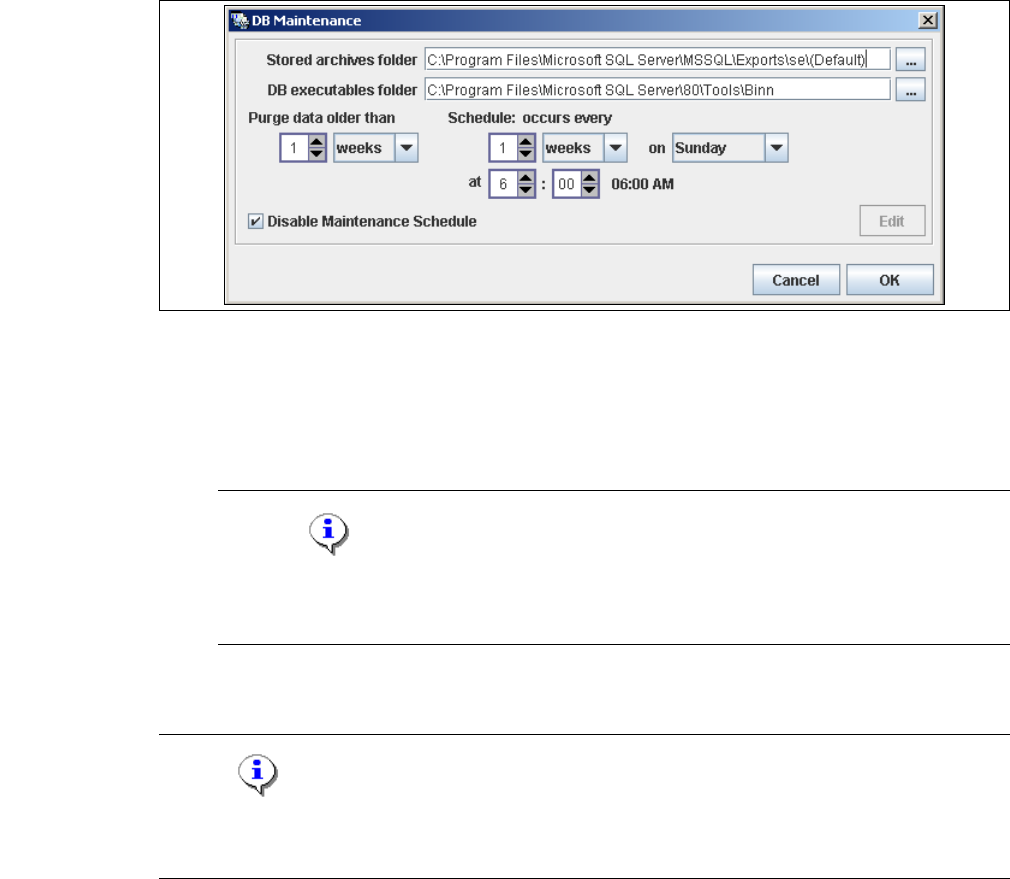
→ The input fields in the DB Maintenance dialog box will be enabled. The following details
can be defined:
– The file and path for the archived data
– A schedule specifying the intervals and times when data is to be removed from the line
system database and stored in the archive.
4 Configuration Installation and Configuration Guide SIPLACE Explorer
4.1 Standard Monitoring Application (SMA) Edition 05/2007 EN
66
– When to execute the maintenance schedule.
– The archiving schedule defined here will be stored in the database and can be called up
when required.
4
Fig. 4 - 18 DB maintenance
→ Check your entries and confirm with OK.
→ You must start the SQL server agent for the MSDE or MS SQL server installation, otherwise
the DB maintenance schedule can not be performed.
NOTE
Start the SQL server agent for the MS SQL server installation via the Start → Programs
→ Microsoft SQL Server → Service Manager menu in Windows. 4
→ Once you have defined all settings in Step 5, click on Next to continue with the next step.
NOTE
Remember to regularly perform a database backup for the line database. This can be carried out
with the database tool on your computer e.g. with the Enterprise Manager for the MS SQL server.4
Installation and Configuration Guide SIPLACE Explorer 4 Configuration
Edition 05/2007 EN 4.1 Standard Monitoring Application (SMA)
67
4.1.1.7 Step 6 - Modify Application Parameters
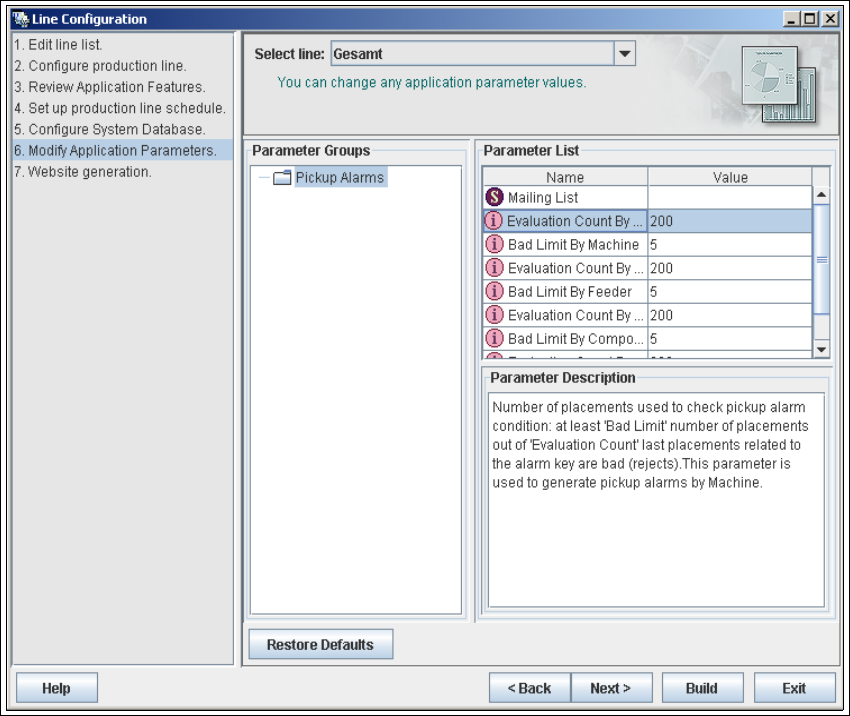
→ Parameters for the application you have created can be checked and edited here.
4
Fig. 4 - 19 Step 6: modify application parameters
→ Once you have made all modifications, click on Next to continue with the next step.