00195425-01.pdf - 第67页
Ins tall ati on and Confi gurat ion G uid e SIPL ACE E xplo rer 4 Co nfig urati on Edi tion 05 /200 7 EN 4.1 St an dar d Mo ni to rin g A pp lica tio n (SM A) 67 4.1. 1.7 Step 6 - Modify Appli c at ion Parameters → Param…
4 Configuration Installation and Configuration Guide SIPLACE Explorer
4.1 Standard Monitoring Application (SMA) Edition 05/2007 EN
66
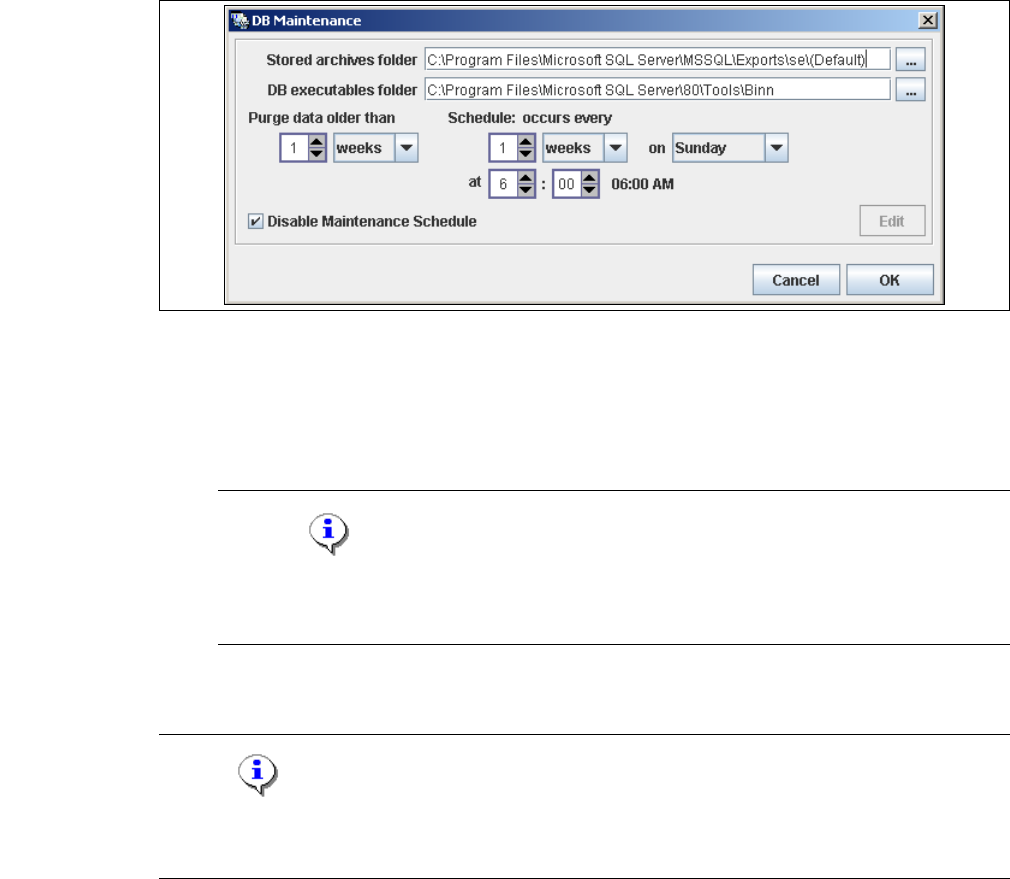
– When to execute the maintenance schedule.
– The archiving schedule defined here will be stored in the database and can be called up
when required.
4
Fig. 4 - 18 DB maintenance
→ Check your entries and confirm with OK.
→ You must start the SQL server agent for the MSDE or MS SQL server installation, otherwise
the DB maintenance schedule can not be performed.
NOTE
Start the SQL server agent for the MS SQL server installation via the Start → Programs
→ Microsoft SQL Server → Service Manager menu in Windows. 4
→ Once you have defined all settings in Step 5, click on Next to continue with the next step.
NOTE
Remember to regularly perform a database backup for the line database. This can be carried out
with the database tool on your computer e.g. with the Enterprise Manager for the MS SQL server.4
Installation and Configuration Guide SIPLACE Explorer 4 Configuration
Edition 05/2007 EN 4.1 Standard Monitoring Application (SMA)
67
4.1.1.7 Step 6 - Modify Application Parameters
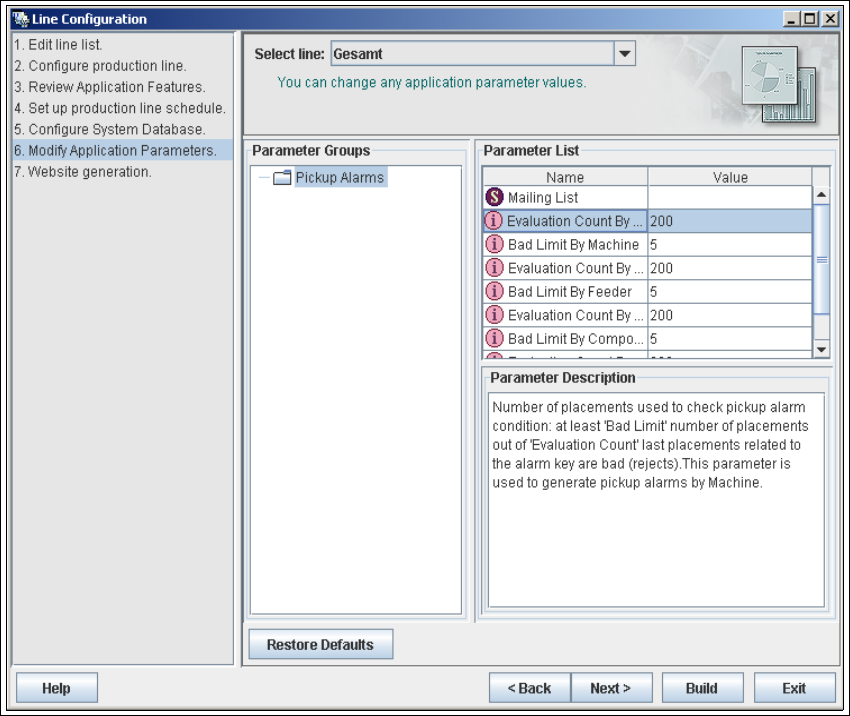
→ Parameters for the application you have created can be checked and edited here.
4
Fig. 4 - 19 Step 6: modify application parameters
→ Once you have made all modifications, click on Next to continue with the next step.
4 Configuration Installation and Configuration Guide SIPLACE Explorer
4.1 Standard Monitoring Application (SMA) Edition 05/2007 EN
68
4.1.1.8 Step 7: Website Generation
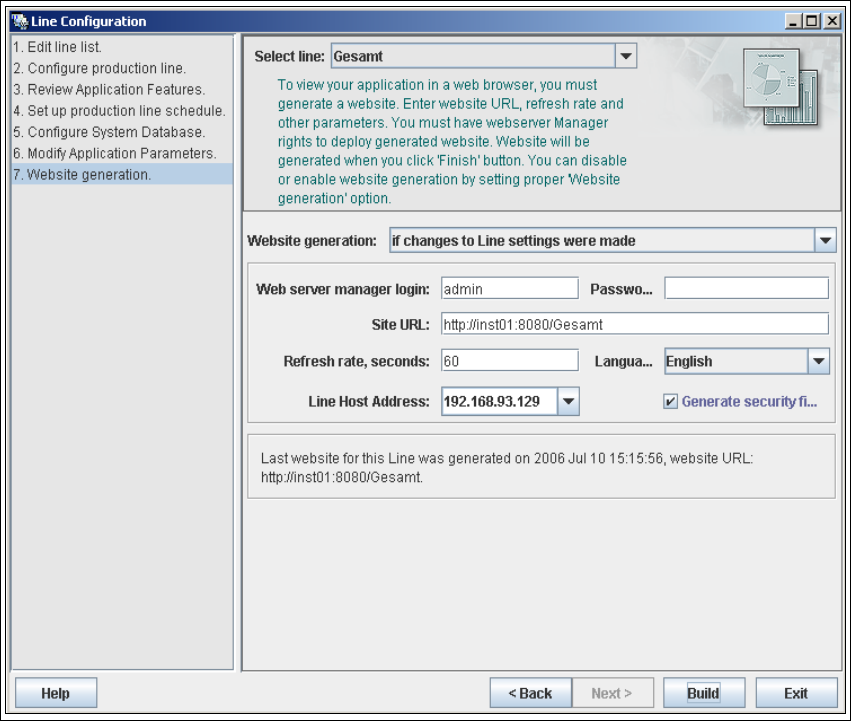
→ In order to monitor your production line in the web browser, you will need to generate a website.
For this purpose, you require web server manager privileges (Tomcat administrator) and the
corresponding password.
4
Fig. 4 - 20 Step 8: generating the website
→ At Website Generation, specify whether and when the website is to be generated. The
following options are available:
– Generate line website
The website will be generated for the selected line.
– If changes to line settings were made
A website will only be generated if changes have been made to the line configuration.
– Do not generate line website
Website generation will not be performed. This can be performed later, while editing the
generated application.