00195425-01.pdf - 第84页
4 Co nfi gurat ion Ins tall ation and Con figu rat ion Guid e SI PLA CE Exp lorer 4. 2 C on figur ing th e Fa cto ry Co nfi gu rat ion U t il ity Editi on 05 /2 007 EN 84 4. 2. 4 R epor t s This i s where you can d efine…
Installation and Configuration Guide SIPLACE Explorer 4 Configuration
Edition 05/2007 EN 4.2 Configuring the Factory Configuration Utility
83
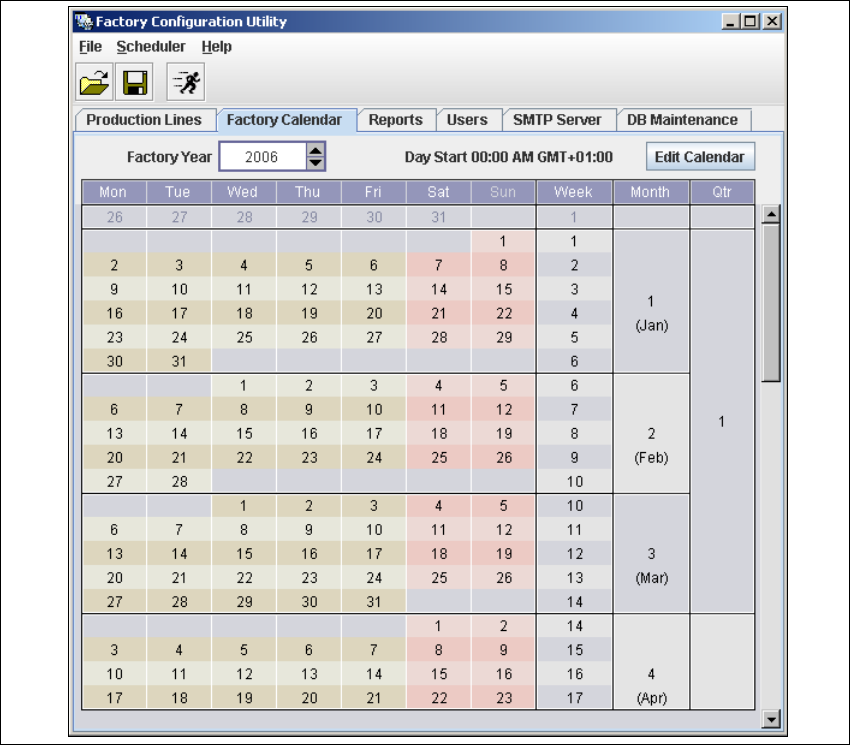
4.2.3 Factory Calendar
This is where you can create a calendar with details of working times e.g. on which day the work-
ing week begins, at which time a shift begins etc. 4
→ Select the Factory Calendar tab.
4
Fig. 4 - 41 Factory Configuration Utility - factory calendar
4 Configuration Installation and Configuration Guide SIPLACE Explorer
4.2 Configuring the Factory Configuration Utility Edition 05/2007 EN
84
4.2.4 Reports
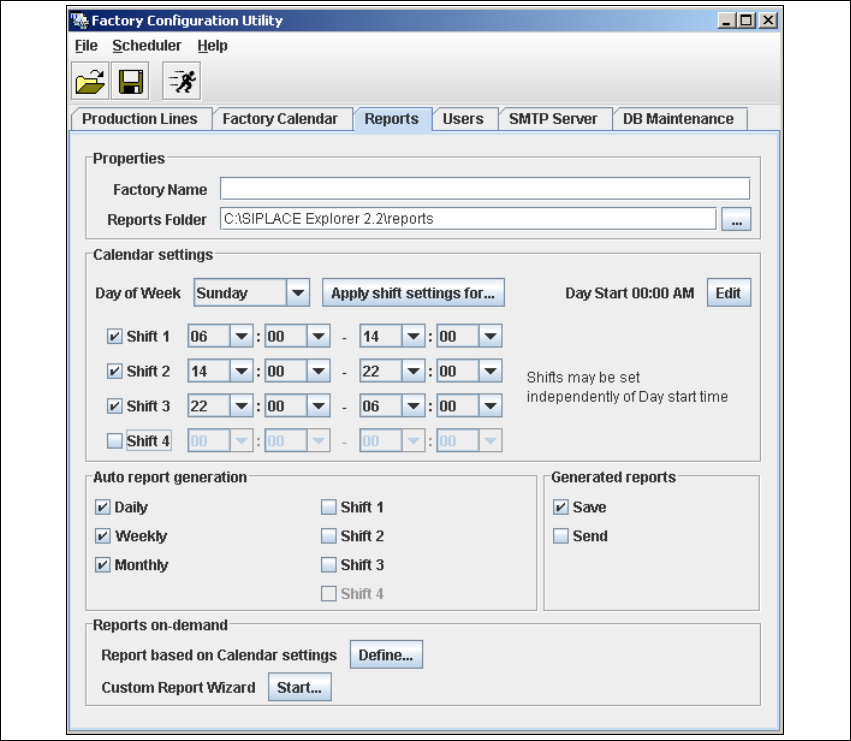
This is where you can define a schedule for the management and generation of factory reports.
You can specify the intervals at which factory reports are to be generated, where they are to be
saved to etc. 4
These reports can be automatically sent via e-mail. The e-mail addresses can be specified in the
Users tab. The necessary information about report type etc. can be defined on the factory web-
site. 4
→ Select the Reports tab.
4
Fig. 4 - 42 Factory Configuration Utility - reports
→ Proceed to Reports on-demand and click on the Start button. A wizard with 4 steps will open.
Use this wizard to generate the reports and send or save them.

Installation and Configuration Guide SIPLACE Explorer 4 Configuration
Edition 05/2007 EN 4.2 Configuring the Factory Configuration Utility
85
4.2.5 User Management
The User Management function is used to define the users and their duties/privileges for each pro-
duction line. 4
The following user privileges are available in the Factory Configuration Utility: 4
– Access Factory Website
The user has read privileges for the SIPLACE Explorer factory website.
– Configure Line Host
The user may start all SIPLACE Explorer Runtime Environment tools.
– Monitor Production Line
The user has read privileges for the SIPLACE Explorer production lines.
– Edit Logbook entries
The user may edit the logbook for certain SIPLACE Explorer production line websites.
– Modify Application settings
The user may edit the SMA settings for certain production lines.
NOTE
Only users with Configure Line Host privileges can start the SE 2.0 Runtime Environment tools,
such as Line Configuration, SE Manager, Performance Analyzer, etc. Furthermore, the Use
Factory-based security option must be enabled in the SE Security Manager. For details of the
relevant settings in the SE Security Manager, please refer to the Getting Started for SIPLACE
Explorer 2.2. 4