00195425-01.pdf - 第95页
Ins tall ati on and Confi gurat ion G uid e SIPL ACE E xplo rer 4 Co nfig urati on Edi tion 05 /200 7 EN 4.3 D ata base Se tti ngs 95 4 Fig. 4 - 52 Ste p 1- dat abas e conn ection wizar d At this point, the wiza rd will …
4 Configuration Installation and Configuration Guide SIPLACE Explorer
4.3 Database Settings Edition 05/2007 EN
94
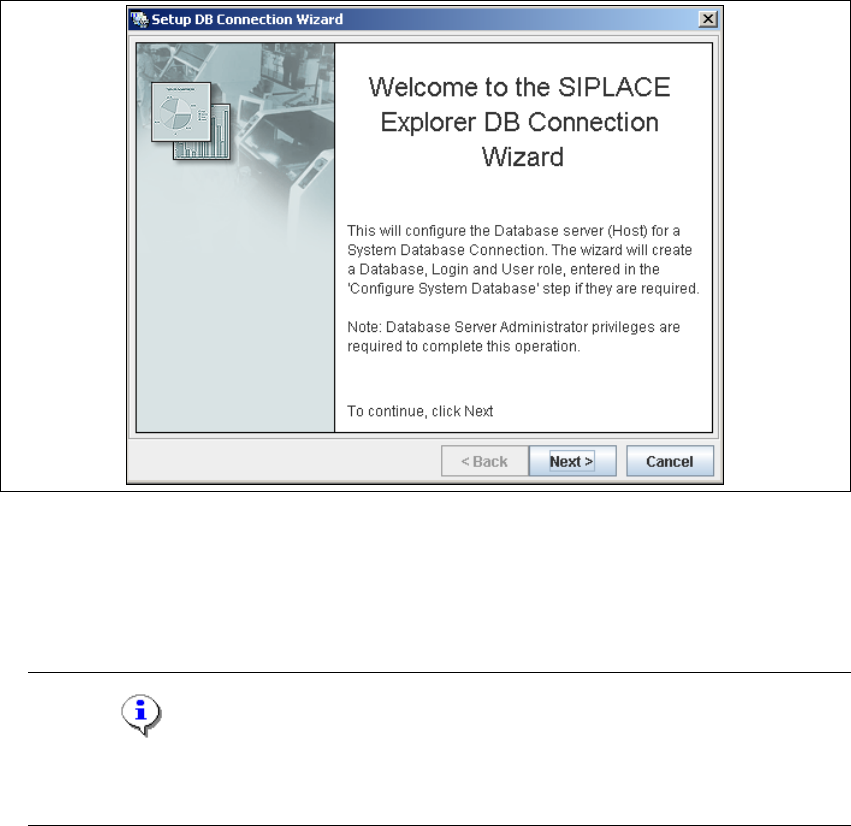
→ Setup and configuration of the system database consists of a simple three-step procedure.
Click on Next to continue.
4
Fig. 4 - 51 Welcome screen - database connection wizard
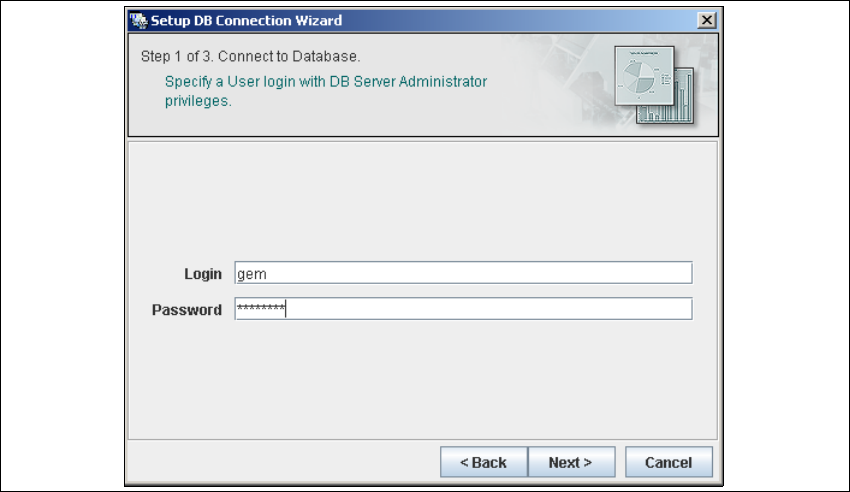
– Step 1- Connection to Database
→ At Step 1 you will need to specify your login and password to access the MS SQL Server.
Click on Next to continue.
NOTE
Please note that users must have DB administrator privileges to perform the necessary tests
and configuration. 4
Installation and Configuration Guide SIPLACE Explorer 4 Configuration
Edition 05/2007 EN 4.3 Database Settings
95
4
Fig. 4 - 52 Step 1- database connection wizard
At this point, the wizard will connect to the MS SQL Server and run tests to identify whether
the specified database, login and user roles exist. You will see a list of changes that the
wizard will undertake, in order to perform setup and configure the system database. 4
4 Configuration Installation and Configuration Guide SIPLACE Explorer
4.3 Database Settings Edition 05/2007 EN
96
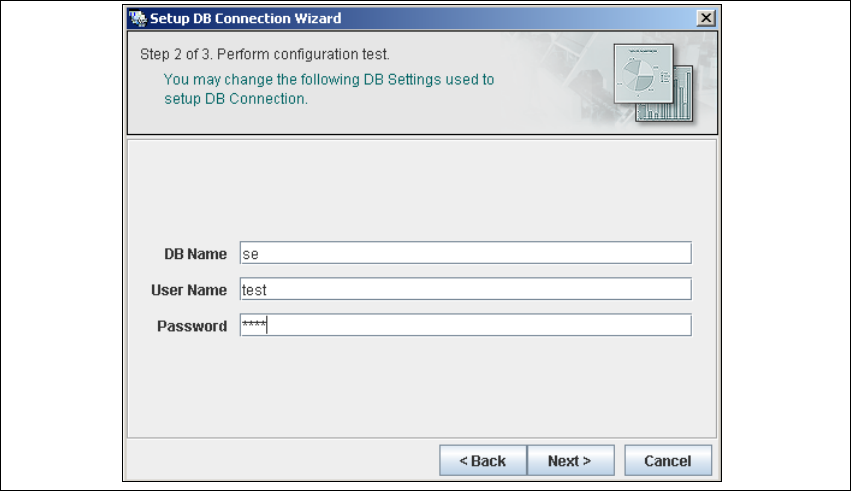
– Step 2 - Perform Configuration Test
→ At Step 2 you can change your settings. This is also where you define the name of the SE
system database for the line and where you specify the user (and corresponding password)
who is to have access to this database.
4
Fig. 4 - 53 Step 2- database connection wizard
→ Once you have made and checked all entries, click on Next to continue.