00197366-02_IM_WES7_DE_EN.pdf - 第12页
W indows Em bedded Stand ard 7 / Installa tion Manu al Ausgabe 11/2014 Edit ion 12 5 Installin g and Calib ratin g the T ouch S creen Now the to uch sc reen has to be install ed and calibr ated (s tation com puter on ly)…
Windows Embedded Standard 7 / Installation Manual Ausgabe 11/2014 Edition
11
4.3.2 Choosing the Computer Configuration
► Open Windows Explorer and navigate to the DVD drive.
► Double-click on the start.hta file from the software CD to start the "SIPLACE Windows
Embedded Standard 7 Configurator".
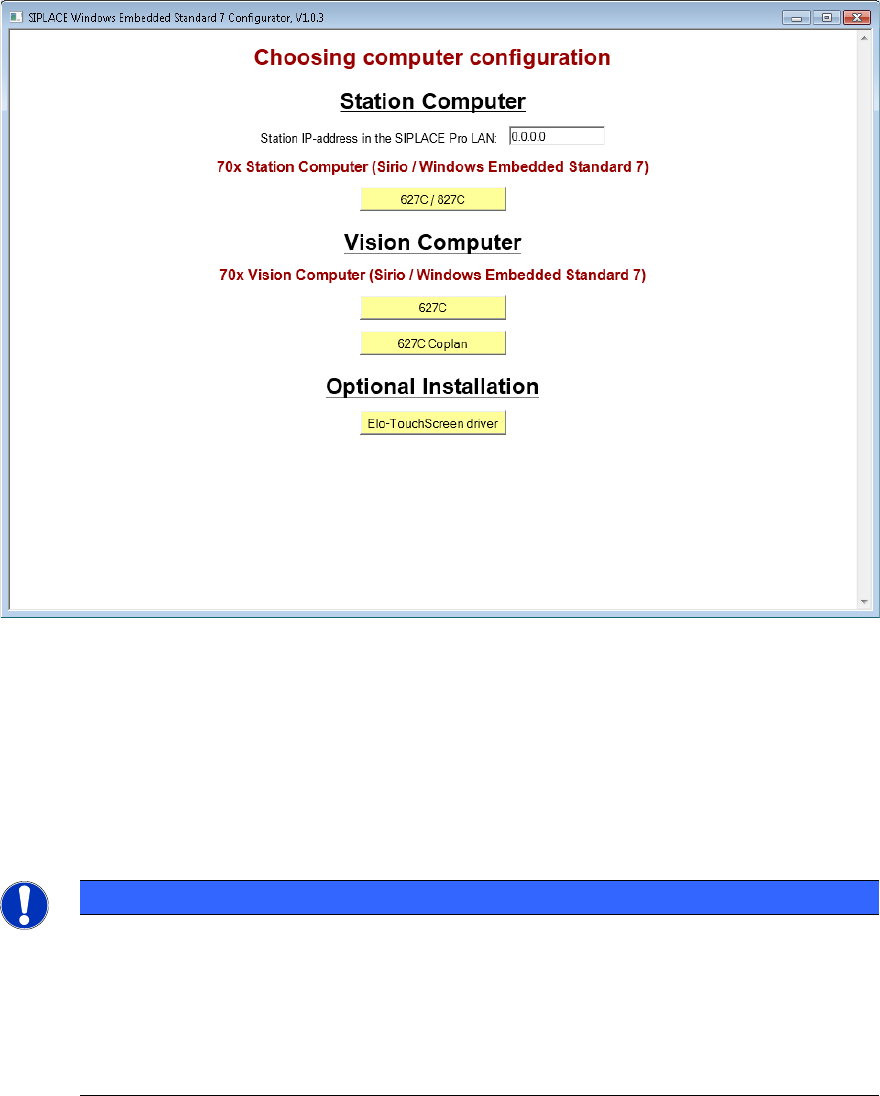
The following window is displayed:
Figure 4-1: Window SIPLACE Embedded Standard 7 Configurator
► Enter the station IP-address for SIPLACE Pro LAN (required for a station computer only) and
choose the suitable computer configuration.
The SIPLACE settings are automatically performed and the computer reboots.
After the reboot, you are logged on as Operator (station computer) or the Windows login window is
displayed (Vision computer).
► If no touch screen is used (Vision computer), remove the software CD from the DVD drive.
NOTICE
For Windows Embedded Standard 7:
When shutting down a machine via the machine software GUI, the computer will be
switched off at the end and no further switch off message will be displayed (like It is
now save to turn off the Computer).
Only the short No signal input or kein Eingangssignal monitor message is
displayed, thereafter the monitor LED starts flashing or changes from green to red.
Windows Embedded Standard 7 / Installation Manual Ausgabe 11/2014 Edition
12
5 Installing and Calibrating the Touch Screen
Now the touch screen has to be installed and calibrated (station computer only). For this, perform
the following steps:
► Log on as ASM_Admin and enter a password.
► In the "SIPLACE Windows Embedded Standard 7 Configurator", click on the Elo-TouchScreen
driver button under Optional Installation to install the touch screen driver and follow the
installation instructions.
► After installation, calibrate the touch screen as described in the installation manual for the
station software.
► Remove the software CD from the DVD drive.
If you have installed Windows Embedded Standard 7 in one-computer operation or on a machine
computer in two-computer operation, the installation is completed now.
► Install the SIPLACE machine software as described in the installation manual for the station
software.
If you have installed Windows Embedded Standard 7 on a Vision computer in two-computer
operation:
► Perform the steps in chapter 6.
Windows Embedded Standard 7 / Installation Manual Ausgabe 11/2014 Edition
13
6 Restoring the Initial Configuration
The following steps only have to been performed, if you have installed Windows Embedded
Standard 7 on a Vision computer in two-computer operation:
► Reconnect the keyboard to the machine computer.
► Switch the video multiplexer back to the machine computer.
► Unplug the USB cable for the DVD drive from the Vision computer and plug it into the machine
computer.
► Install the SIPLACE machine software as described in the installation manual for the station
software.