00198608-02_SM_CP20P2_Kunde_EN.pdf - 第14页
3 Component camera, Z axis and component sensor 3.1 Replacing the Component Camera 14 Service Manual SIPLACE SpeedStar (C&P20 P2) 01/2019 Preparation ► Remove the head from the machine. For details about removing and…
3 Component camera, Z axis and component sensor
3.1 Replacing the Component Camera
Service Manual SIPLACE SpeedStar (C&P20 P2) 01/2019 13
3 Component camera, Z axis and component
sensor
3.1 Replacing the Component Camera
Parts
Fig.4: Component camera type 48
03131695‑xx Component camera C&P (type 48) 8x8 GigE
For information about other cameras, please refer to the catalog of parts
Equipment and tools
T07 03078400-xx Torque Screwdriver ESD 1.0-5.0 Nm
T19 00318673-xx Wire cutter electronic size 110
T78 03090019-xx Torque interchangeable blades 2.5 mm, hexagonal
C08 00308458-xx Cable ties B=2.5mm, L=102mm Panduit
T --- Tools for removing/fitting and calibrating the placement head, if needed
(see also the service manual for your machine)
Overview
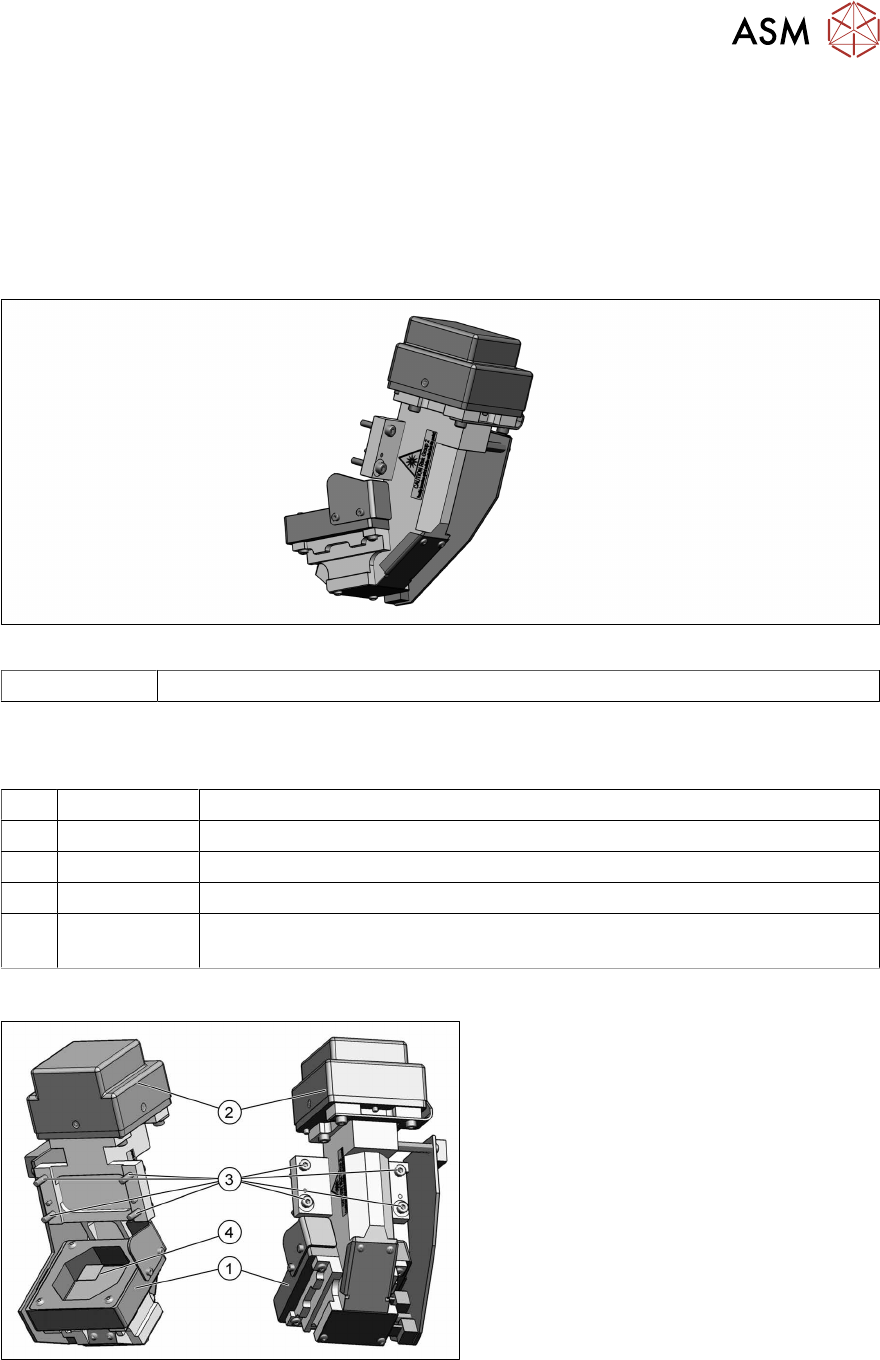
Fig.5: Component camera (type 48)
1. Component camera
2. Camera amplifier CCD
3. Four fastening screws (Allen 2.5) for
the camera on the head housing
ISO4762-M3x16-A2-70 [03042545‑xx]
4. Camera lens system
For further information about the repairs
needed, refer to section 3.1 "Replacing the
Component Camera" [}13].
3 Component camera, Z axis and component sensor
3.1 Replacing the Component Camera
14 Service Manual SIPLACE SpeedStar (C&P20 P2) 01/2019
Preparation
► Remove the head from the machine. For details about removing and fitting the placement
head, refer to the service manual for your machine.
Fit the head on the head mount [03056231‑xx].
CAUTION
Do not damage or contaminate the camera lens system.
► Make sure that you do not damage or contaminate the camera lens system.
► Make sure that the component sensor protective cap is fitted.
1.1.3 "Safety instructions for the component sensor" [}6]
Removal
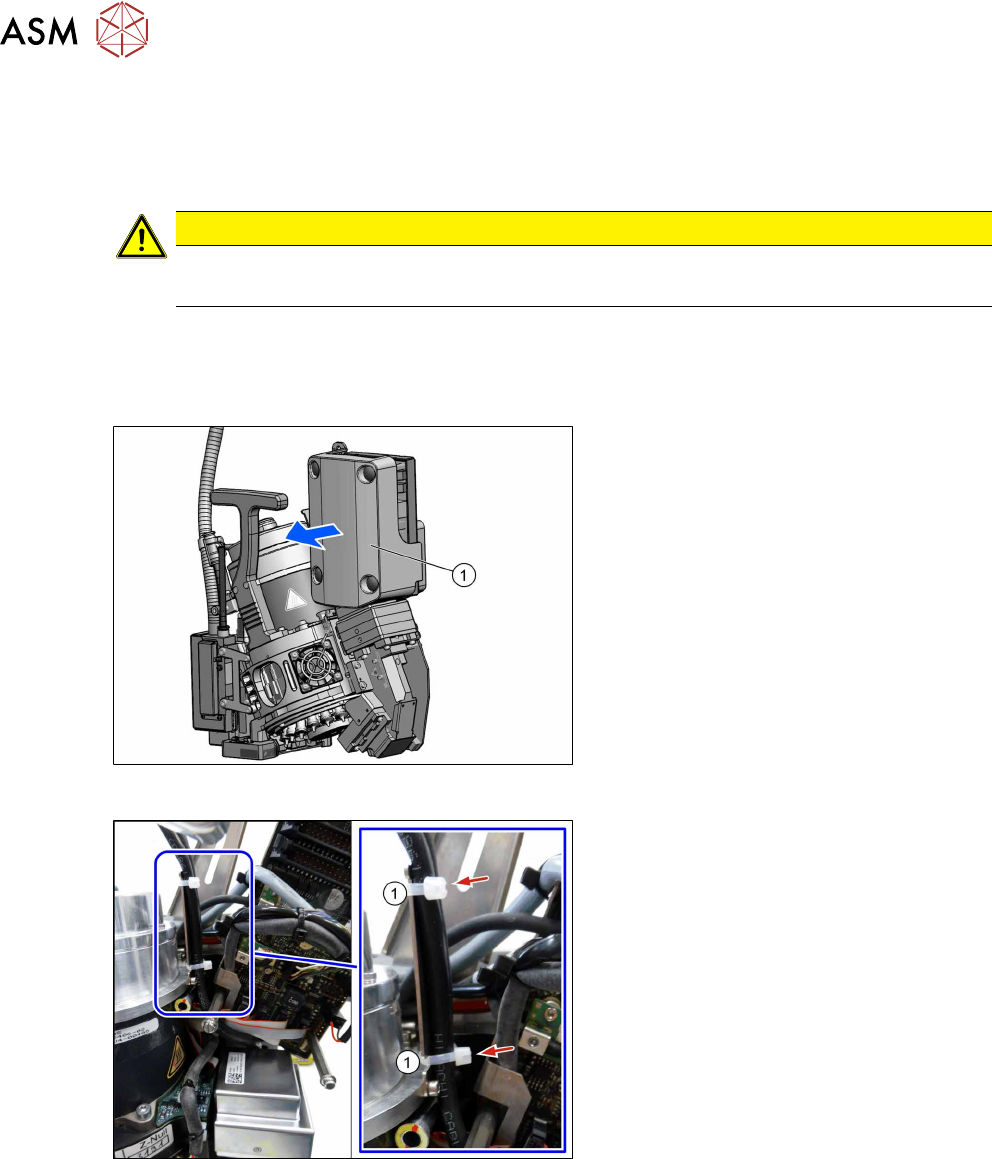
Fig.6: Pulling the cover off
► Pull the cover(1) off the intermediate
distributor.
The cover is fixed by four press studs
on the stay bolts.
Fig.7: Camera cable
► Loosen the cable ties(1).
3 Component camera, Z axis and component sensor
3.1 Replacing the Component Camera
Service Manual SIPLACE SpeedStar (C&P20 P2) 01/2019 15
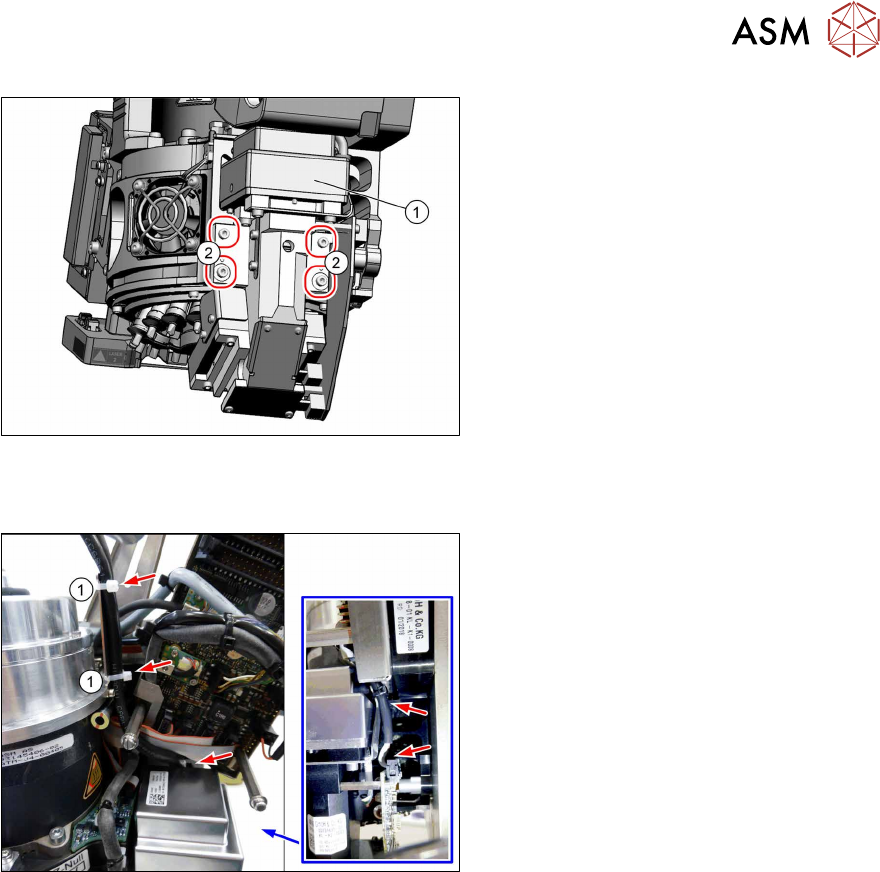
Fig.8: Screws fastening the component camera
► Remove the four fastening screws(2)
(Allen 2.5).
► Carefully pull the component camera
(1) off the locating pins.
Installation
Fig.9: Cables
► Fit the new component camera with
four screws (Allen 2.5, M3x16, torque
1.3Nm).
► Pay attention to how the cables are run
and fasten them with cable ties(1).
► Follow the removal instructions in reverse order for further installation.
► Calibrate the placement head after installation.
If this is not the case, brief calibration will not be suggested and standard calibration must be
performed.