00198608-02_SM_CP20P2_Kunde_EN.pdf - 第31页
3 Component camera, Z axis and component sensor 3.7 Replacing the component sensor Service Manual SIPLACE SpeedStar (C&P20 P2) 01/2019 31 Removal ► Dismantle the Z axis cover. 3.3 "Replacing the Z axis cover&quo…
3 Component camera, Z axis and component sensor
3.7 Replacing the component sensor
30 Service Manual SIPLACE SpeedStar (C&P20 P2) 01/2019
3.7 Replacing the component sensor
CAUTION
Sensitive lenses
The transmitter and receiver unit lenses on the component sensor are highly sensitive.
► Make sure that you do not damage or contaminate the lens system.
Parts
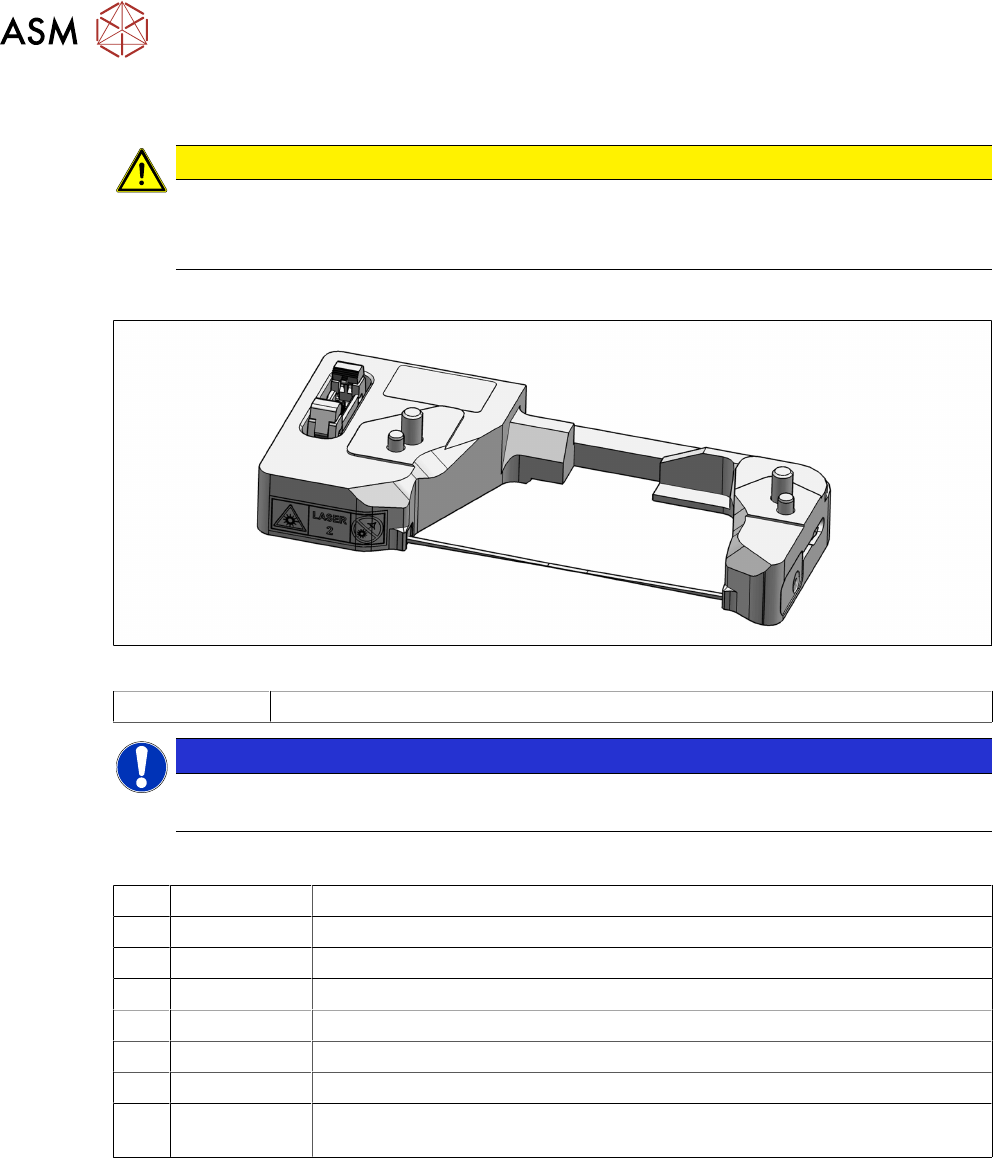
Fig.32: CO sensor
03133310-xx Component sensor C&P20P2
NOTICE
Component sensor cable
If the component sensor cable is damaged, contact the SIPLACE service team.
Equipment and tools
T07 03078400-xx Torque Screwdriver ESD 1.0-5.0 Nm
T19 00318673-xx Wire cutter electronic size 110
T47 00386253-xx Torque screwdriver ESD 0.4-1.0 Nm
T97 03075862-xx Torque Allen swap blade 1.5 mm TX8
T98 03171857-xx Torque Allen swap blade 1.5 mm TX10
T99 03171856-xx Torque Allen swap blade 1.5 mm TX20
C08 00308458-xx Cable ties B=2.5mm, L=102mm Panduit
T --- Tools for removing/fitting and calibrating the placement head, if needed
(see also the service manual for your machine)
Preparation
► Remove the head from the machine. For details about removing and fitting the placement
head, refer to the service manual for your machine.
Fit the head on the head mount [03056231‑xx].
3 Component camera, Z axis and component sensor
3.7 Replacing the component sensor
Service Manual SIPLACE SpeedStar (C&P20 P2) 01/2019 31
Removal
► Dismantle the Z axis cover.
3.3 "Replacing the Z axis cover" [}19]
You can now access the component sensor.
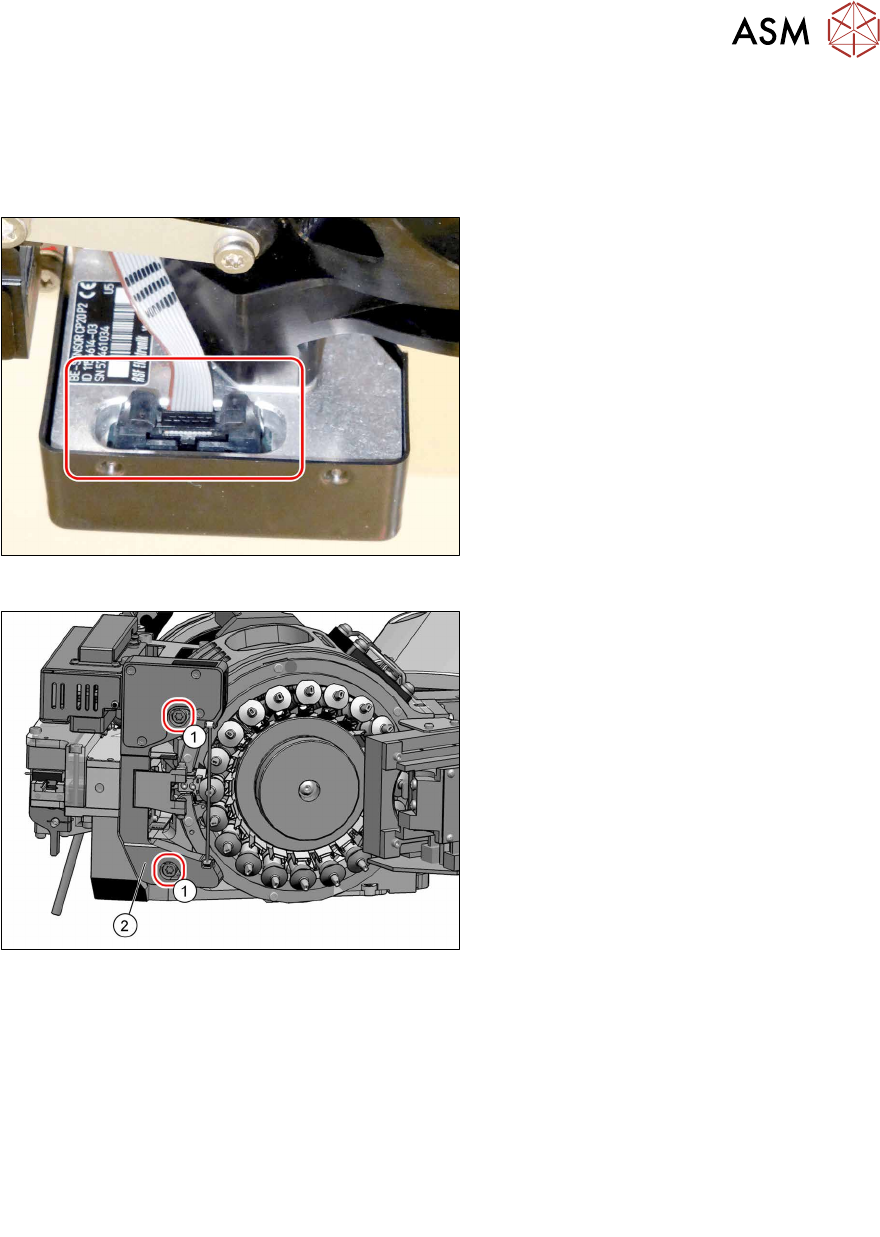
Fig.33: Electrical connection
► Unplug the electrical connection from
the component sensor.
Remove any cable ties if needed. You
may want to mark their positions for
easier exact replacement later on.
Fig.34: Fastening screws
► Remove the two screws(1) (TX20)
fastening the component sensor(2)
and then remove the component
sensor.
Installation
► Fix the new component sensor into place with the two fastening screws (TX20, torque:
1.9Nm) and washers.
► Plug in the electrical connection. Fasten the cable with cable ties, if required.
► Follow the removal instructions in reverse order for further installation.
Also observe the installation instructions in the following section:
3.3 "Replacing the Z axis cover" [}19]
► Observe in particular the torques specified!
► Calibrate the component sensor after installation.

3 Component camera, Z axis and component sensor
3.7 Replacing the component sensor
32 Service Manual SIPLACE SpeedStar (C&P20 P2) 01/2019