00198608-02_SM_CP20P2_Kunde_EN.pdf - 第73页
9 Boards 9.3 Replacing the holding circuit board Service Manual SIPLACE SpeedStar (C&P20 P2) 01/2019 73 Fig.103: Unplugging the cable ► Remove the cable ties and unthread the cable (1) as far as the circuit board f…
9 Boards
9.3 Replacing the holding circuit board
72 Service Manual SIPLACE SpeedStar (C&P20 P2) 01/2019
Removal
► Dismantle the component camera.
3.1 "Replacing the Component Camera" [}13]
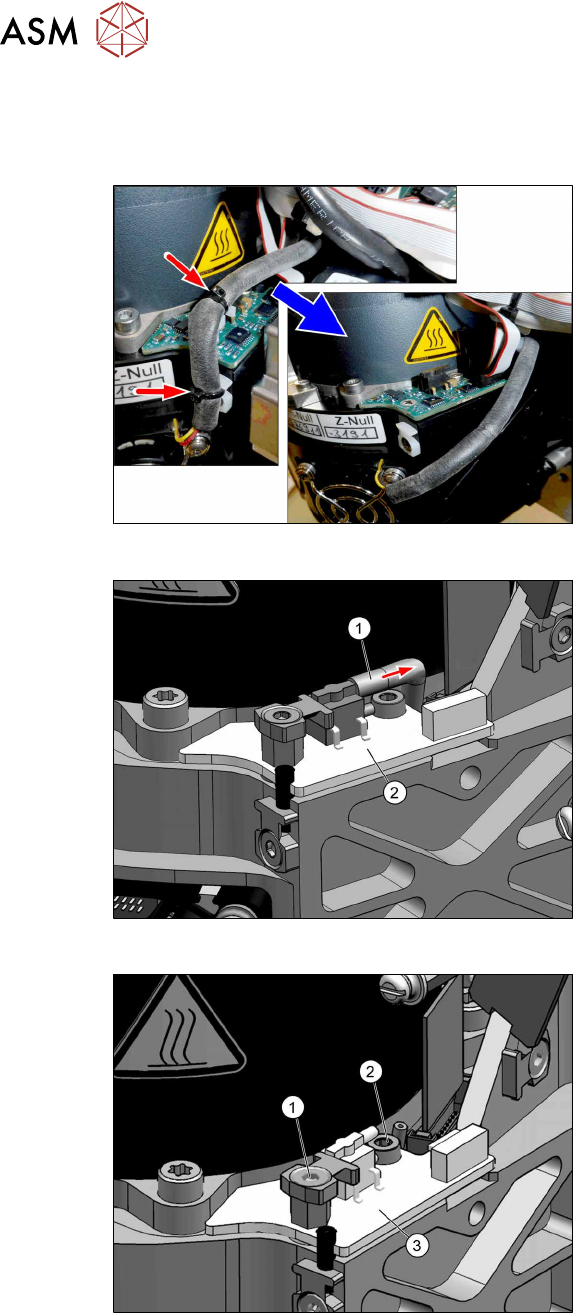
Fig.100: Loosening cable ties
► Remove the cable ties holding the fan
cable.
Fig.101: Unplugging the hose
► Pull the hose(1) off the circuit board for
the holding circuit(2).
Fig.102: Fastening screws
► Remove the two fastening screws (1)
(TX10) and(2) (TX10).
9 Boards
9.3 Replacing the holding circuit board
Service Manual SIPLACE SpeedStar (C&P20 P2) 01/2019 73
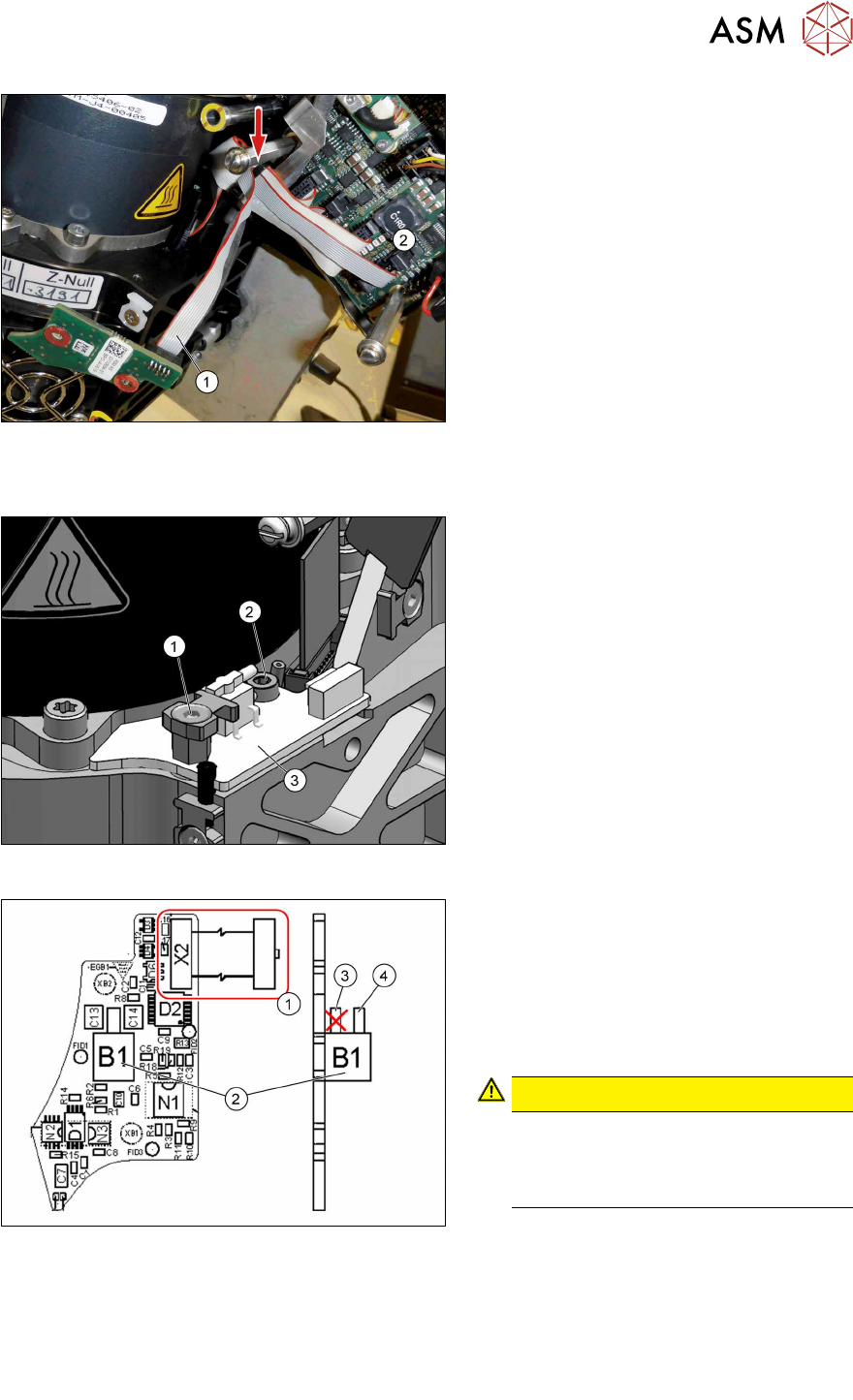
Fig.103: Unplugging the cable
► Remove the cable ties and unthread
the cable(1) as far as the circuit board
for the intermediate distributor(2).
Installation
Fig.104: Fastening the board
► Fit the holding circuit board into place
with two screws. Pay attention to the
different sizes of screws and to the
torques.
1. Front screw: M3x5 (TX10)
Torque: 0.6Nm
2. Back screw: M3x8 (TX10)
Torque: 0.2Nm
Fig.105: Board for holding circuit assembly SIPLACE
C&P20 P2
► Reconnect to the electricity supply.
(1)Connector X2 and cable to the inter-
mediate distributor
► Connect the hose to the pressure
sensor(2) (holding circuit/aperture
ring).
Use the top hose connection(4)for this.
CAUTION!
Do NOT use the bottom hose con-
nection(3) directly above the circuit
board. This connection remains
free.
.
► Follow the removal instructions in reverse order for further installation.
Also observe the installation instructions in the following section:
3.1 "Replacing the Component Camera" [}13]
► Observe in particular the torques specified!
► Replace any cable ties which you have removed.

9 Boards
9.3 Replacing the holding circuit board
74 Service Manual SIPLACE SpeedStar (C&P20 P2) 01/2019