1OM-1086-002.pdf - 第102页
1.3 Start of Automatic Operation Operation Procedure (1) Check that the safety doors are closed. (2) Set the [OPERA TION/SET UP] switch to the "OPERA TION" side. Be sure to remove the key from the switch. Fig. …
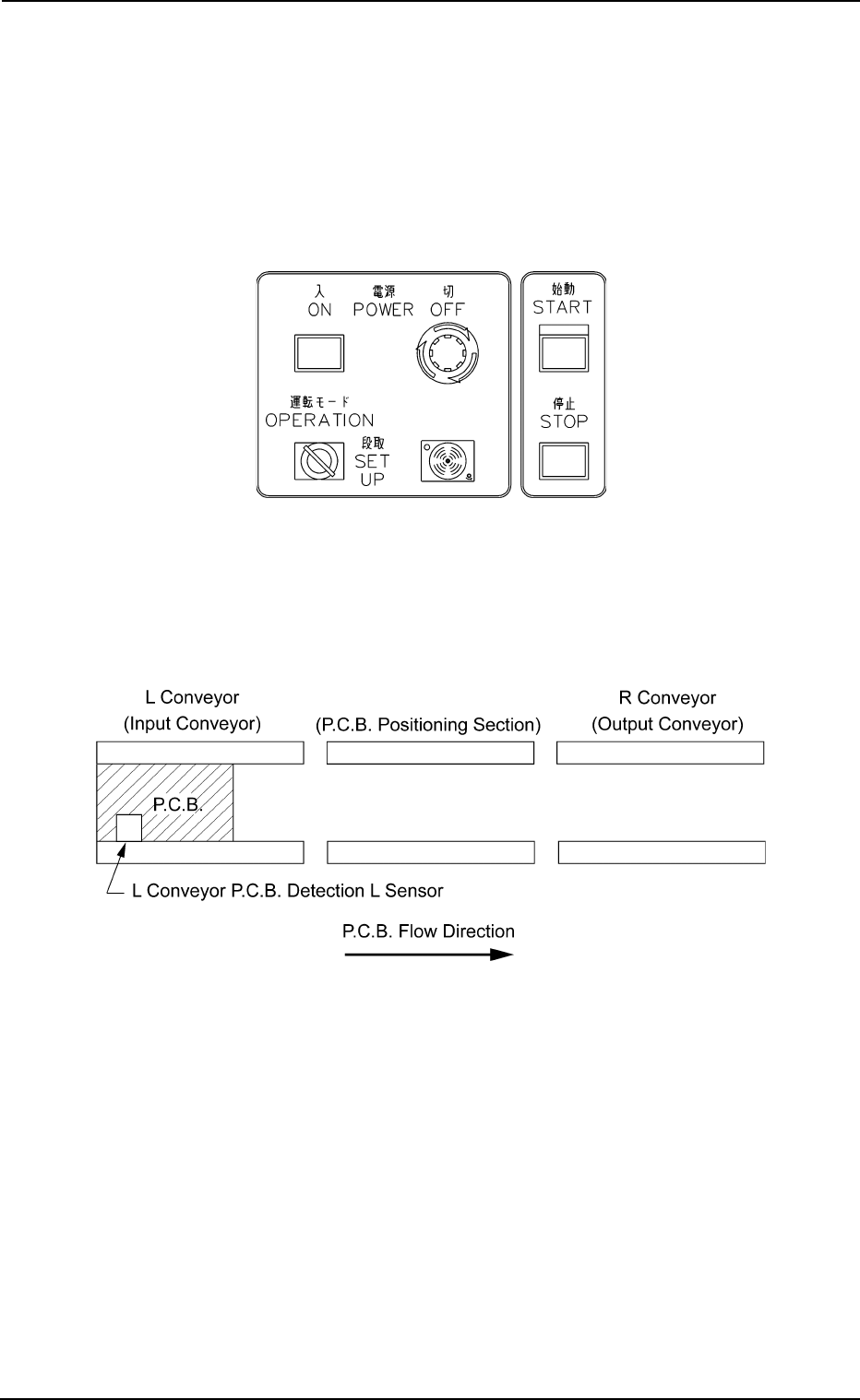
• Preparation for P.C.B.’s
In the case of normal automatic operation, confirm that P.C.B.’s are
prepared in the input machine.
When this machine is operated singly (actual printing test, etc.),
follow the steps below.
(1) Set the [OPERATION/SET UP] switch to "SET UP" side and open
the safety door.
Fig. 1C19
(2) Set a P.C.B. on the L conveyor (input conveyor) such that the P.C.B.
detection sensor is turned on (the red LED of the sensor illumi-
nates).
The figure shows that the P.C.B. flows from left to right, based on "Front
Reference".
Fig. 1C20
0211-005 Chapter 1 3-11 Tg0582-PM-D1
1.2 Preparation before Automatic Operation
1.3 Start of Automatic Operation
Operation Procedure
(1) Check that the safety doors are closed.
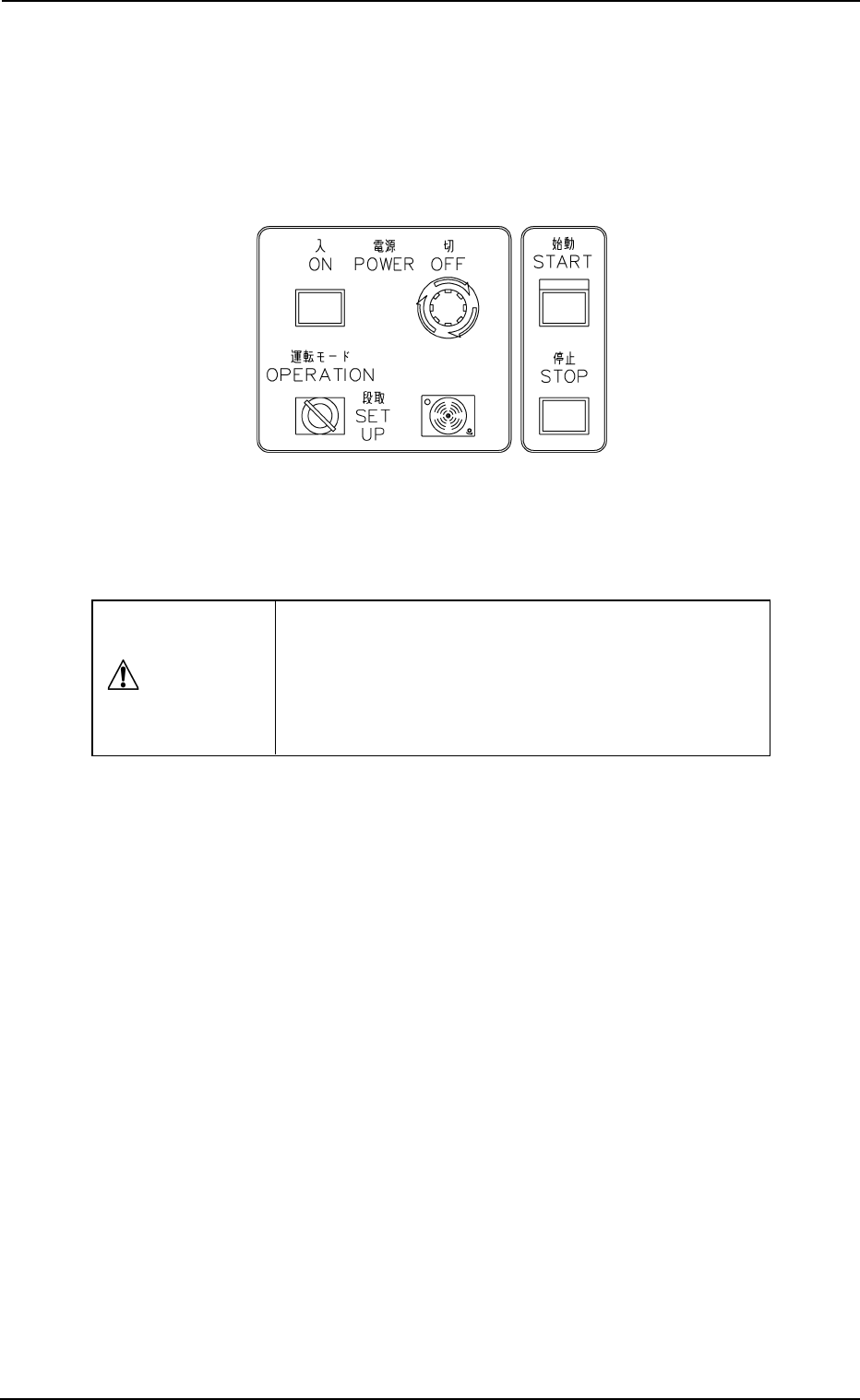
(2) Set the [OPERATION/SET UP] switch to the "OPERATION" side.
Be sure to remove the key from the switch.
Fig. 1C21
(3) Check the surroundings of the machine and confirm safety before
starting the automatic operation.
1.3 Start of Automatic Operation
Check carefully that there is no person around the
moving mechanisms of the machine. (Especially, the
other side of machine operation)
Make sure that no objects such as tools and parts re-
main within the moving mechanisms of the machine.
CAUTION
0211-005 Chapter 1 3-12 Tg0582-PM-D1
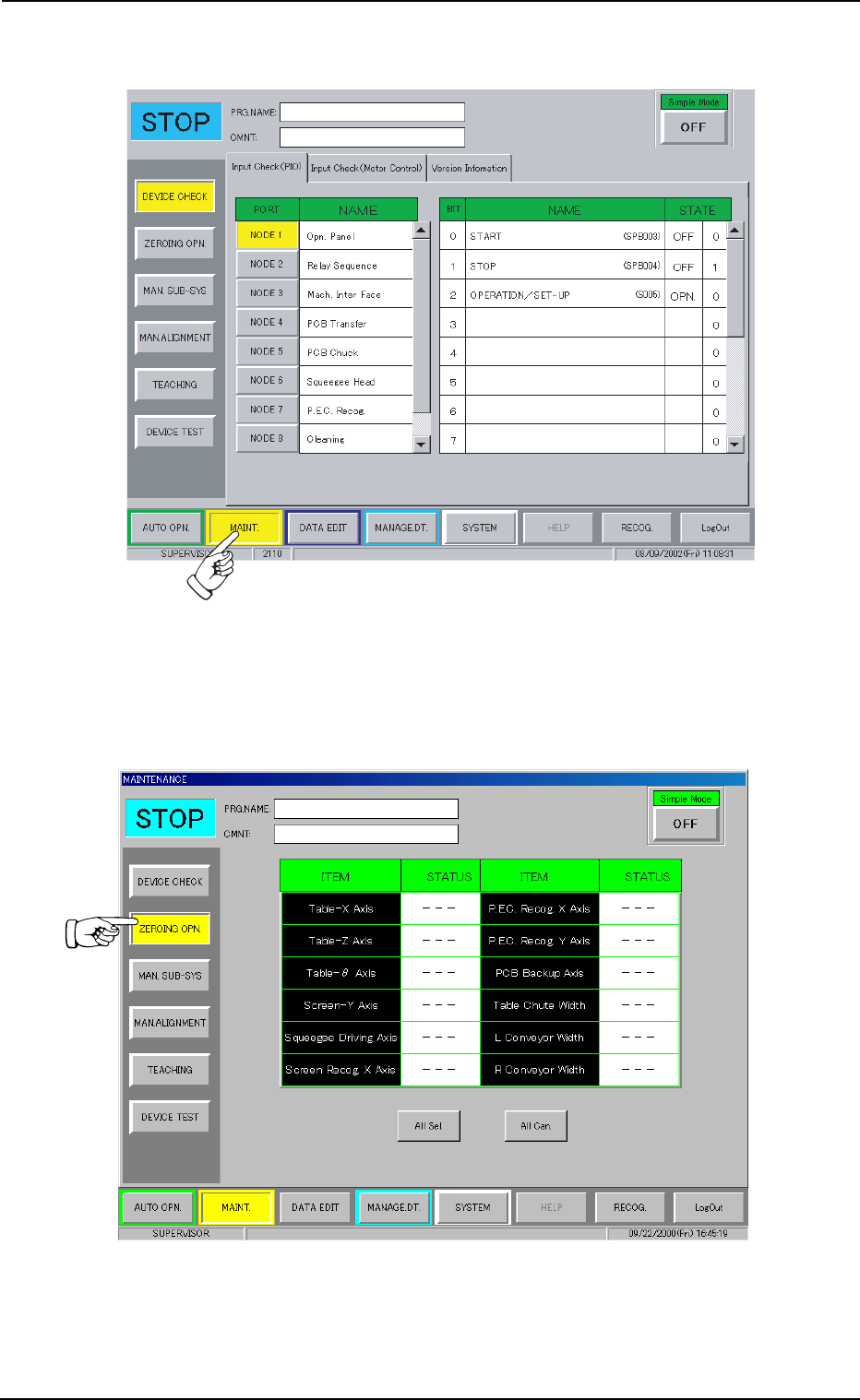
(4) Press the [MAINT.] button on the main menu bar.
Fig. 1C22 "MAINTENANCE" Window (Main Menu)
(5) When the [ZEROING OPN.] button on the submenu bar is pressed,
the following window opens.
Fig. 1C23 "ZEROING OPERATION" Window (Submenu)
1.3 Start of Automatic Operation
0211-005 Chapter 1 3-13 Tg0582-PM-D1