1OM-1086-002.pdf - 第104页
(6) Press the [All Sel.] button and then the [ST ART] button on the front operation panel. The devices other than the table chute width and the L/R conveyor widths are zeroed. 1.3 Start of Automatic Operation 021 1-005 C…
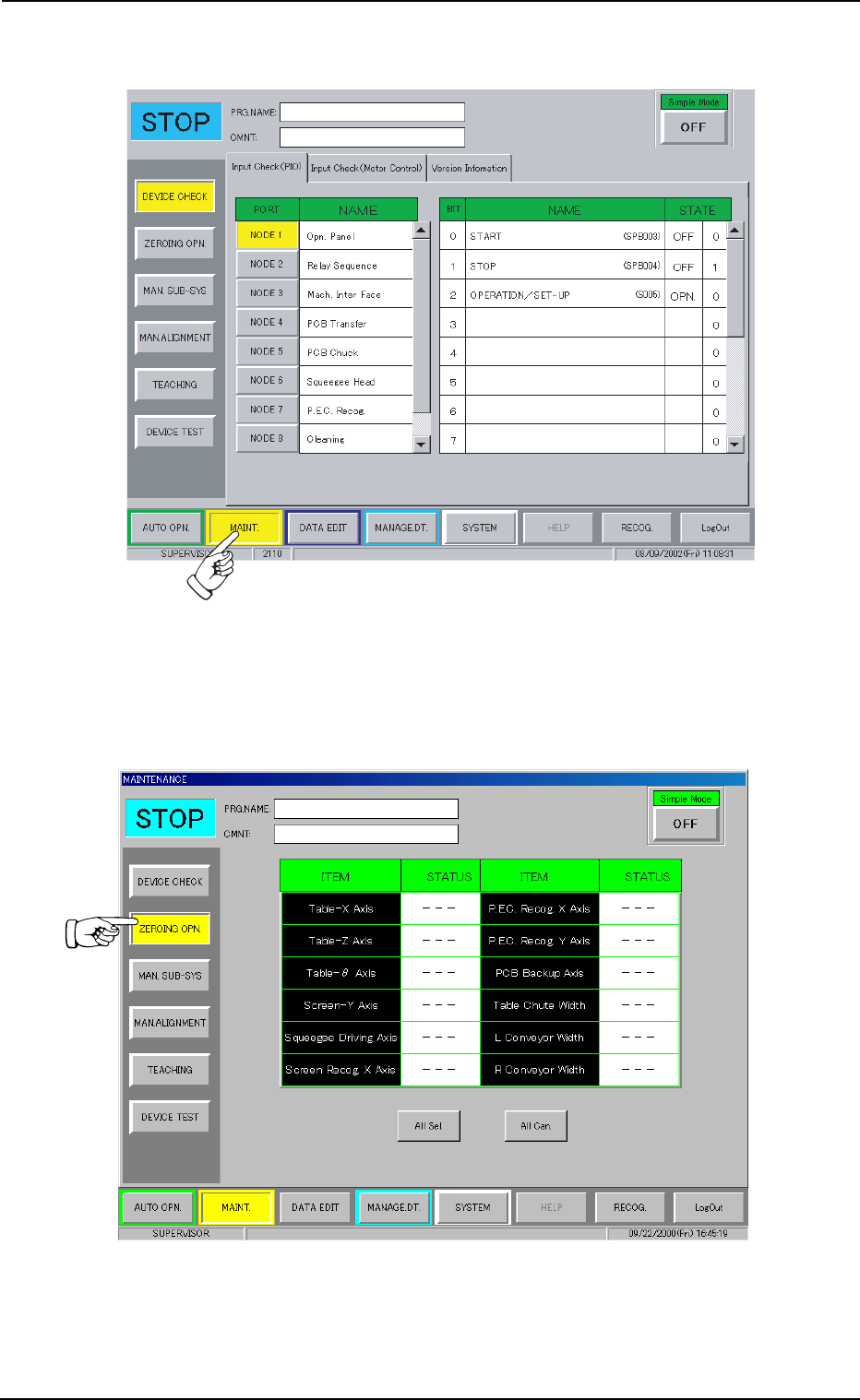
(4) Press the [MAINT.] button on the main menu bar.
Fig. 1C22 "MAINTENANCE" Window (Main Menu)
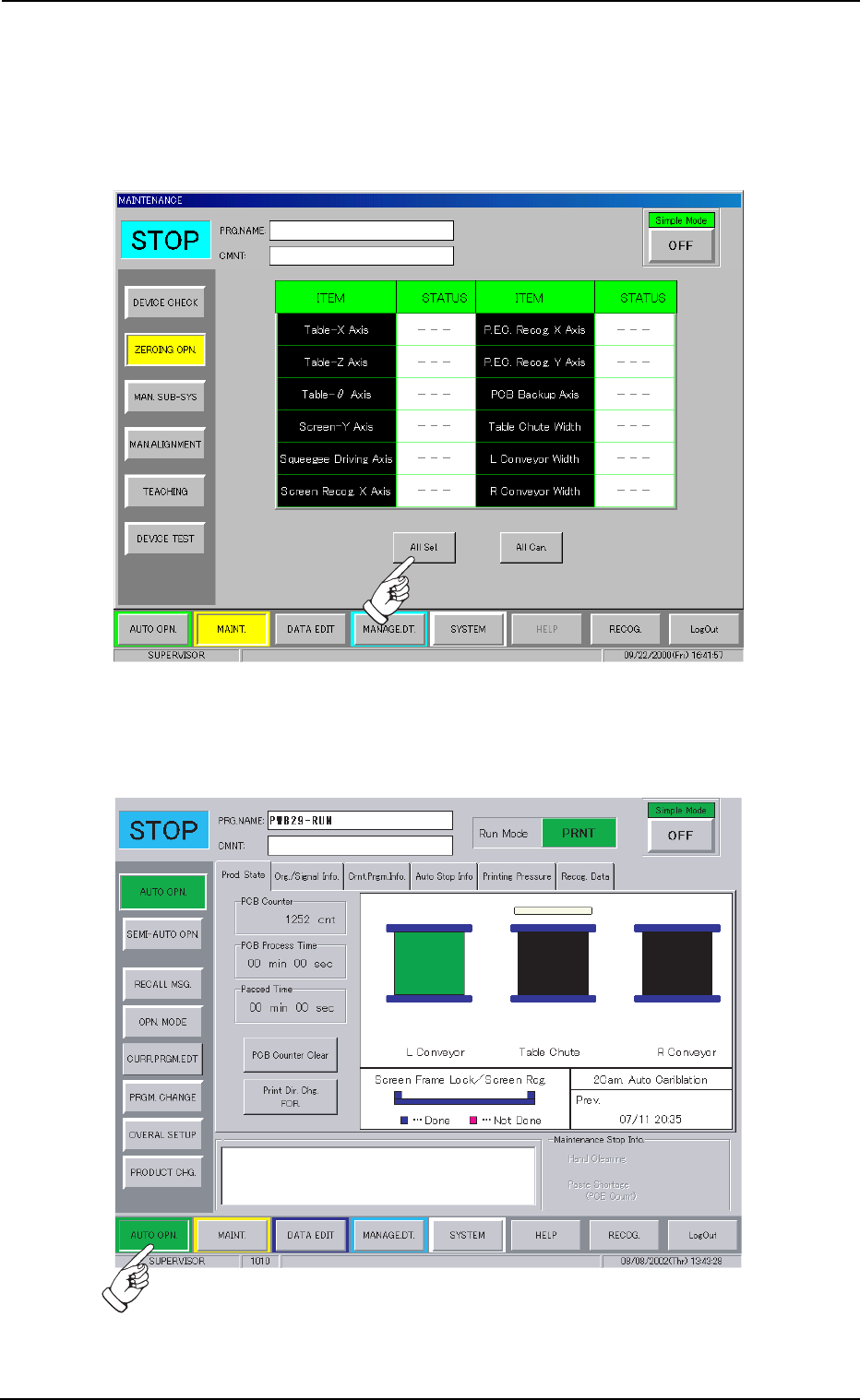
(5) When the [ZEROING OPN.] button on the submenu bar is pressed,
the following window opens.
Fig. 1C23 "ZEROING OPERATION" Window (Submenu)
1.3 Start of Automatic Operation
0211-005 Chapter 1 3-13 Tg0582-PM-D1
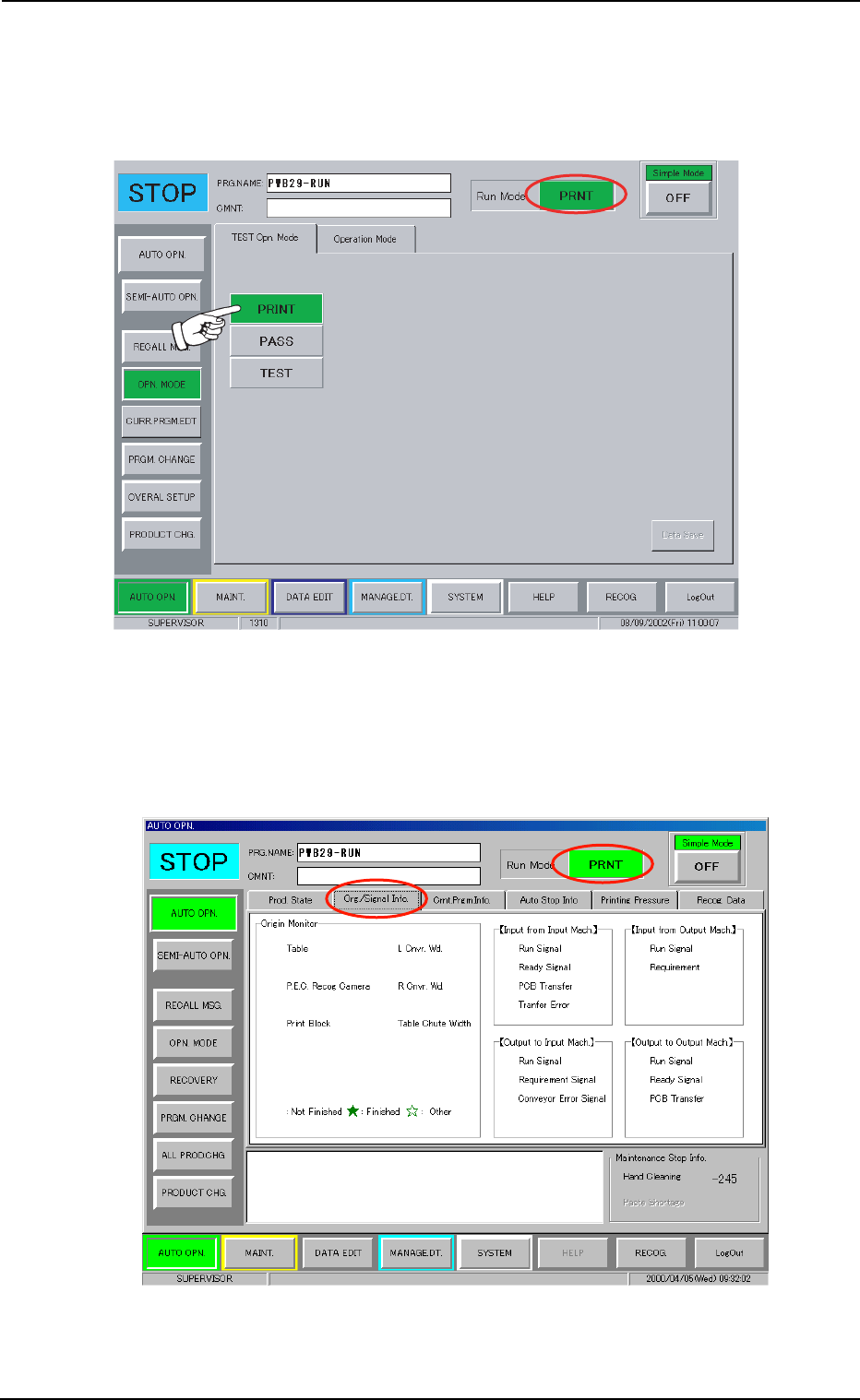
(6) Press the [All Sel.] button and then the [START] button on the front
operation panel.
The devices other than the table chute width and the L/R conveyor
widths are zeroed.
1.3 Start of Automatic Operation
0211-005 Chapter 1 3-14 Tg0582-PM-D1
(7) Press the [AUTO OPN.] button on the main menu bar.
Fig. 1C24 "ZEROING OPERATION" Window (Submenu)
Fig. 1C25
0211-005 Chapter 1 3-15 Tg0582-PM-D1
1.3 Start of Automatic Operation
Fig. 1C26 "TEST Opn. Mode" Tab Sheet
(8) Press the [OPN. MODE] button on the submenu bar and select the
[PRINT] button in the "TEST Opn. Mode" tab sheet.
"Run Mode" (displayed at the upper area of the sheet) is changed
to "PRINT".
(9) Press the [Org./Signal Info.] tab in the "AUTO OPN." window
(submenu). The "Org./Signal Info." tab sheet opens. Check the
origin marks.
Fig. 1C27 "AUTO OPN." Window (Submenu)