1OM-1086-002.pdf - 第115页
1.7 Shut-Down Operation 0509-006 Chapter 1 3 - 25 Tg0582-PM-D1 (2) The "Log In T ype Selection" window opens. Fig. 1C35 (3 ) Press the [SHUT DOWN] button in the "Log In T ype Selection" window . The c…
1.7 Shut-Down Operation
0509-006 Chapter 1 3-24 Tg0582-PM-D1
1.7 Shut-Down Operation
1.7.1 Shut-Down Procedure
The following explains how to shut down the power to the machine.
Be sure to log out from an operation window to open
the "Log In Type Selection" window and go through
the shutdown procedure by pressing the [SHUT
DOWN] button before turning off the power to the
machine.
• When the power is turned off without going through
the shutdown procedure, the saved data may be
lost and/or the hard disk and the main body of the
machine may be damaged.
Operation Procedure
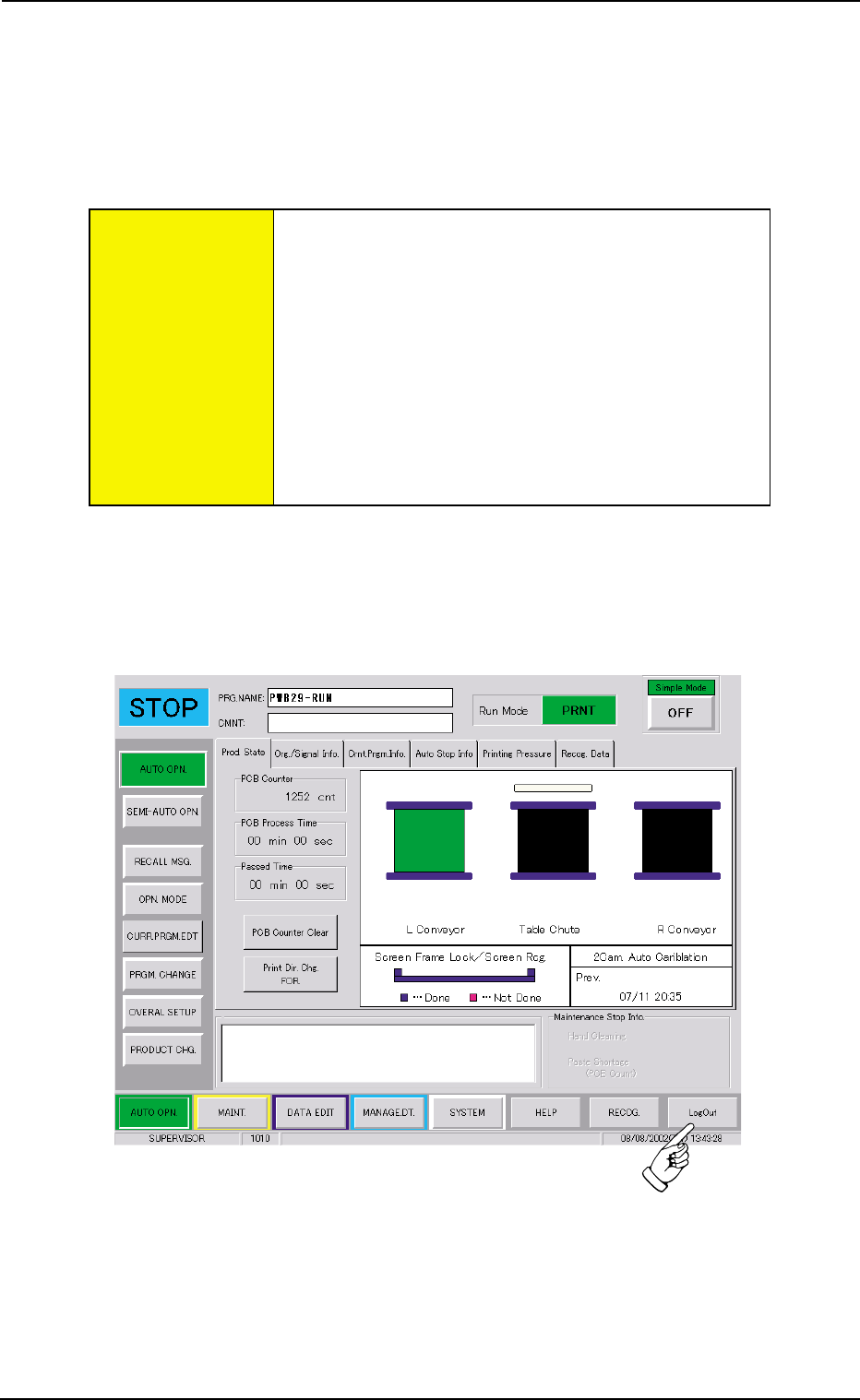
(1) Press the [LogOut] button on the main menu bar.
Fig. 1C34
CAUTION
1.7 Shut-Down Operation
0509-006 Chapter 1 3-25 Tg0582-PM-D1
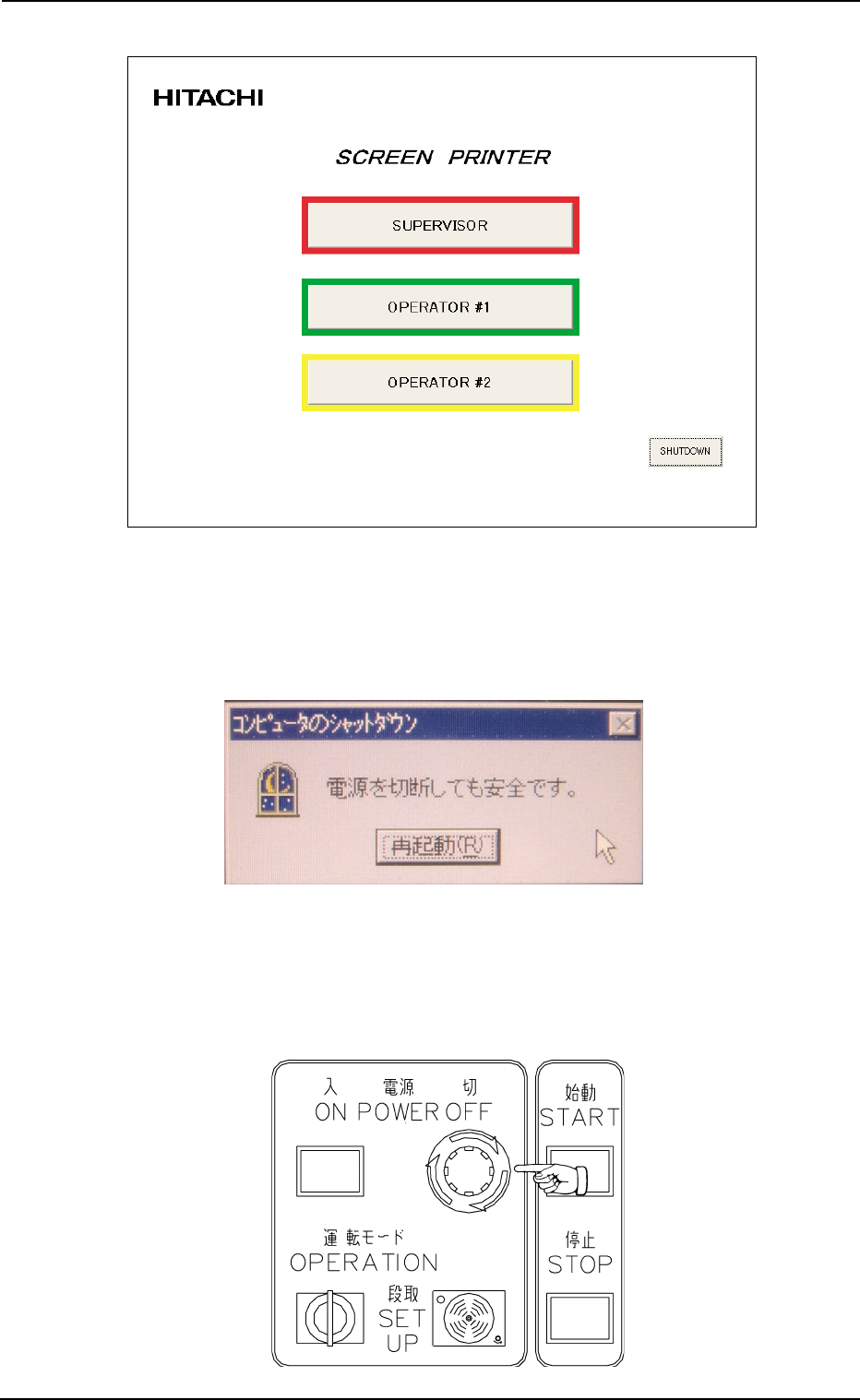
(2) The "Log In Type Selection" window opens.
Fig. 1C35
(3) Press the [SHUT DOWN] button in the "Log In Type Selection"
window.
The confirmation dialog box opens, asking the operator if the power
to the machine must really be shut down or not.
Fig. 1C36 "Shut Down Confirmation" Dialog Box
(4) Press the [POWER OFF] button of the front operation panel while
the "Shut Down Confirmation" dialog box appears.
The lighting for [POWER ON] button is extinguished.
Press the [REBOOT] button to cancel the shutdown operation.
Fig. 1C37
1.7 Shut-Down Operation
0509-006 Chapter 1 3-26 Tg0582-PM-D1
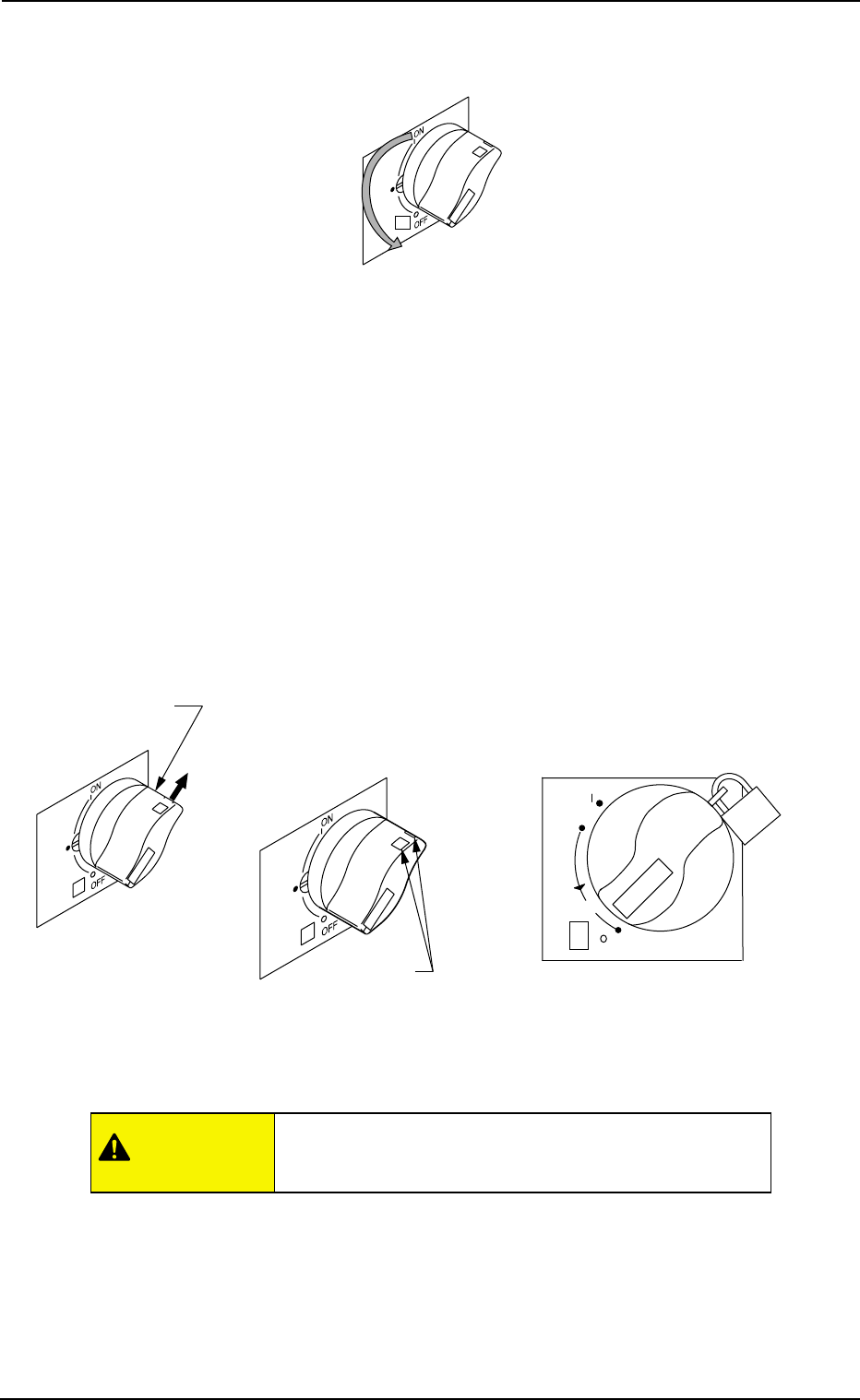
(5) Set the lever of the power breaker to the "OFF" position.
The main power lamp extinguishes.
Fig. 1C38
1.7.2 Locking the Power Breaker with the Padlock
When the machine is not used for a long period of time, lock the power
breaker using the padlock.
(1) Pull out the lock lever of the power breaker in the A direction. See
the figure below.
Keep holding the lock lever. Otherwise, the lever will pull back.
(2) Engage the shackle of the padlock through the lock slots and lock
the crank.
Fig. 1C38-1
Keep the padlock key inaccessible to any person ex-
cept for the person in charge of maintenance.
CAUTION
reset
OFF
ON
tripped
push
20
Lock Slots
Lock Lever
(Before Padlocking) (Padlock)
A