1OM-1086-002.pdf - 第119页
2.1 Startaing the Machine in "P ASS" Mode 021 1-005 Chapter 1 3 - 29 Tg0582-PM-D1 (6) Press the [ST ART] button on the front operation panel. The devices other than the table chute width and the L/R conveyor wi…
2.1 Startaing the Machine in "PASS" Mode
0211-005 Chapter 1 3-28 Tg0582-PM-D1
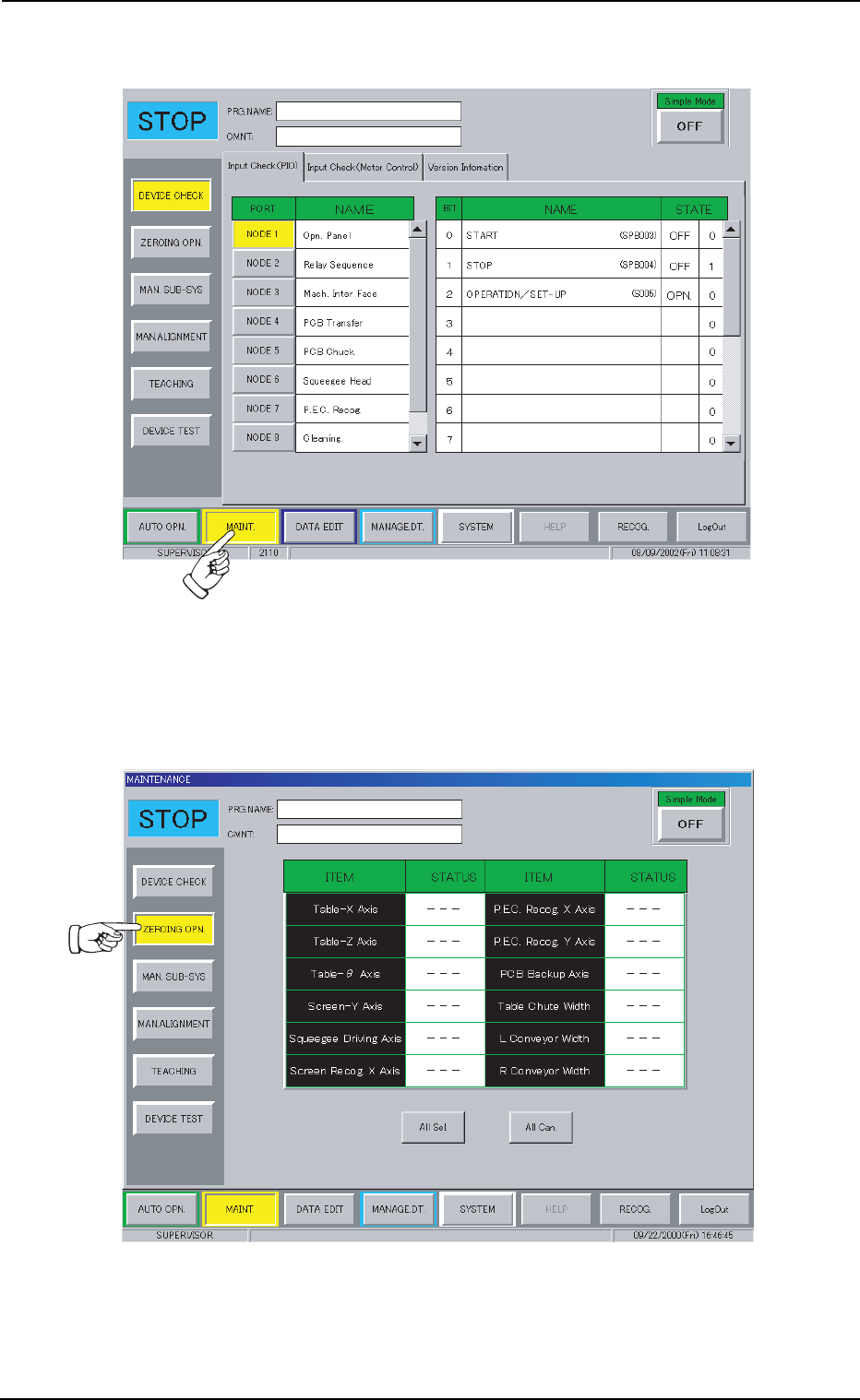
(4) Press the [MAINT.] button on the main menu bar.
Fig. 1C40 "MAINTENANCE" Window (Main Menu)
(5) When the [ZEROING OPN.] button on the submenu bar is pressed,
the following window opens.
Fig. 1C41 "ZEROING OPERATION" Window (Submenu)
2.1 Startaing the Machine in "PASS" Mode
0211-005 Chapter 1 3-29 Tg0582-PM-D1
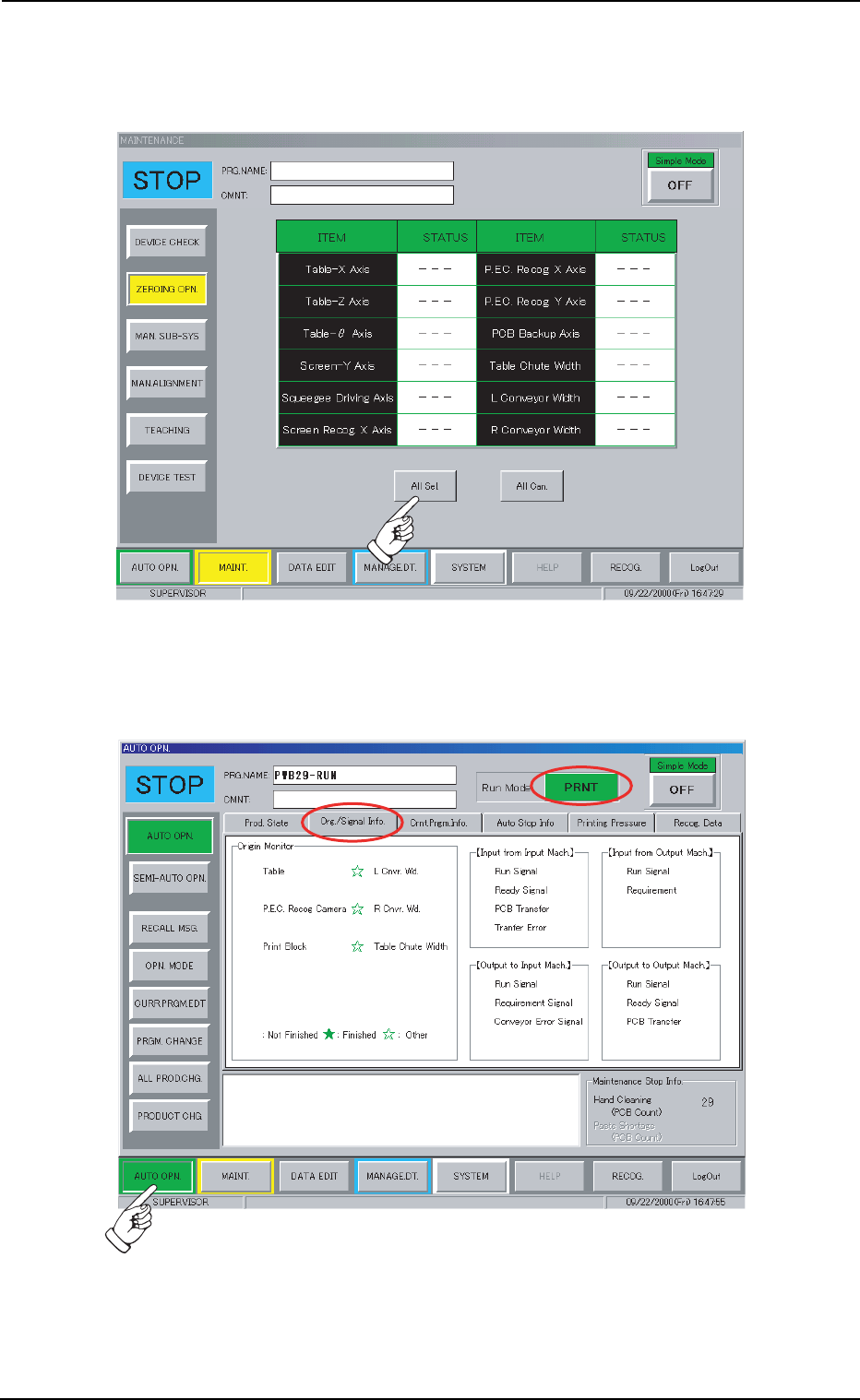
(6) Press the [START] button on the front operation panel.
The devices other than the table chute width and the L/R conveyor
widths are zeroed.
Fig. 1C42 "ZEROING OPERATION" Window (Submenu)
(7) Press the [AUTO OPN.] button on the main menu bar.
Fig. 1C43
2.1 Startaing the Machine in "PASS" Mode
0211-005 Chapter 1 3-30 Tg0582-PM-D1
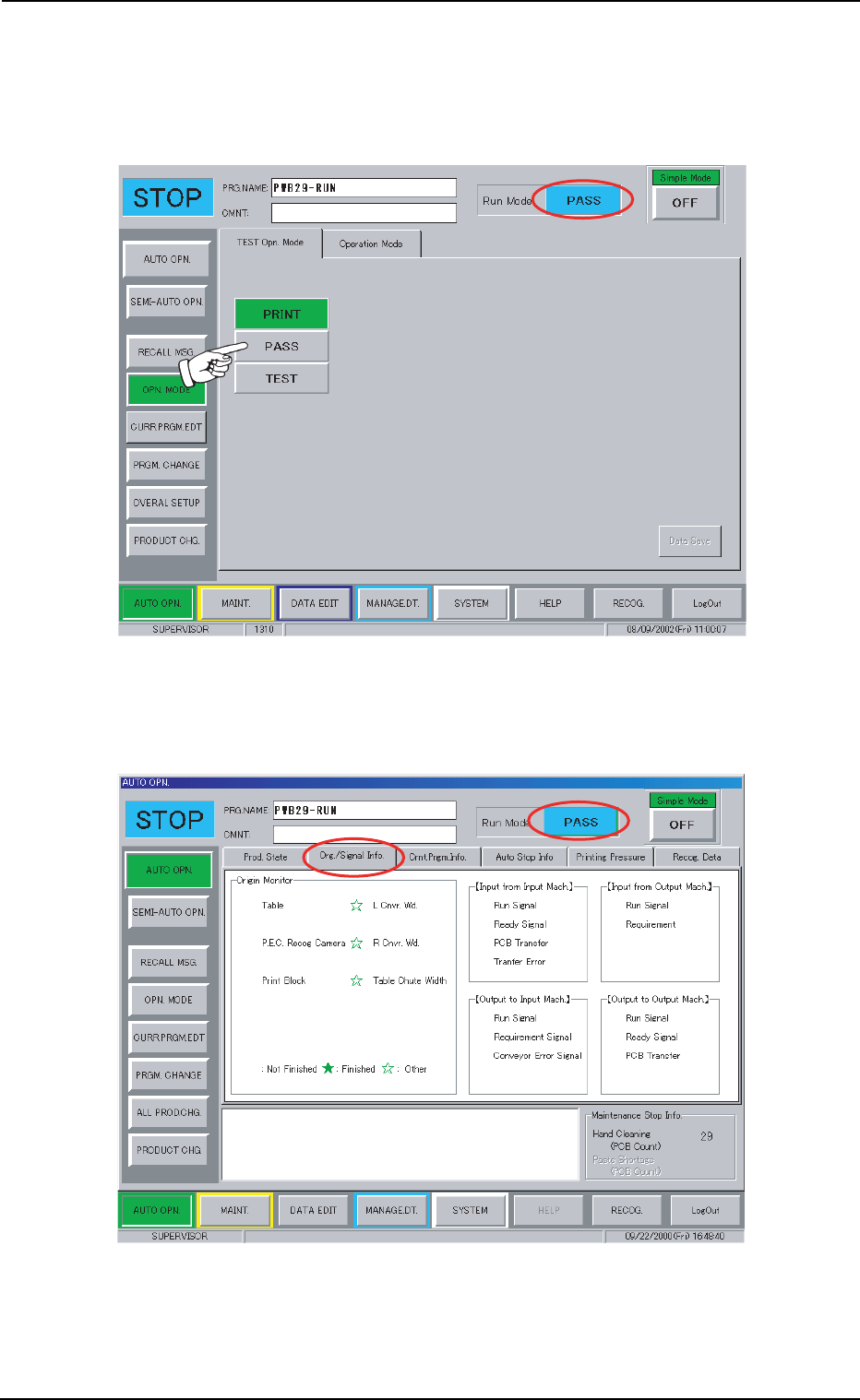
(8) Press the [OPN. MODE] button on the submenu bar and select the
[PASS] button in the "TEST Opn. Mode" tab sheet.
"Run Mode" (displayed at the upper area of the sheet) is changed
to “PASS”.
Fig. 1C44 "TEST Opn. Mode" Tab Sheet
(9) Press the [Org./Signal Info.] tab to check the origin marks.
Fig. 1C45 "Org./Signal Info." Tab Sheet