1OM-1086-002.pdf - 第125页
1. Power Operation Impossible T able 1D1 Symptom Although the [POWER ON] button on the front operation panel is pressed, power is not supplied. Cause (Cause 1) The [POWER ON] button was not pressed for more than 2 second…

Section 4
Remedy of Simple Trouble
0211-005 Chapter 1 4-1 Tg0582-PM-D1
This section describes the countermeasures against easy
problems to be taken by the operator of the machine.
When the operator cannot solve a problem, contact the
supervisor (the person in charge of machine manage-
ment).
1. Power Operation Impossible
Table 1D1
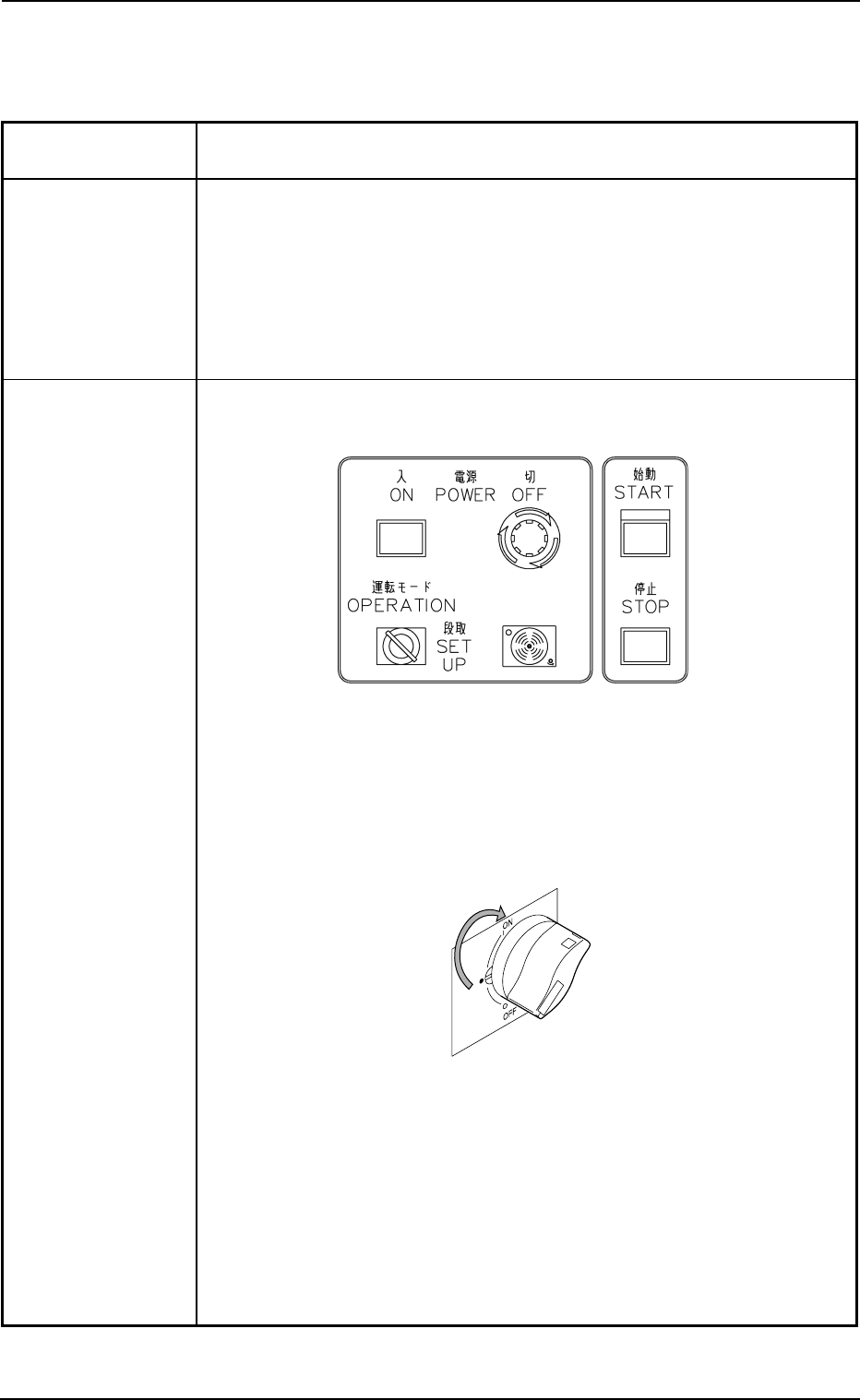
Symptom Although the [POWER ON] button on the front operation panel is pressed,
power is not supplied.
Cause (Cause 1) The [POWER ON] button was not pressed for more than 2
seconds.
(Cause 2) The [POWER OFF] button on the front operation panel is
locked in the "OFF" mode.
(Cause 3) The power breaker is turned "OFF".
(Cause 4) The air pressure has not reached the specified one "0.39
MPa (4 kgf/cm
2
)".
Remedy (Remedy 1) Press and hold the [POWER ON] button on the front op-
eration panel for more than 2 seconds.
Fig. 4D1
(Remedy 2) Turn the [POWER OFF] button on the front operation panel
in the arrow direction until it is unlocked and press and
hold the [POWER ON] button for more than 2 seconds.
(Remedy 3) Set the power breaker to "ON".
Fig. 4D2
(Remedy 4) Refer to "1.1.1 Checking of Power Supply and Air Pres-
sure in Section 3 of Chapter 1" for details and supply air to
the machine.
If the air pressure has not reached the specified one, refer
to "Section 1 Periodic Maintenance" of Chapter 3 in Vol-
ume 2 for details and adjust the pressure.
1. Power Operation Impossible
0211-005 Chapter 1 4-2 Tg0582-PM-D1

2. Nothing appears on the touch screen.
Table 1D2
Symptom Nothing appears on the touch screen.
Cause (Cause 1) The monitor protection function is working.
(Cause 2) Power is not supplied from the source.
Remedy (Remedy 1) Touch the touch screen to resume the screen you left and
continue working.
(Remedy 2) Refer to "1. Power Operation Impossible in Section 4" for
details.
2. Nothing appears on the touch screen.
0211-005 Chapter 1 4-3 Tg0582-PM-D1