1OM-1086-002.pdf - 第176页
021 1-005 Chapter 2 3 - 16 Tg0582-PM-D1 3. Supplement of V arious Operations 3. 1 Usage of T emplate When the P .C.B. alignment jig is not used, follow the steps below . (1) Place the P .C.B. with the supported face turn…

0211-005 Chapter 2 3-15 Tg0582-PM-D1
2.3 Test Printing and Automatic Operation
Step 1 Test Printing
Perform both forward and backward printing operations and
check the printing condition.
When a positional deviation is found, correct the inaccurate
position correction data of the pattern program.
The correction data for positional deviations can be
corrected through the teaching operation.
Refer to "6.1 "Inaccurate Posn. Correction" Tab"
(Section 6 of Chapter 2) for details.
Step 2 Automatic Operation
Open the "AUTO OPERATION" window (submenu) on the
touch screen and press the [START] button on the front opera-
tion panel to start the automatic operation.
2.3 Test Printing and Automatic Operation
0211-005 Chapter 2 3-16 Tg0582-PM-D1
3. Supplement of Various Operations
3.1 Usage of Template
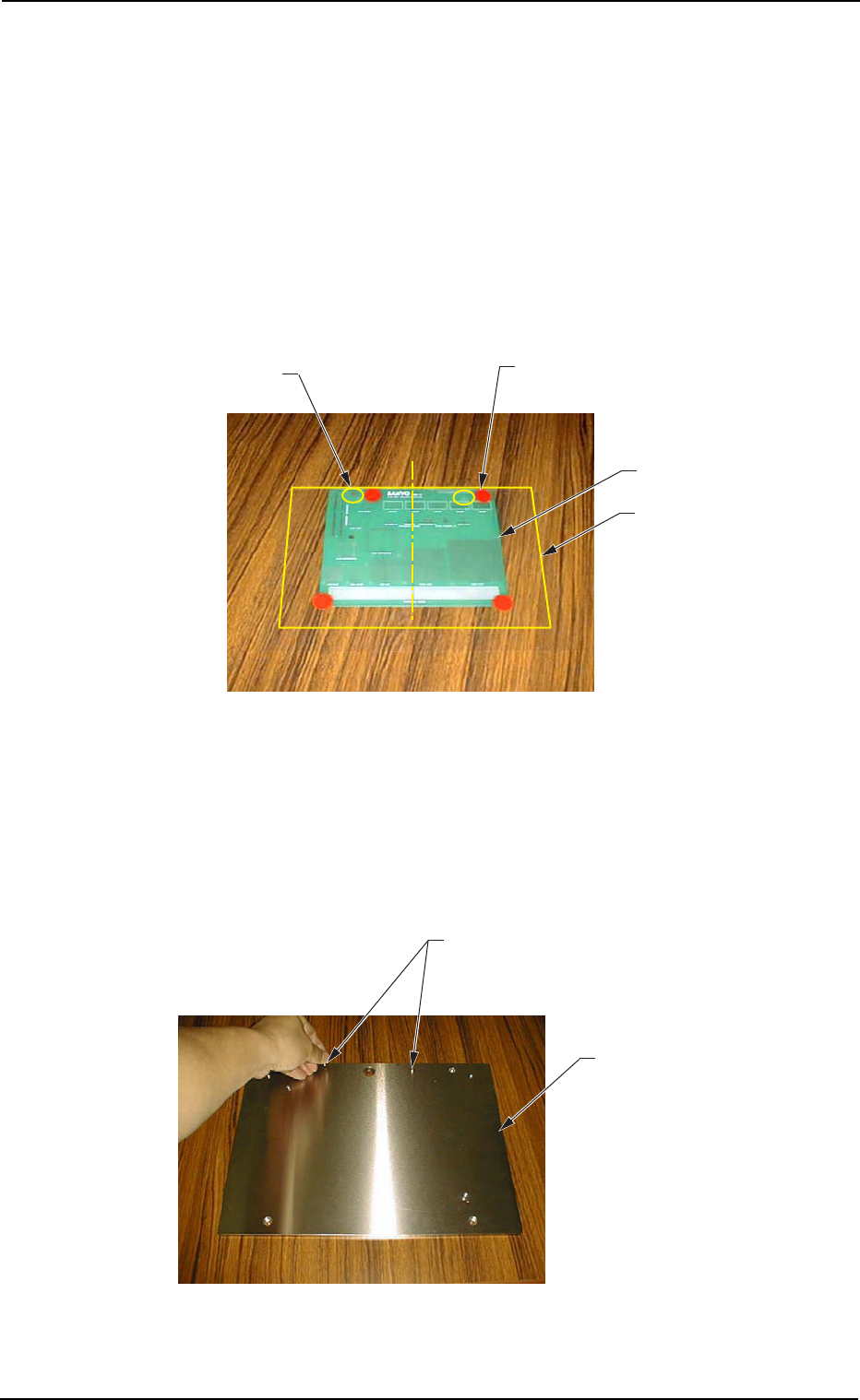
When the P.C.B. alignment jig is not used, follow the steps below.
(1) Place the P.C.B. with the supported face turned up.
(2) Align the end face (Y direction) of the P.C.B. with the end face of the
template where the holes are located and place the template on the
P.C.B., aligning the center line of the template with that of the P.C.B.
Fig. 2C10
(3) Put marks on the areas (where there is no pattern and the P.C.B.
can be supported in a well-balanced condition) of the template with
a pen (oil-based ink).
(4) Insert the positioning into the holes of the magnet-type subbackup
plate. (2 places)
Fig. 2C11
3. Supplement of Various Operations
Hole of Template
Marking
P.C.B.
Template
Positioning Pins
Magnet-Type
Subbackup Plate
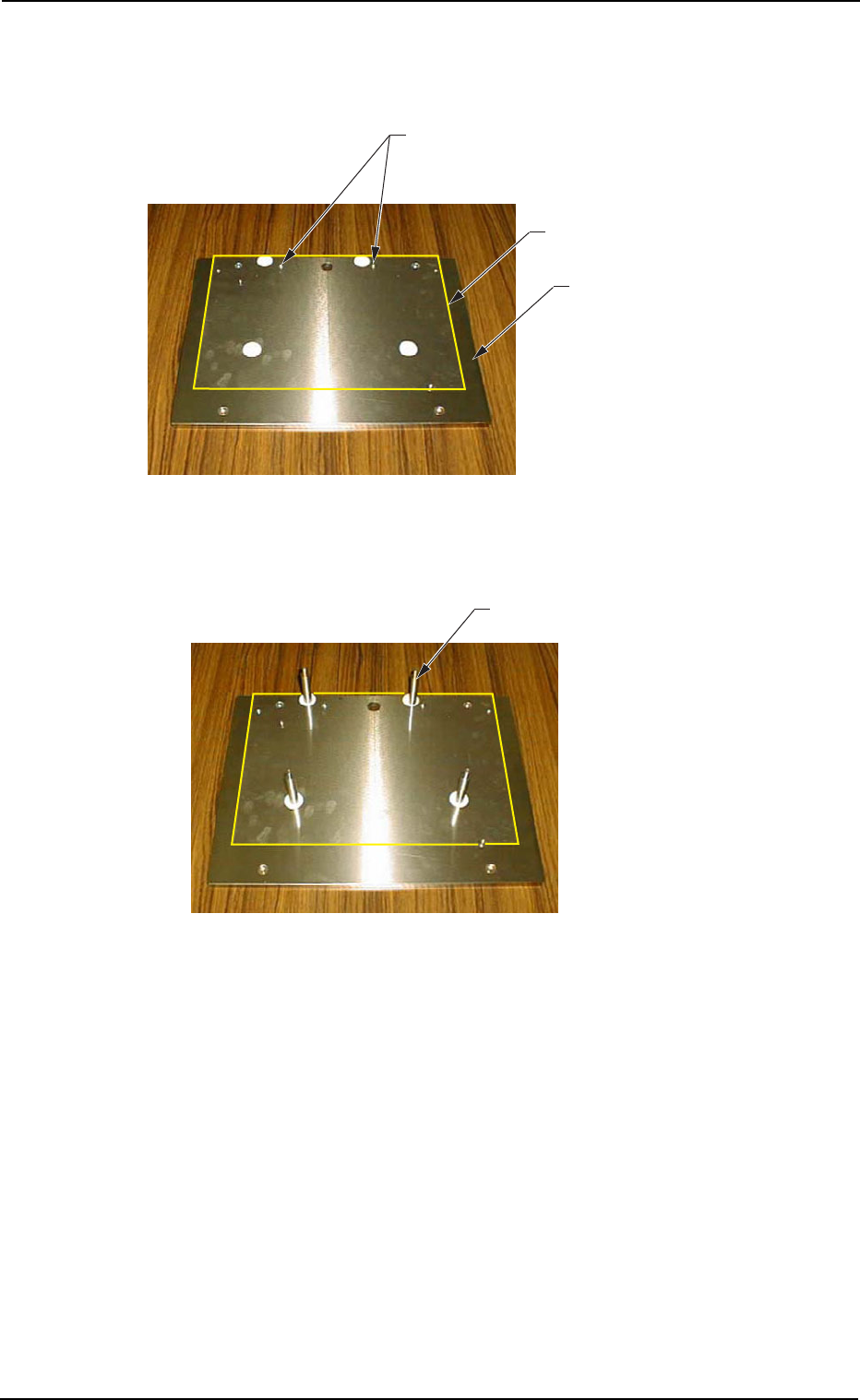
(5) Turn the template upside down and set the template to the magnet-
type subbackup plate such that the positioning pins can be inserted
into the holes of the template.
Fig. 2C12
(6) Set the magnet support pins at the marked positions.
Fig. 2C13
3.1 Usage of Template
Positioning Pins
Template
Magnet-Type
Subbackup Plate
Magnet Support Pins
0211-005 Chapter 2 3-17 Tg0582-PM-D1