1OM-1086-002.pdf - 第184页
*3 [DA T A EDIT] Button When this button is pressed, the "Pattern Program" window opens, enabling you to edit the data. (V ol. 2, Chapter 1, Section 2) *4 [MANAGE DT .] Button When this button is pressed, the &…
1. Hierarchical Structure (Menus)
1.1 About the Main Menu Bar
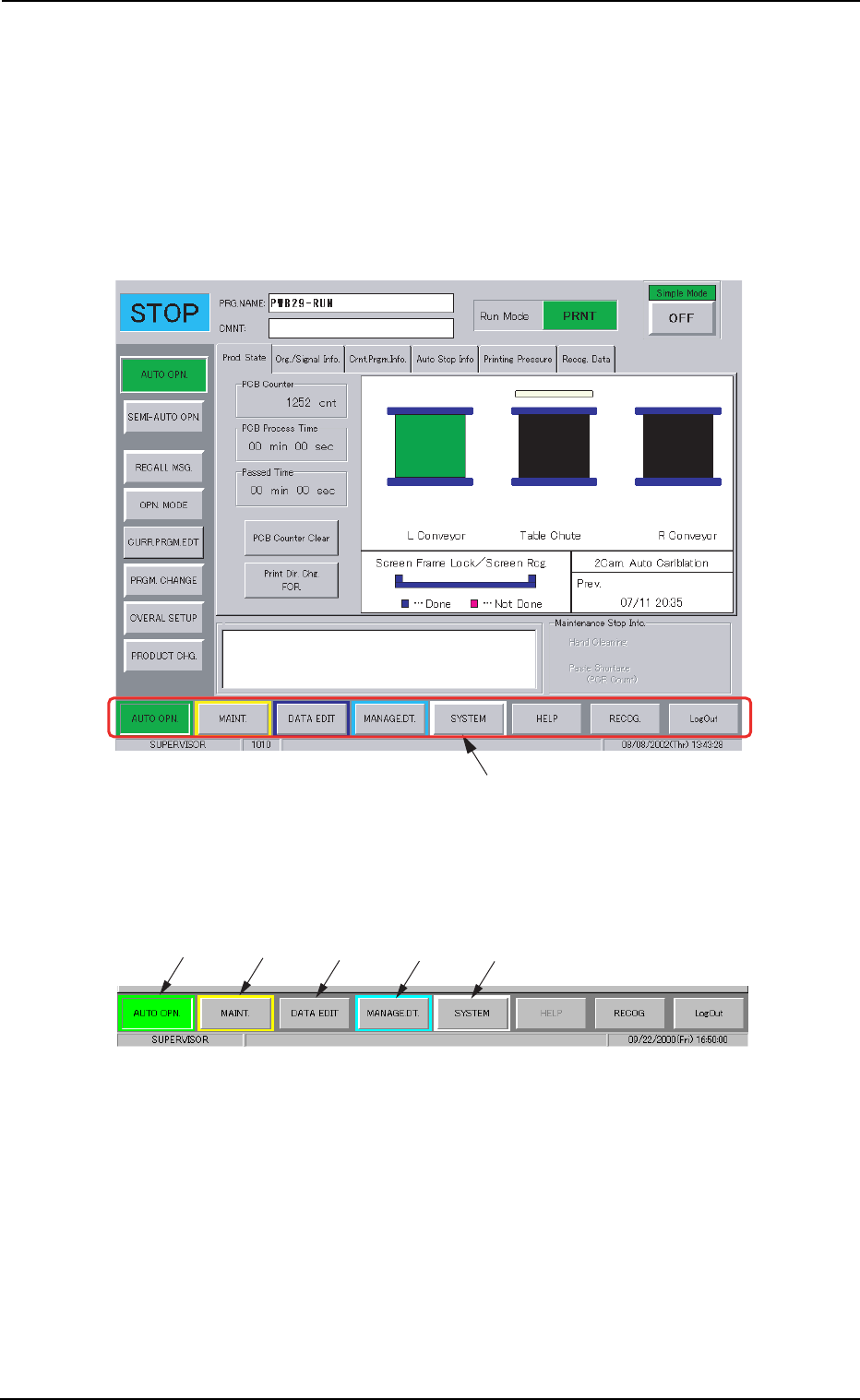
The main menu bar is provided with five buttons ([AUTO OPN.], [MAINT.],
[DATA EDIT], [MANAGE DT.], and [SYSTEM] buttons). When each
button (menu) is selected, the corresponding window opens.
Fig. 2D1
1.1.1 Selection Buttons on Main Menu Bar
Fig. 2D1-1
*1 [AUTO OPN.] Button
When this button is pressed, the "AUTO OPN." window (main
menu) opens. ("1.1" in Section 5)
*2 [MAINT.] Button
When this button is pressed, the "MAINTENANCE" window (main
menu) opens. ("1.1" in Section 6)
0211-005
Chapter 2 4-2 Tg0582-PM-D1
1. Hierarchical Structure (Menus)
Main Menu Bar
*1 *2 *3 *4 *5
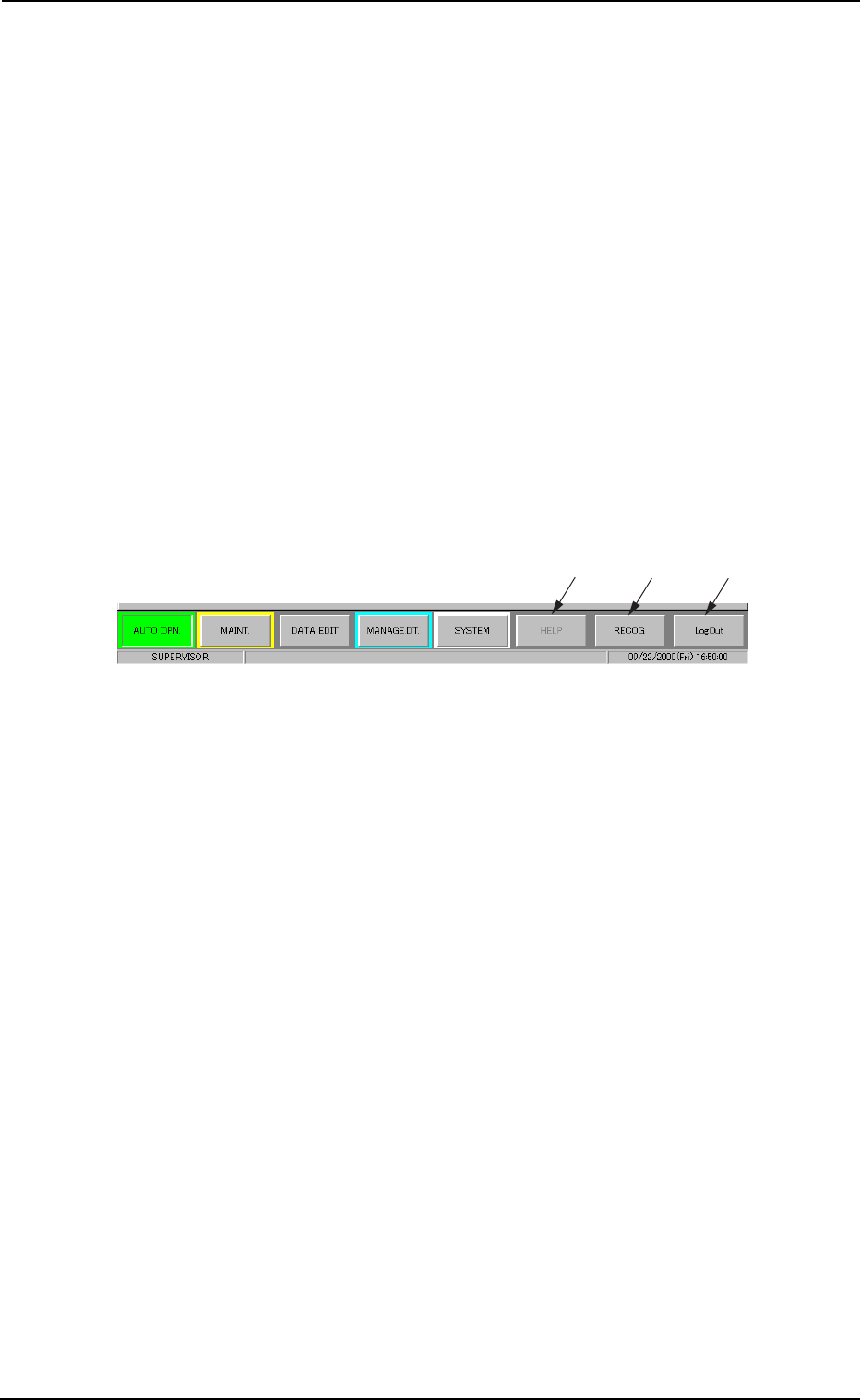
*3 [DATA EDIT] Button
When this button is pressed, the "Pattern Program" window opens,
enabling you to edit the data. (Vol. 2, Chapter 1, Section 2)
*4 [MANAGE DT.] Button
When this button is pressed, the "MANAGE. DATA" window opens.
(Vol. 2, Chapter 1, Section 3)
*5 [SYSTEM] Button
When this button is pressed, the "SYSTEM" window opens, en-
abling you to set up the system. (Vol. 2, Chapter 1, Section 4)
1.1.2 Other Operation Buttons
The main menu bar is also provided with the following operation but-
tons in addition to the main menu selection buttons.
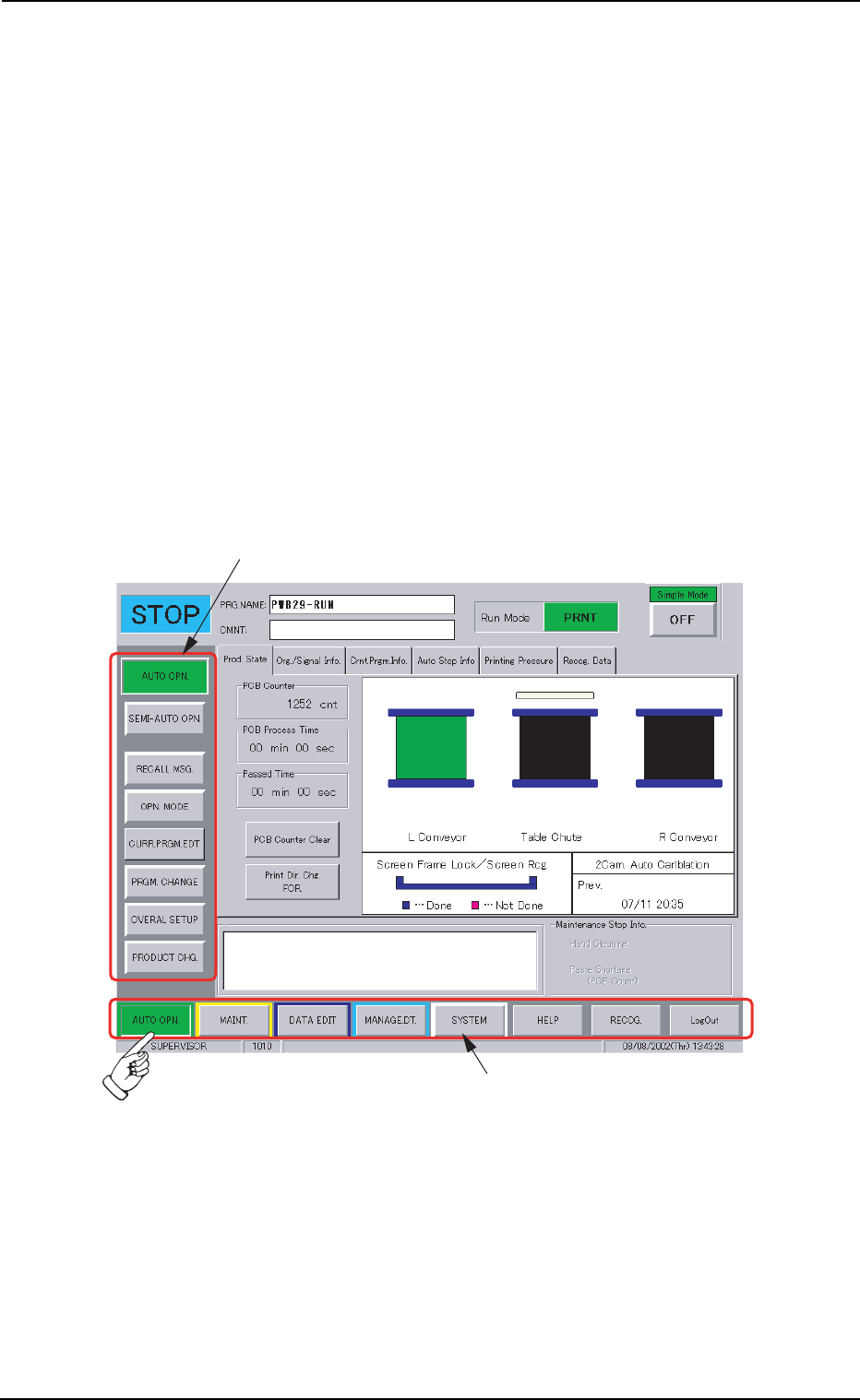
Fig. 2D1-2
*1 [HELP] Button
When this button is pressed, the "HELP" window opens.
*2 [RECOG.] Button
When this button is pressed, the "RECOG." window opens, en-
abling you to select a display pattern of the recognized image.
("1.2.6" in Section 4)
*3 [LogOut] Button
When this button is pressed, the system exits from window naviga-
tions and the "Login Type Selection" window opens. ("1.7" in Sec-
tion 3 of Chapter 1)
0211-005
Chapter 2 4-3 Tg0582-PM-D1
1. 1 About the Main Menu Bar
*1
*3*2
1.2 Using the Menus
1.2.1 Menus for Automatic Operation
• Menu Selection
(1) When the [AUTO OPN.] button on the main menu bar is pressed,
the "AUTO OPN." window opens. The "AUTO OPN." window is
provided with a submenu bar.
(2) When one of the buttons on the submenu bar is pressed, the cor-
responding sheet (submenu) or tab sheets appear inside the "AUTO
OPN." window.
This window is provided with main menus related to the automatic op-
eration of the machine. All operations required for automatic operation
are included in this window.
Fig. 2D2 Selection of Menus for Automatic Operation
1. 2 Using the Menus
Main Menu Bar
"AUTO OPN." Submenu Bar
0211-005 Chapter 2 4-4 Tg0582-PM-D1