1OM-1086-002.pdf - 第218页
*2 [FeedBack DataClear] Button When this button is pressed, the following “W arning” dialog box opens. Fig. 2E8-1 “W arning” Dialog Box When the [Y es] button is pressed, the numerical value of the feedback is cleared. P…
2.5 "Printing Pressure" Tab
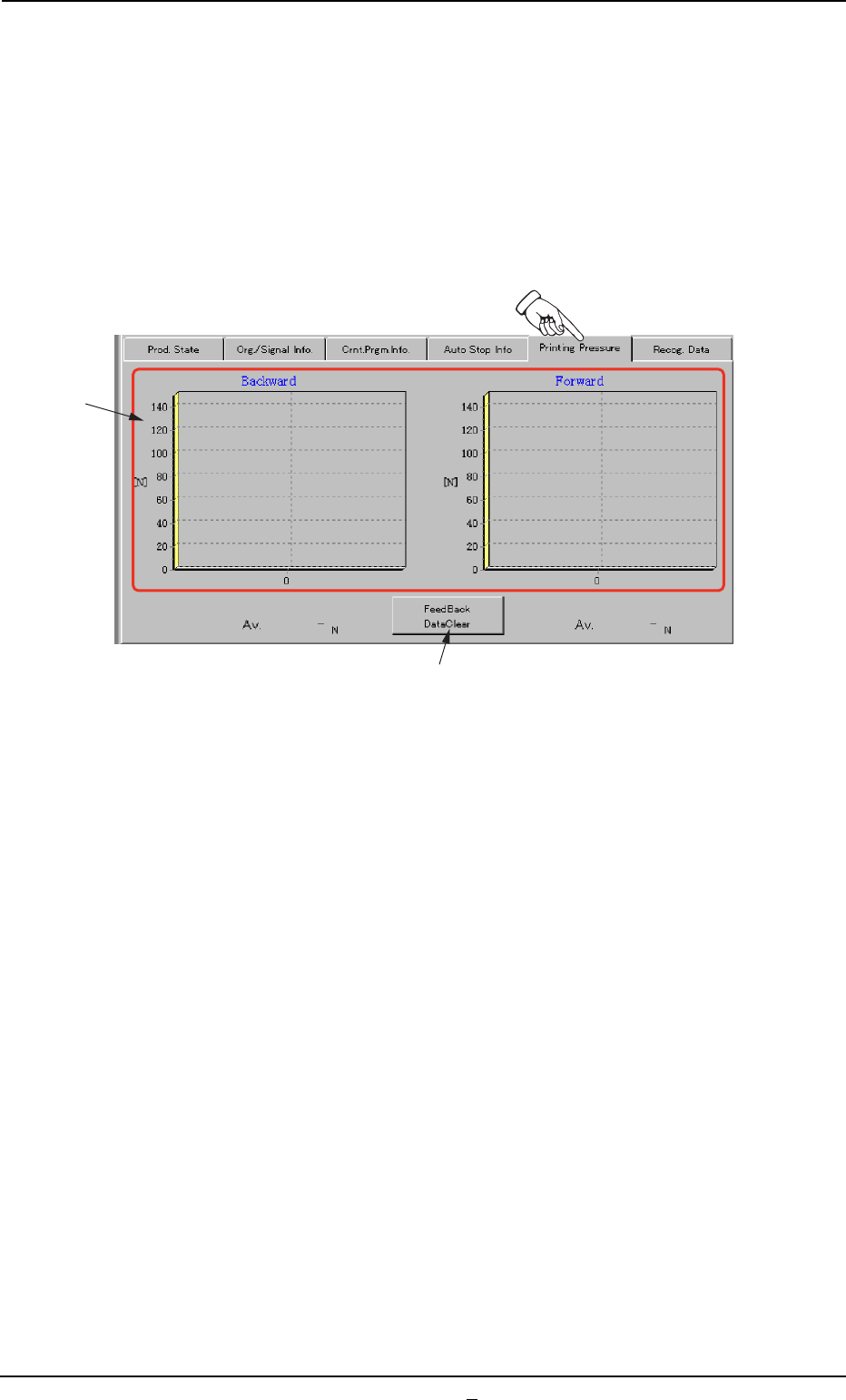
Charted and displayed are the changes in printing pressure during print-
ing for each squeegee.
• Sheet Layout
When the [Printing Pressure] tab is pressed at the "AUTO OPERA-
TION" window (submenu), the following tab sheet opens.
Fig. 2E8 "Printing Pressure" Tab Sheet
• Sheet Composition
*1 Printing Pressure Charts
Charted and displayed are the changes in printing pressure during
printing for each squeegee.
Backward : The line in the chart displays fluctuations in the print-
ing pressure caused while the squeegees are mov-
ing backward.
Forward : The line in the chart displays fluctuations in the print-
ing pressure caused while the squeegees are mov-
ing forward.
2.5 "Printing Pressure" Tab
0211-005 Chapter 2 5-13 Tg0582-PM-D1
*1
*2
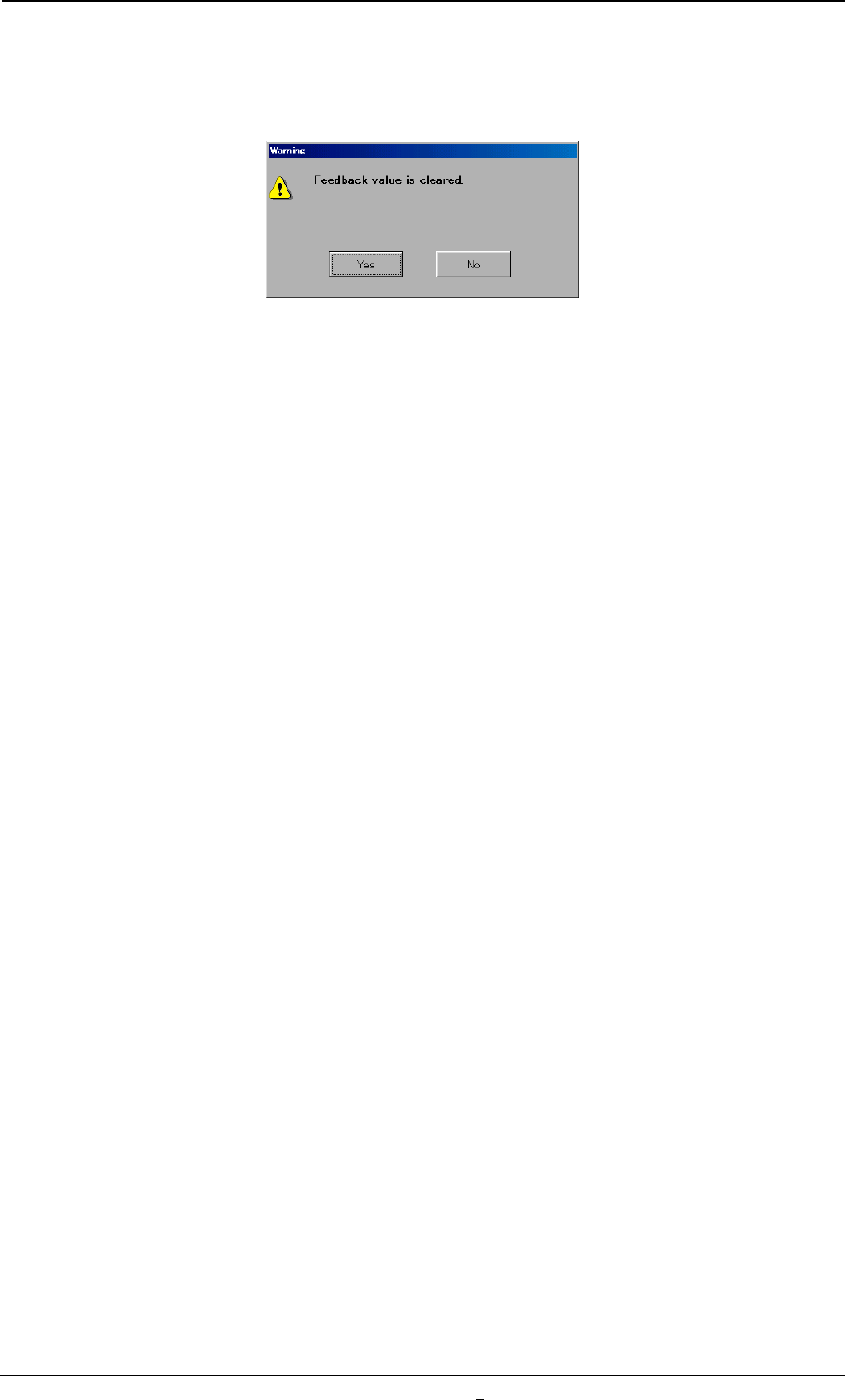
*2 [FeedBack DataClear] Button
When this button is pressed, the following “Warning” dialog box
opens.
Fig. 2E8-1 “Warning” Dialog Box
When the [Yes] button is pressed, the numerical value of the feedback
is cleared.
Pressing the [No] button cancels the clear of the numerical value.
2.5 "Printing Pressure" Tab
0211-005 Chapter 2 5-13-1 Tg0582-PM-D1
2.6 "Recognition Data" Tab
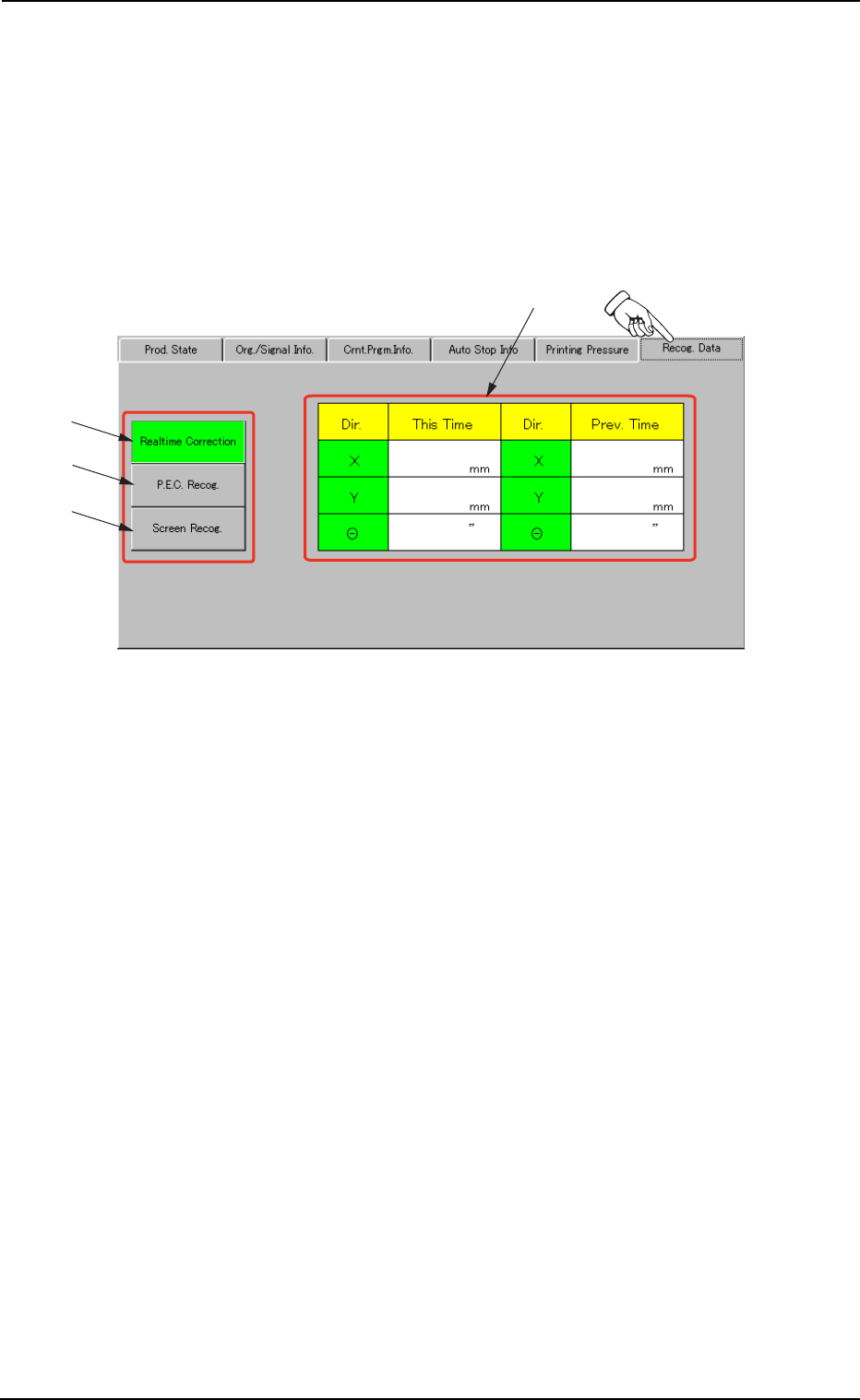
Displayed are the correction levels for each axis after P.E.C. recogni-
tion.
• Sheet Layout
When the [Recog. Data] tab is pressed at the "AUTO OPERATION"
window (submenu), the following tab sheet opens.
Fig. 2E9 "Recognition Data" Tab Sheet
• Sheet Composition
*1 [Realtime Correction] Button
When this button is pressed, the correction levels for each axis are
displayed in real time after P.C.B. recognition in the *4 data field.
*2 [P.E.C. Recog.] Button
When this button is pressed, the correction levels (previous and
current ones) for each axis (X and Y) are displayed for each indi-
vidual fiducial marks of the P.C.B. in the *4 data field.
*3 [Screen Recog.] Button
When this button is pressed, the correction levels (previous and
current ones) for each axis (X and Y) are displayed for each indi-
vidual fiducial marks of the screen frame.
*4 Recognition Data Field
Each recognition data is displayed.
2.6 "Recognition Data" Tab
*1
*4
*2
*3
0211-005 Chapter 2 5-14 Tg0582-PM-D1