1OM-1086-002.pdf - 第220页
(a) Displayed in the *4 data field is the initial data or ex- emplified one that appears when the [Realtime Cor- rection] button is pressed. (b) When the [P .E.C. Recog.] or the [Screen Recog.] but- ton is pressed, the f…
2.6 "Recognition Data" Tab
Displayed are the correction levels for each axis after P.E.C. recogni-
tion.
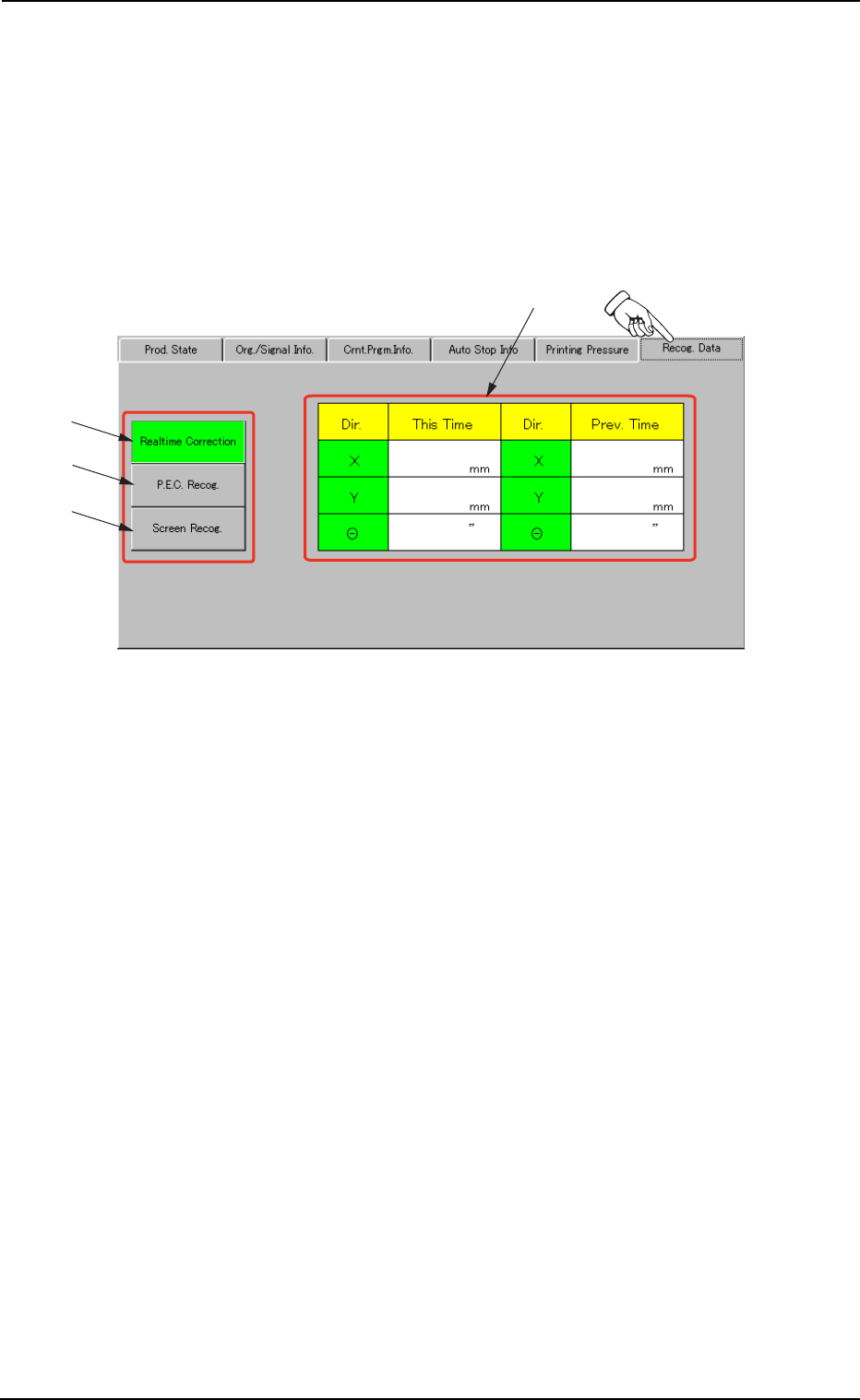
• Sheet Layout
When the [Recog. Data] tab is pressed at the "AUTO OPERATION"
window (submenu), the following tab sheet opens.
Fig. 2E9 "Recognition Data" Tab Sheet
• Sheet Composition
*1 [Realtime Correction] Button
When this button is pressed, the correction levels for each axis are
displayed in real time after P.C.B. recognition in the *4 data field.
*2 [P.E.C. Recog.] Button
When this button is pressed, the correction levels (previous and
current ones) for each axis (X and Y) are displayed for each indi-
vidual fiducial marks of the P.C.B. in the *4 data field.
*3 [Screen Recog.] Button
When this button is pressed, the correction levels (previous and
current ones) for each axis (X and Y) are displayed for each indi-
vidual fiducial marks of the screen frame.
*4 Recognition Data Field
Each recognition data is displayed.
2.6 "Recognition Data" Tab
*1
*4
*2
*3
0211-005 Chapter 2 5-14 Tg0582-PM-D1
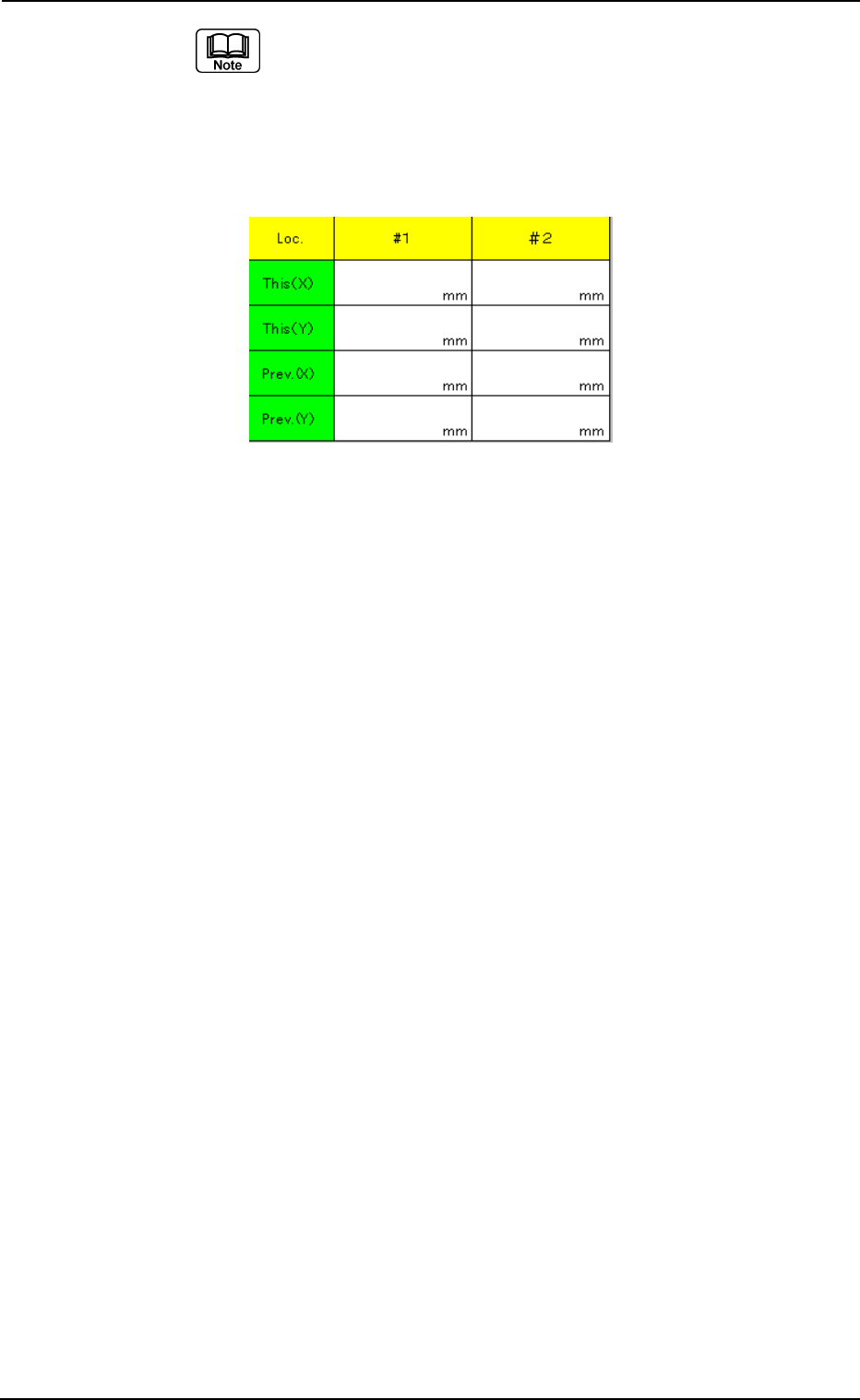
(a) Displayed in the *4 data field is the initial data or ex-
emplified one that appears when the [Realtime Cor-
rection] button is pressed.
(b) When the [P.E.C. Recog.] or the [Screen Recog.] but-
ton is pressed, the following data appears in the *4
data field.
Fig. 2E10
0211-005 Chapter 2 5-15 Tg0582-PM-D1
2.6 "Recognition Data" Tab
3 . "SEMI-AUTO OPERATION" Submenu
This window enables special start-up operations such as re-starting of
the machine and continuous operation with the P.C.B. in the middle of
process after power is turned off, starting of machine operation from
the middle of steps after system clear, etc.
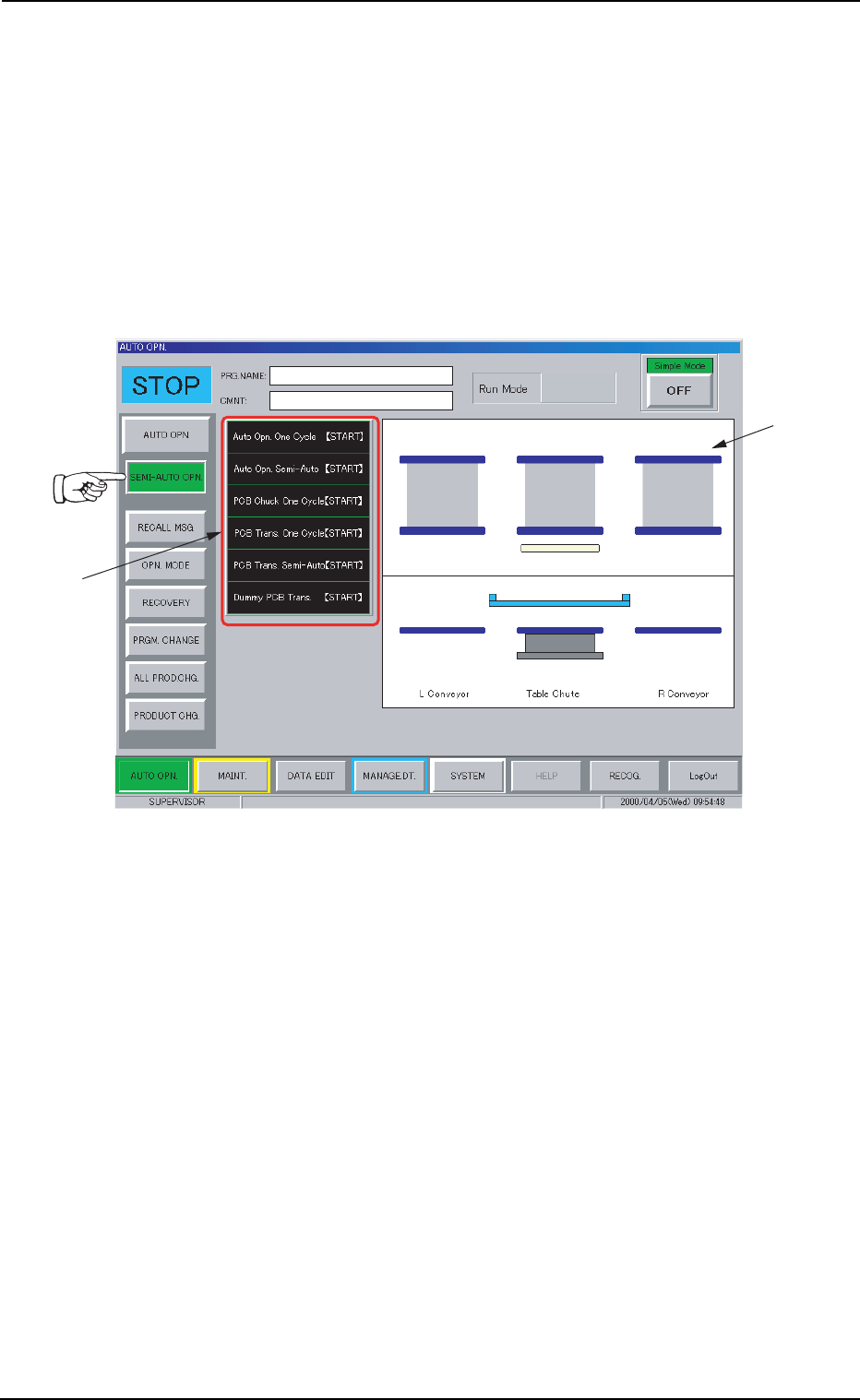
• Window Layout
When the [SEMI-AUTO OPN.] button is pressed at the "AUTO OP-
ERATION" submenu bar, the following window opens.
Fig. 2E11 "SEMI-AUTO OPERATION" Window (Submenu)
• Window Composition
*1 Operation Buttons
The "SEMI-AUTO OPERATION" window (submenu) is provided
with the following operation buttons.
[Auto Opn. One Cycle (START)] Button
When this button is pressed, the background color turns blue.
When the [START] button on the front operation panel is pressed
subsequently, the machine performs one-cycle printing operation
for the P.C.B. of the specified model.
[Auto Opn. Semi-Auto (START)] Button
When this button is pressed, the background color turns blue.
When the [START] button on the front operation panel is pressed
subsequently, the machine performs step-by-step printing opera-
tion for the P.C.B. of the specified model.
3. "SEMI-AUTO OPERATION" Submenu
*1
*2
0211-005 Chapter 2 5-16 Tg0582-PM-D1