1OM-1086-002.pdf - 第228页
021 1-005 Chapter 2 5 - 21-2 Tg0582-PM-D1 4.3 "System Info." T ab • Sheet Layout When the "System Info." tab is pressed in the "RECALL MSG." win- dow (submenu), the following tab sheet appea…

*5 [Save to FD] Button
When this button is pressed, the contents of the recalled error mes-
sages are saved on a floppy disk.
The data is saved in a text format (extension ".TXT") such as "Er-
ror 001.TXT".
When the same file name exists on the floppy disk, the new file is
named in increments of "1" such as "001", "002", so forth.
The access lamp of the floppy drive illuminates while
the data is being saved.
Be sure to confirm that the access lamp is turned OFF
before taking out the floppy disk.
0211-005 Chapter 2 5-21-1 Tg0582-PM-D1
4.2 "Information Recall" Tab
0211-005 Chapter 2 5-21-2 Tg0582-PM-D1
4.3 "System Info." Tab
• Sheet Layout
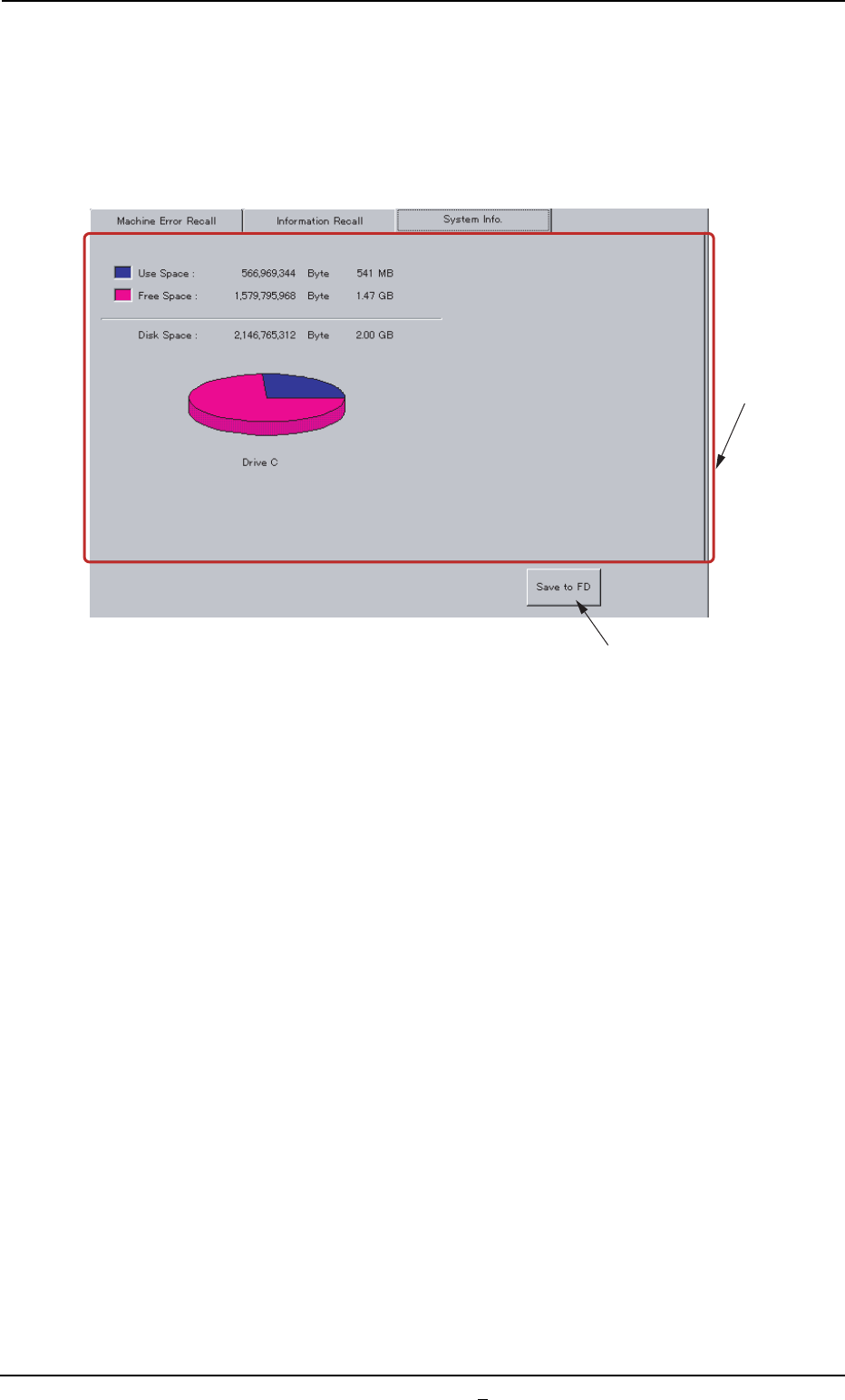
When the "System Info." tab is pressed in the "RECALL MSG." win-
dow (submenu), the following tab sheet appears.
Fig. 2E14-1
*1 System Information
This tab sheet enables the operator to check the empty area of
the hard disk on the machine side.
When the hard disk has low disk space, the machine performance
may become unstable.
Delete unrequired pattern programs whenever the hard disk has
only an empty area of 300MB or less.
*2 [Save to FD] Button
The data for performance analysis of the machine is saved on a
floppy disk.
When a nonconformity error, etc., has occurred, our service per-
sonnel may ask you to save the data. In normal cases, it is not
required to use this button.
*1
*2
4.3 "System Info." Tab
5. "OPN. MODE" Submenu
When some of the parameters must be modified according to situational
changes based on the parameters set for the production model and the
required tab is pressed at the "OPERATION MODE" window, the corre-
sponding tab sheet appears, enabling the alteration of parameters.
• Window Layout
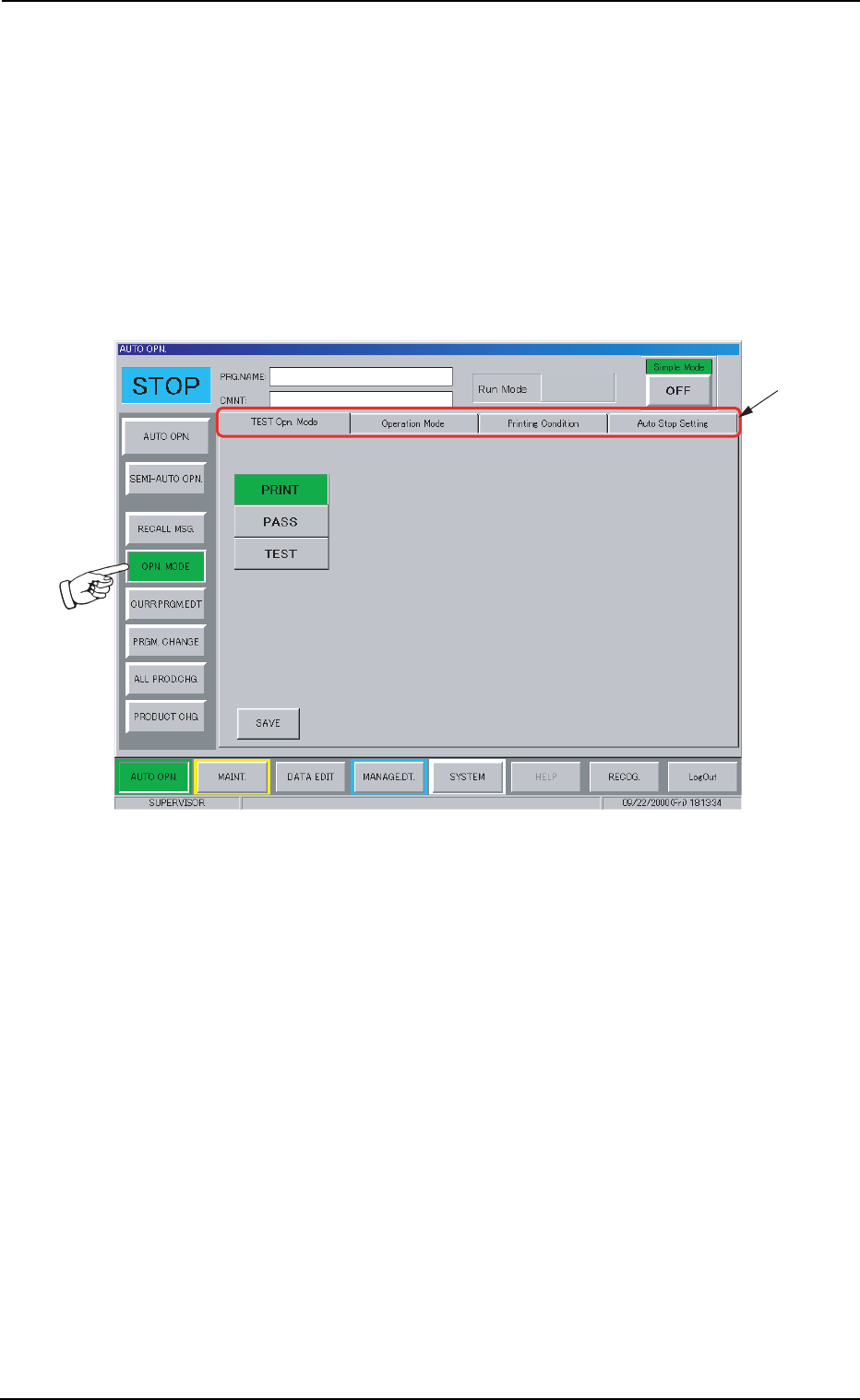
When the [OPN. MODE] button is pressed at the "AUTO OPERA-
TION" submenu bar, the following window opens.
Fig. 2E15 "OPERATION MODE" Window (Submenu)
• Window Composition
*1 Tabs
The "OPERATION MODE" window (submenu) is provided with four
tab sheets. When a tab is pressed, the corresponding tab sheet
appears.
5. "OPN. MODE" Submenu
0211-005 Chapter 2 5-22 Tg0582-PM-D1
*1