1OM-1086-002.pdf - 第278页
5. "MANUAL ALIGNMENT" Window (Submenu) This window can be used to perform the manual alignment of each unit. • Window Layout When the [MAN.ALIGNMENT] button is pressed in the "MAINTE- NANCE" submenu b…

[Cleaning Up/Down (UP-DOWN)] Button
When this button is pressed, the cleaning unit starts moving up or
down.
[Cleaning Vacuum (ON-OFF)] Button
When this button is pressed, solder paste is sucked through the
cleaning paper.
The blower unit (required for suction) is optional.
[Dispense Solvent (ON-OFF)] Button
When this button is pressed, cleaning solvent is discharged.
[Cleaning 1 Cycle (Cycle)] Button
When this button is pressed, the machine performs one-cycle op-
eration of cleaning.
*2 Status
Displayed is how each unit is working.
4.5 "Cleaning Block" Tab
0211-005 Chapter 2 6-20 Tg0582-PM-D1
5. "MANUAL ALIGNMENT" Window (Submenu)
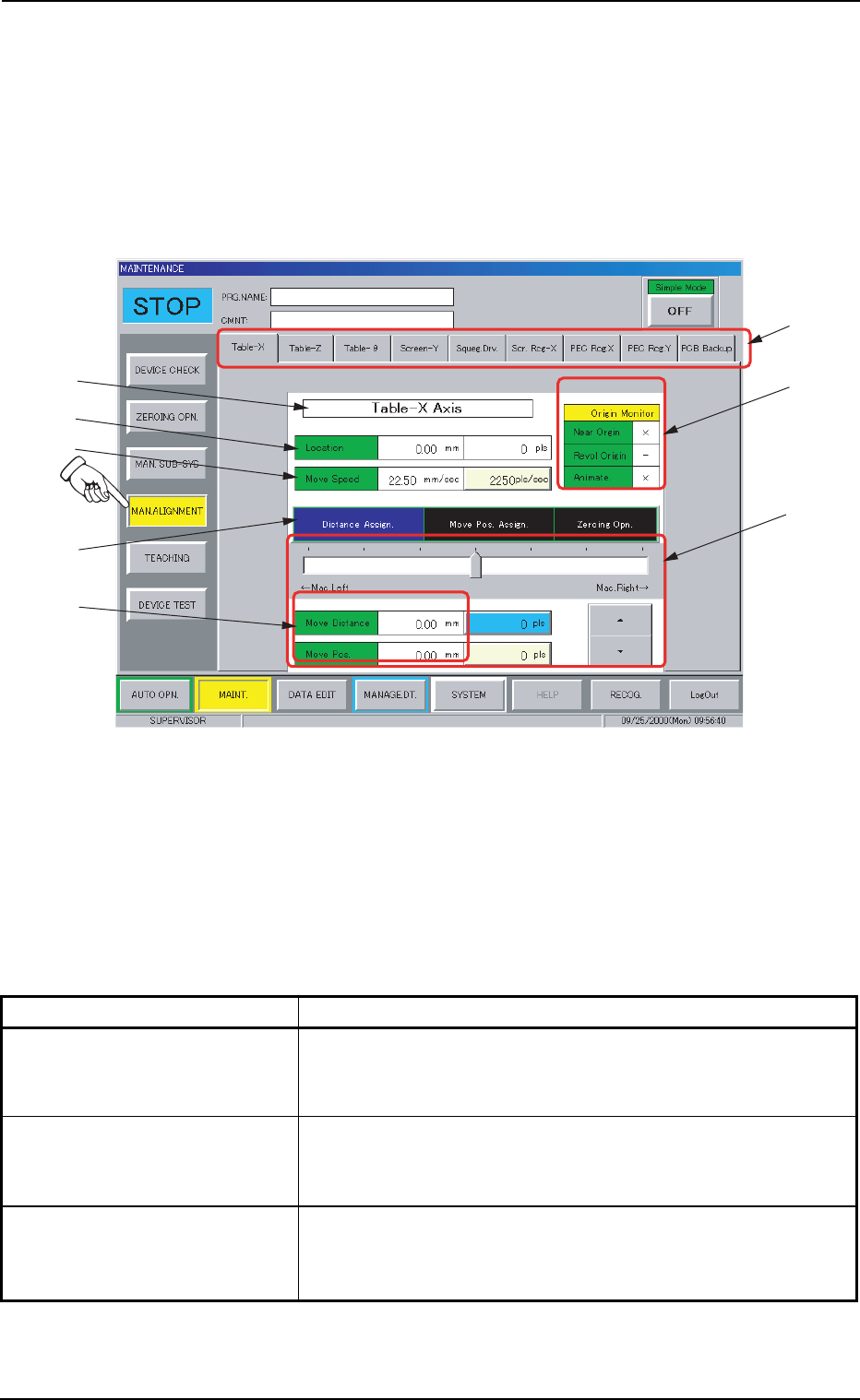
This window can be used to perform the manual alignment of each unit.
• Window Layout
When the [MAN.ALIGNMENT] button is pressed in the "MAINTE-
NANCE" submenu bar, the following window opens.
Fig. 2F14 "MANUAL ALIGNMENT" Window (Submenu)
• Window Composition
*1 Tabs
The "MANUAL ALIGNMENT" window (submenu) has 9 tab sheets.
When a tab is pressed, the corresponding tab sheet appears.
Table 2F3
Tabs Description
Table-X By specifying the move speed, the distance assignment, and
the move position assignment, the manual alignment opera-
tion can be performed for the X axis of the table.
Table-Z By specifying the move speed, the distance assignment, and
the move position assignment, the manual alignment opera-
tion can be performed for the Z axis of the table.
Table- θ By specifying the move speed, the distance assignment, and
the move position assignment, the manual alignment opera-
tion can be performed for the θ axis of the table.
5. "MANUAL ALIGNMENT" Window (Submenu)
*1
*5
*2
*3
*4
*6
*8
*7
0211-005 Chapter 2 6-21 Tg0582-PM-D1
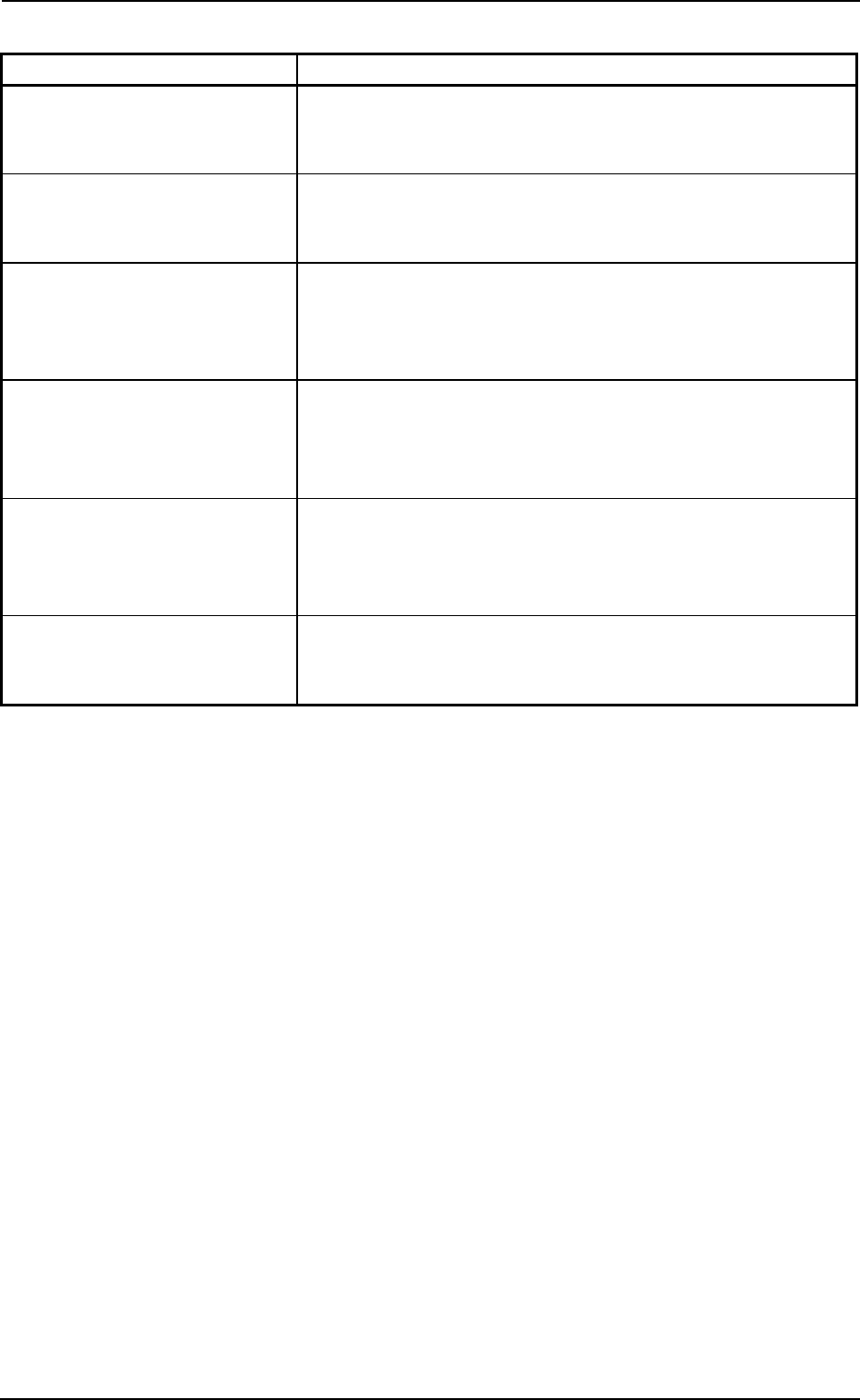
Table 2F4
Tabs Description
Screen-Y By specifying the move speed, the distance assignment, and
the move position assignment, the manual alignment opera-
tion can be performed for the Y axis of the screen.
Squeg.Drv. By specifying the move speed, the distance assignment, and
the move position assignment, the manual alignment opera-
tion can be performed for the driving axis of the squeegee.
Scr. Rcg-X By specifying the move speed, the distance assignment, and
the move position assignment, the manual alignment opera-
tion can be performed for the X axis of the screen recogni-
tion.
PEC Rcg.X By specifying the move speed, the distance assignment, and
the move position assignment, the manual alignment opera-
tion can be performed for the X axis of the P.E.C. recogni-
tion.
PEC Rcg.Y By specifying the move speed, the distance assignment, and
the move position assignment, the manual alignment opera-
tion can be performed for the Y axis of the P.E.C. recogni-
tion.
PCB Backup By specifying the move speed, the distance assignment, and
the move position assignment, the manual alignment opera-
tion can be performed for the P.C.B. backup axis.
*2 Name of Object Unit
Displayed is the name of the unit to be manually aligned. The axis
represents the operational direction.
*3 Location
Displayed are the moving distance and the number of pulses that
represent the current location of the unit.
The numerical value (mm) equivalent to one pulse differs, depend-
ing on the selected unit.
*4 Move Speed
Displayed are the speeds (distances and pulses per second) at
which the unit moves in the manual alignment operation.
To change the moving speed, press the "Move Speed" text box
(xxxx pls/sec) to open the ten-key window and enter the number of
pulses per second in the text box.
Refer to "5.1.2 How to set parameters for "Move Distance" and
"Move Pos."" for details.
5. "MANUAL ALIGNMENT" Window (Submenu)
0211-005 Chapter 2 6-22 Tg0582-PM-D1