1OM-1086-002.pdf - 第296页
• • • • • Movement to Specified Position (1) Select the [Assign. Posn. Move (ST ART)] button. The window (Fig. 2F31) opens. (2) Select the [X] and [Y] buttons entitled "Recog. Camera Move Posn. Assign." and ent…
6.1.2 Camera X-Y Move
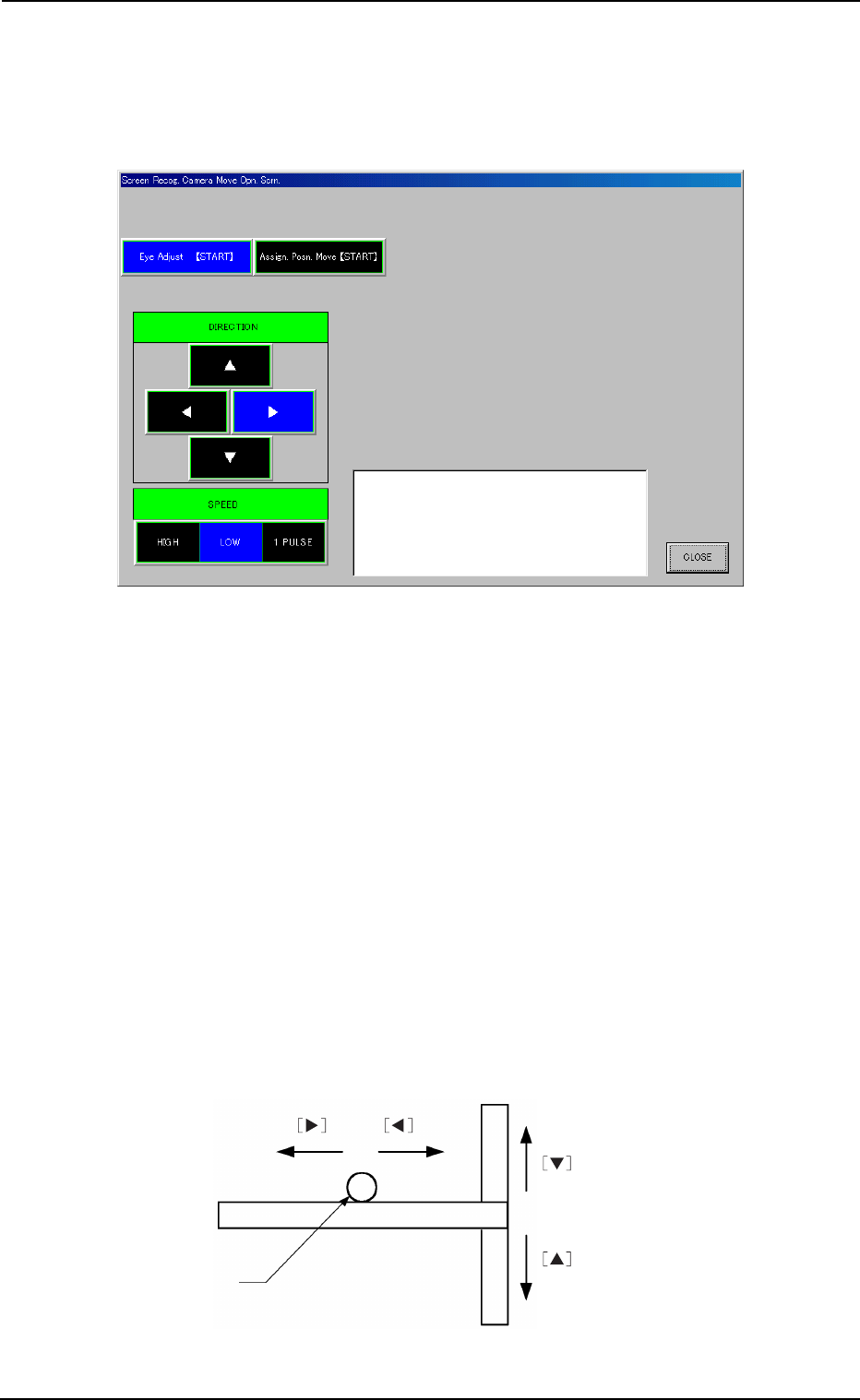
When the [Camera X-Y Move] button is pressed in the "Inaccurate Posn.
Correction" tab sheet, the following window (Fig. 2F29) opens.
Fig. 2F29
There are two ways to move the camera to a recognition mark (or a
pattern).
••
••
• Manual Alignment
(1) Select the [Eye Adjust (START)] button.
(2) Press one of the "DIRECTION" button to select a direction and
select one of the "SPEED" buttons to specify a speed.
(3) When the [START] button on the front operation panel is pressed,
the camera starts moving in the designated direction at the speci-
fied speed.
While the [START] button is kept pressed, the camera keeps on
moving.
(4) After the camera has moved to the recognition mark (or the pat-
tern), press the [Close] button. The previous window appears.
Fig. 2F30
0211-005 Chapter 2 6-38 Tg0582-PM-D1
Direction of Camera X Movement
Camera X
Camera
Direction of Camera
Y Movement
Camera Y
6.1 "Inaccurate Posn. Correction" Tab
••
••
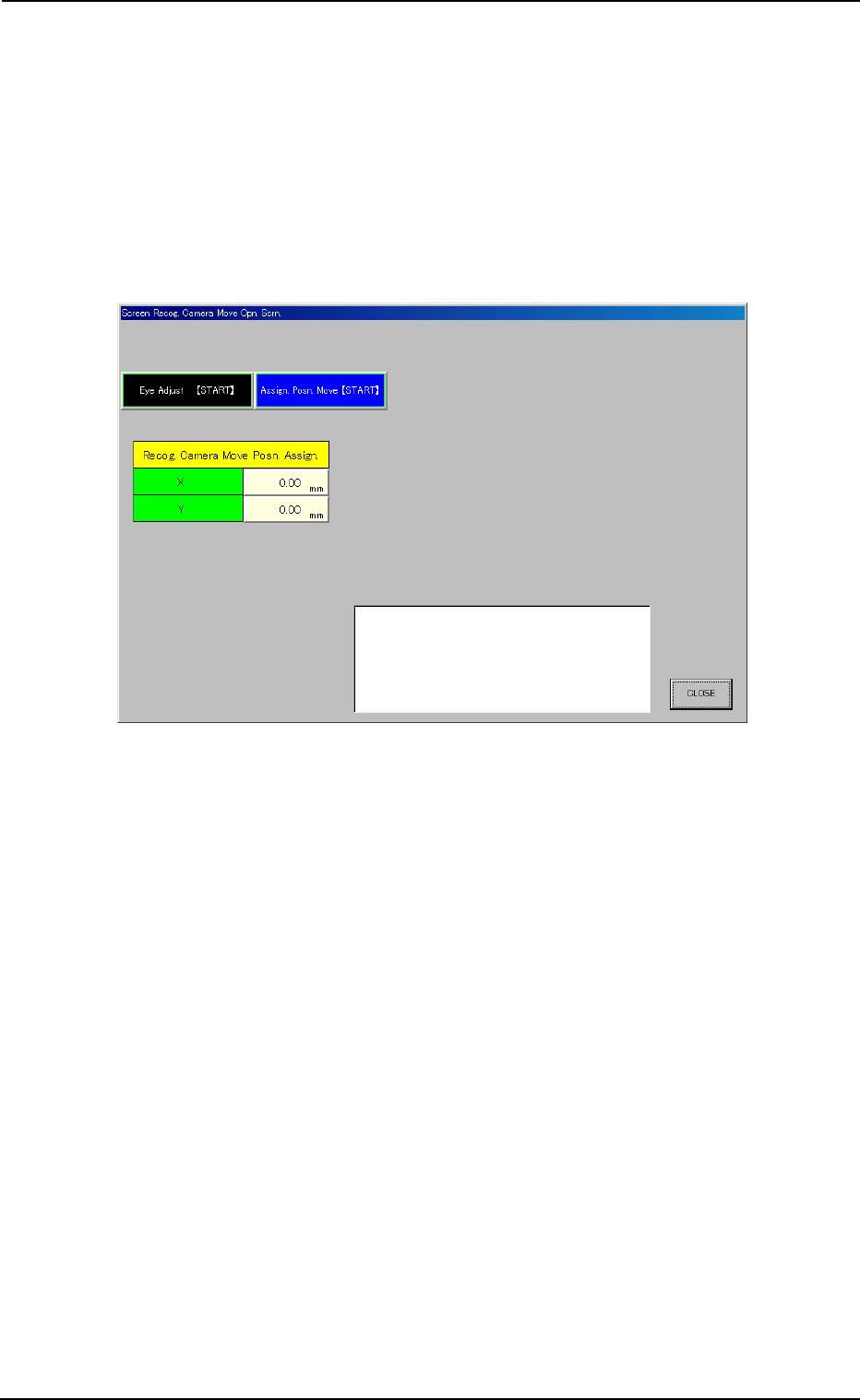
• Movement to Specified Position
(1) Select the [Assign. Posn. Move (START)] button.
The window (Fig. 2F31) opens.
(2) Select the [X] and [Y] buttons entitled "Recog. Camera Move Posn.
Assign." and enter parameters using the ten-key pad.
(3) When the [START] button on the front operation panel is pressed,
Table X/Y moves to the recognition mark (foot pattern, etc.) lo-
cated at the specified position.
Fig. 2F31
(4) After the above-described operation, press the [CLOSE] button.
The previous window (Fig. 2F29) opens.
6.1 "Inaccurate Posn. Correction" Tab
0211-005 Chapter 2 6-39 Tg0582-PM-D1
6.1.3 Alignment Operation
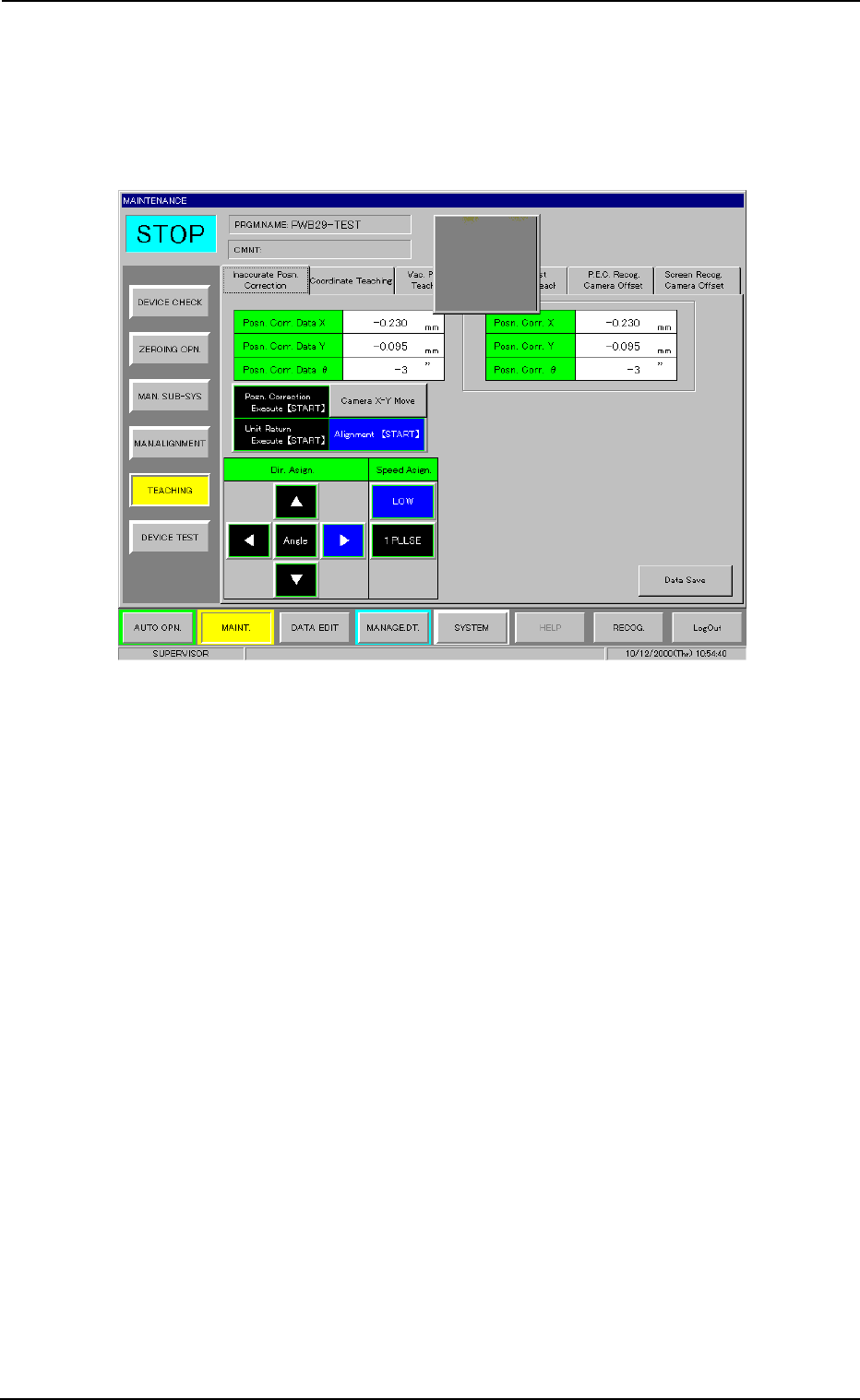
When the [Alignment (START)] button is pressed in the "Inaccurate
Posn. Correction" tab sheet (Fig. 2F28), the following window (Fig. 2F32)
opens.
Fig. 2F32
••
••
• Operation Procedure
(1) When the table must be moved in the X direction or the screen in
the Y direction, specify the direction and speed of each movement.
(2) To move the table in the θ (theta) direction, press the [Angle] but-
ton and specify the direction and speed of the movement.
(3) When the [START] button on the front operation panel is pressed,
the table or the screen starts moving.
(4) Align the P.C.B. with the screen through the manual alignment op-
eration or using the screen recognition camera.
Saving the Settings for Inaccurate Position Correction
When the [Data Save] button in the "Inaccurate Posn. Correction" tab
sheet is pressed, the taught parameters are fed back as parameters for
"Prntng. Correction (Back)" and "Prntng. Correction (For.)" in the "Print"
data (Pattern Program Data).
Unit Return Operation
Select the [Unit Return Execute (START)] button in the tab sheet (Fig.
2F32) and press the [START] button on the front operation panel. The
original condition resumes.
6.1 "Inaccurate Posn. Correction" Tab
0211-005 Chapter 2 6-40 Tg0582-PM-D1